 Pro Tools HD v 8.1.1
11 mars 2011
MacOS X Intel
Pro Tools HD v 8.1.1
11 mars 2011
MacOS X Intel
Pro Tools HD v 8.0.5
11 mars 2011
MacOS X Intel
Pro Tools HD v 9.0
5 nov. 2010
MacOS X Intel
* Travaillez comme vous le voulez, avec votre interface audio Avid préférée, une interface Core Audio/ASIO de fournisseurs tiers (jusqu'à 32 canaux pris en charge), ou de façon autonome
* Collaborez plus facilement avec la prise en charge intégrée des formats d'échange OMF/AAF/MXF
* Accédez à une plus large palette d'options de contrôle direct avec l'intégration du protocole EUCON pour les consoles/contrôleurs des Séries Artist et Pro
* Disposez de plus de fonctionnalités pour travailler avec l'image, notamment le surround panner 7.1 et des niveaux de panoramique stéréo ajustables
* Créez des mixages plus complexes avec deux fois plus de bus internes (256) et de pistes audio totales (512)
* Travaillez sur les plate-formes Windows 7 64-bit
Pro Tools HD v 8.1cs2
19 oct. 2010
MacOS X Intel
Pro Tools could crash or an access violation may occur when importing duplicate tracks to the same session. (PTSW-133048)
* One can now successfully import duplicate tracks to a Pro Tools 8.1 session without encountering an error.
Volumes named using multi-byte language characters, such as Katakana, don't mount in DigiBase. (PTSW-58406, PTSW-131482)
* One can now use the full set of language options provided by the OS when naming audio volumes.
Control Surfaces could display "Pro Tools has a Dialog on Screen" when there is no dialog on screen. (PTSW-130634)
* When any progress bar dialog is active, hiding Pro Tools until the progress bar finishes, then un-hiding Pro Tools makes Pro Tools think the progress bar dialog is still active. In this state Pro Tools appeared to be mostly unresponsive.
Pro Tools would not launch on a user account configured for Open Directory access. (PTSW-130444)
* Application failed to launch on OS X systems configured for Network Home Directories (i.e. Open Directory). In 8.1 (and 8.0.4), launching Pro Tools on a user account resulted in an assertion error when loading plug-ins, whereas in 8.0.3, Pro Tools crashed with "Pro Tools has unexpectedly quit" dialog.
Tracks created using "Expand to New Tracks" would not allow audio to play back. (PTSW-125445)
* "Expand to New Tracks" now creates tracks muted, but with full metering functionality and audio playback.
QuickTime playback of DV-PAL codec through Mojo stutters. (PTSW-130719)
* The stuttering of QuickTime playback was especially noticeable when manipulating the Pro Tools GUI during playback or having a video sync offset that wasn't divisible by four.
Access violation occurs when applying a fade out on 1 sample region when the fade overlaps adjacent regions. (PTSW-131127)
* This access violation no longer occurs.
On Windows, the Alt and Win keys get "stuck" on. (PTSW-124654)
* The Alt and Win keys can get into a state in which they appear to be pressed down all the time, with the only known solution to quit Pro Tools. On Windows XP, the problem is not eliminated but now it should be a simple matter of pressing the affected key once to disengage the "stuck" mode and return to normal operation. If some Pro Tools operations still appear unresponsive, wait 30 seconds until normal operation is restored.
Audio routing could be lost when turning off DSP Cache during playback. (PTSW-130638)
* DSP Cache on/off switch is not accessible during playback. There is no need to toggle this parameter during playback as it only affects session close/open behavior.
On Windows, Runtime errors and crash when using ZIO ADR Express with Pro Tools and recording to ISIS volume. (PTSW-125770, PTSW-125771, PTSW-129529)
* Pro Tools would crash or a runtime error would be encountered while using ZIO ADR Express with Pro Tools during recording to ISIS volume, or immediately after recording to ISIS volume while editing, undoing, or scrubbing.
Recording gets lost if timeline selection markers are moved during QuickPunch or TrackPunch record. (PTSW-128879)
* Moving the timeline selection markers during QP record would cause deletion of the file being recorded.
DigiTrace log files (.dlog) not written when the user is not an Administrator account. (PTSW-53712)
* DigiTrace files were being placed next to the Pro Tools application, but this path was not allowed for non-admin users. To fix this, .dlog files are written to a new location:
o Mac OS X: /Users/
/Library/Logs/AvidLogFiles
o Windows XP: \Documents and Settings\\AvidLogFiles
o Windows 7: \Users/\AvidLogFiles
Pro Tools HD v 8.0.4cs2
19 oct. 2010
MacOS X Intel
On Windows, Pro Tools LE was recording audio to the timeline early by approximately twice the H/W buffer size. (PTSW-130757)
* Audio was recorded early depending on the hardware buffer size selected. This problem was specific to Pro Tools LE 8.0.4 on Windows. Fixed in the included Pro Tools LE Avid Audio Drivers installer.
On Windows, 002 and 003 optical signal is not monitored when Low Latency Monitoring (LLM) is enabled. (PTSW-130422)
* Optical signal was not passing through to Main Output on 002 and 003 when LLM was enabled. This problem was specific to the 002 and 003 devices running Pro Tools LE 8.0.4 on Windows. Fixed in the included Pro Tools LE Avid Audio Drivers installer.
Volumes named using multi-byte language characters, such as Katakana, don't mount in DigiBase. (PTSW-58406, PTSW-131482)
* One can now use the full set of language options provided by the OS when naming audio volumes.
Control Surfaces could display "Pro Tools has a Dialog on Screen" when there is no dialog on screen. (PTSW-130634)
* When any progress bar dialog is active, hiding Pro Tools until the progress bar finishes, then un-hiding Pro Tools makes Pro Tools think the progress bar dialog is still active. In this state Pro Tools appeared to be mostly unresponsive.
Pro Tools would not launch on a user account configured for Open Directory access. (PTSW-130444)
* Application failed to launch on OS X systems configured for Network Home Directories (i.e. Open Directory). In 8.0.4, launching Pro Tools on a user account resulted in an assertion error when loading plug-ins, whereas in 8.0.3, Pro Tools crashed with "Pro Tools has unexpectedly quit" dialog.
Tracks created using "Expand to New Tracks" would not allow audio to play back. (PTSW-125445)
* "Expand to New Tracks" now creates tracks muted, but with full metering functionality and audio playback.
QuickTime playback of DV-PAL codec through Mojo stutters. (PTSW-130719)
* The stuttering of QuickTime playback was especially noticeable when manipulating the Pro Tools GUI during playback or having a video sync offset that wasn't divisible by four.
Access violation occurs when applying a fade out on 1 sample region when the fade overlaps adjacent regions. (PTSW-131127)
* This access violation no longer occurs.
On Windows, the Alt and Win keys get "stuck" on. (PTSW-124654)
* The Alt and Win keys can get into a state in which they appear to be pressed down all the time, with the only known solution to quit Pro Tools. On Windows XP, the problem is not eliminated but now it should be a simple matter of pressing the affected key once to disengage the "stuck" mode and return to normal operation. If some Pro Tools operations still appear unresponsive, wait 30 seconds until normal operation is restored.
Audio routing could be lost when turning off DSP Cache during playback. (PTSW-130638)
* DSP Cache on/off switch is not accessible during playback. There is no need to toggle this parameter during playback as it only affects session close/open behavior.
On Windows, runtime errors and crash when using ZIO ADR Express with Pro Tools and recording to ISIS volume. (PTSW-125770, PTSW-125771, PTSW-129529)
* Pro Tools would crash or a runtime error would be encountered while using ZIO ADR Express with Pro Tools during recording to ISIS volume, or immediately after recording to ISIS volume while editing, undoing, or scrubbing.
Recording gets lost if timeline selection markers are moved during QuickPunch or TrackPunch record. (PTSW-128879)
* Moving the timeline selection markers during QP record would cause deletion of the file being recorded.
DigiTrace log files (.dlog) not written when the user is not an Administrator account. (PTSW-53712)
* DigiTrace files were being placed next to the Pro Tools application, but this path was not allowed for non-admin users. To fix this, .dlog files are written to a new location:
o Mac OS X: /Users/
/Library/Logs/AvidLogFiles
o Windows XP: \Documents and Settings\\AvidLogFiles
o Windows 7: \Users/\AvidLogFiles
On Windows, when selecting the Audio Plug-ins Guide link in the Help menu, the wrong guide is opened. (PTSW-129920)
* The correct guide is now opened.
When selecting Audio Plug-ins Guide in the Help menu, a dialog appears: "Could not find help file DigiRack Plug-Ins Guide.pdf!" (PTSW-129870)
* This problem is fixed.
The "Support FAQ.pdf" in Documentation -> Pro Tools is the wrong version. (PTSW-129915)
* The correct version is now installed. This problem affected Windows Pro Tools M-Powered only.
Pro Tools HD v 8.1cs1
20 août 2010
MacOS X Intel
Fixed: Crash when importing aux tracks via import session data. (Item #PTSW-129732)
* Pro Tools may crash with "Floating point exception in thread MainThread at address 0x0" or similar errors when importing Aux tracks from another session.
DigiTest updated to be compatible with SYNC HD Revision H and higher.
* SYNC HD units with Rev H serial numbers (and higher) require a newer firmware that is included in this update of DigiTest.
* Units will be delivered pre-programmed with the correct firmware version. However, if there is ever a need to update the firmware users should use this version of DigiTest (or higher).
* The DigiTest version included with this update is also compatible with SYNC HD units with pre Rev H serial numbers.
Pro Tools HD v 8.1
18 août 2010
MacOS X Intel
This latest update offers performance enhancements and fixes, plus new support for the Pro Tools HD Series interfaces—HD I/O, HD OMNI, and HD MADI. It also adds software support for HEAT (Harmonically Enhanced Algorithm Technology), a new Pro Tools HD software add-on for adding analog warmth and color to your mix.
Pro Tools HD v 8.0.4
9 juin 2010
MacOS X Intel
 Pro Tools HD v 8.0.1cs2
13 mai 2010
MacOS X UB
Pro Tools HD v 8.0.1cs2
13 mai 2010
MacOS X UB
In August 2009 we announced that Pro Tools 8.0.1 would be the last full Pro Tools release to support PowerPC-based Macs, the original Mbox, and Expansion|HD chassis. We have continued to monitor the performance of 8.0.1 and now, based on user feedback, we are pleased to offer you one final Pro Tools software update—Pro Tools 8.0.1cs2—to address your most requested fixes.
Fixed: Hang after committing a relink command (Item #126210)
* In some cases, Pro Tools could hang indefinitely when relinking to missing files that had fade files attached.
Fixed: Pro Tools could crash after using the Shift+S shortcut to solo (Item #121375)
* Resolved an issue in which Pro Tools could crash after using the Shift+S keyboard shortcut to repeatedly solo/un-solo a track.
Fixed: Locked Region Groups and Conforming (Item #3112)
* In Pro Tools 8.0.1, region groups containing one or more locked regions could cause some regions to become offset when conforming (i.e. shuffle mode edits). This issue is now resolved.
Fixed: Trimming grouped MIDI regions (Item #121347)
* Pro Tools could crash (Mac) or post an Access Violation (Windows) when trimming out a grouped MIDI region containing automation data. This has been resolved.
Fixed: Hang after clicking in certain fields in the Score Setup window (Item #121342)
* After clicking in the Below Title and Composer or Below Chord Symbols or Diagrams fields, Pro Tools would post the dialog, "This field requires values in the range of 5.00 and 999.00." Clicking OK would not close the window and the only option was to force quit.
Fixed: When a selection contains tracks in playlist view and an aux track, pasting crashes Pro Tools (Item #121356)
* Issue resolved where Pro Tools would crash in certain situations when copying and pasting in playlist view.
Fixed: Pro Tools wouldn't launch on Macs configured for Open Directory or Network Home Directories (Item #121361)
* On Mac systems configured for Network Home Directories (i.e. Open Directory), Pro Tools would post "Pro Tools has unexpectedly quit" error at launch. This has been resolved.
Fixed: Pro Tools is unable to import audio files from some CDs (Item #125667)
* Pro Tools is unable to import audio files with names containing the characters : or / from CDs which have been cataloged by iTunes. Dragging files from the CD to Pro Tools causes a crash, the Import Audio dialog does not allow you to select the files for import, and the Workspace browser doesn't display the CD at all.
Fixed: With a D-Command connected, some sessions could crash on open (Item #124058)
* With an ICON D-Command connected, some sessions could crash on open with a "Segmentation Fault" error. This issue did not affect ICON D-Control.
Pro Tools HD v 8.0.3cs2
1 avril 2010
MacOS X Intel
Fixed: Hang after committing a relink command (Item #122000)
* In some cases, Pro Tools could hang indefinitely when relinking to missing files that had fade files attached
Fixed: In some cases when using Latch/Trim automation mode with ADC enabled, Pro Tools could mistakenly write automation to the end of the session (Item #121933)
* In sessions with automatic delay compensation enabled and greater than 500 samples of system delay, Pro Tools could intermittently write Latch/Trim automation to the end of the session instead of only writing to the stop point
Fixed: When writing plug-in automation in Latch mode, stopping the pass may cause Pro Tools to store different automation data than was being written while playing (Item #121997)
* In some cases, plug-in automation written in latch mode could contain an incorrect automation spike beyond the position where playback was stopped
Fixed: Lost Hardware Communication DAE -9161 error on session close (Item #120644)
* Pro Tools sessions could get into a bad state after experiencing a DAE -9161 Lost Hardware Communication error on session close
Fixed: 9-pin Remote Mode with session start times before 00:00:00:00 (Item #122003)
* When in 9-pin Remote Mode, Pro Tools does not play when the session start time is before 00:00:00:00, and playback is started anytime after 00:00:00:00. For example, this will occur if the session start is 23:59:00:00 and playback is started at 00:00:30:00
Fixed: Pro Tools is unable to import audio files from some CDs (Item #123245)
* Pro Tools is unable to import audio files with names containing the characters : or / from CDs which have been cataloged by iTunes. Dragging files from the CD to Pro Tools causes a crash, the Import Audio dialog does not allow you to select the files for import, and the Workspace browser doesn't display the CD at all.
Fixed: Pro Tools wouldn't launch on Macs configured for Open Directory or Network Home Directories (Item #3123)
* On Mac systems configured for Network Home Directories (i.e. Open Directory), Pro Tools would post "Pro Tools has unexpectedly quit" error at launch. This has been resolved.
Fixed: Changing user on shared storage system while Pro Tools is launched does not update user access rights. Pro Tools must be relaunched for changes to be applied. (Items #122032, #57201)
* Previously, when changing users on a shared storage system (such as Avid Unity ISIS), Pro Tools would not update its user access privileges for workspaces until Pro Tools was relaunched. Thus, a user who should have read/write permissions on a given workspace may have read only access. This has been resolved.
Pro Tools HD v 8.0.3cs1
19 janv. 2010
MacOS X Intel
Fixed: Some Eleven Rack features, HyperControl with M-Audio keyboards, and MIDI Sysex dumps not functioning properly in Pro Tools 8.0.3 (Items #120240 and MISCCOMP-61)
* Pro Tools 8.0.3cs1 resolves an issue with MIDI Sysex in which some functions of Eleven|Rack, HyperControl with M-Audio keyboards, and MIDI Sysex dumps would not function properly.
* This release replaces the 8.0.3 Eleven Rack Update. All users who previously downloaded the 8.0.3 Eleven Rack Update should update to 8.0.3cs1.
Pro Tools HD v 8.0.3
16 déc. 2009
MacOS X Intel
support pour Snow Leopard : ProTools HD 8.0.3 est compatible avec Mac OS X 10.5.5 - 10.5.8 et Mac OS X 10.6.1 - 10.6.2
mise à jour de maintenance de la version 8 : liste des corrections
mise à jour des plug-in AIR pour Snow Leopard
Pro Tools HD v 8.0.1cs1
12 nov. 2009
MacOS X UB
Fixed: Exiting the Start/End/Length fields using "/" (the forward slash key from the numeric keypad) caused the entered value to be ignored (Item #118727)
* Resolved an issue in which using the "/" key (forward slash key from the numeric keypad) to exit the Start/End/Length fields after entering a value would cause the entered value to be ignored. This broke the workflow with several 3rd party conform applications, including but not limited to maggot conformalizer software and Virtual Katy software.
Fixed: ProControl channel matrix not functioning properly with Pro Tools 8 (Item #115111)
* Resolved an issue in which the ProControl channel matrix would not display all parameters
Fixed: In some cases, Avid video or satellite track edits don't align properly with video clips in AAF sequence (Item #118252)
* In some cases, a satellite or Avid video track could incorrectly show edits that did not align with the original AAF sequence from Media Composer
Fixed: Improved horizontal scrolling with track balls and Apple Mighty Mouse (Item #119003)
* Optimized scrolling speed and performance with track balls and Apple Mighty Mouse. The scroll speed is now more consistent with using the right/left arrow buttons in Pro Tools.
* Users should also install the latest drivers for their input device (from Apple, Logitech, Kensington, etc.)
Pro Tools HD v 8.0.3pr
24 sept. 2009
MacOS X Intel
Avid/Digidesign is pleased to announce the immediate availability of a prerelease version of Pro Tools® software that provides expanded Mac OS X 10.6.x Snow Leopard compatibility to Pro Tools 8.0 users. Pro Tools 8.0.3pr software is provided as a convenience for Mac-based Pro Tools 8.0.x users who may wish to begin their transition to Snow Leopard before a fully tested and qualified version of Pro Tools becomes available.
Pro Tools HD v 8.0.1
1 sept. 2009
MacOS X UB
Fixed: Plug-ins don't map properly to ICON EQ and Dynamics sections (Item #116673)
* Occurred if the file path to the plug-ins (system drive name and/or sub-folders) exceeded 31 characters.
Fixed: "Dialog On Screen" appears randomly on control surface scribble strips (Item #105662)
* In certain scenarios, control surfaces with scribble strips would flash a false "Dialog On Screen" message.
Fixed: Sessions that opened properly in Pro Tools HD 7.4.x open in Pro Tools 8 with some plug-ins deactivated. (Item #114579)
* In some cases, sessions that opened properly in Pro Tools 7.4.x would open in Pro Tools 8 (on a system with the same amount of DSP) with plug-ins deactivated.
Fixed: Time stamp information missing from audio files exported from Pro Tools 8 (Item #113295)
* When WAV or AIFF files were exported from Pro Tools 8, the User and/or Original time stamp appear as 00:00:00:00 rather than reflecting the actual time stamp.
Fixed: Video recording is stopped early if pre roll is enabled (Item #114088)
* When recording video with Avid Mojo or Mojo SDI, the video record pass stopped prematurely if pre roll was enabled. The record pass would stop early by roughly the amount of the pre roll.
Fixed: Can't Use the Zero Numeric Key Shortcut for Play/Stop when the Workspace Browser is Open (Item #114167)
* Pro Tools 8cs2 introduced an issue where you could no longer use the Zero numeric key keyboard shortcut to start or stop playback while the Workspace Browser was open.
Fixed: Error Cueing Machine when attempting to preview audio while in Transport = Machine (Item #116942)
* With MachineControl enabled and Transport = Machine, Pro Tools would display the message, "Error Cueing Machine" when attempting to preview audio via the File>Import dialog, Regions List, or via the Workspace Browser.
Fixed: Axiom Pro Not Working with Pro Tools 8 in Chinese and Korean Languages (Item #116238)
* When trying to enable the Axiom Pro with Pro Tools 8 running in Simplified Chinese, Traditional Chinese, or Korean languages, Pro Tools would crash.
Fixed: Freeze or error when scrubbing if Pro Tools is online slaving to incoming LTC (Item #117409)
* Scrubbing while Pro Tools is slaving to incoming LTC could cause Pro Tools to freeze or post an Assertion error.
Fixed: JL Cooper CS-10 Not Recognized (Item #113713)
* The JL Cooper CS-10 control surface was not recognized by Pro Tools 8.
Fixed: Can't View Send Mute Automation from D-Command or D-Control (Item #117442)
* Attempting to view Send Mute automation view by selecting Cmd + Ctrl + Sends Mute on D-Control or D-Command displays the Rename dialog instead of Send Mute automation.
Fixed: Sluggish Scrolling Performance in Pro Tools 8 (Item #117308)
* When scrolling vertically or horizontally in Pro Tools 8, performance was sluggish compared to previous versions. Scrolling performance is now improved in Pro Tools 8.0.1.
Fixed: Hang, Crash, or Audio Not Outputting in Pro Tools|HD sessions with TDM plug-ins (Item #115508)
* This could occur in some circumstances on Pro Tools|HD systems running TDM plug-ins if Use DSP Cache was enabled in the System Usage window.
Fixed: Pro Tools displays Clip Name instead of File Name when importing some audio files from the Workspace Browser (Item #115926)
* When importing an audio file that was created in Pro Tools 7.x into Pro Tools 8 via the Workspace browser, Pro Tools used the Clip name instead of the File name. This would not occur if importing via File>Import or dragging the file in from the Finder or Windows Explorer. This is resolved in Pro Tools 8.0.1. You must select the folder containing the audio files in the Workspace Browser and select Update Database for Selected before importing in order for this change to take affect.
Fixed: Field recorder file names can get truncated when importing (Item #115946)
* Field Recorder files with names that exceed 31 characters get truncated when importing into Pro Tools from the Workspace Browser.
Pro Tools HD v 7.4.2cs4
31 juil. 2009
MacOS X UB
Fixed: A play command in Pro Tools may not always engage playback on the first attempt (Item #114517)
* After a play command, the Play and Stop buttons may flash, however, Pro Tools does not playback. Subsequent tries would allow playback.
Fixed: Cannot open sessions due to PolyVector error (Item #114287)
* Certain sessions cannot be opened due to the following error: "Could not complete your request because out_of_range: Cmn_PolyVectorImpl::At"
Fixed: Missing audio while recording with Destructive Punch (Item #78780)
* After a record pass using Destructive Punch, there may be a waveform present but no audio recorded to disk.
Fixed: Audible drift when using PAL to Film TCE conversion on long audio files (Item #113490)
* Using the Time Shift Varispeed preset (PAL to Film -4%) will result in a file that drifts over time and runs out of sync with picture.
Pro Tools HD v 7.4cs10
31 juil. 2009
MacOS X UB
Fixed: A play command in Pro Tools may not always engage playback on the first attempt (Item #114517)
* After a play command, the Play and Stop buttons may flash, however, Pro Tools does not playback. Subsequent tries would allow playback.
Fixed: Cannot open sessions due to PolyVector error (Item #114287)
* Certain sessions cannot be opened due to the following error: "Could not complete your request because out_of_range: Cmn_PolyVectorImpl::At"
Fixed: Missing audio while recording with Destructive Punch (Item #78780)
* After a record pass using Destructive Punch, there may be a waveform present but no audio recorded to disk.
Fixed: Audible drift when using PAL to Film TCE conversion on long audio files (Item #113490)
* Using the Time Shift Varispeed preset (PAL to Film -4%) will result in a file that drifts over time and runs out of sync with picture.
Pro Tools HD v 8.0cs3
9 juin 2009
MacOS X UB
Fixed: Elastic audio regions may be deleted from disk unintentionally (Item #113242)
* Elastic regions that are the same length as the original audio file may be deleted from disk after performing "select unused" and then "remove unused" files.
Fixed: Potential crash when showing a previously hidden Tempo ruler(Item #113251)
* If a session was saved with the Tempo Editor visible but the Tempo ruler hidden, opening that session and then showing the Tempo ruler may cause a crash.
Fixed: Potential crash when selecting leftover playlists from other tracks (Item #113365)
* Pro Tools may crash when selecting leftover playlists after the previous parent track has been deleted.
Fixed: "No valid network adapter" error message when launching Pro Tools (Item #106117)
* When launching Pro Tools or accessing the Peripherals dialog without an Ethernet cable connected to the computer, an error message is posted: "No valid network adapter is available for Video Satellite connections."
Fixed: Audio imported from certain QuickTime movies may play at half speed (Item #113551)
* Audio data, e.g. guide tracks, imported from certain QuickTime movies may play back at half speed.
Fixed: Low memory situations and potential crashes when using X-Form Elastic Audio Plug-In along with many audio regions on a track (Item #112644)
* With several hundred audio regions on a track, switching to X-Form as the Elastic Audio algorithm may cause low memory errors and lead to a crash.
Fixed: Slow preview and render speed with X-Form Elastic Audio Plug-In (Item #112958)
* Preview and/or rendering performance with X-Form on Elastic Audio tracks is improved in 8.0cs3 (compared to 8.0).
Fixed: Audible drift when using PAL to Film TCE conversion on long audio files (Item #113490)
* Using the Time Shift Varispeed preset (PAL to Film -4%) will result in a file that drifts over time and runs out of sync with picture.
Fixed: Intermittent crashes during playback or record (Item #113294)
* Pro Tools may intermittently crash during normal playback or recording workflows.
Fixed: Certain sessions may not open due to a "bus error" (Item #113772)
* Certain sessions created in Pro Tools 7.4.x may not open in Pro Tools 8 due to a "bus error in main thread" error message.
Fixed: Cannot open sessions due to PolyVector error (Item #114287)
* Certain sessions cannot be opened due to the following error: "Could not complete your request because out_of_range: Cmn_PolyVectorImpl::At"
Fixed: Missing audio while recording with Destructive Punch (Item #78780)
* After a record pass using Destructive Punch, there may be a waveform present but no audio recorded to disk.
Fixed: Surround sound compatibility update for TL Space Native Edition (Item #113681)
* Fixes surround sound compatibility when TL Space Native Edition is used with Complete Production Toolkit or Pro Tools HD
Fixed: Video and audio play back out of sync after recording with pre-roll enabled (Item #113765)
* Recording video with pre-roll enabled will cause audio and video to be offset by the pre-roll amount when playing back.
Fixed: Plug-in parameters may not restore correctly after reopening a session (Item #113475)
* When using the DSP Cache feature and opening sessions with automated plug-ins, certain sessions will not restore the saved plug-in settings correctly.
Fixed: Intermittently time code will not be generated when using Satellite Link (Item #113790)
* When using Satellite Link, a Sync I/O connected to one of the networked Pro Tools systems may intermittently fail to generate time code.
Fixed: "Audio engine play startup deadline was missed" while using Satellite Link (Item #114214)
* This would occur on Satellite systems that did not initiate playback. This error has been removed. If Satellite systems are encountering problems while linking, please contact Technical Support.
Fixed: Assertion errors when browsing mounted Unity MediaNet or ISIS workspaces (Item #113563)
* Cannot browse Unity Medianet or ISIS workspaces in DigiBase. The following error message is shown repeatedly: "Assertion in "/Volumes/Development/vb_link/AlturaPorts/Fic/MacBuild/../Source/DiskScheduler/Volume/CDiskVolumeMacOS9.cpp", line 214"
Fixed: Error message in Media Composer after importing a sequence from Pro Tools via Avid Interplay (Item #100505)
* When sending a sequence containing a group clip to Pro Tools and then back to Media Composer via Avid Interplay with Replace Tracks, the following error message is displayed in Media Composer: "Exception: Sequence refers to non-existent track in clip. Please turn off monitoring and re-edit reference to the following clip. You may then re-enable monitoring [clip name]."
Fixed: Intermittent "Engine not responding" error when working with Reason via ReWire (Item #107636)
* When launching a session that contains Reason ReWire, Reason posts a dialog "Engine not responding. Please check your ReWire host."
Pro Tools HD v 7.4.2cs3
1 avril 2009
MacOS X UB
Fixed: Converting sample rate during Save Copy In or Import Session Data adversely affects volume automation (Item #111930)
* Saving a session copy with sample rate conversion to a rate different from the session's may result in erroneous automation ramps between breakpoints. This is mostly evident in scenarios where a static automation level had been changed over the duration of a single region.
Fixed: Problems moving multiple selected regions (Item #99538)
* If you selected several adjacent regions, clicking on one of them to move all selected regions will only move the region you clicked on.
Fixed: Incorrect multi-track audio import from QuickTime movies (Item #102279)
* Multi-track QuickTime movies import into Pro Tools 7.4 with each audio track containing a mix of all tracks, rather than individual tracks.
Fixed: With a surround send, pan automation gets stuck in one channel on playback (Item #112702)
* When assigning sends to a bus sub-path and using the "follow main pan" function, send pan automation may get stuck and not play back dynamically.
Fixed: Importing audio into a session with many video regions may take a long time (Item #110829)
* Sessions containing many video regions may cause audio file import to take a long time. This affects importing from DigiBase or via drag and drop from the desktop and may cause delays of up to 10 seconds per file.
Fixed: "Lost Communication" errors in Digidesign Expansion|HD systems (Item #105818)
* Pro Tools systems with cards installed into the Digidesign Expansion|HD chassis may experience -12001, -9161, or -1140 errors indicating a loss of communication with the Expansion|HD chassis. A restart is required.
Pro Tools HD v 7.4cs9
1 avril 2009
MacOS X UB
Fixed: Converting sample rate during Save Copy In or Import Session Data adversely affects volume automation (Item #111930)
* Saving a session copy with sample rate conversion to a rate different from the session's may result in erroneous automation ramps between breakpoints. This is mostly evident in scenarios where a static automation level had been changed over the duration of a single region.
Fixed: Problems moving multiple selected regions (Item #99538)
* If you selected several adjacent regions, clicking on one of them to move all selected regions will only move the region you clicked on.
Fixed: Incorrect multi-track audio import from QuickTime movies (Item #102279)
* Multi-track QuickTime movies import into Pro Tools 7.4 with each audio track containing a mix of all tracks, rather than individual tracks.
Fixed: With a surround send, pan automation gets stuck in one channel on playback (Item #112702)
* When assigning sends to a bus sub-path and using the "follow main pan" function, send pan automation may get stuck and not play back dynamically.
Fixed: Importing audio into a session with many video regions may take a long time (Item #110829)
* Sessions containing many video regions may cause audio file import to take a long time. This affects importing from DigiBase or via drag and drop from the desktop and may cause delays of up to 10 seconds per file.
Fixed: "Lost Communication" errors in Digidesign Expansion|HD systems (Item #105818)
* Pro Tools systems with cards installed into the Digidesign Expansion|HD chassis may experience -12001, -9161, or -1140 errors indicating a loss of communication with the Expansion|HD chassis. A restart is required.
Pro Tools HD v 8.0cs2
25 févr. 2009
MacOS X UB
Fixed: Regions Are Inadvertently Deleted and Pro Tools Crashes When Opening Sessions Which Had Their Session Start Time Changed (Item #113177)
* After changing the session start time and maintaining time code, Pro Tools will delete additional playlists and crash with a kernel panic after saving and closing the session. You may see any of the following errors prior to the crash: "Could not complete the close session command because basic_string::_S_create" or "Bus error" in thread "Main Thread", at address 0x0."
Fixed: Crash When Moving an Automated Plug-in from Inserts F-J to Inserts A-E (Item #113115)
* Moving (dragging) an automated plug-in from inserts F-J to inserts A-E while the automation lane for one of the plug-in's parameters is visible may crash Pro Tools.
Fixed: When Using Inserts F-J, Plug-in Automation Written to One Plug-In Will Overwrite Other Automation or be Erased (Items #113097 & #113120)
* Writing automation to one plug-in located on inserts F-J will cause the same automation data to be written to all other plug-ins located on insert F-J on the same track. Previously existing automation will be overwritten (or erased if the "Plug-In Controls Default to Auto-Enabled" preference is checked) after saving, closing and reopening the session.
Fixed: With a Surround Send, Pan Automation Gets Stuck in One Channel on Playback (Item #112702)
* When assigning sends to a bus sub-path and using the "follow main pan" function, send pan automation may get stuck and not play back dynamically.
Fixed: Avid Video Playback is Offset by Pre-Roll Amount When Pro Tools is Online (Items #112452 & #112456)
* When chasing time code and simultaneously playing back Avid video via Mojo or Mojo SDI hardware, setting pre-roll in Pro Tools will cause picture to be offset by the pre-roll amount. Additionally, video playback will stop before the end of the video clip.
Fixed: Magic ID Error When Opening Sessions (Item #112750)
* In certain cases sessions will not open due to the following error: "Could not complete the Open Session command because magic ID does not match while translating Session Window Config." This error is more likely to occur in tandem with very large track counts (~100) and long (>1 hour) recordings.
Fixed: Mouse Offset and General GUI Problems With Third Party Plug-ins (Item #112890)
* Certain third party plug-ins such as Addictive Drums or UVI Workstation will not function correctly under Pro Tools 8. Mouse clicks are vertically offset and parts of the plug-in GUI will not draw correctly.
Fixed: Logic 8 Crashes When Using DAE and Pro Tools HD Hardware (Item #112757)
* Logic Pro 8.x will unexpectedly quit when attempting to record audio via Pro Tools hardware and DAE.
Pro Tools HD v 8.0cs1
20 janv. 2009
MacOS X UB
Fixed: Importing Audio Into a Session With Many Video Regions May Take a Long Time (Item #110829)
* Sessions containing many video regions may cause audio file import to take a long time. This affects importing from DigiBase or via drag and drop from the desktop and may cause delays of up to 10 seconds per file.
Fixed: Converting Sample Rate During Save Copy In or Import Session Data Adversely Affects Volume Automation (Item #111930)
* Saving a session copy with sample rate conversion to a rate different from the session's may result in erroneous automation ramps between breakpoints. This is mostly evident in scenarios where a static automation level had been changed over the duration of a single region.
Fixed: Crash When Removing Files that are also used in Transfuser (Item #107710)
* Removing a file from the Pro Tools region list or project browser may crash Pro Tools if another audio file with the same name is already used by Transfuser.
Fixed: Channel width changes may remove downstream mono plug-ins and related automation without warning. (Item #112589)
* Changing the channel width by inserting a mono-to-stereo plug-in to a mono track will remove a downstream mono plug-in (and all its automation data) that resides on underlying insert slots without warning.
Fixed: Satellite Protocol Communication Issues
* This fix is recommended for all users of Media Composer-based Video Satellite, Satellite Link, and Video Satellite LE
* When using Pro Tools 8.0cs1 or higher with Satellite Link or Video Satellite LE, all connected satellite systems must be running Pro Tools 8.0cs1 or higher.
* When using Media Composer-based Video Satellite with Pro Tools 8.0cs1 or higher, you must run Avid Media Composer 3.1.2 or higher.
* Pro Tools 8.0 cannot be connected as a satellite to other systems running Pro Tools 8.0cs1 or higher, or Media Composer 3.1.2 or higher.
Pro Tools HD v 8.0
18 déc. 2008
MacOS X UB
Superbe nouveau look
Bénéficiant d'une superbe nouvelle interface, de fonctionnalités et d'une interactivité améliorées, Pro Tools 8 n'a jamais été aussi simple et aussi rapide à utiliser, tout en offrant encore plus d'options de personnalisation afin de répondre à vos besoins.
Un studio complet
Pro Tools 8 est livré avec plus de 70 plug-ins révolutionnaires d'instruments virtuels, d'effets et d'utilitaires, et plus de 8 Go de boucles audio pour donner un coup de fouet à votre créativité.
Écrivez votre musique
Le nouvel Éditeur de Partitions vous permet de visualiser, éditer, arranger et imprimer les informations Midi sous forme de notation musicale, et donc de composer en utilisant directement les outils d'écriture musicale ou la transcription des données Midi en temps réel.
Programmation et production Midi complètes
La toute nouvelle fenêtre de l'Éditeur Midi dans Pro Tools 8 emmène la programmation dans Pro Tools à un niveau supérieur, embarquant un ensemble complet de nouvelles fonctions d'édition et d'outils Midi, qui rendent encore plus simple la composition à l'aide d'instruments virtuels et de modules sonores.
Modifier la hauteur
Transposez sans difficultés une région dans une autre tonalité, ou corrigez la hauteur en temps réel grâce au nouvel Elastic Pitch, le complément idéal de l'Elastic Time.
Gestion des contrôleurs étendue
Pro Tools 8 améliore l'intégration des consoles ICON console, des surfaces de contrôle Digidesign® et des périphériques M-Audio®, permettant de commander vos plug-ins directement de votre contrôleur et bien d'autres choses encore.
Workflows Pro Tools|HD étendus
Pro Tools HD® 8 augmente les capacités du matériel audio Pro Tools|HD avec de nouvelles options qui vous permettent la synchronisation avec les systèmes de lecture vidéo HD/SD et même entre plusieurs systèmes Pro Tools|HD.
Pro Tools HD v 7.4cs8
13 nov. 2008
MacOS X UB
Fixed: Pro Tools and Reason Crash When Loading "Machine" Patches on Reason Adapted Combinator (Item #106627)
Only occurs in Reason Adapted, and does not occur when Reason Adapted is operated without Pro Tools
Fixed: Focusing A VCA Master on D-Command Causes an Access Violation (Item #105968)
If trying to save after the Access Violation, the session file could become corrupt
Pro Tools HD v 7.4.2cs2
12 nov. 2008
MacOS X UB
Fixed: Volume Breakpoints at "- inf" Could Change to Full Volume When Manually Trimming Automation (Item #104551)
This could occur when trying to trim breakpoints at minus infinity down a few dB
Fixed: Pro Tools and Reason Crash When Loading "Machine" Patches on Reason Adapted Combinator (Item #106627)
Only occurs in Reason Adapted, and does not occur when Reason Adapted is operated without Pro Tools
Fixed: Focusing A VCA Master on D-Command Causes an Access Violation (Item #105968)
If trying to save after the Access Violation, the session file could become corrupt
Pro Tools HD v 7.4cs7
30 août 2008
MacOS X UB
Fixed: Attempting to Drag and Drop Files Containing iXML metadata from the Workspace Browser Would Result in No Import, and Assertion Errors (Item #100723)
The assertion errors would occur when attempting to subsequently save the session
Previous workaround was to use File > Import > Audio instead of drag and drop from the Workspace
Fixed: Despite Changing the Fade Shapes in the Fade Dialog, Fade-ins and Fade-outs Always Conformed to the Last Created Fade In and Out (Item #100913)
Fixed: Volume Breakpoints at "- inf" Could Change to Full Volume When Manually Trimming Automation (Item #104551)
This could occur when trying to trim the breakpoints down a few dB.
Fixed: "TchVal" Button in D-Control Operations Menu Stuck on "Yes" But Not Functional (Item #100802)
Although set to "yes" there was no value readout when touching faders.
Please Note: In order for this fix to take affect, the Pro Tools HD v7.4 Preferences file (located here: User Name > Library > Preferences) will need to be deleted before launching the updated Pro Tools HD 7.4cs7 application.
Pro Tools HD v 7.4.2cs1
24 août 2008
MacOS X UB
Modified: Expand to New Tracks by Time Code Only (Item #102582)
Expand To New Tracks By Time Code Only capability lets you expand a track or selected region to new tracks, revealing all other regions recorded at the same time code location, regardless of channel name or number. In previous versions, other metadata needed to match in addition to time code for this feature to work.
Fixed: DigiBase Aborts Cataloging if Audio File Comments Exceed 256 Characters (Item #100604)
When attempting to catalog, a Neo Assertion error appears in the Project Browser
The following error is generated when selecting a 256 + comment in the Workspace: "The value contained too many characters; previous value substituted".
Fixed: Attempting to Drag and Drop Files Containing iXML metadata from the Workspace Browser Would Result in No Import, and Assertion Errors (Item #100723)
The assertion errors would occur when attempting to subsequently save the session
Previous workaround was to use File > Import > Audio instead of drag and drop from the Workspace
Fixed: Despite Changing the Fade Shapes in the Fade Dialog, Fade-ins and Fade-outs Always Conformed to the Last Created Fade In and Out (Item #100913)
Fixed: WAV File Metadata Containing Non-English Characters Are Not Visible In Pro Tools 7.4.2, and Comments Can Be Lost if Edited (Item #100502)
Although the file comments are invisible in the DigiBase comments field, clicking in that field will delete all of the comments
This only affects non-BWF WAV files
This CS version restores the visibility of WAV file comments, as long as the field wasn't clicked in using earlier versions of Pro Tools 7.4.2
Fixed: Only the First 16 MIDI Inputs Are Available In The MIDI Input Enable Window (Item #76712)
Window cannot be resized, scroll bar doesn't access other MIDI inputs
Fixed: A QuickTime Movie Played Using Mojo or Mojo SDI Could Jump Out of Sync (Item #100497)
This would only occur if playback crossed 35min-45 seconds from the session start
Fixed: "TchVal" Button in D-Control Operations Menu Stuck on "Yes" But Not Functional (Item #100802)
Although set to "yes" there was no value readout when touching faders.
Please Note: In order for this fix to take affect, the Pro Tools HD v7.4.2 Preferences file (located here: User Name > Library > Preferences) will need to be deleted before launching the updated Pro Tools HD 7.4.2cs1 application.
Pro Tools HD v 7.3.1cs7
3 juil. 2008
MacOS X UB
Fixed: Pro Tools Automation Thinning Could Sometimes Remove Non-Redundant Breakpoints (Item #100794)
The thinning algorithm could mistakenly classify a breakpoint as redundant
Fixed: Playback of Surround Panning automation gets "stuck" (Item #100847)
This would only occur when writing automation with a selection highlighted while in Loop Playback mode
Fixed: Trim Values Could Be Accidentally Written To The Entire Session (Item #100795)
Steps to reproduce:
A fader position in Latch/Trim or Touch Trim could be accidentally bumped while the transport was stopped.
Subsequently leaving Trim mode, or manually coalescing trims would then write that bumped value to the entire track
Pro Tools HD v 7.4cs6
25 juin 2008
MacOS X UB
Fixed: Slow Session Close or Sluggish UI Response Often Followed by a DAE -4 Error, Leading to Pro Tools Unexpectedly Quitting or the Computer Restarting (Item #102166)
Occurs with a Magma PE6R4 chassis, an Avid Mojo or Canopus triggers the DAE -4 Error
After installation you will be prompted to reconfigure memory settings and restart the computer
Pro Tools HD v 7.4.2
20 juin 2008
MacOS X UB
Compatibilité Leopard Mac OS X 10.5.3
Pro Tools HD v 7.4cs5
4 juin 2008
MacOS X UB
Added: Expand to New Tracks by Time Code Only (Item # 102582)
The new Expand To New Tracks By Time Code Only feature lets you expand a track or selected region to new tracks, revealing all other regions recorded at the same time code location, regardless of channel name or number.
Background
This feature is useful when expanding edited guide tracks to original source audio which was recorded while referenced to time code, but channel names or numbers were not written to the audio files. For example, when a live concert is recorded in Pro Tools, then a guide audio track is edited along with the video, then the edited guide track is returned to Pro Tools and needs to be expanded to the original source tracks for mixing.
Additional Information
Please see the "Expand to New Tracks by Time Code Only Read Me", included with the update and available separately below for important additional information, including:
Typical Workflow
Relinking the Original Unedited Guide Track
Known Limitations with Expand to New Tracks by Time Codev
Pro Tools HD v 7.4.2pr
31 mai 2008
MacOS X UB
Pro Tools® 7.4.2pr software is a pre-release version of Pro Tools software that provides expanded Mac OS X 10.5.3 Leopard compatibility to Pro Tools 7.4 HD, LE, and M-Powered users. Pro Tools 7.4.2pr software requires Mac OS X 10.5.3, and is not compatible with earlier versions of Leopard.
Please Note: This software is not fully tested or supported and we recommend backing up your system and work files before installing
Pro Tools HD v 7.4cs4
25 avril 2008
MacOS X UB
Fixed: DigiBase Aborts Cataloging if Audio File Comments Exceed 256 Characters (Item #100604)
When attempting to catalog, a Neo Assertion error appears in the Project Browser
The following error is generated when selecting a 256 + comment in the Workspace: "The value contained too many characters; previous value substituted".
Fixed: WAV Files Containing Non-English Characters Are Not Visible In Pro Tools 7.4, and Can Be Corrupted if Edited (Item #100502)
Although the file comments are invisible in the DigiBase comments field, clicking in that field will delete all of the comments
This only affects non-BWF WAV files
This CS version restores the visibility of WAV file comments, as long as the field wasn't clicked in using earlier versions of Pro Tools 7.4
Fixed: Only the First 16 MIDI Inputs Are Available In The MIDI Input Enable Window (Item #76712)
Window cannot be resized, scroll bar doesn't access other MIDI inputs
Fixed: A QuickTime Movie Played Using Mojo or Mojo SDI Could Jump Out of Sync (Item #100497)
This would only occur if playback crossed 35min-45 seconds from the session start
Pro Tools HD v 7.4cs3
2 mars 2008
MacOS X UB
Fixed: Surround Pan Automation is not Updating Properly in Loop Playback (Item # 85802)
The pan positions are correct on the first play of the selection, but can be incorrect on subsequent plays
Fixed: Playback of Surround Panning automation gets "stuck" (Item #100847)
This would only occur when writing automation with a selection highlighted while in Loop Playback mode
Fixed: Trim Values Could Be Accidentally Written To The Entire Session (Item #100795)
Steps to reproduce:
A fader position in Latch/Trim or Touch Trim could be accidentally bumped while the transport was stopped.
Subsequently leaving Trim mode, or manually coalescing trims would then write that bumped value to the entire track
Fixed: Pro Tools Automation Thinning Could Sometimes Remove Non-Redundant Breakpoints (Item #100794)
The thinning algorithm could mistakenly classify a breakpoint as redundant
Fixed: Certain Third Party Products Could Cause Pro Tools to crash (Item #100661)
Celemony Melodyne and AudioEase Snapper would cause a crash with tick-based regions (introduced in Pro Tools 7.4)
Fixed: Mojo - PAL QuickTime or MXF Movies Could Stutter or Display in Black and White (Item #101047)
This resulted from Mojo getting "stuck" in NTSC mode even when Pro Tools was set to PAL
Fixed: Scrubbing Avid Video on the Computer Monitor Would Resize the Picture (Item #100657)
Pro Tools HD v 7.4.1
12 févr. 2008
MacOS X UB
Compatibilité Mac OS X 10.5.1 pour les Mac Pro 8-core (dotés de processeurs Intel "Harpertown")
Pro Tools HD v 7.3.1cs6
29 janv. 2008
MacOS X UB
Fixed: On D-Control and D-Command, the Touch Command Would Sometimes Not Engage When Quickly Grabbing a Fader (Item #87718)
The fader would "push back" and no automation would be written
Fixed: Pro Tools quits unexpectedly when moving a plug-in window while closing it from a control surface (Item #99442)
If a plug-in window was closed from a control surface while the plug-in window was being dragged across the screen, Pro Tools would quit unexpectedly.
Fixed: Opening a Session with an RTAS Version of Dynamics III Could Result in a Burst of Noise (Item #99562)
This problem was intermittent, and would not occur when using TDM versions of Dynamics III
Fixed: Surround Pan Automation is not Updating Properly in Loop Playback (Item # 85802)
The pan positions are correct on the first play of the selection, but can be incorrect on subsequent plays
Please note that there is still an outstanding issue where Surround Pan automation may stick on a particular output. Digidesign is currently working on a solution.
Pro Tools HD v 7.4cs2
21 déc. 2007
MacOS X UB
Fixed: Track Color Coding Saturation Was Not Adjustable (Item #94474)
Functionality is now the same as in Pro Tools 7.3.x
Fixed: Opening a Session with an RTAS Version of Dynamics III Could Result in a Burst of Noise (Item #99562)
This problem was intermittent, and would not occur when using TDM versions of Dynamics III
Fixed: Errors Resulting From Importing Certain Files Using Soundminer (Item #100028)
File names using an ellipsis (...) would cause the error, "Unable to create a new audio file on drive "xxx" for track "xxx" because I/O error (-36)."
Fixed: QuickTime Movies Would Cease to Play out Avid Video Peripherals After File Import (Item #100299)
This would occur after importing audio files from the Workspace Browser
Fixed: Time Code Chasing Not Possible After Time Code Reaches ~ 11 hours, 25 minutes, regardless of session start time (Item #99605)
This would occur with a session start time anywhere between 01 to 11 hours
Fixed: Quantizing Grouped Elastic Audio Tracks Produces Some Inaccurate Transient Placement (Item #100013)
Transients could be placed either before or after grid lines
Fixed: User Can Only Promote the Confidence of an Event Marker by Moving it (Item #100378)
Clicking on any Event marker will now raise its internal confidence rating to 100%, thus preventing the marker from being removed when the Event Sensitivity setting is lowered within the Elastic Properties window
Fixed: Using Render or Commit With "Rhythmic" Algorithm Can Produce Artifacts at End of Files (Item #100420)
This would usually occur when using extreme amounts of stretching
Fixed: Elastic Time Warp Markers Could Move After Quantizing (Item #100423)
Quantizing a selected area could cause markers outside that selection to move
Pro Tools HD v 7.4cs1
2 déc. 2007
MacOS X UB
Fixed: When Transport = Machine and a linear deck is connected, Back and Play does not work (Item #99342)
Under certain conditions the Back and Play command would not respond when transport was set to Transport = Machine.
Fixed: Pro Tools quits unexpectedly when moving a plug-in window while closing it from a control surface (Item #99442)
If a plug-in window was closed from a control surface while the plug-in window was being dragged across the screen, Pro Tools would quit unexpectedly.
Pro Tools HD v 7.3.1cs5
3 oct. 2007
MacOS X UB
Fixed: In Some Circumstances, a Trim Edit Could Not Be Constrained (Item #94425)
The "constrain" command (Control+Trimmer) would not work under certain editing situations involving overlap/underlap.
Fixed: Closing and Reopening Session Could Toggle The Inactive/Active State Of Some Sends (Item #97716)
This only would occur with Delay Compensation disabled
Fixed: Send Outputs Would Intermittently Stop Routing Audio (Item #88757)
The workaround was to shuffle paths in the I/O Setup, use another bus path, or reopen the session.
Fixed: Regions Could Disappear From a Session After Neo Assertion Errors (Item #97360)
In some cases, having to force quit after getting Neo Assertion errors could cause all regions to be removed from a session.
Fixed: Intermittent Graphic Freeze When Using Pro Tools (Item #82932)
Pro Tools would continue to play while the GUI was frozen, with intermittent plug-in automation and MIDI playback, and then unfreeze.
Pro Tools HD v 7.3.1cs4
26 juil. 2007
MacOS X UB
Fixed: Dither Was Incorrectly Being Applied During "Bounce To Disk" Operations (Item #94510)
Fixed - Importing Audio Files From A Sound Devices 744T Field Recorder Caused Time Stamp information to be inaccurately displayed in the Spot dialog (Item #90820)
Note that the Workspace/Project browser displayed the correct time stamp information.
Fixed: Random Crashes When Using DestructivePunch (Item #94441)
A restart was forced after these errors
Errors included -9161, -9162, -6034, -6039, and "unable to communicate with audio hardware."
Fixed: An OMF Generated From Smoke Could Not Be Imported Into Pro Tools (Item #93481)
Fixed: Reliability of Gallery's ADRStudio Was Affected By a Change In Pro Tools 7.2 (Item #92013)
ADRStudio's time code entry capability was affected.
Pro Tools HD v 7.3.1cs3
5 juin 2007
MacOS X UB
Fixed: Random Disappearance or Corruption of Regions On Tracks When Editing Or Punching In (Item #85976)
Although this could occur while editing or recording over regions, the problem was most evident when QuickPunching over existing regions.
Fixed: Importing Audio Files From A Sound Devices 744T Field Recorder Causes Multiple Problems (Item #90570, 90726)
Audio files would not have a Unique ID assigned to them
An assertion, "FF AudioProperty.cpp, line 33" would be thrown when overviews were being calulated
Audio could be unreadable by Pro Tools
Note: The following problem has not yet been addressed. We expect this fix in a future version of Pro Tools:Pro Tools cannot access the time stamp information in Spot mode
Fixed: Attempting To Play From The Beginning Of A Session May Fail (Item #85674, 93283, 93289)
After the play command, the Play and Stop buttons flash, but Pro Tools does not play.
Repeated attempts may result in a successful play
Fixed: Mojo SDI Could Not Directly Resolve To PAL Black (Item #90821)
Note that Mojo SDI would switch to "internal sync" when changing the video format in Pro Tools
Fixed: Error: "Digitize Aborted Due to Dropped Frames" When Digitizing to Mojo or Mojo SDI (Item #91345)
Note: The fix covers most, but not all cases of this bug
Fixed: DAE Error -6042 During Record Could Result When Using a Mac Pro (Item #92185)
This could occur using HD1 or HD2 when recording a very high number of tracks
Pro Tools HD v 7.3.1cs2
12 mars 2007
MacOS X UB
Fixed: Previewing Audio in the Workspace Could Cause an Assertion Error (Item #87627)
This would occur if the previewed audio was the result of a search. Note that clicking on the waveform was not problematic.
Fixed: ICON Faders Can Become Offset From the Pro Tools Level (Item #87717)
This could occur if the fader was moved without receiving a "touch on" and then touched properly.
Please Note: After installing Pro Tools 7.3.1cs2, the user must un-declare, then re-declare the ICON main units and fader packs to prompt the firmware update dialog. If the ICON firmware is not updated, the fix will not be installed.
Pro Tools HD v 7.3.1cs1
13 févr. 2007
MacOS X UB
Fixed: Adjusting Send Levels While Recording Audio Can Result in the Send Levels Resetting to "0" When Reopening The Session (Item #86186)
This would occur if no automation had been written on the Send.
Fixed: Disabling "Auto Input Monitoring" on Logic Pro 7.2.x (Direct TDM Configuration) Results In Random Error Messages (Item #85250)
This problem does not occur with "Auto Input Monitoring" enabled
Pro Tools HD v 7.3.1
11 janv. 2007
MacOS X UB
Fixed: Intermittent Corruption After Saving. Closing, and Then Reopening a Session, Regions Were Missing or in the Wrong Location on the Timeline (Item #85755)
As long as the session remained open, it would still playback correctly and with all playlists intact. The problem would not be observed until the session was closed and reopened.
Any AutoBackup files created would have the same problem when subsequently opened.
Fixed: Bouncing to QuickTime Movie Could Produce a File Where Audio and Video Were Out of Sync (Item #85906)
If the bounce duration exceeded the length of the video clip, the resulting movie would be stretched to fit the selection, resulting in a time-stretched picture.
Fixed: Performing "Undo Add Memory Location" or "Undo Edit Memory Location" Would Cause a Crash (Item #84814)
Fixed: On Intel-Based Macs, Snaps and Distortion Could Result When Using CoreAudio (Item #83316)
Pro Tools HD v 7.3
8 déc. 2006
MacOS X UB
Création musicale
Mode Dynamic Transport permettant de rendre la lecture indépendante de la sélection active
Fonction Lecture En Boucle se recalant en temps réel sur la sélection active, sans avoir à interrompre/relancer le transport
Outil Loop Trim permettant de créer facilement une boucle à partir d'une région audio ou MIDI
Commande Create Click Track et ses préférences afin de perfectionner le métronome
Préférence New Tracks Default to Tick Timebase permettant de gagner du temps lorsqu'on travaille avec des boucles, en asservissant toutes nouvelles pistes au tempo
Règle Key Signature permettant de programmer des changements de tonalités et de transpositions
Commande Send to Sibelius permettant l'intégration efficace du logiciel de notation Sibelius avec Pro Tools®
Options Loop Preview et Auto Preview dans la DigiBase
Options de suppression des erreurs dans le Moteur RTAS®
Autres fonctions d'enregistrement, d'édition et d'export MIDI
Édition & Mixage
Possibilité d'ajouter et réorganiser les pistes, de créer, déplacer et copier les inserts et les départs, et d'ajuster les routings d'E/S, le tout à la volée, sans arrêter la lecture
Plug-in DigiRack Time Shift offrant une compression/expansion temporelle de haute qualité
Possibilité de glisser/déposer des presets de plug-ins à partir du navigateur DigiBase vers un insert vide ou un plug-in actif afin d'ouvrir le plug-in correspondant ou de rappeler instantanément des réglages
Commande Open Recent pour un accès rapide aux dix dernières sessions utilisées
Personnalisation
Jusqu'à 99 Window Configurations (également appelés « screensets ») pour un rappel instantané de vos propres configurations d'affichages
Memory Locations personnalisables
Nouveau mode Zoom Toggle vous permettant de définir le contenu et la hauteur de la piste lors du zoom
Possibilité de régler la hauteur des pistes de façon continue
Post-production
Support des workflows vidéo HD
Intégration d'Avid® Interplay sous Windows XP
Support de la conformation de l'audio des enregistreurs portables
Possibilité d'appliquer un pull-up ou un pull-down sur les médias audio à l'import
Compatibilité matérielle
Compatible avec les ordinateurs Macintosh Intel validés ainsi que les Macintosh PowerPC et les systèmes Windows XP validés
Compatible avec Avid Mojo®* et Avid Mojo® SDI*
Support sous Windows XP des sessions sauvegardées sur des disques durs Macintosh formatés en HFS + en enregistrement et en lecture
Pro Tools HD v 7.2.1cs2
17 nov. 2006
MacOS X Intel
Fixed: Laying Back Audio Using MachineControl Will Engage Pre-Read Mode on a Sony DVW-500 (item #81478)
Note - this occurs when using "insert" mode in the MachineControl track arming window.
Fixed: After import of a 23.976 or 29.97 OMF or AAF, Regions Could Be Incorrectly Placed on the Timeline (Item #83338)
23.976 OMF was affected
3- and 4-perf 23.976 or 29.97 OMF and AAF were also affected
Fixed: Importing and Converting an MXF Audio File to WAV via Drag and Drop will Prevent Session from Being Saved (Item #83900)
The problem would only happen when a conversion was required or forced.
The problem would not happen when using the "Import Audio" dialog to import/convert the file.
 Pro Tools HD v 7.2cs2
17 nov. 2006
MacOS X PPC
Pro Tools HD v 7.2cs2
17 nov. 2006
MacOS X PPC
Pro Tools HD 7.2cs2 for Mac OS X contains the following:
Fixed: Reopening a Session Containing Video Files Could Cause Them To Be Overwritten (Item # 82397)
A problem with file name suffixes could cause a second video record pass to replace the first one after the session was reopened.
This would happen after recording to a "Save As," "Save A Copy" or to video tracks that had been imported to a new session, and then saving, closing, and reopening that session.
Fixed: Unintentional Timeline Selections Could Be Made While Editing (Item #76606)
This could occur when immediately moving the mouse/trackball after unclicking.
Fixed: "Auto-Write On Stop" Modes Could Improperly Overwrite Data (Item #82271)
"Auto-Write On Stop" mode (to start, to all/selection, to end) would affect any automation write, even if it had been automatched out.
Fixed: Original Timestamps of Imported Avid .WAV Files Would Be Reset Upon a Subsequent Session Opening (Item #81997)
This bug would not occur if the audio had valid soundroll timestamps in the Avid source bin.
This bug would prevent the automatic matching features of field recorder workflows in Pro Tools.
Fixed: Embedded OMF Sequences Can Play Back Incorrectly (Item #82926)
When the OMF file had been set to "Read only" on Windows or "locked" on Mac, every region played the same audio data. Attempting to re-import the OMF after the session was opened resulted in a message, "Some regions were truncated or removed from the region list or timeline because they referred to files which are too short."
Fixed: Laying Back Audio Using MachineControl Will Engage Pre-Read Mode on a Sony DVW-500 (item #81478)
Note - this occurs when using "insert" mode in the MachineControl track arming window.
Fixed: After import of a 23.976 or 29.97 OMF or AAF, Regions Could Be Incorrectly Placed on the Timeline (Item #83338)
23.976 OMF was affected
3- and 4-perf 23.976 or 29.97 OMF and AAF were also affected
Fixed: Importing and Converting an MXF Audio File to WAV via Drag and Drop will Prevent Session from Being Saved (Item #83900)
The problem would only happen when a conversion was required or forced.
The problem would not happen when using the "Import Audio" dialog to import/convert the file.
Pro Tools HD v 7.2.1
20 sept. 2006
MacOS X Intel
Pro Tools HD v 7.2
3 août 2006
MacOS X PPC
Le logiciel Pro Tools HD 7.2 apporte une multitude de nouvelles fonctions et d'améliorations conçues en réponse aux attentes des professionnels du mixage et de la post-production qui utilisent chaque jour les systèmes Digidesign. Les améliorations pour le mixage et l'automation comprennent notamment de nouveaux groupes de type "VCA", les groupe de panoramiques, les groupes de paramètres de plug-ins, de nouveaux modes d'automation, et des fonctionnalités additionnelles pour les utilisateurs d'ICON, telles que la fonction VCA spill, la possibilité de gérer le panoramique surround sur deux encodeurs, et bien plus.
Les capacités vidéonumériques étendues comprennent la possibilité de monter la vidéo en même temps que l'audio, et de créer plusieurs pistes et playlists vidéo à l'intérieur d'une même session. Pour faciliter la prévisualisation et la validation, le logiciel Pro Tools HD 7.2 permet à l'utilisateur d'effectuer un bounce vidéo et audio vers une séquence QuickTime. Le support de la plupart des résolutions QuickTime — y compris H.264 – permet à présent de les lire via les options matérielles Avid Mojo® ou AVoption|V10 .
Le support des enregistreurs portables multicanaux sur disque dur permet à Pro Tools HD 7.2 de proposer un workflow totalement unique, qui permet de répercuter très simplement le travail d'édition d'une piste sur une autre durant une séance de postproduction. Et, avec le nouveau mode d'enregistrement "DestructivePunch", le logiciel Pro Tools HD 7.2 transforme tout système Pro Tools|HD en un puissant système optimisé pour le doublage.
De plus, le logiciel Pro Tools HD 7.2 inclut la nouvelle suite de plug-ins d'analyse du signal SignalTools, compatibles multicanal, et un certain nombre d'améliorations fonctionnelles, notamment pour l'édition et la manipulation des fades, et de nouveaux menus contextuels.
Pro Tools HD v 7.1cs9
27 juil. 2006
MacOS X PPC
Fixed: Scrubbing a Track Containing a Hardware Insert on Insert 5 Will Cause Pro Tools to Unexpectedly Quit (Item #73176)
Fixed: Volumes With Japanese Naming Will Not Mount In DigiBase (Item #73463)
DVD, CD, and hard drive volumes with Japanese naming will not mount in DigiBase.
It was also not possible to create a Pro Tools session on a Japanese-named volume without getting an error.
Fixed: Scrubbing or Shuttling May Cause Expansion|HD To Go Offline, and for Pro Tools to Unexpectedly Quit (Items # 75844, 78034)
Messages included Communication errors and DAE -1140/-9161 errors.
Fixed: Appending to a Destructively-Recorded File Contained in a Previously Saved Session Could Cause Pro Tools To Be Non-Responsive (spinning wheel) (Item# 76555)
For this bug to occur, it was necessary to destructive record, save, close, and reopen the session, then destructive record/append to the same file.
Fixed: Potential Problems When Relinking Audio Files (Item #77061, #79230)
If DigiTranslator was not installed, Pro Tools would assign a new unique ID to a copy of an Avid audio file when using "Save A Copy." This was because Pro Tools required DigiTranslator to read Avid unique IDs.
Files without unique IDs imported into Pro Tools could not be later relinked if the file name had later been changed by the user from the Finder level.
Pro Tools will now function in the following way:
Automatically add a unique ID (as needed) to audio files when opening a session or importing audio.
Recognize Avid unique IDs, even when DigiTranslator is not installed.
Fixed: Some Automation Moves Could Be Written Incorrectly When Writing Immediately After A "Play" Command (Item#78032)
This could occur when touching a control immediately after a "play" command, but before the transport started moving.
Fixed: When Using Expansion|HD, Previewing in the Import Audio Dialog Could Cause a Crash (Item # 78042)
This problem was exacerbated by the use of RTAS reverbs on Aux tracks.
Fixed: Connecting or Reconnecting A Synchronizer To Pro Tools in Remote Mode Could Cause a Crash (Item # 78430)
This problem occurred in Pro Tools 7.1cs7 and 7.1cs8.
Fixed: When Using Network Home Directories, Pro Tools Would Not Launch if the Library/Preferences Directories Were Not On A Local File System (Item #78524)
Network Home Directories are sometimes used to provide the same settings and files to users on multiple machines on a network. This fix allows the Library/Preferences Directories to be on a Network Home Directory instead of being required to be on the individual local system.
Pro Tools HD v 7.1cs8
13 juin 2006
MacOS X PPC
Fixed: Some International Characters Were Not Allowed In Pro Tools 7 Sessions (Item # 71269 and 76222)
German, Norwegian, Swedish, and French/French Canadian characters were affected. DigiBase search criteria was also affected.
Fixed: When Controlling 9-pin Devices with MachineControl, Selections Could Appear on the Timeline When Fast-Winding Pro Tools (Item #75405)
This would occur when the Machine Follows Edit Insertion/Scrub preference was enabled.
Fixed: Pro Tools Always Overwrites Automation in Existing Playlists When Using "Import (Session Data): Overlay New on Existing Playlists" (Item # 63172)
Pro Tools would not allow a session with a 2-hour start time to overlay automation data on a session with a 1 hour start time without clearing all automation before 2 hours on the destination session.
Automation cannot be "combined" with an overlay—the destination session's automation will be replaced from the Session Start time of the source session.
Inserts and sends must be consistent between sessions or they may be overwritten
Fixed: Volume Automation From a Control Surface May Be Inaccurately Written if the System Is Under Load (Item# 75888)
This could occur with high track count sessions when using the surround mixer.
Fixed: When Controlling a Non-Linear Device with MachineControl in "Transport=Pro Tools," Taking Pro Tools Off Line Would Send a "Stop" Command (Item# 77280)
This could stop another 9-pin device in the system unnecessarily.
This change in behavior is activated only by the "Non-Linear Transport Error Suppression" preference.
Pro Tools HD v 7.1cs7
10 mai 2006
MacOS X PPC
Correction de bugs :
erreur lors de l'utilisation de "Import Session Data" en choisissant "Consolidate From Source Media"
erreurs avec ReVibe lors de changements d'automation
erreurs avec la MachineControl. Ajout d'une nouvelle préférence "Non-linear Transport Error Suppression."
Pro Tools HD v 7.1cs6
31 mars 2006
MacOS X PPC
Fixed: Under Certain Conditions, Recorded Files Could End Up Earlier on the Timeline than Where They Were Recorded (Item #74487)
When recording multiple tracks, files could be recorded out of sync with each other unless the Delay Compensation state had first been toggled on/off, or off/on.
Fixed: Renaming a Surround File Results in File Channel Suffixes Being Ordered Incorrectly (Item #72531)
When a file was renamed from the region list (using the menu command or double-clicking), the file suffixes would incorrectly change in both the timeline and the region list, but the file order would remain correct. Instead of renaming the audio files in the standard film format (L, C, R, Ls, Rs, LFE) the files were renamed as C, L, Rs, Ls, LFE, R.
If you then dragged a renamed file to the timeline, the suffixes would appear to be in order, but the files would be in the incorrect order.
This did not occur when renaming regions from the Timeline (or Playlist) by double-clicking with the grabber tool.
Fixed: Could Not Always Copy Time Code Values from Region Start/End/Length Fields (Item #72677)
Copying from these fields was not possible if there was a time selection on a playlist or the timeline. This could also potentially affect some third party post applications that required the use of these fields.
Fixed: When using Expansion|HD, Instantiating a Plug-In During Playback Could Result in an DAE -6031 Error (Item #74761)
Pro Tools HD v 7.1cs5
7 mars 2006
MacOS X PPC
Fixed: Moving the Tempo Slider to Change Tempo Does Not Update the Play/Edit Selection (Item #70901)
Fixes a problem where if an on-screen play selection is created, and tempo is adjusted during playback, the selection area would stay the same length in samples (instead of musical time) and would not update to match the tempo.
Fixed: Some Third-Party Applications Could No Longer Copy Audio into the Pro Tools Region List (Item #73194)
This affected mTools, NetMix, some versions of Soundminer, and customers who used Apple Events to import audio into Pro Tools.
The fix requires removing the capability of auditioning audio files by dropping them on the Pro Tools application icon.
Fixed: When using the Expansion|HD chassis, Launching Pro Tools Could Result in an -1150 Error (Item #73160)
Fixed: Bouncing to a QuickTime Movie Would Sometimes Leave Out the Video (Item #65203)
Fixed: Crash Occurs When a Plug-In Exceeds the CPU Limit for Extended Periods of Time (Item #72085)
This occurred when 2 or more processors were RTAS-enabled.
Fixed: File Corruption Problems with MXF Audio Media (Item #72525)
After an initially successful AAF/MXF import, reopening the session or previewing MXF audio files from Digibase could result in file corruption.
Pro Tools HD v 7.1cs4
4 févr. 2006
MacOS X PPC
Correction de bugs :
arrêt de l'enregistrement sur une piste avec un nom trop long
gel lors d'un crossfade
report incorrect des valeurs de compensation de délai sur les pistes instruments RTAS
problèmes avec Logic Pro 7.2
problèmes de chargement du Surround Panner Firmware
Pro Tools HD v 7.1cs3
14 janv. 2006
MacOS X PPC
Correction de bugs :
perte du côté gauche des fichiers stéréo en mode Destructive Record
points d'automation non créés en mode 'write'
perte du côté droit d'une piste stéréo en lecture d'automation
perte de l'alignement de synchronisation lors de l'utilisation de l'Expansion|HD
problèmes audio en enregistrement avec l'Expansion|HD
problèmes de Dim sur ICON avec nouveaux XMONs
Pro Tools HD v 7.1cs2
14 déc. 2005
MacOS X PPC
Correction de bugs :
crash sur Control|24
problèmes avec preview de fade
imprécisions du Groove quantize
freeze occasionnel lors de changement de réglages du Playback engine
problèmes avec Expansion|HD en utilisant le Preroll en enregistrement
rapports erronés de mémoire insuffisante lors de problèmes hardware
Pro Tools HD v 6.9.3cs1
24 août 2005
MacOS X PPC
Corrections de problèmes concernant :
l'édition de points d'automation
CoreAudio,
MachineControl
les périphériques 'legacy' avec 192 I/O et 96I/O,
des pertes de connexion sur la ProControl
Pro Tools HD v 6.9.1cs2
24 août 2005
MacOS X PPC
Fixed: The Key Command Sequence For Fine-Tuning Automation Breakpoints Had Changed (Item # 65387)
The "fine-tune breakpoint" Command key functionality has now been restored to the pre-Pro Tools 6.9 behavior. The key command for "Write Level Constrained to Next Breakpoint" (new to 6.9) has been changed from "Command-click" to "Option-Shift-click." The key command for "Write Level Constrained to Previous Breakpoint" remains "Command-Optionclick".
Fixed: External Time Code Offsets were not Being Added to Auto-Edit Times (Item #62239)
When using MachineControl with an External Time Code offset (in the fields labeled "Session Start Offsets" located in the Session Setup window), Pro Tools did not take the offset into account when performing an auto-edit on the 9-pin device.
Fixed: When Using Serial Timecode, Pro Tools Would Sometimes Lock with an Offset When Using a Tascam DA-98 (Item # 64636)
The Tascam DA-98's servo lock bit behavior would cause Pro Tools to think the DA-98 was servo locked before it actually was. This would cause inconsistency when Pro Tools locked to serial timecode generated from a DA-98 or other devices with this same servo lock bit behavior.
Fixed: When In Remote Mode, And Controlled By An SSL Axiom, Pro Tools Would Have Difficulty Receiving A Punch-Out Command (Item # 64195)
This behavior is specific to the SSL Axiom, and would result in the record state of Pro Tools being toggled until a "stop" command was issued by the SSL Axiom.
Fixed: Scrubbing or Shuttling a 9-pin Device did not Smoothly Update the 9-pin Device (Item #51198)
This was the case when using either the control surface jog wheel or the "Shuttle" Numeric Keypad Mode.
Fixed: A ProControl Fader Could Sometimes Lose Communication with Pro Tools while Writing Automation (Item #61458)
While writing automation, a ProControl fader could lose communication with Pro Tools, resulting in no automation written for the time the lapse occurred.
Pro Tools HD v 6.9.2cs2
21 juil. 2005
MacOS X PPC
Correction de bugs :
CoreAudio ne fonctionnait pas correctement avec de nombreuses applications tierces, dont Quicktime, Jam, Safari, iMovie
Ralentissement de l'image Quicktime en utilisant les drivers CoreAudio
Activité du disque trop élevée lors d'enregistrement, pouvant entraîner des erreurs -9073
Pro Tools HD v 6.9.1cs1
14 juil. 2005
MacOS X PPC
Fixed: Legacy Peripherals Attached to a 192 I/O or a 96 I/O (with Firmware Version 4.3) Would Exhibit Incorrect Gain at Their Inputs (Item # 59048)
Fixed: Reduced Track Counts In Record On Any Hard Drive (Items #49090 and #53842)
Pro Tools HD v 6.9cs2
21 juin 2005
MacOS X PPC
Fixed: Legacy Peripherals Attached to a 192 I/O or a 96 I/O (with Firmware Version 4.3) Would Exhibit Incorrect Gain at Their Inputs (Item # 59048)
If you have a 192 I/O or 96 I/O, and the interface firmware version is 4.3, you need to run the DigiTest firmware updater. If your 192 I/O or 96 I/O has firmware version 3.0, incorrect input gain on legacy peripherals will not occur, and you will not be able to update the firmware. This does not apply to the 96i, which does not have a legacy port.
Pro Tools HD v 6.7cs8
1 févr. 2005
MacOS X PPC
Correction des bugs suivants :
problèmes de la fonction raccourcis clavier introduits par la version 6.7cs7
problèmes de lecture de séquence Quicktime
Pro Tools HD v 6.7
22 nov. 2004
MacOS X PPC
Support des instruments RTAS sur les entrées Auxiliaires des systèmes TDM, améliorant l'intégration des plug-ins, l'organisation de la session, et permettant une interopérabilité LE/TDM des sessions
Support des sorties multiples des plug-ins, permettant le mixage et le traitement séparé des sources sonores provenant des plug-ins instruments
Méthode de composition simple, mais approfondie, par entrée pas à pas via la fenêtre MIDI Step Input — facilite la construction des pistes MIDI complexes ou difficiles
Nouvelle fonctionnalité MIDI Detective, permet la génération de cartes de tempo et de grooves à partir de performances MIDI enregistrées live.
Support par l'outil TC/E (Time Compression/Expansion) des régions MIDI, permettant d'étendre ou de compresser un passage MIDI comme on le ferait pour une région audio, permettant une modification du timing d'une région MIDI donnée sans modifier le tempo général de la session
Edition graphique rapide et précise des courbes de tempo via le panneau Tempo Editor, y compris décalage (nudge) et retouche par trimming des segments de tempo.
Courbes de tempo flexibles, insertion/effacement global d'une durée et auto-édition des données lors d'un changement de métrique — tout est à présent disponible dans les nouvelles fenêtres Tempo et Time Operations
Verrouillage des pistes Audio, Aux et Master sur le tempo, afin de garantir une synchronisation des départs de région audio et de l'automation aux données MIDI
support avancé des noms de patch
Organisation des sessions de Pro Tools par codage couleur — attribution d'une couleur aux pistes, aux régions, aux marqueurs et autre, pour une identification instantanée
Nouvelle fenêtre Undo History, permet de revenir aisément et instantanément aux étapes préalables du déroulement de la session
Support des utilisateurs non-administrateur, permet aux utilisateurs dépourvus des privilèges administrateur d'utiliser Pro Tools sans restrictions, et aux gestionnaires informatiques de sites et d'écoles de gérer les préférences et accès utilisateur
Meilleure interopérabilité Windows avec les sessions Macintosh — ouverture et conversion des sessions contenant des fichiers SDII en une étape simplifiée
Pro Tools HD v 6.4
22 avril 2004
MacOS X PPC
support pour ICON avec D-Control
Support pour la surface de contrôle Command|8
Compensation automatique du délai
TrackPunch : permet d'armer les pistes en enregistrement à la volée
support 23.976 fps
gain de fader de +12dB
RecordLock
menu hiérachique des plug-ins
numéro de position de piste
améliorations de l'affichage de la timeline Feet+Frames
fonction "Input Mute"
Pro Tools HD v 6.2.3
22 mars 2004
MacOS X PPC
Cette mise à jour est compatible avec les Mac G5, les Mac G4, les PowerBook G4 sous Mac OS X 10.3.2 (Panther) avec les systemes Pro Tools|HD et HD Accel. Cette version améliore la prise en charge et le nombre de pistes sur les disques FireWire, les performances d'AVoption|XL, et supporte désormais officiellement les Mac G4 733 Quicksilver et supérieurs
Pro Tools HD v 6.2.2
22 févr. 2004
MacOS X PPC
Support Mac OS X 10.3.1 avec Power Mac G5 pour systèmes Pro Tools|HD et Pro Tools|HD Accel.
mise à jour incluses de MP3 option, Digitranslator, et AVoption|XL
moins...
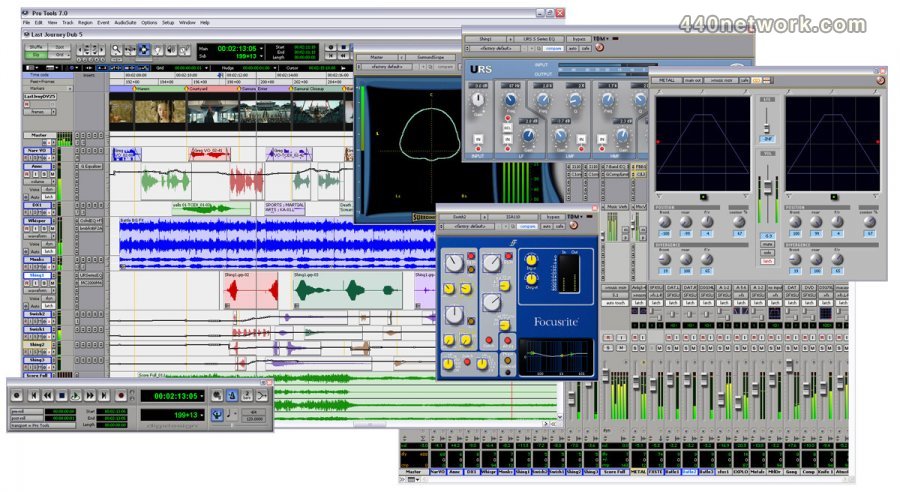

 Windows


Vous devez vous identifier pour poster un commentaire:
Identifiez vous grace à votre compte 440Software (MacMusic, PcMusic, 440TV, 440Forums, 440Software, ...) ou via votre compte FaceBook, Twitter ou Google.