Correction de pitch
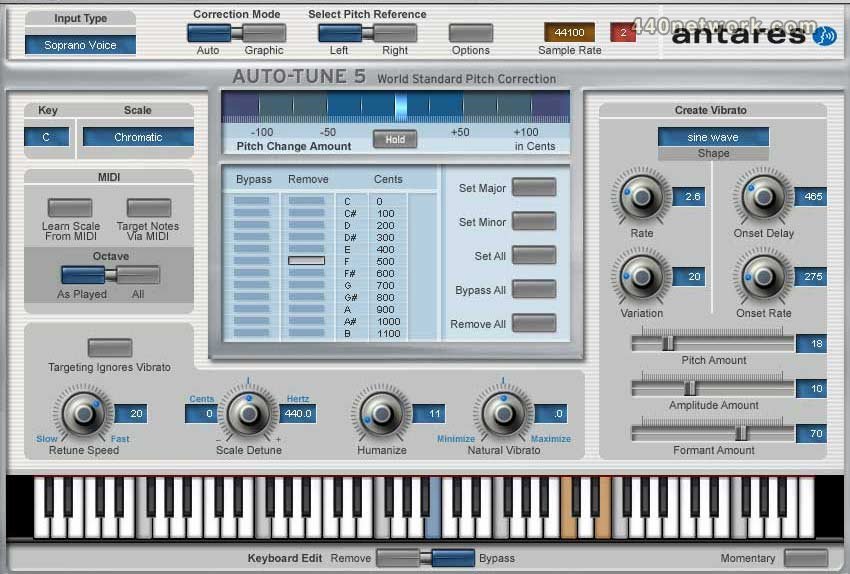
Auto-Tune est un plug-in de correction de hauteur qui fonctionne en deux modes :
- Le mode automatique corrige la hauteur d'une voix ou d'un instrument solo en temps réel, sans distorsion ni artéfacts, tout en préservant le caractère expressif de l'enregistrement d'origine.
- Le mode graphique affiche l'enveloppe de hauteur détectée et vous permet de dessiner la courbe à la hauteur voulue à l'aide de multiples outils graphiques.
 |
Version 6.10 |
MacOS X UB |
(AU, RTAS, TDM, VST) |
2 mar 2010 |
Non mentionnées
 |
Version 6.0.9 |
MacOS X UB |
(AU, RTAS, TDM, VST) |
31 aoû 2009 |
Support Mac OS X 10.6
 |
Version 6.08 |
MacOS X UB |
(AU, RTAS, TDM, VST) |
7 aoû 2009 |
This releasee provide improved pitch detection accuracy of higher-pitched notes, as well as resolve a variety of issues in the various versions.
 |
Version 6.05 |
MacOS X UB |
(TDM) |
5 sep 2008 |
- Fixes a problem that could sometimes prevent Auto-Tune Evo from appearing as an available plug-in in 88.2 kHz and 96 kHz sessions, even though one or more 321 chips were available
- changes the default setting of Auto-Scroll to "Off."
 |
Version 6.04 |
MacOS X UB |
(AU, RTAS, TDM, VST) |
22 aoû 2008 |
Auto-Tune Evo
 |
Version 5.0.8 |
MacOS X UB |
(RTAS, VST) |
4 mai 2007 |
Maintenance releases of all versions of Auto-Tune 5 for Mac and PC are now available. These releases bring the features from the previous TDM and RTAS updates to all the other versions as well as add additional workflow enhancements to make your pitch correction process even easier.
Highlights of the new versions include:
- Auto-Scrolling in Graphical Mode :
We have added a control to enable and disable auto-scrolling when the host transport is running in Graphical Mode.
- Increased Maximum Buffer Size:
For ease of working in large projects, the maximum buffer size for tracking in Graphical Mode has been increased from 999 seconds to 7200 seconds (i.e., 2 hours).
- Set Option Defaults:
We have added the ability to set your preferred Options dialog parameter values as the default settings for new instances of Auto-Tune 5.
- Improved Curve/Line Selection:
The ease with which near-vertical pitch correction lines and curves can be selected for editing has been improved.
- Scroll Wheel Support:
For ease of navigation, if your mouse includes a scroll wheel and your host passes it to plug-ins, it is now recognized in Graphical Mode.
- Bypass "Clear All" Warning:
Tired of being asked if you really mean it? In Graphical Mode, the Clear All function warning dialog can be bypassed by pressing a modifier key (host dependent) while clicking the Clear All button.
- Faster Instantiation:
Time is money. Auto-Tune 5 will now instantiate faster on some hosts.