 Pro Tools v 12.8.1
Aug 25, 2017
MacOS X Intel
Pro Tools v 12.8.1
Aug 25, 2017
MacOS X Intel
Pro Tools v 12.8
Jun 29, 2017
MacOS X Intel
Pro Tools v 12.7.1
Feb 26, 2017
MacOS X Intel
Bug Fixes
Editing
Deleting automation on a frozen track no longer deletes underlying clips as well (PT-224661)
Clearing a time selection that begins before a fade out within a clip and ends outside of the clip, after the fade, no longer fails to clear the fade out as a part of operation (PT-223910)
UI stuttering in the edit window no longer occurs when adjusting clip gain (PT-224370)
Fixed a case where the new playlist created by an overlap made while a track is in Waveform track view would be created in the wrong playlist order (PT-222733)
Restored the behavior of Insertion Follows Playback during Pre-Roll that existed prior to Pro Tools 12.6. The insertion point is once again placed where the play head stops during the pre-roll (PT-220982)
Fixed a case where multi-channel clip groups would break if they were dragged over an Aux, Master, or VCA track (PT-224183)
Clip Effects
Fixed a case where applying cursor focus to the Clip Effects view could lock out keyboard input (PT-224379)
Fixed a case where focus was not correctly restored to the Clip Effects view after switching between Pro Tools and another app (PT-223549)
Using the keyboard shortcut to access the Clip Effects view no longer incorrectly focuses a field in a text entry state (PT-224091)
Automation
Fixed a case where automation could be deleted without warning when changing the width of a track's main output (PT-224495)
Fixed a case where MIDI CC automation would not be played back correctly until reaching a new break point (PT-224233)
Unexpected automation ramps no longer occur intermittently when using the Punch Preview command after the Back and Play command (PT-211468)
Fixed cases where -9155 Automation Too Dense Errors would be thrown by sawtooth-like automation within a very small number of samples (PT-223818)
Fixed a case where track volume settings (volume levels without written automation) between +6db and +12db would be received as +6db by collaborators in a collaboration (PT-224848)
Soundbase and Workspace
Files auditioned in the workspace while the conform to session tempo setting is enabled are now correctly delay compensated according to the current system delay (PT-202849)
Relinking and indexing of files that are more than 6 or 7 folders deep no longer fails (PT-220471)
Copy and Relink performance for operations containing more than 2000 files is significantly improved (PT-223544)
The Tags pane in soundbase no longer fails to update dynamically when removing and returning a folder with audio to the Sound Libraries location (PT-223825)
Fixed a case where the contents of the Sound Libraries location may not be indexed properly after being renamed and then renamed again to "Sound Libraries" (PT-223964)
Fixed a case where the clip outline drawn to show placement of a file dragged from the Workspace browser would appear on the wrong track if there are hidden tracks in the document (PT-224050)
Fixed a specific UI glitch that could occur when dragging and dropping audio files to the Edit Window while using a Windows OS (PT-224104)
Fixed several tagging issues in Soundbase that could occur while using non-English language characters
Fixed several minor UI and selection issues within the Workspace browser
Crashes and Errors
Fixed a crash that could occur when starting playback shortly after any use of the audition path, particularly following an AudioSuite audition and render (PT-223588)
Fixed a crash that could occur when playing a stereo clip that had been created by combining two mono clips if one of the mono clips had a crossfade (PT-225461)
Fixed a crash that could occur when pasting a clip group of six mono clips with individual edits into a 5.1 track (PT-225367)
Fixed a crash that occur during session open if the video engine needed to be enabled and then the session open operation was cancelled (PT-224339)
Miscellaneous
Fixed an issue where projects created in previous versions of Pro Tools may not download in newer versions of Pro Tools (PT-224695)
The Hardware Setup window is no longer launched unexpectedly after updating the HD Driver without first uninstalling the previous HD Driver version (PT-224011)
Fixed a momentary parameter value ramp up that would occur in the Channel Strip plug-in on C, Lss, Rss, Lsr, Rsr and LFE channels of surround instances immediately after any offline processing task completed (AAX-1437)
Pro Tools v 12.7
Dec 24, 2016
MacOS X Intel
Pro Tools v 12.6.1
Dec 2, 2016
MacOS X Intel
Bug Fixes
MIDI Delay Compensation
MIDI notes are no longer recorded late by the delay compensation value (PT-220861)
Breakpoint Editing
Grid Toggle is disabled when adjusting automation, MIDI, or Clip Gain breakpoint controls in Slip Mode to avoid conflict with fine-control editing (PT-221294)
Pressing the Command key (Mac) or Control key (Windows) while editing automation and MIDI breakpoints now suppresses Grid mode and enables fine-control editing. This is now consistent with breakpoint editing behavior for Clip Gain. Fine-control editing can be disengaged during mouse-down by releasing the Command key (Mac) or Control key (Windows), and then re-engaged by pressing the Command key (Mac) or Control key (Windows) again (PT-221952)
Using the Smart Tool to add a breakpoint on a Clip Gain line no longer incorrectly constrains the breakpoint to the nearest grid line (PT-221919)
Fixed multiple automation breakpoint editing inconsistencies with Grabber Tool (PT-221862)
Editing
The Tandem Trimming option (introduced in Pro Tools 12.6) has been removed from the Options menu. Tandem Trimming is only available using key modifiers: Command-Control-click (Mac) or Control-Start-click (windows) with the Trim tool. Note that TCE and Elastic trim do not support Tandem Trimming.
Fade length settings from the batch fades dialog are now used when pressing the single-key "f" command to create fades (PT-218064)
Fixed a case where clip groups from created before 12.6 were broken when opening the session (PT-221888)
Audiosuite rendering with Clip by Clip and Create Individual Files settings no longer alters clip lengths unexpectedly (PT-216026)
With a selection across Audio and Instrument tracks, nudge no longer fails to move audio clips within the selection (PT-221115)
The Heal Separation command no longer includes adjacent clips that are not selected in some cases while using Layered Editing (PT-221928)
The nudge command no longer fails to move selected MIDI notes while using Layered Editing (PT-221116)
Deleting a fade out that is also an overlap of another clip no longer deletes the underlapping clip (PT-221271)
Edit/Timeline Selection is no longer lost when copying a selection within a clip to a new playlist (PT-221270)
Moving a fade on one clip that overlaps another no longer trims the underlapping clip (PT-221450)
While using the respective "Send Fully Overlapped Clips..." preference for editing, clips that are fully overlapped by nudging another clip over it no longer fail to be sent to a new playlist (PT-221274)
Fixed a case where Analysis markers would not be displayed on part of an underlapped clip when switching to Warp track view (PT-221672)
Automation and Mixing
Fixed a case where soloing and unsoloing tracks could cause AAE error -9155 "Automation is too dense." (PT-220691)
Previously written front-to-back pan automation now plays back correctly while previewing front left/right automation moves (PT-221130)
Engaing a VCA solo no longer fails to change the state of solos on tracks in the underlying group (PT-222010)
Emphasis has been added to the dialog warning users about writing automation to the entire timeline (PT-221890)
Fixed a case where newly created VCAs could not be record enabled on the S6 Master Post Module (PT-221664)
Crashes and Errors (Please continue to submit crash logs!)
Fixed cases where certain sessions created before 12.6 would throw an assertion error when opening or crash when attempting to Import Session Data (PT-221127)
Fixed a case where entering track comments could cause a crash on Windows 8 and Windows 10 only (PT-218721)
Fixed a case where deleting a VCA track with a D-Control connected to Pro Tools could cause a crash (PT-221285)
Fixed a case where deleting complex multi-selections of clips and clip groups across multiple tracks could cause a crash (PT-221288)
Fixed a case where dragging and dropping a MIDI file to a MIDI Instrument track caused a crash (PT-222247)
Fixed a case where unchecking "Ignore Errors" in the playback engine could cause a crash with some 3rd party audio interfaces (PT-209601)
Fixed a case where undoing immediately or sometime after using the keyboard shortcut to switch playlists would cause a crash (PT-221780)
Video
Fixed a case where frames would be dropped at the beginning of playback with newer BlackMagic video cards (PT-221056)
Workspace
Workspace searches of mapped network volumes no longer fail to find files as expected (PT-211720)
Miscellaneous
When recording to Avid ISIS or NEXIS storage, an intermittent delay of several seconds no longer occurs when starting a record pass (PT-216388)
Fixed relinking behaviors for copied WAV and AIFF media when importing data from an AAF (PT-209751)
Recalling Memory Locations that show all tracks in large sessions is now faster (PT-221011)
Window positions are now correctly restored when using two displays on Mac OS X El Capitan (PT-221010)
Fixed a UI clipping issue for the Copy Selection to New Playlist command in the Edit menu (PT-221883)
MIDI continues to play on deactivated instrument track (PT-221284)
The Cancel Recording command no longer fails to delete and remove MIDI clips from the timeline when canceling a record using one of the punch record modes (PT-220488)
Collaboration and Project Sync
Fixed an assertion error that could occur after undoing a track download that could prevent further downloads on affected tracks (PT-220148)
Projects created by the Save Copy In... command are no longer forced to multi-mono audio file type (PT-217280)
When going offline and back online, collaboration features no longer fail to reactivate (PT-221749)
Pro Tools v 12.6
Oct 2, 2016
MacOS X Intel
Enhancements
Clip Effects (HD Software Only)
Provides clip-based effects that let you apply non-destructive EQ, filtering, and dynamics processing to any whole audio clip on any audio track.
Lets you modify the sound of any single whole clip or a selection of whole clips on one or more tracks without having to use rendered AudioSuite processing or having to process entire tracks using plug-in inserts.
Settings always stay with the clip, which means you can move, and Cut or Copy and Paste clips along with their corresponding clip effects settings
Fully supported with Pro Tools HD software. Pro Tools software can open and playback sessions and projects with clip effects as well as Bypass, Clear, and Render clip effects if present, but cannot edit clip effects.
Uses the host processor (Native processing) on all systems.
Layered Editing
New editing option which prevents loss of partially overlapped clips while editing. For example, deleting a small clip placed on top of a larger clip reveals the intact underlying clip, not silence. Option is enabled with new button near Edit Tools and Options menu.
“Overlap Shadows” now indicate overlapping clips. This replaces previous “Overlap” option for dog-ear indicators. Option is enabled in View>Clip menu.
“Overwrite Indicators” inform the user if an offscreen clip will be fully overlapped and cleared. Option is enabled in View>Clip menu.
Playlist Workflows
When a track contains more than one playlist, the Playlist selector now turns blue.
New “Send to…” commands allow selections to be more freely copied or moved between playlists. Visual indicators are provided to inform the user of the playlist destination. These commands are available when right-clicking on a clip and in Edit menu.
“Send Fully Overlapped Clips to Available Playlist…” preferences allow fully overlapped clips while editing and/or recording to be sent to an available playlist as opposed to being cleared from the timeline. These preferences are available in Preferences>Editing.
Additional Editing Improvements
In Grid mode, use the Command (Mac) or Control (Windows) key to toggle off (or “clutch” out of) Grid mode and edit in Slip mode. When in Slip mode, use the Command (Mac) or Control (Windows) key to toggle off (or “clutch” out of) Slip mode and edit in Grid mode. This makes editing much more fluid as the Slip or Grid edit mode can be “parked” in a default position and using only the key command to toggle to the other mode from the one currently selected.
Tandem Trimming is now available in Options menu and is no longer enabled with Command (Mac) or Control (Windows) key.
Fine breakpoint adjustment now requires Shift+Command (Mac) or Shift+Control (Windows) keys and adjustment is constrained vertically.
Real Time Fade Manipulation and Fades Context Menu
Manipulate fade curves in real time with waveform updates using the Smart Tool or Selector Tool.
When using the Smart Tool, hovering the mouse over the center third of a fade of any kind will show the Fade icon. Clicking and dragging on the fade while this icon is shown will allow the real time adjustment of the fade curve.
When using the Selector Tool, hovering the mouse over a fade of any kind and holding the Command key (Mac) or the Control key (Win) will clutch the selector tool into the fade manipulation tool. Click and drag on the fade to adjust the curve.
A new Fades sub menu is added to the edit window right click menu while fades are selected that allows changing of primary fade shape setting, equal power or gain setting, and access to the Fades dialog.
Single System Re-recording Workflows (HDX Only)
Delay Compensation enhancements have been made to support Film/TV re-recording workflows within a single system using cascaded audio tracks.
Set cascaded audio tracks used to re-record to “Auto-Low Latency Off,” enabling seamless input monitor switching and Destructive Punch in and out.
Workspace Simple Search Boolean Enhancements
Classic Boolean search operators are now available when using Simple Search in the Workspace. Simple Search performs a search of all “free text” fields within the Workspace’s current index of volumes and catalogs chosen for searching. The following operators now affect a search string:
Exact matching; by enclosing search terms in quotations, e.g. “search string”, the workspace will return only files with exact matches to the enclosed string
AND operator; by separating search terms with AND, e.g. search AND string, the workspace will return only files with matches to both terms. AND is the default operator used when separating search terms by a single space.
OR operator; by separating search terms with OR, e.g. search OR string, the workspace will return files that match both terms in any combination
NOT operator; by using the - symbol immediately before a search term, e.g. -“search string”, the workspace will return only items that do not contain the given term
Parenthetical operations; by enclosing search terms in parens, e.g. (search AND string), the workspace will first perform the searches within parens and then permute the displayed results by the operators and terms used outside of the parens
Edit Window Status Icon Enhancements (Relink Offline, Task Manager, and Freeze)
Clicking the “Session Data Online Status” indicator when it is red because there are Offline Files in the current session or project will now initiate the “Relink Offline” command
A new “Task Manager Status” indicator is displayed that will show whether any tasks are in progress as well as whether any tasks have failed. Clicking the Task Manager Status indicator will open, close, or focus the Task Manager window depending on the Task Manager window’s current state
A new “Freeze Status” indicator is displayed that will show whether any of the currently shown tracks in a Pro Tools document are Frozen. Right clicking on the Freeze Status indicator will allow you to freeze or unfreeze all tracks, or selectively include track types in subsequent freeze or unfreeze all commands. Option(Mac) or Alt(PC) + clicking the Freeze Status indicator will Freeze All no matter what settings are used in the context menu, and Command(Mac) or (Control) + clicking the Freeze Status indicator will freeze any remaining unfrozen tracks of the chosen tracks types if one or more shown tracks in the document are already frozen
Collaboration and Project Sync Updates
Pending Invitations can now be revoked from Artist Chat
Tracks with conflicting upload and download state are now shown in the Collaboration Issues workflow
Ownership requests can now be rejected by Command+Clicking (Mac) or Control+Clicking (PC) the ownership button when another user has asked to take ownership of a track
Cloud Client Services v2.0 - supports future enhancements to the Collaboration and Project Synchronization feature set and increases transfer reliability for current versions of Pro Tools
------------
Bug Fixes
Performance
Fixed a class of performance issues that were associated with viewing core plug-in windows during playback such as a case of -9173 with the Click II plug-in
Editing
Fixed graphical issues that could occur when moving tracks or clips vertically within the edit window
The commit operation no longer creates both a whole file clip and an identical sub clip. Only a whole file clip is created
Using "Create Individual" and "Clip by Clip" settings for Audiosuite processing no longer modifies clip boundaries unexpectedly
Tracks created by a committing an Elastic Audio enabled tick-based track no longer fail to respond to tempo changes
Track Bounce no longer creates a file with an incorrect original timecode value
Import Session Data and Import Audio
Imported audio files with names containing 2-byte language characters or certain non-English language characters no longer fail to be found when searching the Clips List
Fixed an Import Session Data issue that could delete plug-in automation without warning when matching to tracks in the current session with plug-in instances that were not automation enabled before import
Fixed an issue with Import Session Data that would fail to import tracks that did not have any whole file audio clips on the active playlist
Fixed a case where groups that are active in a source session are imported as inactive after Import Session Data
The "Consolidate" option in Import Session Data no longer copies the full file for clips that should be consolidated instead
Automation
The Channel Strip Low Pass Filter Frequency parameter responds to automation more accurately
A warning is now presented while attempting to remove plug-ins that have been automated from tracks that are inactive
Fixed a case where Master Fader tracks would switch automation mode to Auto Latch after a Bounce to Disk
The duplicate command no longer fails to operate on automation on frozen tracks
Fixed a case where some 3rd party plug-in automation written in previous Pro Tools versions would not play back in 12.5-12.5.2
Crashes and Errors (Please continue to submit crash logs!)
Fixed a crash that could occur when resizing a video track
Fixed a crash that could occur inserting the Downmixer plug-in on a track during playback
Fixed a crash caused by cancelling the Rename dialog while using Strip Silence
Fixed a crash that could occur separating clips containing certain combinations of fades
Fixed a crash caused by moving inMusic VIP between inserts
Fixed a crash that could occur when nudging clips
Fixed a crash that could occur when downloading track changes that included a new version of an existing audio file
Fixed a crash that could occur after using Destructive Punch and turning delay compensation on and off
Fixed a crash that could occur while using S6 and closing a session while a track is in playlist view and the edit selection is placed on that track's main playlist
Fixed a crash that could occur when re-calculating waveform overviews for a file that was moved or renamed
Fixed a hang that could occur undoing nudge commands by clicking in the Undo History window
Fixed a hang that could occur when using the trim scrub tool on certain clips
Fixed Access Violation errors that could occur using Clip Gain and Audiosuite in some cases on Windows 10
Video
The Video Engine no longer fails to initialize on a non-Administrator account if Pro Tools hadn't previously been launched by an Administrator account on the same OS install (Mac OS only)
Using Bounce to Quicktime no longer fails to bounce audio in sessions created from an AAF with a project type other than 1080p24
Playback of one half frame timeline selections no longer cause a video engine error
Creating a new session from a template containing a video track and one or more video clips no longer asks to import the video file
Workspace
Filenames containing 2-byte language or special characters no longer fail to be found while searching in Workspace
Fixed a bug that prevented selection of multiple "TC Rate" values in Workspace advanced search
Workspace no longer fails to display all channels for a multichannel file after renaming
Workspace window position no longer fails to save when closing and reopening
Miscellaneous
Fixed an issue that prevented and Instrument Track MIDI Fader volume change from adjusting a virtual instrument's volume during performance or playback
Fixed an issue that could cause noise to appear in clips with fades when consolidating
Fixed a slow memory leak that could occur while Pro Tools was left running for many hours
Fixed an issue that could cause track solos to be ignored during the countoff
Disabling "Link Mix/Edit Group Enable" no longer fails to unlink mix and edit groups when changing active state
Fixed an issue that could cause Aux tracks to erroneously switch to Frames track view
Copy to send no longer generates unexpected send volume levels on frozen tracks
Inactive tracks no longer fail to be made active if the track selection also contains tracks that are already active
Fixed an issue that could cause artifacts to be recorded when stopping a destructive punch record pass if system delay is greater than 5000 samples
MIDI Tracks in the "Single Note" track view restore correctly when reopening sessions
While using S6 and controlling multiple machines in a satellite network, soloing a track in X-OR no longer fails across machines
Fixed an issue that would disable Elastic Audio without updating the Elastic Audio algorithm selector UI when using the do-to-all modifier to choose an algorithm if some tracks already have an algorithm setting
Fixed an installation issue that could prevent ICON and C|24 from working on Windows 10
Increased the click zone size for black squares in the Fades dialog used to adjust fade in and out start points for crossfades with unlinked fade ins and fade outs
The state and position of the floating Transport window no longer fails to be stored and recalled with window configurations
Fixed a case where the timeline insertion point may roll backward slightly after stopping a Destructive Punch record pass
Fixed a case where installation of a new plug-in would not be detected when launching Pro Tools
Fixed an issue that could cause installation of Pro Tools to fail if a prior installation of Media Composer 8.5.2 had taken place
Improved translations throughout the application
Artist Chat
Fixed cases where Project chat rooms did not display a name in Artist Chat
Fixed a case where it was possible to leave "Display Name" empty before beginning to collaborate
Fixed an issue that could cause Artist Chat to only update once after signing in
Fixed various issues with sending a contact request to an e-mail address
Fixed various issues with sending and receiving project invitations
Collaboration and Project Sync
Fixed a case where the save command could take 30 seconds to execute for a Project using many thousands of audio files
Fixed an issue that could prevent some users from deleting projects or creating new ones
If there are track changes and tempo ruler changes in a download queue, the queue is sequenced so that tick based tracks are not modified out of sync with tempo changes
Fixed many issues with Project functionality that could occur after network connectivity is interrupted
Upload all new changes command no longer fails to operate on hidden tracks
Fixed a case where unshared tracks could display deactivated collaboration UI elements
Unfreezing a shared Aux or Instrument track no longer fails to register a track change
Fixed a case where the global upload button may not clear after sharing a track change that included a Commit operation
Fixed a case where uploads of some files could stall while uploading a single track that contained hundreds of audio file
Fixed a case where files could be missing after using Save Copy In to convert a session to a project
While using Shared as Frozen, parameter changes that would not affect the rendered audio no longer require re-freezing
Audio files that were uploaded as part of a project synchronization before being shared for collaboration are not re-uploaded if the track becomes shared
Drawing a tempo change no longer causes all shared tracks to register a track change
Pro Tools v 12.5.2
Jul 31, 2016
MacOS X Intel
Enhancements
Pro Tools | S6 Master Post Module support
Enhanced EUCON support for track arming and punching in Pro Tools. Read more about the Master Post Module at the Build Your Own S6 page.
Bug Fixes
HDX
Fixed an intermittent issue affecting HDX systems which would cause a crackling sound after making changes to the HDX mixer
Shuffling DSP no longer fails to restore audio when signal from a bus or output is lost - to shuffle DSP hold Shift+Option+Command on Mac or Shift+Ctrl+Alt on Windows and click on a DSP plasma meter in the System Usage window
Miscellaneous
MIDI and Instrument tracks no longer fail to arm when included in a do to all or do to selected command using the “option” modifier
Fixed a case where punching in and out and then banking an S6 control surface would crash Pro Tools
Fixed a case where Pro Tools could crash after switching focus to another EUCON-ized application
Pro Tools v 12.5.1
Jun 15, 2016
MacOS X Intel
Enhancements
Pro Tools | Dock Support
The EUCON AppSet for Pro Tools | Dock is installed automatically with Pro Tools 12.5.1. This AppSet is required for proper Dock button functionality. Refer to the “Optimizing EuControl After a Pro Tools Update” section of the Pro Tools | Dock guide or visit Pro Tools | Dock Support for setup instructions. Learn more about Pro Tools | Dock here.
Artist Chat
Double-clicking on a Project in the projects list will open the Project in Pro Tools
Bug Fixes
Thanks to Avid’s Pro Audio Community
Many thanks to the users who notified us and provided reproducible cases of bugs, helping us provide the following fixes:
Fixed an unexpected volume change that intermittently occurred when using non-HDX playback engines and starting playback from directly on top of a mute automation event
Fixed a crash that occurred when a Commit command was cleared from the undo queue
Write to All enabled no longer fails to work when using the numeric keypad shortcut on non-English keyboard layouts
Editing
The scrub playhead is no longer out of sync with audio when using delay compensation and high system delay
The "Restore Previously Shown Tracks" command no longer fails
All channels of automation for unlinked multi-mono plug-ins on Aux or Master Faders can now be copied and pasted successfully
Fade in, Crossfade, and Fade out no longer fail to follow the edit preferences when using command focus keyboard shortcuts on edit selection
Automation breakpoints no longer snap to the center of a fade while dragging fades around clips
Fixed an error that would occur trying to modify the Start, End, and Length fields in Insert Time and Cut Time event operation windows by clicking and dragging the mouse or typing a value
TCE Trim of clips on an Instrument Track no longer deletes underlying automation
Yellow rectangle outline of clip groups is no longer drawn incorrectly
Yellow rectangle outline of clip is no longer drawn incorrectly when editing in Shuffle mode
Sync points in MIDI clips are no longer displayed incorrectly during clip drag
Clip boundaries of video clips selected and dragged with the object grabber are no longer drawn improperly
MIDI clip outlines and note data no longer distort unexpectedly while being dragged across tempo changes and between tracks of different time-base
Miscellaneous
The Auto Backups preference no longer resets to 2 after creating a Project
Fixed a launch slow down that would occur when opening Pro Tools on a system connected to a closed network with no internet connection
Click II plug-in no longer causes UI freezes when open
Pressing "=" while “Hide Ticks & Milliseconds” is enabled in the Big Counter no longer causes the edit selection to jump to the beginning of the timeline
Disabling the "Audio Track Record Lock" preference no longer fails to take tracks out of record enable when stopping a record pass
Folders created by the installed Avid Codecs are no longer left behind when uninstalling Pro Tools on Windows
Fixed a case where MIDI Channel assignment is lost after import session data to existing Instrument Tracks
A bug in Pro Tools was fixed that caused V-Mon AAX DSP instances to be allocated to multiple DSP chips
Fixed the placement of localized text in the Bounce to Quicktime dialog
The Audio I/O Firmware page of Avid DigiTest now warns against power cycling audio hardware while a firmware update is in process. Please, always allow a firmware update to complete even if it seems to be taking longer than expected.
Crashes and Errors (Please continue submitting crash reports!)
Fixed a crash caused by creating a track while recording
Pro Tools no longer crashes when searching the workspace for certain non-English characters
Fixed a case where Pro Tools could crash after importing session data and coalescing VCA automation
Fixed a case where Pro Tools would crash when using the Polyphonic Elastic Audio plug-in
Fixed a case where Pro Tools would crash during offline Bounce, Freeze, or Commit, when using certain plug-ins
Fixed a case where Pro Tools would crash when undoing an Expand to new tracks operation on a Field Recorder Guide Track
Pro Tools no longer hangs when using memory locations to Show/Hide tracks in large sessions
Fixed a case where Pro Tools could crash when importing frozen Instrument tracks
Fixed a crash caused by using "Thin All" command on an edit selection containing automation on a VCA Master and a MIDI track
Fixed a crash that could occur while attempting to commit by drag and drop from a MIDI to an Audio Track while Clip Transparency is enabled
Fixed a crash during real-time bounce caused by a high volume of MIDI data being input to Pro Tools during the bounce pass
Fixed a case where removing a Key Signature symbol could crash Pro Tools
Fixed a crash caused by using "Do To All" and removing a key signature marker
Fixed a crash that could occur while using the Cut Time event operation
Fixed a crash when revealing the workspace for a selection in the clip list containing both audio and MIDI clips
Fixed a case where Pro Tools would crash after renaming a track or bus during playback
Fixed a case where the New Tracks dialog becomes unresponsive causing Pro Tools to hang
Fixed a case where opening sessions from the dashboard could crash Pro Tools
Fixed a case where saving fade settings in the Fades window caused Pro Tools to hang
Fixed a case that prevented sessions from opening if they linked to multiple video files that had timecode rates different than the session setting
Fixed a case where creating overlapping output paths could cause Pro Tools to hang indefinitely
Quickly changing Fade Presets no longer intermittently crashes Pro Tools
Control Surfaces
EUCON layout assignments are no longer lost when saving sessions in Pro Tools 12.5
Fixed a case where writing automation in an extremely large session could crash the S6 MTMApp and lock up the S6 surface
Cloud Collaboration Bug Fixes
Track/Project Data Changes and Ownership
Fixed a case where Pro Tools could crash after taking track changes to a shared track that included changing a track from non-elastic to elastic enabled
Global upload and download buttons no longer illuminate incorrectly when there is a new shared track available to download
Making adjustments to adjustments to plug-in graphs such as EQ curves directly in the graph now register as track changes
Changes to Waves plug-ins are now registered as track changes
Deleting automation on a frozen Aux or Instrument track, or on a Master Fader, is now registered as a track change
Deleting a playlist is now registered as a track change
Muting a MIDI or Instrument Track from the MIDI Editor is now registered as a track change
Key input changes are now registered as track changes
Playing back previously written automation on shared Aux, Instrument, or Master tracks no longer flags the track as changed
The missing plug-in dialog no longer appears every time change are received on a track with a missing plug-in. The warning only occurs when first receiving the change containing the missing plug-in
"Custom Allocation Options" in Disk Allocation for tracks are no longer transmitted to other users' systems, preventing missing media
Fixed several cases where track changes were ignored when using Automatic Upload mode
Using "Do To All" to unmute tracks will only cause tracks that changed state to be flagged for upload
Using Shared as Frozen no longer sets recipient systems to share as frozen if they make and upload changes
Entries in the Metadata Inspector window are now shared in Projects
Undoing "Rename Clip" command no longer fails to clear the upload button on a shared track
Fixed multiple cases that could cause the global download button to fail
Fixed a case where removing a clip from the clip list could cause the global upload button to fail
Solo Safe is no longer cleared on a track when abandoning track changes
Ownership no longer gets stuck after download the version of a track on the server to resolve a conflict
Ownership requests no longer fail to appear on ruler tracks
Tracks that are receiving input from multi-output plug-ins are no longer received with the input path deactivated
Receiving newly shared tracks no longer modifies track selection while auto downloading newly shared tracks is enabled
Project Synchronization
Fixed a case where cloud storage was not reclaimed immediately after deleting a Project
Fixed a case where a project that failed to upload on its first synchronization with the cloud, could not be downloaded again even after a subsequent successful upload
Fixed a case where personal cloud storage indication differed between the dashboard and the storage meter in the collaboration tools cluster within a Project
Downloads no longer fail to complete after a separate upload fails because the file exceeds available cloud storage
The save dialog properly indicates if there are tracks with changes not downloaded when closing a project
Media no longer fails to download after removing a volume that had been used in a Project's Disk Allocation
Fixed a case where two users collaborating simultaneously on the same shared track could get out of sync without entering a conflict state
Clarified all dialogs about unfinished transfers or pending changes when closing a project
Project Synchronization transfers no longer fail to populate Task Manager if a preceding transfer of shared track data failed
The Task Manager progress bar for Project Synchronization tasks is now more responsive
Fixed cases where the same project could be open to the same user on multiple systems
Using "Remove Local Cache" for a project in the Projects tab of the dashboard no longer fails to remove the project from the Recent tab
€œSave Copy In…” and Import Session Data between Sessions and Projects
Fixed a crash that could occur when opening a session created from a Project by using “Save Copy In…”
Memory locations no longer fail to share when imported from sessions
Fixed a case where some memory locations were not copied from a session to a project when using "Save Copy In.."
Fixed a case where "Save Copy In…" may not copy all audio files when saving a session as a project
Fixed a case where collaboration track tools were greyed out after saving a copy of a project as a new project
The global collaboration tools cluster is now shown by default in the edit window when creating a Project from an earlier template
Removed a misleading menu option for "Save Copy In…" that allowed an attempted conversion from a session to a project without an internet connection
Bounced Files folder is now properly located in the session folder hierarchy when bouncing in a session that was created by Save Copy In from a Project
The Task Manager progress bar for a project upload triggered by saving a copy of a session as a project is now more responsive
The Edit Window is no longer hidden by default when saving a copy of a session as a Project
Miscellaneous
Fixed a case where Pro Tools would crash when signing in and out and back in
It is no longer necessary to sign in and out to see a change in Project quota in the Dashboard after changing Project Subscription plans
Fixed a case where tracks that are hidden by showing only tracks with an ownership request stay hidden after restoring previously shown tracks
Corrected the size of the context menu click zone for Projects in the Dashboard
Fixed the dimensions of the password recovery window when loaded from within the Sign On screen in
The accept icon in a dashboard project invitation no longer appears awry
Offline mode and Network Loss
Fixed a case where Pro Tools would crash when saving a change to a Project while offline
Fixed cases where a user may not stay signed in to their account while disconnected from the internet
New uploads no longer fail after restoring a lost internet connection
Ownership no longer gets stuck after restoring a lost internet connection when connection was lost after an ownership request was made
Fixed a case where track order of incoming tracks could be scrambled after losing and restoring network connection
The upload light in the global collaboration tools no longer fails to illuminate when making track changes after restoring a lost internet connection
Ownership buttons on shared tracks no longer fail to update correctly after restoring a lost internet connection
Fixed an error -20006 that could occur when attempting to open a Project from the Recent tab of the dashboard while offline
The "Open" button in the dashboard is no longer greyed out for locally cached projects while signed in offline
Notifications that a project has been deleted by another user no longer fail to be received after restoring a lost internet connection
Artist Chat
Artist Chat is updated continuously between Pro Tools releases. Here are just some of the fixes released in Artist Chat since Pro Tools 12.5.0 shipped:
Fixed a case that caused Projects that were deleted from the Dashboard to remain in Artist Chat
Messages sent and received between users in different regions of the world no longer require reloading Artist Chat to successfully be delivered
Fixed an issue that caused chat history to disappear
All icons now have Retina versions
The pop up menu to remove a contact no longer appears truncated
The context menu click zone for user names in the chat participants list are now easier to click on retina displays
The New Chat menu no longer appears awkwardly at the top of the window away from the click zone
Added additional translations of text strings
Correct Japanese fonts are now used in the Artist Chat window on all OS platforms
Pro Tools v 12.5
Mar 30, 2016
MacOS X Intel
Enhancements
Cloud Collaboration & Project Synchronization
Avid Master Account connectivity in Pro Tools -- Sign on with your existing account details and access cloud features directly in Pro Tools
Projects -- A new cloud-based document type. Synchronized to the cloud and cached locally, your work is directly accessible anywhere you can use the internet. Most importantly, Projects can be joined by other users for collaboration. Save Copy In from existing Sessions to Projects, or Import Session Data to Projects to share your existing Pro Tools Session documents.
Artist Chat -- Search for and add your contacts from the directory of Avid users who have started using collaboration. Communicate and review changes in chat rooms associated with each Project that contain automatically generated collaboration transaction logs detailing specific contributions and changes.
Track Collaboration tools - new track tools and features in the mix and edit window to facilitate the sharing of tracks and track data with your collaborators
Shared and private tracks -- Click the track share button on any Audio, Instrument, Aux, MIDI, or Master track to share it with others for collaborative work.
Send and receive track changes -- Choose when to post and receive modifications to shared tracks one at a time or for all available changes and optionally set automatic modes to receive or send all changes automatically. Clips and media, plug-ins and plug-in settings, sends, automation, playlists, and nearly all other track data as well as tempo, meter, key, and chord changes and memory locations can all be sent back and forth from system to system.
Note: At this time the following session data are not shared in collaboration: Groups, VCA Tracks, Video Tracks and media, Windows Configurations, HEAT settings, and Mic PRE settings.
Track ownership -- Indicators on each track show what user is actively making modifications so you can avoid conflicts. You can also make request directly in the edit window
Share as frozen -- When enabled, changes to a track are posted to all collaborators as frozen but remain unfrozen on your system allowing you to easily share a flattenend stem to others while your mix stays live, or send important tracks to collaborators who may not have all of the same plug-ins as you.
Transfer Management - View all uploads and downloads in the existing Task Manager window
Avid Video Engine
The Avid Video Engine in Pro Tools has been updated resolving a variety of legacy issues listed below in the Bug Fixes section
Export Timecode with QuickTime Bounce
Interplay
Pro Tools can now Send to Playback XDCAM HD Sequences with Airspeed
Bug Fixes
OS X UI Sluggishness
Fixed a set of severe UI sluggishness cases when using OS X El Capitan
Audio Bursts
Fixed a noise burst that was reproduced and solved through steps provided by users from the Avid Pro Audio Community that could occur when playing back automation on non-HDX playback engines.
Video Engine
Improved some cases with delayed start of playback with AJA Kona card
Video frame movements no longer occur when stopping playback with Insertion Follows Playback enabled
Fixed a case where the video engine takes a long time to load on certain systems
It is now possible to import MXF OP1a created by Adobe Premiere
Fixed cases where imported DV Video started 3 frames earlier than the same video opened in QuickTime Player
Fixed several specific cases where Pro Tools would fail to import Apple ProRes files
Project Type is no longer incorrectly picked for video from AAFs which do not include the first cunk of MXF media
Optimized (sample mapped) video codecs such as DNxHD and AppleProRes will now show the appropriate checkbox on clips with 23.976 media.
Fixed a case where video playback failed to stop with audio and then looped indefinitely
Fixed a crash when cancelling an Online Bounce to QuickTime
Playing a single frame selection of H.264 video no longer causes "The Avid Video Engine was unable to stop" error followed by a Pro Tools hang
Audio MXFs created with AMIRA and F55 no longer import out of sync with video
Fixed a crash when the user clicks "OK" or "Cancel" in the QuickTime Settings window of the Bounce to QuickTime dialog
Pro Tools no longer throws errant "Some effects were ignored" messages when opening an AAF with rendered FX
Pro Tools no longer fails with the error "Unable to create thumbnails" after switching active video track in large sessions while the video track is set to Frames view
Importing a sequence from Interplay no longer fails for 720p59 and 1080p59 project types
Track Freeze
A Freeze operation no longer fails if the track selection contains a combination of tracks hosting a ReWire plug-in and other tracks
Fixed a case where HEAT processing would be applied twice on frozen tracks after deactivating and reactivating HEAT globally
The HEAT Bypass switch is no longer auto-enabled when freezing or unfreezing a track
The "Coalesce VCA Master Automation" command can now be undone properly on frozen tracks
Frozen tracks are no longer imported twice when using Import Session Data when the Tempo/Meter Map option is checked
The "Coalesce VCA Master Automation" command no longer fails if all members of the group are frozen
Fixed cases where the global settings of HEAT would not be applied correctly when any frozen tracks were present in the session
MIDI Track Offsets are no longer editable for Instrument Tracks while they are frozen
Nudging of automation that is not "frozen" on frozen tracks is no longer blocked
The commands in the "Cut Special" and "Automation" sub-menus of the Edit menu are no longer blocked for selections on frozen tracks
Fixed graphical issues that occurred while Freezing a track in Playlists track view
Fixed a case where MIDI notes assigned to a ReWire instrument on an Aux track would all play at once when unfreezing the Aux
Track Commit
Fixed a case where clips created by using Track Commit to commit an Edit Selection were placed incorrectly
Fixed a crash when enabling the Follow Main Pan option on a track created by a Track Commit operation
Fixed a hang that occurred after committing a track with a DownMixer plug-in on it and then removing the DownMixer plug-in
Fixed a hang that occurred after committing a track with a D-Verb plug-in on it and then removing the D-Verb plug-in
Fixed cases where the names of clips on committed tracks would inherit names from clips on other tracks that contributed in any way to the signal chain of the audio path committed
General
The Cut, Copy, and Paste Special sub-menus are no longer missing from the timeline context menu
Moving clips with the Object Grabber no longer causes the next mouse click to be ignored
Pro Tools counters no longer display "" when changing counter type on OS X 10.8.5
Fixed a case where MIDI Output was not properly assigned when using Import Session Data with the Match Tracks setting for MIDI or Instrument tracks
The "Select Unused Ignores Parent Clip" option from the clip list is now checked by default
"Save Copy In.." no longer fails to include clips that are not on the timeline
VCA solo functionality is no longer deactivated after changing the group's attributes to "Mix Only"
The Shift+R shortcut to record enable tracks no longer fails to record all tracks in a group
Fixed an error that caused the Copy to Send command to no longer be undoable
Fixed errors that prevented the Export Session Info command from capturing the format, stems and number of instances columns for plug-in details in the exported file
Fixed cases where width-changing plug-ins were over-allocated to DSP slots on HDX cards and caused processing errors
Fixed a crash when dragging and dropping audio files from the workspace while in Spot mode
Fixed a case where an audio file's Date Modified attribute was not properly updated after destructive processing when stored on ISIS
Fixed a case where Pro Tools would crash when closing
The "Coalesce VCA Master Automation" command no longer fails if the group is deactivated
Control Surfaces
Plug-in windows no longer fail to open when pressing the Dyn, EQ, or Insert buttons on the S6 CPM while the "Open Plug-Ins on Workstation When Editing" setting is enabled
Selecting a track in Pro Tools no longer auto-scrolls to the top when selecting past the bank limits of the attached EUCON control surface
Pro Tools v 12.4
Dec 23, 2015
MacOS X Intel
Enhancements
Track Freeze
Offline Bounce post Plug-in audio from selected Instrument, Aux Input, or Audio Tracks directly in-place on the source track and deactivate plug-ins to reduce system usage
Freeze up to any point within the plug-in processing chain, rendering audio through one or more Inserts in while leaving those after it active for further mix adjustment
Continue to automate and mix on frozen tracks - all track parameters like volume, mute, and send settings remain editable while tracks are Frozen, along with the parameters and automation for any plug-ins that remain unfrozen
By default tracks are frozen up to the last used insert; no need to unfreeze a track before adding new Plug-ins to refine your mix
Easily Freeze all used outputs of a multi-out virtual instrument with intelligent detection of all tracks receiving plug-in output stems from a track that is to be frozen
Waveforms appear on Frozen Aux and Instrument Tracks; Instrument Tracks continue to show MIDI note source material beneath the waveform
Regenerate missing rendered frozen files: if all required plug-ins and source audio files are found when opening a session, you may choose to automatically regenerate all missing Frozen audio.
Fade Workflows
Added Keyboard Shortcuts for Crossfade In and Crossfade Out settings in the Batch Fade Dialog
Crossfade In
Option-Left/Right = Crossfade Menu Options (Alt + Left/Right on Windows)
Option-Up/Down = Shape (Alt + Up/Down on Windows)
Crossfade Out
Shift + Option-Left/Right = Crossfade Menu Options (Shift + Alt + Left/Right on Windows)
Shift + Option-Up/Down = Shape (Shift + Alt + Left/Right on Windows)
Simplified Keyboard Shortcuts for Fade to Start and Fade to End, removing redundant commands
Fade to Start = Ctrl + D (Win + D on Windows)
Fade to End = Ctrl + G (Win + G on Windows)
Removed support for the redundant Option/Alt+D and Option/Alt+G instances of these key commands
Bug Fixes
Video
Fixed a case where QuickTime movies bounced from Pro Tools display a different first frame when opened in other video applications
Timeline selections that would round up to the next frame are now rounded down to the beginning of the currently shown frame when Bouncing to QuickTime, fixing certain cases where the frame after the frame shown was used as the first bounced frame in the resulting file
Fixed a case where Apple ProRes 422 (Proxy) video could not be played back
Importing a sequence referring to chunked MXF media no longer fails to reference chunks past #1 or link to media as expected
Fixed a case where using multiple bounce sources during a Bounce to QuickTime operation would create multiple QuickTime files instead of a single multichannel QuickTime file
Music
Fixed cases where MIDI track parameter and MIDI CC automation lane layouts were forgotten in the MIDI Editor Window
The last used MIDI Import Options settings are remembered between sessions
Fixed a case where the wrong MIDI node is indicated as in-use in the track MIDI Output menu if there is a multi-port MIDI node in the session
Playback starts correctly from the Play Start Marker after using the grabber tool to move the timeline selection in Dynamic Transport mode
Broadcast
Dashboard is now correctly bypassed when all Pro Tools import settings are set in Interplay Administrator, and a sequence is imported from Interplay Access
Control Surfaces
Switching from Playlists to Waveform track view while waveforms are displayed on an S6 no longer causes graphical artifacts in Pro Tools
Layouts saved into the Pro Tools session are no longer erased if the session is saved while the EUCON surface is detached from the workstation
I/O Setup
Fixed a case where signal sent directly to the LFE subpath of a surround bus could reach the L and R channels of the bus
When creating sessions from saved I/O Settings files, Output paths that are wider than the current hardware output channel count will no longer fail to be created
Fixed a case where newly created sub-paths for Busses are named and routed incorrectly
Pressing the "R" key in the I/O setup window with "Apply to all tabs" enabled correctly runs the Restore From Session command for all tabs
Restore From Session can no longer be triggered repeatedly by pressing the "R" key when the button is greyed out
Fades
Fades are now correctly applied across multiple tracks using fade key commands
Fade curve setting no longer reverts to a previous fade curve selection when applying fades
Command Focus fade shortcut "f" no longer fails to follow the saved millisecond value in the Fades dialog
Default fade type settings have been changed back to the original values of Standard shape and Equal Gain slope
Clicking and Dragging in the waveform preview area of the Fade-In dialog no longer resets the fade shape
Miscellaneous
Fixed offsets in the HEAT Drive and Tone knob that caused a different processing value than that displayed in the UI.
Fixed a case where toggling a plug-in's processing type from Native to DSP when inserted on an Aux Input track could cause gaps at the end of a Destructive Punch pass if the signal being recorded was passing through that plug-in
Fixed cases where standard Bounce to Disk would render an extra minute of unneeded audio if no Timeline Selection was made
Fixed a case where playback intermittently failed to start after holding down FF or RW in Center Playhead scrolling mode
Track selection is no longer lost after performing an Export Selected Tracks as New Session
Audition Meter in the Import Audio and Workspace Browser windows no longer displays signal while not passing audio
Insert position for plug-in auxiliary output stem sources are now properly displayed in the track Input Path selector when the host plug-in is inserted on Insert F-J
Separating a looped clip that contains a sync point no longer causes an unwanted trim on each looped segment
The Metadata Inspector window's scrollbar is no longer displayed as inactive when closing and re-opening the window
Zoom setting correctly blinks when Cmd+ or Ctrl+ clicking to set zoom memory
Crashes and Errors - Please continue submitting crash logs!
Fixed a crash on launch affecting certain Active Directory configurations when logged into Windows as a Domain User
Fixed a hang that could occur when creating multiple new tracks of different types
Fixed a case where importing certain clip groups could crash Pro Tools
Fixed a crash that could occur instantiating many plug-ins simultaneously in 192 kHz sessions
Fixed a case where Pro Tools would crash when deleting busses in the I/O Setup window
"Commit Up to This Insert" operations that cause the maximum track count to be exceeded are stopped with a dialog box instead of crashing Pro Tools
Clip Transparency
Fixed a problem drawing the left channel of a stereo file when promoting clips to alternate playlists
Fixed cases where Warp Markers may not be drawn while moving clips
Moving clip groups between tracks with different Time Base settings no longer causes an assertion error
Appearance of MIDI clips and notes are now more consistent at different zoom levels
The clip gain line is no longer revealed when moving clips on tracks set to micro or mini track height
Clip transparency now works correctly when trimming in both directions using the bi-directional trimmer (holding Cmd or Ctrl and trimming overlapped clips)
Color inversion is more consistent when starting to move or release a clip
Fixed clip gain line inconsistencies when trimming clips at the sample zoom level
Crossfades of different lengths are no longer improperly aligned while dragging with the object grabber
Fixed visual glitching of MIDI clips when trimming clip boundaries
Clip UI generated by Beat Detective no longer remains in timeline areas that are revealed by trimming
MIDI clips are no longer duplicated unnecessarily when moved between tracks of different Time Base
Fades no longer resize unexpectedly when letting go of the mouse after moving across a tempo change
Fade shape is no longer incorrectly displayed when moving across a tempo change
Creating a fade during playback no longer causes the playhead to disappear from the edit screen
Fixed cases where clip gain line failed to appear correctly when trimming clips at certain zoom levels
MIDI notes displayed in adjacent clips no longer appear to be incorrectly affected by trimming looped MIDI clips
Waveforms are no longer incorrectly updated when creating fades across grouped tracks
Fixed cases where clip boundaries would be drawn incorrectly when sliding fades
Waveforms within Fade-Ins are no longer hidden when dragging across a tempo change
Purple borders indicating the edit selection shown when dragging a clip are no longer distorted when moving a fade across a tempo change
Localization
The "Transparency" option in the Clip menu is now localized
Fixed alignment of translated strings for the Default Format and Path Order elements in I/O Setup
Fixed clipping of localized strings in the Metadata Inspector window when shrunk to narrowest width
Pro Tools v 12.3.1
Nov 25, 2015
MacOS X Intel
Bug Fixes
Commit
"Commit Up to This Insert" no longer fails to trigger the Auxiliary Output Stems dialog. Using this feature on a track hosting an assigned multi-output plug-in will now cause all dependent tracks to be committed up to the same insert
A commit operation that would cause the maximum track count to be exceeded no longer crashes Pro Tools - instead the operation is prevented
Broadcast
Using Pro Tools to change a clip and file name of audio media stored on ISIS and managed by Interplay no longer causes Media Offline in Media Composer
Video Engine
Video Engine output of all Satellite systems properly return to the play start point when playing a timeline selection from start to end with Insertion Follows Playback disabled
Fixed a case where play start is delayed when the Video Engine is enabled (HD Native)
Eliminated some instances of erroneous missing codec errors when importing video files
Sync points added to video clips are no longer invisible
Audio Engine / Bounce
Fixed a case where restarting playback while the transport was already running could cause a noise burst
Fixed a case where solos are ignored after running an offline bounce
Fixed a case where signal could bypass a master fader after an offline bounce
Fixed cases where Bounce to Disk of surround outputs would not create an audio file
Miscellaneous Fixes
Transport Record lock no longer fails to keep the transport record enabled in Destructive Punch record mode
Copy to Send menu is no longer missing in Pro Tools Standard
Memory Locations window no longer fails to show ticks when displaying marker Bar|Beat timeline locations
MIDI offsets entered in the Global MIDI Playback Offset dialog no longer fail to offset MIDI
Custom Disk Allocation settings are now saved with session templates
Mix Groups can be deselected in the Edit Window
Group display options are now saved with the session
When using the "new track…" option to route track output path to a new track, custom names are not overwritten when changing track type
Session names typed into the Create page of the Dashboard will no longer be overwritten when checking "Create From Template"
The "Quantize Clip to Grid" command (Cmd+0, Ctrl+0) no longer fails to be executed when using the numeric keypad "0"
Elastic Audio
Elastic Audio analysis markers are no longer locked in place in Analysis track view
Grid lines are now shown on tracks set to warp or analysis track views
Crashes and Errors - Please continue submitting crash logs!
Browsing the Project Audio Files folder in the Workspace no longer causes Pro Tools to hang in sessions with many audio files
Fixed a case where Insert Silence would cause Pro Tools to hang
Fixed a case where using the Match Tracks and "Overlay…" playlists options in the Import Session Data window could cause Pro Tools to crash
Fixed a case where Pro Tools would crash when closing a session
Fixed a case where moving a virtual instrument insert with assigned auxiliary output stems could cause Pro Tools to crash
Attempting to move video clips from a locked Video Track with the Object Selector no longer crashes Pro Tools
Localization
Fixed alignment issues of the Save Session Copy dialog that affected most languages
Improved translations for Import Video dialog, "Preview" processing tooltip, and Plug-in Preset save-as warnings
Pro Tools v 12.3
Nov 7, 2015
MacOS X Intel
Committracks
Bounce tracks
Fadepresets
Enhancedbatchfades
DefaultFormatsettinginI/OSetup
PathOrdersettinginI/OSetup(ProToolsHD only)
ImportMIDItoInstrumentorMIDItracks • Audio and MIDI clip graphic overlay
“SelectUnused”IgnoresParentClipoption
GlidePanAutomationOnlycommand (Pro Tools HD only)
PitchShiftLegacyPlug-in
Pro Tools v 12.2.1
Sep 29, 2015
MacOS X Intel
Bug Fixes
VCAs in Pro Tools (non-HD)
VCA levels are no longer incorrectly coalesced to the mix group when opening a session with VCAs in Pro Tools
Session Notes no longer displays "This version of PT does not support VCA masters" when opening a session with VCAs in Pro Tools
Music
MIDI Output path selector menus now display track name in addition to the MIDI node (i.e. the name and index of the Virtual Instrument). In the case of a track with multiple MIDI nodes, typical for workflows with VE Pro, track names have a sub-menu to display all MIDI nodes.
Fixed scenarios where audio from multi-output Virtual Instruments was not rendered during offline bounce
Automatic assignment of the MIDI Output of an Instrument track now reverts to none when removing the currently assigned Virtual Instrument from the track. Previously, Pro Tools would deactivate the route but leave it assigned and other inconsistent behavior would occur moving VIs around Instrument Tracks. Now, the only automatic assignments are to assign automatically to the first MIDI node of the first instrument added to the track, and to automatically set to none when the routed instrument is removed from the track.
Velocity and Transpose Real Time Properties correctly filter incoming MIDI data
MIDI Output path is remembered when moving a Virtual Instrument to another insert slot on an Instrument Track
Playback starts correctly from the Play Start Marker after using the grabber tool to move the timeline selection in Dynamic Transport mode
Fixed AAE error -9013 loading East West Play
Broadcast
Pro Tools Import Settings in Interplay Administrator are reflected in the Pro Tools Dashboard and Import Session Data dialogs
Renaming clip and file name before exporting to AAF or Interplay will no longer result in offline in Media Composer.
Fixed all localized strings for the Interplay error "It is already checked out by Administrator on..."
Automation
Special-cased automation write to warnings to alleviate accidental overwriting of automation on all or most of the timeline:
When users start playback without a timeline selection, make an edit selection during playback in hopes of writing automation to the new selection, then use Write to Start, Write to Selected, or Write to End, we will always end the pass with the respective automation warnings even if the preference to suppress warnings is enabled.
The do-to-selected modifier for changing track view to an automated parameter now applies to Plug-ins. For tracks within a track selection that have the same insert in the same slot with the same parameter automated, Shift+Ctrl+Opt+Cmd+Click (Mac) or Shift+Ctrl+Alt+Win+Click (Win) on that parameter in a plug-in GUI will set those track’s views to the clicked parameter.
Changes made to tracks in Auto Read when all automation is suspended no longer reset to previous values when turning off suspend
Editing
Clips moved on to the tops or tails of other clips are properly overlaid
Corrected the "remove" language to the proper "delete" language in the dialog that follows attempting to Delete a file by using the Clear command from the clips list
Clips can no longer be moved beyond the session length using Spot
The Clear command in the Clip List allows deleting of whole files from disk that have no sub clips in use in the session
Crashes and Errors - Please continue submitting crash logs!
Fixed a crash using Destructive Punch with too much system delay
Fixed a crash when trying to import .pio or session file into a Mic Preamps pane of I/O Setup
Fixed a crash after intermittent failure to select text with cursor in the metadata window (Mac only)
Fixed a PACE error and failure to launch Pro Tools when the username includes non-ASCII characters
Fixed a crash when closing session while doing a Field Recorder "Select Areas to Search"
Fixed a case where Pro Tools would hang on "Initializing Audio Engine" during launch
Fixed a hang when calculating Elastic Analysis on network shares such as ISIS
Fixed a case where an assertion error is thrown when using Import Session Data
Fixed "PACE License Support Not Up to Date" error on first launch
Workspace and File Management
Automatic Relinking of missing files no longer automatically relinks to files that match by name but have an empty UID
Manual relink no longer fails to find audio files if the session contains both missing video and audio files
Whole File Clips that are not used on a track but are referred to by the sub clips used on that track are now correctly imported when using Import Session Data
Attempting to delete an audio file from "Project Browser" now properly checks if sub-clips are used in the session
File sizes in Workspace browser are now calculated correctly
Using the arrow keys to navigate up and down in the workspace no longer cycles from bottom to top or top to bottom
AAX
ModDelay 3 properly reads ModDelay 2 presets when running a Core Audio (Mac) or ASIO/WASAPI (Win) playback engine, fixing the new ModDelay 2 to ModDelay 3 compatibility introduced in Pro Tools 12.0 for all users
Fixed cases where plug-ins in Pro Tools 12.2 would load slowly on first instantiation after install
Native plug-in submenu appears correctly when all voiced tracks already have a DSP plug-in inserted
Plug-ins activate when dragged from inactive tracks to active tracks as long as the plug-in is not explicitly deactivated first
Known issue:
Users with a large number of installed AAX plug-ins may experience a hang on the first launch of Pro Tools after upgrading. If Pro Tools hangs indefinitely quit and launch again.
Miscellaneous
Increased performance of waveform overview calculation during session load, decreasing load time
Arrow keys can be used to navigate in-app menus
Ctrl+W and Cmd+W properly close windows by type in Pro Tools
Users are warned if there is too much system delay to perform Destructive Punch
Fixed a failure to save Pro Tools sessions referencing an AAF or Embedded OMF with 'Save Copy In' unless 250+ GB are available on destination drive.
Fixed sluggish joystick response with MC Pro which caused automation to be written incorrectly
Clips are properly created in the timeline and clips list if Pro Tools is taken offline during record with "Transport Record Lock" preference enabled
The default setting of the “Edit Insertion Follows Scrub/Shuttle” preference has been changed from Off to On
Alt + Enter (return) key confirms on screen dialogs (Windows)
User-specified path is remembered after saving a session using the "Prompt for location" radio button.
SYNC indicator lights are properly hidden when expanding and contracting the Synchronization section of the Session Setup window
Collapsible sections in the Session Setup window only collapse by clicking the header or disclosure element
Toggling active state of a mix group no longer causes solos to link when using "shift-S"
Control Surfaces
Solo Mode (SIP, AFL, PFL) and Solo Latch Mode (Latch, X-OR, Momentary) are now available as EUCON soft keys
I/O Setup
Fixed a case where sub paths of surround outputs would import incorrectly under main paths of smaller widths
Corrected the warning message that appears when trying to delete an output path which has multiple bus assignments and one of the busses is used in session
Fixed a case where the Make Active option appears for track output that is already shown as active
Metadata Inspector
User-entered hints list in the labels list are now bold
Label hints list now uses a scroll bar if there are many hints
Localization
Fixed all localized strings for the "Share with button" in the "Export Selected" dialog window
Fixed French, German, and Japanese localized strings in Preferences > Operation > User Library section
Fixed the display of German localized string in the firmware update dialog for HDX cards
Corrected French translation of "Prompt for location" in the dashboard
Accessibility
The Window Configurations window is now fully accessible by VoiceOver
Notes & Octaves are properly announced by VoiceOver in the Event Operations window
VoiceOver properly announces "minus" in the Event Operations window in text entry fields.
VoiceOver properly announces the Meter Click value in the Time Operations window
Focus remains on AudioSuite plug-in window after Processing, Analyzing, or Rendering
With VoiceOver enabled, adjusting MIDI Volume Indicator in Instrument section of an Instrument track no longer incorrectly adjusts the track volume
The Volume, Peak, and Delay indicators in the I/O section of the Edit Window are now accessible
Pro Tools v 12.2
Sep 3, 2015
MacOS X Intel
The following features that were formerly only available with Pro Tools HD Software are now available with Pro Tools Software 12.2:
€¢ VCA Master tracks
€¢ FixedRAMDiskCacheallocationoptions
€¢ Advanced Metering, including Gain Reduction Meters
Pro Tools v 12.1
Jul 1, 2015
MacOS X Intel
Pro Tools v 12.0
Mar 23, 2015
MacOS X Intel
Much of what's new in Pro Tools 12 is under the hood/behind the scenes which includes improvements to the Activation process as well as Upgrade/Notifications. Though additional features (upgrades) will be rolling out soon, the initial (.0) release of Pro Tools 12 includes the following:
Expanded Licensing Options
Subscription—Access Pro Tools only when needed through a low-cost monthly or annual subscription. All subscriptions include access to an Avid upgrade plan, providing the latest Pro Tools features and upgrades, plus access to our Customer Care team for support. Subscription makes it easy for anyone to create with the industry’s most trusted and used audio tools at a lower cost of entry. (Please note that subscription is not available for Pro Tools | HD software at this time.)
Pro Tools software perpetual license—Purchase and own standalone Pro Tools software or upgrade/crossgrade to the latest version. All full software, upgrade, and crossgrade purchases now come with a one-year Avid annual upgrade plan, providing the latest Pro Tools features and upgrades, including Cloud Collaboration and other upcoming features mentioned below, plus access to our Customer Care team for support. Plans must be renewed annually to keep the software current.
Pro Tools system perpetual license—Get Pro Tools software bundled with professional Avid audio hardware by purchasing a complete Pro Tools system such as Pro Tools | HD Native, Pro Tools | HDX, Pro Tools | Duet, Pro Tools | Eleven Rack, or Pro Tools | Mbox Pro. Some systems, such as Pro Tools | Duet and Quartet, include a one-year Avid annual upgrade plan, but others do not. For systems that do not, customers can get access to the latest features and upgrades by purchasing a separate Avid annual upgrade plan.
In-app Marketplace
Search, browse, purchase, and/or rent plug-ins directly from within Pro Tools, without having to quit, install, and restart any software to start using them
I/O Setup
Changes to the Output and Bus pages
Virtually unlimited Bus paths
Subpaths for Output paths
Automatic downmix and upmix of Output busses to Outputs paths of different channel widths
New Monitor Path setting
Session Interchange and I/O Mapping improvements
New keyboard modifiers for enabling and assigning Output busses
Audition path improvements
AFL/PFL path improvements (HD)
Ability to restore the I/O Setup from the session
I/O Settings files automatically created and recalled for different Playback Engines
New Organize Track I/O Menus By preference
Ability to import IO Settings from session files
Access to the I/O Setup in the Session Notes dialog
Session Metadata
The new Metadata Inspector window lets you view and edit metadata for sessions
Dashboard
The new Dashboard window lets you create or open sessions (replacing the Quick Start window)
Obtaining the Software
Customers that Activate starting 3/23/2015 will see installers for Pro Tools 12.0 in their Avid accounts.
We are in the process of converting accounts for Pro Tools Software and Systems that are entitled to Pro Tools 12 and for Upgrade Plan owners.
Pro Tools v 11.3.1
Feb 10, 2015
MacOS X Intel
Pro Tools v 10.3.10
Feb 6, 2015
MacOS X Intel
When saving a session with Universal Audio plug-ins, these plug-ins would show up as missing when opening that session on a Windows system and visa versa. When you subsequently access the Insert menu the plug-in would be available. (PTSW- 192635)
Input Monitoring works intermittently in Pro Tools 10.3.9. (PTSW-194388, PTSW-194508)
In certain track orders, no warning dialog is posted for clip group deletion when cycling thru a track's playlist view. (PTSW- 194017)
Pro Tools records MIDI notes played during Count Off. All MIDI notes and events played during count off are clustered on the first beat of the recording pass. (PTSW-184254)
When Field Recorder match Criteria are set to default, the Expand to new tracks command results in Pro Tools quiting unexpectedly. (PTSW-192725)
When a Pro Tools client is running on ISIS there is no option to switch between renaming clip name and clip name and file name. (PTSW-150520)
When one or more tracks of a soloed group are inactive and solo mode is X-OR, the Shift+S key command does not work as expected. (PTSW-178219)
When importing MXF files from Pro Tools into Media Composer, incorrect files maybe linked due to matching tape name, timecode, or matching sourceID. (PTSW-194005)
In certain cases when using Tab To Transient, Pro Tools becomes unresponsive. (PTSW-195188)
With AudioSuite plug-ins, if the Selection Reference option is set to Clip List, the Use in Playlist button should automatically be disabled to ensure that you do not accidentally replace every occurrence of the clip in a session. (PTSW-178658)
After importing AAF from Media Composer, some audio does not match the video. (PTSW-194124)
Bypassed and inactive multi-mono plug-ins become partially bypassed after you reopen a session and activate the insert. (PTSW-190848)
After recording, there is a gap between the end of the file that was just recorded and where the insertion point is located on the timeline. (PTSW-194538)
Automation lags when delay is induced by plug-ins further in the signal chain. (PTSW-196906)
Pro Tools v 11.3
Dec 20, 2014
MacOS X Intel
This release adds support for Mac OS X 10.10 & 10.10.1 (Yosemite) and 10.9.5 (Mavericks), and includes bug fixes as documented in the
Read Me file.
Pro Tools v 11.2.2
Nov 21, 2014
MacOS X Intel
Pro Tools 11.2.2 Read Me
Note: This release includes many important bug fixes and is available to all Pro Tools 11 owners, but it does not include OS X 10.10 Yosemite support which is still in progress.
Pro Tools v 11.2.1
Aug 15, 2014
MacOS X Intel
Issues Resolved in Pro Tools | Software 11.2.1
When using the Import Session Data command, Pro Tools no longer incorrectly copies audio files when “Clips and Media” is not selected in the “Track Data to Import” menu. (PTSW-194293)
You can now enter a new time position in the Transport Counter during playback. (PTSW-195388)
Pro Tools no longer quits unexpectedly when creating sessions from templates or importing or rendering audio from an ISIS workspace. (PTSW-195338)
You can now nudge MIDI notes after they have been marquee-selected using the Grabber tool. (PTSW-195626)
Pro Tools no longer stops working when you play back a session, and then reactivate an inactive track that contains a send. (PTSW-195172)
3Pro Tools no longer quits unexpectedly after selecting “Expand Channels to New Tracks (by match Criteria).” (PTSW-192725)
Plug-in delay compensation now works correctly. (PTSW-195299)
When routing multiple outputs from a virtual instrument on an Instrument track to multiple Auxiliary Input tracks, the destination Aux tracks are now correctly delay-compensated and remain time-aligned. (PTSW-188341, PTSW-190873)
It is now possible to view automation lanes of plug-in parameter whose names contain more than 31 characters. (PTSW-195113)
Audio waveforms are now correctly updated when waveform view is fully zoomed out. (PTSW-195086)
The "Trim Clip to File Boundaries" command now affects only selected clips. (PTSW-193874)
Parameter values in AAX plug-ins are now displaying correctly on control surfaces. (PTSW-195073)
Master Fader track metering on HDX systems now works correctly. (PTSW-194044)
If “Plug-in Controls Default to Auto-Enabled” is selected, recalling settings of a multi-mono plug-in now consistently recalls the playlist values for those controls. (PTSW-194043)
Pro Tools v 11.2
Jul 2, 2014
MacOS X Intel
Issues Resolved in Pro Tools Software 11.2
Video
Avid DX Driver 5.9 released, compatible with Media Composer® | Software version 7.0.4 (or higher). Run DX Driver Installer if you use Avid DX video hardware.
Improved Video Engine performance during fast forward, rewind, and cursor drags.
Importing video files during playback will no longer cause Pro Tools to stop responding. To improve stability, importing video files to the Clip List via drag-and-drop is disabled during playback. (PTSW-190546)
Video Engine no longer momentarily displays an incorrect frame when returning to zero with Insertion Follows Playback enabled. (PTSW-193879)
HD video reference rates are now selectable when the Clock Source is set to Word Clock or AES. (PTSW-174246)
Scrubbing from a Satellite-linked system with Video Engine disabled will no longer cause dropped frames on a connected system that has Video Engine enabled. (PTSW-190200)
Scrubbing on a linked Satellite system no longer prevents playback on an unlinked Satellite system. (PTSW-194066, PTSW- 194204)
Single-frame nudges performed in Pro Tools are now correctly followed by Media Composer when connected with Video Satellite. (PTSW-194041)
Plug-ins
The “Plug-in Controls Default to Auto-Enabled” preference no longer interferes with settings recall in multi-mono plug-ins. (PTSW-194043)
MasterMeter no longer causes CPU usage spikes. (PTSW-193401) Improved audio stability when using the Preview function of AudioSuite plug-ins. (PTSW-186253)
Fixed an issue that could incorrectly change the automation-enabled status of some plug-in parameters to disabled. (PTSW- 194237)
Miscellaneous
You will notice some changes in our latest Pro Tools release regarding Gobbler support. For the time being, we have chosen to remove Gobbler functionality in Pro Tools 11.2. As you know, we are working to transform the industry with Avid Everywhere and our new MediaCentral Platform. We are working with all of our partners to take advantage of Avid Everywhere and enhance our customers’ workflows with our platform. We will work with Gobbler and all partners in our industry to ensure that our customers have the very best seamless workflow experience with Avid products.
Fixed an issue that could cause Pro Tools to stop responding after using Bounce to Disk with a physical output as the Bounce Source. (PTSW-194437, PTSW-194441)
Clip Gain settings now remain intact after healing separations. (PTSW-194434)
Pro Tools no longer displays linked files on mounted volumes as offline when opening sessions saved with the volume un- mounted. (PTSW-194034)
Pro Tools no longer incorrectly truncates or removes volume names in file paths when saving a session. (PTSW-193752, PTSW- 192676)
Fixed an issue that could corrupt audio files extracted from CD. (PTSW-194006)
Virtual instruments no longer continue sustain after the transport has been stopped. (PTSW-192827)
Fixed a case where using Import Session Data with Elastic Audio-enabled tracks could cause Pro Tools to quit unexpectedly. (PTSW-191314)
Imported tracks are now ordered correctly when using Import Session Data. (PTSW-194382)
Pro Tools no longer quits unexpectedly when healing Clip Group separations. (PTSW-194222)
Fixed a case where Pro Tools would quit unexpectedly when performing Elastic Audio analysis while automatically re-linking files. (PTSW-194002)
Pro Tools v 11.1.3
May 2, 2014
MacOS X Intel
Issues Resolved in Pro Tools 11.1.3
Video
Fixed several issues that could cause play/pause loop and missing codec errors with the Avid Video Engine. (PTSW-192437, UME-1037)
MXF AVC-Intra video can now be imported into Pro Tools. (PTSW-191562)
Fixed a case where the Video Engine was unable to create thumbnails for the video track. (UME-1038)
Fixed a case where Pro Tools would not engage in playback when video track is online. (PTSW-191953)
Video engine errors no longer occur if you are looping audio where there is no video file. (PTSW-190278)
Fixed an issue that could cause "There was a problem stopping Pro Tools" error. (UME-1011)
Switching users on OSX without a reboot no longer causes the video engine to fail to launch. (UME-1012, UME-996)
Pro Tools now selects the proper video format when opening legacy (pre- Pro Tools 11) sessions. (PTSW-191299)
Play Start Latency settings are now saved with the session. (PTSW-182391)
Fixed an issue where video clips with low frame-rates would play improperly when looping selections. (PTSW-190361)
Fixed an issue where Pro Tools would quit unexpectedly when looping video, if the in-point was not on a frame boundary. (PTSW-190579)
To prevent instability, the option to Disable Video Hardware is no longer available while the Pro Tools transport is active. (PTSW-183703)
Avid Video Engine no longer displays an error when playing a short loop where there is no video on the timeline. (PTSW-190278)
Fixed an issue that could lead to a dialog warning the user of missing thumbnails, preventing the session from playing back. (UME-1014)
Loading a video file from NFS-formatted volumes no longer results in offline media. (UME-1015)
Fixed an issue that could lead to a dialog warning the user of a missing codec. (PTSW-187153)
Plug-ins
Gain reduction meter no longer improperly shows 5dB reduction on Master Tracks when a session is opened. (PTSW-187240)
Improved reliability of plug-in bypass. (PTSW-191334)
Plug-in automation no longer breaks linked parameters when set to Touch. (PTSW-191139)
Fixed a rare case in which some plug-ins could not be inserted. (PTSW-189279)
Fixed unexpected behavior for plug-in auxiliary output channels > 128. (PTSW-190719)
Fixed a rare case where loading certain plug-in presets would cause Pro Tools to quit unexpectedly. (PTSW-192071, PTSW- 186197)
Click II no longer changes timbre randomly. (PTSW-190101)
Master bypass automation data for some third-party plug-ins no longer becomes corrupted when copied between tracks. (PTSW-192282)
Miscellaneous
OpenSSL updated to 1.0.1g. (SoundCloud and Gobbler integration)
Track Punch no longer occasionally deletes clips off the timeline. (PTSW-186681)
Fixed an issue where Beat Detective's processes were slow when its window was in the foreground. (PTSW-184608)
Performing a Bounce to Disk with six or more bounce sources in a session on ISIS no longer crashes Pro Tools. (PTSW-191594)
Groove clipboard now properly propagates to the Event Operations Window. (PTSW-190367)
Fixed a case where the Volume Trim automation lane improperly reverts to Volume lane automation display after reopening a session. (PTSW-191760)
Attempting to Automate Pan Right on stereo tracks using the MC Pro joysticks in Touch automation no longer stops automation from writing. (PTSW-191983)
(Pro Tools|HD only) C|24 scribble strip automation features are now displayed properly when HD software is running without HD hardware. (PTSW-190882)
Fixed an issue that would cause Pro Tools to incorrectly display a looping playhead when online in Remote Mode. (PTSW- 191125)
Soundmaster timecode no longer quickly jumps somewhere else before locking to start location. (PTSW-190112)
Pro Tools no longer displays an error when importing audio from mounted ISIS volumes using Interplay Access. (PTSW- 191143)
Fixed an issue that would cause Pro Tools to display error messages in the I/O Setup for HD|MADI devices. (PTSW-190580) Embedded OMF files will now relink properly. (PTSW-189884)
Fixed an issue that caused Session Data Exported as Text to sort improperly in other applications. (PTSW-189277)
Editing clip gain during playback no longer results in unpredictable level changes. (PTSW-192551, PTSW-192575)
Fast surround pans now play back smoothly. (PTSW-192146)
Steep level automation no longer plays back incorrectly on the first play pass after session open and on first play pass after writing automation (HDX only). (PTSW-192502, PTSW-192316)
Fixed a case where stopping the transport while recording would create a gap at the end of a recording pass. (PTSW-192652) Pro Tools no longer prevents scrolling of background windows when certain windows, like I/O setup, are open. (PTSW-187314)
Copy/Paste now works properly in counter fields, such as the Main Counter and Spot dialog. (PTSW-190682, PTSW-189258, PTSW-191012)
HEAT no longer silences when a native plug-in is instantiated in Insert J. (PTSW-186948) Audio level is no longer unpredictable when editing clip gain with a mouse during playback. (PTSW-192551, PTSW-192575)
Steep volume automation no longer plays back incorrectly on first play pass after session open and on first play pass after writing automation (HDX only). (PTSW-192502, PTSW-192316)
Fixed a rare case in which overwriting the I/O Setup could cause an error when saving a project. (PTSW-192632)
Fixed a rare case in which Pro Tools would quit unexpectedly after stopping a Destructive Punch record pass. (PTSW-192573)
Trim automation no longer removes some downstream breakpoints. (PTSW-193101)
Pro Tools no longer quits unexpectedly when indexing volumes with bad UTF8 characters. (PTSW-193211)
Fixed a rare case where an invalid fade could be created adjacent to a crossfade, resulting in the clip being dropped from the timeline. (PTSW-185345)
Trim automation no longer delays the underlying written automation. (PTSW-186367)
Fixed a case where Clip Groups could be removed from the timeline when using key commands to cycle through the automation playlist view. (PTSW-146101)
Fixed an issue that would result in audio being erroneously played through the AFL/PFL path after an offline bounce. (PTSW- 193306)
Fixed a case where pan automation would be removed when switching send channel counts with FMP enabled. (PTSW-193320) Pro Tools HDX systems no longer display inaccurate metering on buses that pass more than 100 voices. (PTSW-192672)
Pro Tools v 10.3.9
May 2, 2014
MacOS X Intel
Issues Resolved in Pro Tools 10.3.9
OpenSSL updated to 1.0.1g. (SoundCloud and Gobbler integration)
C24 HD-specific features are now available when using Pro Tools HD with non-HD hardware, including Aggregate I/O. (PTSW- 190882)
Fixed an issue that could cause TrackPunch to remove clips from the Timeline. (PTSW-186681)
Pro Tools now correctly informs the user when attempting to load plug-ins that are unavailable at the current sample rate. (PTSW-189580)
MIDI performances no longer fail to record in cases where the track is armed for record after playback has started. (PTSW- 189524)
Loop playback with MIDI Merge enabled no longer improperly captures notes that were played prior to pressing record. (PTSW- 189139)
Preserve Fades when Editing now functions properly when moving clips with crossfades to other tracks. (PTSW-173175)
HEAT no longer silences when a native plug-in is instantiated in Insert J. (PTSW-186948)
A visual delay no longer occurs when trimming MIDI clips in sessions with large MIDI track counts. (PTSW-190335)
Fixed a case where 9-pin input monitoring commands from the Colin Broad PD-1 sent to Pro Tools HDX and HD Native systems took longer to execute in proportion to the number of tracks receiving commands. (PTSW-191859)
Fixed a case that would prevent some plug-ins from saving their current state. (PTSW-190722)
Automation thinning no longer occurs improperly to breakpoints outside the most recent pass. (PTSW-165583)
Groove clipboard now properly propagates to the Event Operations Window. (PTSW-190367)
Soundmaster timecode no longer quickly jumps somewhere else before locking to start location. (PTSW-190112)
Fixed an issue that would cause Pro Tools to incorrectly display a looping playhead when online in Remote Mode. (PTSW- 191125)
Fixed a case where Pro Tools would not properly import embedded AAF files that contain media with mixed frame rates. (PTSW- 191841)
Fixed a case where AAF files imported into Pro Tools would result in gaps of one sample in length inserted between clips. (PTSW-191846)
When toggling Playlist view on tracks that contain Clip Groups, Pro Tools now shows a dialog warning the user that the clips cannot be re-grouped with the Undo command. (PTSW-191625)
Fixed a case where Clip Groups could be removed from the timeline when using key commands to cycle through the automation playlist view. (PTSW-146101)
Pro Tools v 11.1.2
Jan 21, 2014
MacOS X Intel
Issues Resolved in Pro Tools 11.1.2
Fixed a case where some plug-ins could not be switched out of bypassed state. (PTSW-191334)
Automation now properly interacts with linked plug-in parameters. (PTSW-191139)
C|24 HD-specific features are now available when using Pro Tools HD with non-HD hardware, including Aggregate I/O. (PTSW-190882)
Automation thinning no longer occurs improperly to breakpoints outside the most recent pass. (PTSW-165583)
Pro Tools now correctly extracts audio from imported AAF files. (PTSW-182235)
When there are missing files in an open session, mounting a volume no longer causes the Relink dialog to open. (PTSW-191127)
Pro Tools no longer quits unexpectedly on launch with networked home folders via OS X Open Directory. (PTSW-191277)
Pro Tools now recognizes Finder folders that contain a forward slash "/" in their name. (PTSW-191175, PTSW-190625)
Pro Tools v 11.1.1
Jan 7, 2014
MacOS X Intel
When vertically dragging a clip that shares a crossfade with an adjacent clip, the crossfade will now be converted to separate fades that preserve the sound of the original crossfade. (PTSW-173175)
Pro Tools now successfully imports AAF files originally exported from Steinberg Nuendo. (PTSW-190498)
Pro Tools v 10.3.8
Dec 24, 2013
MacOS X Intel
Issues Resolved in Pro Tools 10.3.8
When vertically dragging a clip that shares a crossfade with an adjacent clip, the crossfade will now be converted to separate fades that preserve the sound of the original crossfade. (PTSW-173175)
Automation now obeys Automation Follows Edit preference when performing a shuffle edit in front of a "Time Locked" clip. (PTSW-187603)
Improvements to MIDI Groove Quantize. (PTSW-184329)
Assigning the track selector to “None” in send windows no longer causes Pro Tools to quit unexpectedly. (PTSW-170481)
Pan Window Soft Key on Artist Control now functions properly with multichannel tracks. (PTSW-189422)
When toggling Pro Tools 11 satellite compatibility to Pro Tools 10 compatibility mode, the satellite name is retained. (PTSW- 185781, PTSW-188394)
Pro Tools 10.3.8 defaults the Pro Tools satellite compatibility mode to Pro Tools 10 when first installed, when Pro Tools preferences are reset, or when a Satellite Link iLok authorization is not found. (PTSW-189969, PTSW-189972)
Quitting Pro Tools 11.0.0 Administrator while a 10.3.8 Satellite is connected no longer causes dialog error. (PTSW-185593)
9-pin Locate commands no longer result in an incorrect Locate position, when sent to a Satellite Linked Pro Tools system during playback with Insertion Follows Playback enabled. (PTSW-188075
Eucon pan controls no longer disappear from S5 after layout recall. (PTSW-188687)
The AUX knob on Eucon control surfaces no longer becomes unresponsive after being pressed. (EUCON-2261)
Automation breakpoints on clip boundaries are no longer deleted when dragging clip with Automation Follows Edit enabled. (PTSW-173920)
Automation is now written correctly within a selection when there is a large amount of delay compensation. (PTSW-156621)
MIDI port naming improved when there are multiple instances of the same plug-in. (PTSW-186138)
Installing Pro Tools Instrument Expansion Pack before Pro Tools no longer results in a blank plug-ins list. (PTSW-186733)
Exporting a sequence from Pro Tools to Interplay using the "Match Timecode" option no longer results in empty audio tracks. (PTSW-187273)
DigiTest now works properly with 3-card HDX systems. (PTSW-178630)
Pro Tools v 11.1
Dec 23, 2013
MacOS X Intel
Accessibility
PTSW-184656: AudioSuite window now includes Plug-In name.
PTSW-180095: Added Applescript support for the "Save Session Copy" command.
PTSW-180085: Improved support for Nudge values with the VoiceOver accessibility option in OSX.
PTSW-180084: Improved support for memory locations with the VoiceOver accessibility option in OSX.
PTSW-180083: Improved support for the Click II plug-in with the VoiceOver accessibility option in OSX.
PTSW-180082: Improved support for Memory Locations with the VoiceOver accessibility option in OSX.
PTSW-180080: Improved support for window configurations with the VoiceOver accessibility option in OSX.
PTSW-189731: Improved support for track selector, preset selection, and automation controls from within plug-in windows with the VoiceOver accessibility option in OSX.
PTSW-180081: Improved support for Delete Unused Playlist dialogs with the VoiceOver accessibility option in OSX.
PTSW-180078: Improved support for Beat Detective with the VoiceOver accessibility option in OSX
Automation
PTSW-187111: Fixed an issue that delayed automation mode switching on VCA tracks.
PTSW-187110: Fixed an issue that prevented engaging playback within several seconds of completing an automation pass.
PTSW-185374: Fixed an issue that prevented pasting volume automation under certain circumstances.
Bounce to Disk
PTSW-189468: Improved bounce functionality when using multiple buses in series.
PTSW-185058: Improved MIDI handling during realtime bounce.
PTSW-185425: Inserting plug-ins on unvoiced tracks no longer interferes with offline bounce.
Compatibility
PTSW-186213: Fixed a case where importing multichannel interleaved audio files would arrange channels out of order.
PTSW-182253: **made a point to mention audio only, since OMF files containing video are not supported. "Fixed an issue that would prevent Pro Tools from importing some audio-only OMF files."
PTSW-167656: Improved handling of AAF files that contain source material of mixed frame rates.
PTSW-190308: Fixed a case where creating a send would cause Pro Tools to display an "Access violation occurred, unable to read the location. 0xFFFFFFFFFFFFFFF" error on HDX systems.
PTSW-186590: Fixed an issue that would prevent Pro Tools from properly closing sessions with ReWire inserts.
PTSW-185903: Pro Tools will now properly detect the AVB64 playback engine for use with System 3 Live consoles.
PTSW-185111: Fixed an issue where Pro Tools would close unexpectedly while re-linking files.
PTSW-189414: Fixed an issue that would prevent sessions on read-only drives from opening in Pro Tools.
PTSW-185844: The Pro Tools installer will now replace older instances of REX Shared Library.
PTSW-185429: Accessing files on network drives will no longer cause undesirable Core Audio behavior when quitting Pro Tools.
PTSW-190398: Fixed some instances of Error -9155 in sessions with heavy automation on HDX systems.
PTSW-185399: Fixed an issue where dense automation on surround tracks would cause Pro Tools to close unexpectedly.
UME-854: Fixed a case where the Avid Video Engine would fail to load on a non-administrator account in OSX.
Control Surface
PTSW-183654: Disconnecting from the System 3 Live engine will no longer cause Pro Tools to display an error message.
PTSW-178204: Pro Tools session templates now include EuControl layouts.
Editing
PTSW-188794: Improved TCE tool stability.
PTSW-186234: Fixed editing behavior with the Object Grabber.
PTSW-177550: Fixed an issue where Pro Tools would show undesirable behavior, after recording to the end of a prepared DPE track while in Destructive Punch.
PTSW-184329: Fixed an issue that caused incorrect Groove Quantize results in some sessions.
General
PTSW-186541: Fixed an issue where some notes could become stuck while auditioning from the MIDI Editor window on some PC systems.
PTSW-186373: Fixed an issue where changing a clip's user time stamp would result in an error.
PTSW-189563: Pro Tools now captures MIDI notes that intersect with a punch point.
PTSW-190083: Fixed an issue that would cause a delay before initiating playback.
PTSW-189870: Fixed an issue that would prevent recalculation of waveform overviews from the Clips List.
PTSW-173794: PDF functions now work properly in the Score Editor's Print menu.
PTSW-183907: Fixed an issue that would cause Pro Tools to close unexpedtedly when quitting, if several Workspace windows are open.
Installation
PTSW-187122: Uninstalling Pro Tools 11 no longer removes the 32 bit AAX plug-ins that are used by Pro Tools 10.
PTSW-178630: Pro Tools now installs a new version of the DigiTest diagnostics utility.
PTSW-187069: "Fixed an issue that prevented Pro Tools installations from properly updating system plug-ins, which could cause fatal errors." Related to Elastic Audio Plug-In
Plug-Ins
PTSW-189655: Fixed an issue that prevented Pro Tools from routing MIDI through ReWire with certain Japanese characters in the device name.
PTSW-189326: Improved Automatic Delay Compensation stability when toggling track record states.
PTSW-185410: Fixed an issue where "Load Rig from Computer" would fail in sessions that had been modified by Pro Tools 11.1.
PTSW-185813: Fixed an issue that prevented some instances of HD plug-ins from being reinstantiated properly on Native systems.
PTSW-181711: The "Bypass EQ" command (Shift+E) now works properly with Channel Strip.
PTSW-187057: Fixed an issue that would prevent X-Form from following changes to project tempo.
Synchronization
PTSW-188337: Improvements to MIDI Timecode stability in Pro Tools 11.1.
Video
PTSW-185070: Video no longer flickers when playback is stopped by the user.
PTSW-184691: Video track options no longer appear "greyed out" or unavailable when reopening Pro Tools sessions.
PTSW-188266: Fixed an issue where Pro Tools would display first frame of the video when stopping or starting the transport while looping.
PTSW-184563: Fixed an issue that would prevent video from playing without toggling the video track's online state, after disabling and then enabling Avid Video Engine.
PTSW-184445: The Video window will no longer relocate when changing size or aspect ratio on systems with multiple displays.
PTSW-184134: Pro Tools will no longer automatically open a blank Video window if there is no video in the current project.
PTSW-183074: When re-opening a project with a fullscreen Video window, Pro Tools will now position the Video window correctly.
PTSW-182566: Pro Tools no longer displays an incorrect frame when trimming video clips.
UME-912: Improved video nudge performance.
UME-874: Improved display handling of video files with non-standard aspect ratios.
UME-856: "Enable video hardware during scrub" now behaves as desired with Black Magic and AJA video peripherals.
UME-867: Pro Tools systems with Black Magic hardware will now position the playhead properly upon stop when Insertion Follows Playback is disabled.
UME-327: Increased Avid Video Engine (AVE) performance.
UME-852: Pro Tools no longer displays an error on some configurations when resizing the video window during playback.
UME-786: The Video window will now update immediately to reflect user aspect ratio settings.
Workspace
PTSW-185803: Improvements to Copy and Relink function in Workspace.
PTSW-185442: Pro Tools will audition audio files properly from the Workspace with Conform to Session Tempo enabled.
PTSW-188227: Fixed an issue where dragging and dropping files within the workspace would result in duplicate files.
PTSW-186544: Searching by tempo in the workspace will now retrieve the correct results.
PTSW-185946: Files in the Workspace that begin with the same letter as the parent folder can now be selected by typing the first letter.
PTSW-185747: The Workspace command "Calculate Waveforms" now works properly with MP3 and REX files.
PTSW-184508: "Select Parent in Workspace" command now functions properly without requiring user to close workspace windows.
PTSW-183098: Quotation marks are no longer treated as text when searching the Workspace.
PTSW-182212: Improvements to Workspace window configuration handling.
PTSW-181789: Fixed issue that would cause selections to be displayed improperly in the Workspace browser.
PTSW-176649: Fixed an issue that would prevent some files from being relinked in the Catalog browser.
PTSW-180037: Sorting by name in the Workspace browser no longer alphabetizes files and folders separately.
PTSW-185452: Fixed an issue that would prevent the Wokspace from properly indexing some SDII files.
Pro Tools v 11.0.3
Nov 13, 2013
MacOS X Intel
Pro Tools 11.0.3 adds compatibility for Mac OS X 10.9.x (“Mavericks”).
Pro Tools v 11.0.2
Sep 17, 2013
MacOS X Intel
Issues Resolved in Pro Tools 11.0.2
User-Reported Issues
If Pro Tools 11 quits unexpectedly, it automatically creates a Crash Log report that you can submit to Avid. By submitting the report, you can help us identify and address the issue. In the Comments section of the dialog that appears, describe the nature of the session you were working on and the action or command that you were carrying out just before the issue occurred, then click “Send to Avid.” The issues below were identified and addressed using these reports.
Pro Tools no longer quits unexpectedly when trying to modify the ALL Group. (PTSW-184989)
Pro Tools no longer quits unexpectedly when a VCA window is open and Preferences dialog is opened and closed. (PTSW-185798)
Eleven Rack rigs can now be loaded from Pro Tools. (PTSW-185410, PTSW-184975, PTSW-184982)
Pro Tools no longer quits unexpectedly while AudioSuite previewing with the Shift parameter adjusted to edge values. (PTSW-185758)
Pro Tools no longer quits unexpectedly when playing a surround track with dense automation. (PTSW-185399)
Pro Tools no longer quits unexpectedly during offline bounce when a plug-in exists on an unvoiced track. (PTSW-185425)
Pro Tools no longer quits unexpectedly during offline bounce when signal routes back through the same mixer. (PTSW-185482)
Pro Tools no longer quits unexpectedly when indexing particular SDII files. (PTSW-185452)
Pro Tools no longer quits unexpectedly while re-linking missing audio files. (PTSW-185111)
Fixed infinite loop of error dialog “IO channel count for current playback device has changed. Please restart Pro Tools” when RME HDSPe MADI FX is the declared Playback Engine. (PTSW-185010)
Pro Tools no longer quits unexpectedly while searching in Help after connecting to SoundCloud. (PTSW-185014)
Pro Tools no longer quits unexpectedly on exit when running on an Open Directory Local Network user account in certain configurations. (PTSW-185886)
Recording
Audio recorded to tracks to the right of playback tracks is properly placed on the timeline. (PTSW-185778)
Destructive Punch records properly when the previous record pass extended past the end of the prepared audio. (PTSW-177550)
Destructive Punch recording can be stopped in all situations. (PTSW-185339)
When recording to a track with an output assigned to a sub-stem of a main stem and with no tracks are assigned to the main stem, Delay Compensation errors no longer occur. (PTSW-186092)
Editing
Performance is improved when using the Automation “Write to End” command across many tracks. (PTSW-186229)
When the Session Start Time is not 00:00:00:00, spotting a file to a new track after an offline bounce now works properly. (PTSW-185380)
User Time Stamp values are now entered correctly in the Clip List. (PTSW-186373)
Mixing
On Pro Tools|HDX systems, post-fader sends following a Native plug-in no longer consume an extra voice. (PTSW-184939) Sends now work correctly with Preview mode. (PTSW-186227)
Plug-Ins
The Time Compression/Expansion AAX plug-in is included with Pro Tools 11.0.2. D-Verb DSP AAX controls have been fixed. (PTSW-186175)
Video
Correct frames are now pasted to a track when the copied movie's true frame rate is less than the Video Project Type. (PTSW-184987)
Enabling and disabling video hardware during scrub now work properly with third-party video hardware. (UME-856)
Black Magic hardware now locates correctly after stop if Insertion Follows Playback is disabled. (UME-867)
Video track settings are now available after reopening a session with video. (PTSW-184691)
The Avid Video Engine no longer encounters video synchronization errors when playing beyond the 12-hour mark on the timeline. (UME-906)
Video playback in Pro Tools no longer shows color deviation from playback in QuickTime player. (UME-823)
Workspace
The Workspace “Copy & Relink” function now works correctly. (PTSW-185803) In the Workspace, Option-revealing a folder exposes or hides all nested subfolders. (PTSW-182561) The “T” label (for Transfer volumes) now appears correctly when changing permissions in the Workspace. (PTSW-185355) Pro Tools no longer stops working when dragging files from the Workspace with Tempo Match enabled. (PTSW-185442)
Bounce to Disk
MIDI events now play in order during an offline bounce. (PTSW-185058)
Offline bounce with automation is now phase-accurate when compared to a bussed re-record. (PTSW-179224)
Pro Tools v 10.3.7
Aug 11, 2013
MacOS X Intel
The Pro Tools application icon has been modified to allow easier identification of Pro Tools 10.3.7 in a co-install configuration.
Pro Tools 10 now has a Satellite protocol option that allows forward compatibility with Pro Tools 11.
To allow you to connect Pro Tools 10 and Pro Tools 11 systems in a satellite configuration, an option has been added in the Satellite pane of the Peripherals dialog that allows you to select which version of the Satellite protocol you want to use (either Pro Tools 10 or Pro Tools 11). NOTE: All systems in a Satellite configuration must use the same version of the Satellite protocol. The admin system must be a Pro Tools 11 system.
Avid Audio Engine performance has been improved for HDX, HD Native and HD Native Thunderbolt. (Mac OS X 10.8.4 or higher required).
Session save times have been improved. (PTSW-185060) Destructive Punch now records properly after recording to the end of file. (PTSW-177550)
Crashes associated with the use of RME HDSPe MADI, HDSP PCIe and UAD Apollo interfaces have been resolved. (PTSW-164626, PTSW-182520, PTSW-182588)
Scroll wheel functions properly for a variety of numeric entry fields in Pro Tools: Video Offset, Preferences, Click/Countoff Options, Event Operations (PTSW-134626, PTSW-134632, PTSW-134634, PTSW-134636.)
In the Bounce dialog, “Enforce Avid Compatibility’ has been changed to “Enforce Media Composer Compatibility” to better reflect the intended use of this option. (PTSW-181436)
Pro Tools v 11.0.1
Jun 30, 2013
MacOS X Intel
Issues Resolved in Pro Tools 11.0.1:
The ReVibe II plug-in is now available with support for Pro Tools 11.0.1 (and higher) and Pro Tools 10.3.6 (PTSW-184681, PTSW-183157)
Certain third-party plug-ins no longer cause your computer to hang when quitting Pro Tools (PTSW-185005)
Pro Tools v 11.0
Jun 22, 2013
MacOS X Intel
Break the sound barrier with the all-new Avid Audio Engine
With the fully optimized Avid Audio Engine, you get multiple times the processing power of Pro Tools 10 on the same hardware configurations. So go ahead—pile on epic numbers of virtual instruments and effects to create richer sounding, more complex mixes and experience performance like never before with the most powerful audio workstation available.
Turbocharge sessions with 64-bit performance
With much more accessible RAM to boost performance, you can creatively take your music and audio production to a whole new level. Handle bigger mixes with thousands of clips. Take advantage of larger VI sampler sizes to attain more realistic-sounding instrument sounds. And enjoy more system headroom to push things even further, without straining your system.
Speed up delivery with offline bounce
Wait no longer... With faster-than-real-time offline bounce, you can speed up your final mix or stem deliveries—at up to 150x faster—and get the high-quality results you’d expect only from Pro Tools, thanks to time-stamped automation. If you mix and deliver radio programs or other long-format shows, this feature alone will save you hours of time—daily.
Get ultra-low latency with a dedicated input buffer
With dedicated low-latency input and playback buffers, you can monitor record inputs on native systems with ultra-low latency—without sacrificing plug-in performance. Even with large, plug-in-heavy sessions, you get the responsiveness you need to record your best performance.
Mix with confidence using extended metering (Pro Tools HD 11 only)
Forget having to invest in additional plug-ins to get K-system, VU, and other professional metering standards. You now have 17 metering options built right into the interface, enabling you to optimize your mix while adhering to regional broadcast audio regulations. What’s more, you also get gain reduction metering on every channel to gauge dynamics.
Play and edit HD video with the new Avid Video Engine
With the built-in Avid Video Engine—the same core engine as in Media Composer—you can add, edit, and play a variety of HD video formats (such as QuickTime, XDCAM, and more) and Avid DNxHD sequences directly in the Pro Tools timeline—without transcoding. Plus, you can monitor the picture playback using video interfaces from Avid, AJA, and Blackmagic Design.
And more…
Accelerate and simplify audio file searches with the optimized Workspace Browser
Automate tracks while you record them (ideal for live sound and Dolby ATMOS workflows)
Maximize plug-in counts with dynamic host processing, which reallocates resources as needed
Monitor plug-in sends (PT and PTHD) and gain reduction (PTHD only) through new mini meters on every channel
Get more accurate mixing and processing with time-stamped plug-in automation
Control multiple Pro Tools|HD systems from one with Satellite Link, now included (PTHD only)
Work faster and with more visual feedback with new key command workflows and Mix window enhancements
See your session in all of its beauty with full Apple Retina display support
Pro Tools v 10.3.6
Jun 22, 2013
MacOS X Intel
Issues Resolved in Pro Tools 10.3.6
In sessions at high sample rates on HDX systems, automation ramps now track accurately. (PTSW-170306, PTSW-181981)
When importing audio into a session by drag and drop, if two files have different names and the same unique ID, a “Stamp New Unique ID” message appears only if the modification dates of the two files are different. (PTSW-179183)
Certain non-Avid AAX DSP plug-ins could cause Pro Tools to quit unexpectedly with previous versions of Pro Tools 10.3. This has been resolved in Pro Tools. (PTSW-182881, PTSW-182883)
If, on first launch, Pro Tools detects that it is close to running out of memory due to a very large number of installed plug-ins (AAX/TDM/RTAS), it saves the current plug-in cache and then requires you to quit and relaunch Pro Tools. This is a workaround for temporary memory limits that exist only after a fresh Pro Tools install. (PTSW-180029)
AudioSuite processing from the Clip List using Overwrite Files mode no longer incorrectly adds AudioSuite handles. (PTSW-178956)
You can now adjust pop-up volume and pan sliders in the Edit Window with fine resolution (using standard Pro Tools key commands) in the same way as in the Mix Window. (PTSW-176942)
The Default button in the Input tab of I/O Setups no longer disables the “Compensate for Input Delays after Record Pass” option. (PTSW-172852)
With Pro Tools 10.3.6 and higher, Sound Designer II (.SD2) files are no longer supported. If you open a session containing SD2 files, they are converted to the session audio file format.
Plug-Ins
Avid AAX plug-ins no longer cause Pro Tools to quit unexpectedly when switching channel views of a multi-mono plug-in. This problem only occurred on MacOS X 10.8. (PTSW-180912)
Channel Strip (Native) uses much less CPU capacity for shelving filters. (PTSW-170126)
Channel Strip, Pro Compressor, Pro Expander gain reduction now works correctly in Internal-All and Front/Rear channel linking modes. (PTSW-178201)
ReVibe II now supports saving of the collapsed tab state. (PTSW-174598)
Pro Tools v 10.3.5
Apr 27, 2013
MacOS X Intel
Punch recording modes now work at all timeline locations. (PTSW-172752, PTSW-176726)
Certain types of plug-ins now properly receive keystrokes when focused without causing unwanted behavior in Pro Tools (such as spacebar controlling the Transport). Note that some plug-ins do not accept certain keystrokes and those keystrokes will control Pro Tools. (PTSW-165586, PTSW-172156, PTSW-172540)
Multiple automation breakpoints in the same location are now cleaned up when using the Import Session Data command. (PTSW-179121)
When there is no other automation on a track except for an initial breakpoint, extra breakpoints are no longer created when trimming or nudging a clip from the beginning of a session. (PTSW-179170)
Unwanted automation ramps are no longer created after trimming a clip in Shuffle mode. (PTSW-178118)
Clips are no longer missing from the timeline after AAF import of a mixed frame rate sequence. (PTSW-167656)
During import, if a file’s Unique Identifier (UID) is identical to one already in the session, and the Name and Mod Date of the files are also identical, the existing file in the session is automatically used. However, if two files have the same UID but different Mod Dates, Pro Tools lets you choose between using the existing file or stamping a new UID into the file being imported. This resolves potential problems when audio files are processed outside of Pro Tools and re-imported. (PTSW-179183)
The calculation of waveform overviews has been optimized.
Pro Tools v 10.3.4
Mar 12, 2013
MacOS X Intel
Pro Tools v 10.3.3
Dec 21, 2012
MacOS X Intel
Pro Tools v 10.3.2
Oct 16, 2012
MacOS X Intel
Pro Tools v 10.3.1
Oct 3, 2012
MacOS X Intel
Pro Tools v 10.3
Sep 13, 2012
MacOS X Intel
Pro Tools v 10.2
May 22, 2012
MacOS X Intel
Pro Tools v 10.1.3
Apr 27, 2012
MacOS X Intel
Issues Resolved in Pro Tools 10.1.3
HDX systems no longer produce unwanted noise bursts in certain configurations and after prolonged usage. (PTSW-159883, PTSW-159680)
On HDX systems, tracks with a plug-in no longer produce a burst of noise at the end of playback when an automation event occurs at the exact sample location where playback stops. (PTSW-158582)
Serial time code now loops when playback loops. (PTSW-146199)
Satellite systems properly scroll in FF (fast forward) and REW (rewind) mode. (Jog/Shuttle is still a local machine update only.) (PTSW-156532)
When Transport=Machine, if a video track in Pro Tools was triggered to record by incoming time code, all simultaneously recording audio and video regions would not be saved to disk when the transport was stopped. This issue has been fixed. (PTSW-3104)
Pro Tools v 10.1.2
Apr 12, 2012
MacOS X Intel
Issues Resolved in Pro Tools 10.1.2
32 bit AIFF files now play back without distortion. (PTSW-160803)
When the Record button in the Pro Tools Transport is enabled with Satellites linked, serial (9-pin) rewind commands are no longer ignored by Satellites when the Admin system is playing back. (PTSW-154380)
The Write to Current automation command no longer creates an extra breakpoint at the end of a selection. (PTSW-160630)
Dyn III Plug-In parameters now map correctly after conversion from DPM format to AAX format. (PTSW-159885)
Toggling a Send from Pre-Fader to Post-Fader to no longer disables audio throughput on a track. (PTSW-157131)
Performance of Transport and Locate commands for Satellite systems has been improved. (PTSW-136909, PTSW-159440)
Pro Tools v 10.1.1
Mar 13, 2012
MacOS X Intel
Pro Tools v 10.0.1
Jan 29, 2012
MacOS X Intel
Pro Tools v 10.1
Dec 23, 2011
MacOS X Intel
Pro Tools HD 10.1 is an update that supports Pro Tools|HDX. It is a free update for Pro Tools HD 10 owners. This version also requires updates for the plug-ins listed below.
Note: Pro Tools HD 10.1 has not been quailified for use on Pro Tools HD or HD Native hardware.
Pro Tools v 9.0.6
Nov 30, 2011
MacOS X Intel
Pro Tools v 10.0
Oct 21, 2011
MacOS X Intel
Speed up editing and mixing with Clip Gain, and easily adjust and match gain levels, pre-mixer (watch the video)
Use multiple audio formats in a session—including interleave—without file duplication
Record and master higher resolution sound with more headroom in 32-bit floating-point format
Get great responsiveness on slower hard drives with the enhanced disk handler
Record in low-latency mode, with direct monitoring when using third-party audio interfaces
Get the sound of System 5 console EQ and dynamics with the Avid Channel Strip plug-in
Get access to over 500 additional Pro Tools commands when using EUCON controllers (watch the video)
Work more easily with AudioSuite-rendered clips with reverse processing, handles, and more (watch the video)
Create extra long-format projects for sequential versioning with the extended 24-hour timeline
Open fade-heavy sessions faster and get better responsiveness with real-time fades
Export mixes directly to SoundCloud to share and promote your music to the world
Pro Tools v 9.0.5
Aug 17, 2011
MacOS X Intel
Pro Tools v 9.0.3
May 26, 2011
MacOS X Intel
Pro Tools v 9.0.2
Mar 10, 2011
MacOS X Intel
Pro Tools v 9.0.1
Jan 6, 2011
MacOS X Intel
Issues Resolved in Pro Tools 9.0.1
On Windows, the Pro Tools 9.0 Update installer removed previously installed Pro Tools Creative Collection (PTCC) content files. (PTSW-134971)
* The Pro Tools 9.0.1 Update installer for Windows leaves any previously installed PTCC content untouched.
* If you already installed Pro Tools 9.0 with the updater, you will need to reinstall PTCC content.
On Windows, with VocALign LE installed, Pro Tools 9.0 would crash on launch. (PTSW-134925)
* An updated version of VocALign LE (version 2.9.5) is now available for Windows. [ Download Page ]
* Note: VocALign LE (version 2.9.6) for Mac does not need to be updated, fixed in next item.
VocALign plug-ins cannot process audio in Pro Tools 9.0, and generated DAE error -7450 or displayed a warning dialog. (PTSW-133260)
* In Pro Tools 9.0.1, VocALign plug-ins (VocALign Pro, VocALign Project, VocALign LE) can process audio.
On Mac OS X, EUCON-capable controllers using EUCON 2.5.6 did not record when in QuickPunch mode in Pro Tools 9.0. (PTSW-134916)
* In Pro Tools 9.0.1 for Mac OS X, QuickPunch works with EUCON-capable controllers.
Pro Tools 9.0 was unable to update the firmware for any Avid/Digidesign Ethernet-based controllers, such as C|24, D Command, and D-Control, but not EUCON-based controllers. (PTSW-134903)
* In Pro Tools 9.0.1, firmware can be updated on Avid/Digidesign Ethernet controllers.
The Pro Tools 9.0 installer replaced a previously installed Structure Full plug-in with Structure Free and deleted the Structure library. (PTSW-134827, 134887)
* The Pro Tools 9.0.1 installer leaves any previously installed Structure Full plug-in untouched and does not replace it with Structure Free.
* If you already installed Pro Tools 9.0, you will need to reinstall Structure Full to replace Structure Free.
Pro Tools 8.0.4 and higher sessions would present an incorrect "Missing Files..." or "Some Regions had Invalid Bounds..." warning when you undo certain commands that remove audio files, save the session, and then open the session again. (PTSW-129321, PTSW-131342)
* In Pro Tools 9.0.1, saved sessions no longer retain references to removed files. (Note: This may not fix sessions created with versions lower than Pro Tools 9.0.1 that present similar warnings.)
The cooling fan of the HD OMNI interface would produce excessive noise after a few minutes under certain conditions. (PTSW-130263)
* The DigiTest 9.0.1 firmware update for HD OMNI (v.2.10) includes a new cooling algorithm that improves some user's experience of fan noise without sacrificing cooling performance.
* To update HD OMNI firmware, run the DigiTest 9.0.1 application with HD OMNI connected to your system.
When attempting to preview an audio file too large to be opened by Pro Tools (4 GB or larger) in the Pro Tools Workspace browser, the audio file was truncated. (PTSW-128581)
* In Pro Tools 9.0.1, audio files larger than 4 GB are not recognized by the Workspace browser (appearing as "Unknown" in the "Kind" column), so they cannot be inadvertently truncated.
less...
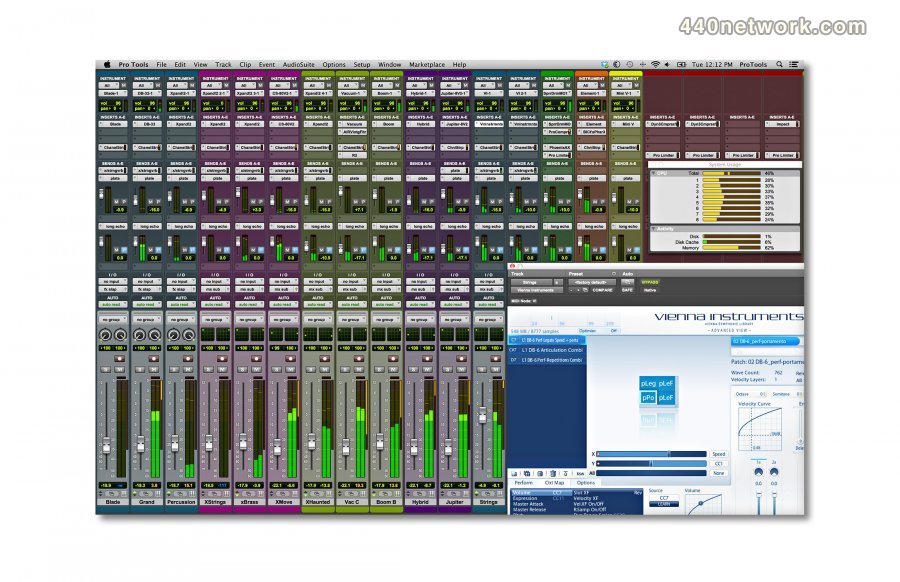

 Windows


You must sign-in to post your comment:
You can signin with your 440Software account (MacMusic, PcMusic, 440TV, 440Forums, 440Software, ...) or via FaceBook, Twitter or Google.