Auto-Tune corrects intonation and timing problems in vocals or solo instruments, without distortion or artifacts, while preserving all of the expressive nuance of the original performance - with audio quality so pristine that the only difference between what goes in and what comes out is the intonation and timing. All with a user-interface that is a model of clarity, speed and ease-of-use.
And now, with its new-from-the-ground-up time manipulation capabilities, Auto-Tune 7 represents the most substantial advancement in functionality since Auto-Tune's original introduction in 1997.
For most common pitch problems, Auto-Tune 7's Automatic Mode instantaneously detects the pitch of the input, identifies the closest pitch in a user-specified scale (including minor, major, chromatic and 26...
more...
Auto-Tune corrects intonation and timing problems in vocals or solo instruments, without distortion or artifacts, while preserving all of the expressive nuance of the original performance - with audio quality so pristine that the only difference between what goes in and what comes out is the intonation and timing. All with a user-interface that is a model of clarity, speed and ease-of-use.
And now, with its new-from-the-ground-up time manipulation capabilities, Auto-Tune 7 represents the most substantial advancement in functionality since Auto-Tune's original introduction in 1997.
For most common pitch problems, Auto-Tune 7's Automatic Mode instantaneously detects the pitch of the input, identifies the closest pitch in a user-specified scale (including minor, major, chromatic and 26 historical and microtonal scales), and corrects the input pitch to match the scale pitch. A Retune Speed control lets you match the retune rate to virtually any performance style as well as create the iconic Auto-Tune Vocal Effect (the Cher/T-Pain effect).
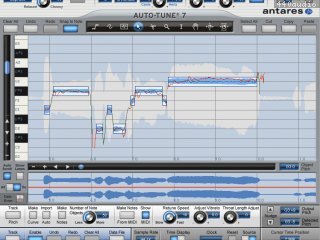
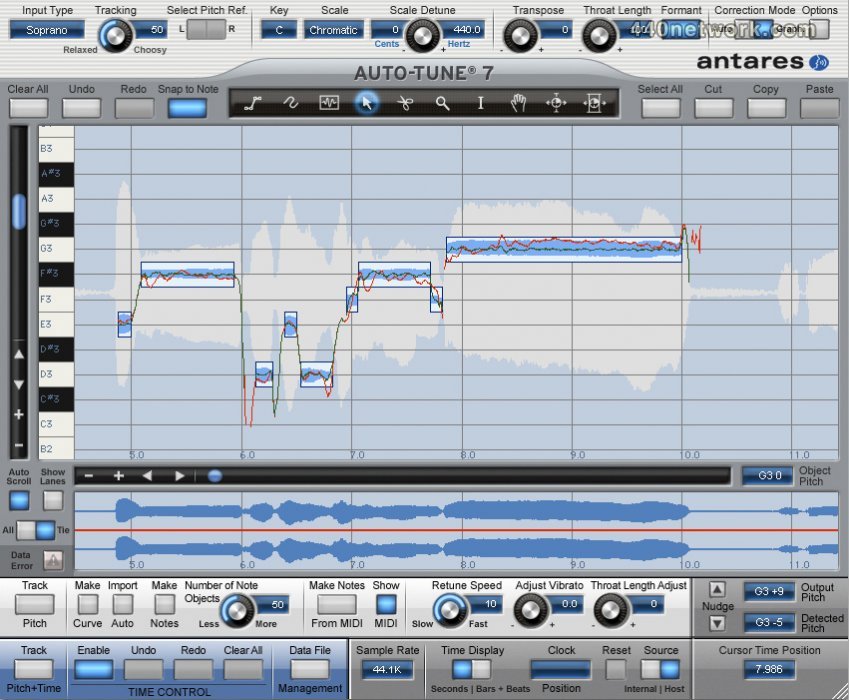
For meticulous pitch and time editing, Auto-Tune 7's Graphical Mode displays the performance's detected pitch envelope and allows you to modify pitch and timing with a variety of easy-to-use graphics tools. This mode gives complete control over the correction or modification of the most elaborate pitch and rhythmic gestures.
Key new Auto-Tune 7 features include:
- Time Tools Integrated time correction and manipulation: Auto-Tune 7's time control capabilities combine an extremely high-quality time shifting algorithm with an exceedingly intuitive user interface designed to make it quick and easy to correct timing errors or exercise your creative imagination. Auto-Tune 7's time manipulation functions include the ability to move a point in time within a selected range as well as move a range in time within a larger range. The time functions have their own Undo/Redo controls independent of the pitch correction controls and an Enable button that allows you to instantly switch between your original audio and your time shifted audio.
- Evo Voice Processing Technology: In 2008, Auto-Tune Evo introduced Antares' seriously evolved Evo Voice Processing Technology, setting a new standard in pitch detection, pitch shifting, and formant processing performance. In the intervening years, Evo Voice Processing Technology has been integrated into Antares' full line of vocal processing tools. Now, with Auto-Tune 7, we are introducing the second generation of Evo Voice Processing Technology, offering even more natural (if you want it to be) pitch shifting and throat modeling over a wider transposition range.
- Create target notes from MIDI in Graphical Mode: When tracking pitch in Graphical Mode, Auto-Tune 7 will record any MIDI note information routed to it (either from another MIDI track or live from a MIDI controller) and (optionally) display the data on the Pitch Graph Display. You can then use the new Make Notes From MIDI function to convert the MIDI information into Note Correction Objects. Perfect for fine-tuning the Auto-Tune Vocal Effect or even completely redefining melodies.
- Adjust Throat Length on an individual correction object basis: To give you maximum control over the timbre of your vocal tracks, Throat Length Adjustment is now an independent property of each individual correction object (Curve, Line or Note). While the overall Throat Length is still set by the master Throat Length knob, each correction object can have its own independent adjustment (either longer or shorter) as desired.
- Enhanced Amplitude Envelope Display: Whenever time control is enabled, the Amplitude Envelope Display will display both the original audio and the time-shifted audio, updating in real time as you make your edits. So you'll always be able to see at a glance the results of your time edits relative to the original audio.
- Enhanced Graphical Mode Adjust Vibrato function: Auto-Tune 7's new Adjust Vibrato let's you modify the depth of any natural vibrato in the original performance. And since it is additive, acting on any already existing correction object, you are free to work on pitch correction and vibrato adjustment in any order desired.
- Amplitude envelope in the graphical editing window: A display of the tracked audio's amplitude envelope now appears as a background element in the graphical editing window. While its primary function is to help make precise selections for time shifting, since it is always visible in the center of the window, it provides a helpful indication of the presence of tracked audio, even if that audio is currently beyond the upper or lower boundaries of the window.
- Expanded keyboard shortcuts: Auto-Tune 7's Key Binding system has been expanded to allow you to program custom keyboard access to the new time manipulation tools and controls.
- Smooth continuous scrolling of graphical audio data: If you have selected Auto Scroll in Graphical Mode, the graphical data will scroll smoothly across the screen during playback, maintaining the currently playing audio at the vertical center of the window.
- The option to display the graphical timeline in bars and beats: Primarily designed as reference for time manipulation, you can now display the graphical timeline in either absolute time or as bars and beats relative to your project's tempo.
- Increased vertical zoom range in Graphical Mode: For ease of extremely precise pitch editing, you can now zoom all the way in to the one-cent-per-pixel level.
less...


 MacOS X Intel
 Windows


You must sign-in to post your comment:
You can signin with your 440Software account (MacMusic, PcMusic, 440TV, 440Forums, 440Software, ...) or via FaceBook, Twitter or Google.