The new DJ Mixer Pro 3 is finally available and comes with many features and improvements:
new user interface (skin)
allows you to mix and execute quickly on the fly. With DJ Mixer 3 you are always one step ahead
record your mix to MP3 format - read the FAQ section on how to install Lame MP3 Encoding Library.
scan/import files/folders in the background
4 DJ decks with professional grade mixer and playlists
skin support for 4 decks, tabs/panels and scripting
18 new controllers supported natively:
Akai LPD8,
American Audio DP2,
American Audio VMS4,
BEAMZ Player,
Denon DN-HC4500,
Hercules DJ Console MK4,
Numark DJ2Go,
Numark Mixtrack Pro,
Numark TotalControl,
PCDJ DAC-3,
Pioneer DDJ_Ergo,
Reloop Contour_CE,
Reloop Mixage_IE,
Vestax VCI100,
Vestax VCI100 MK2,
Vestax VCI400,
Vextax Typhoon,
Zomo MC1000
HID controllers support
MIDI multiple devices
MIDI scripting
AutoCue
dry/wet mix for effects (replacing the on/off button) - you can now have much nicer effects in and out of the mix
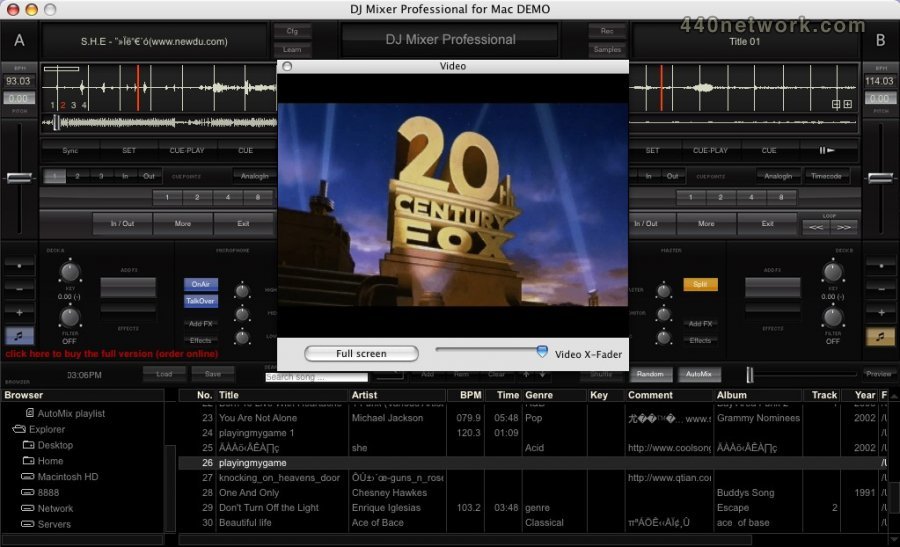
much better video including smoother playback
automatic key detection (perfect for harmonic mixing)
scan VSTs/AUs on demand (so the app won't crash on startup if certain incompatible plugins are installed)
DirectX for Windows / OpenGL for the rest platforms by default
CPU meter
video high-quality settings on by default (can't be disabled)
instant loops -- RIGHT click press and hold on the loop 1/4, 1/2, 1, 2, etc buttons for instant looping while you're pressing
clicking on time toggles elapsed/remain
karaoke CDG+MP3 zip files playback
48000Hz (48KHz) ASIO + Mac playback - live resampling
new setting: Disable Automatic Cueing
Favourite folder option (nest directories)
auto-mixing also working in external mixer mode
loop points
hot cue points logic changed (if it's not set, pressing it will set it, if it's set it will go there directly, if holding the button or right click it - it will delete the cue point)
prev/next beat/bar (skip function)
improved absolute and relative mode for timecoded vinyl/CD
improved high-quality time-stretching and key shifting
added new timecoded vinyl/CD types
cue points + loops markers + mix in/out points on the whole-wave display (track position sliders)
sampler: send current loop in a deck to a sampler bank (along with BPM and sync capability)
sampler: load samples with cue in/out set and keep only that part - trim function (cut samples in a deck using the cue mix in/out points)
sampler: data is automatically saved (file, pitch, volume, bpm, etc)
added Audio/Video/Karaoke filters
added color markers to the list tracks
pitch reset when click/right click on value
clicking on the BPM value brings up the BPM edit window
smart sync between the 4 DJ decks
iTunes browser integration
press Play to continue playing after using CUE hot-starting (you can safely release the CUE button and playback will continue)
speed improvements
Lots of stability improvements and bug fixes

 MacOS X UB
 Windows


You must sign-in to post your comment:
You can signin with your 440Software account (MacMusic, PcMusic, 440TV, 440Forums, 440Software, ...) or via FaceBook, Twitter or Google.