 Amadeus Pro v 2.0
Jun 14, 2011
MacOS X UB
Amadeus Pro v 2.0
Jun 14, 2011
MacOS X UB
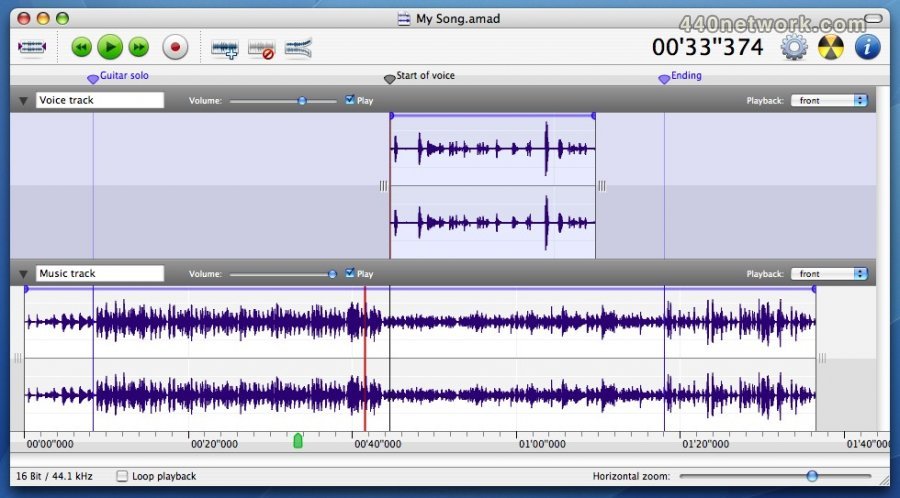
Tracks can be split into multiple clips on the same timeline
Smart editing
Real-time audio effects
Automatic start / end of recording triggered by volume changes
Recording scheduler can manage multiple timed recordings
Direct recording from internet streams (Mp3 / Ogg)
Improved level-meters
Mp3 and M4a / AAC files are not reencoded if only metadata is modified
64 bit version on MacOS 10.6 or later
Full support for 32 bit sound files
Supports Growl notifications
Video tracks are preserved when editing QuickTime movies
Integrated media browser (requires Mac OS X 10.6 or later)
Supports reading / writing of WMA files
Supports reading / writing of 3GP / 3GPP-2 files
Supports reading / writing of AMR files
Batch processor uses multiple cores
Multiband denoising
Real-time analysis tools work with open documents
Amadeus Pro v 1.5.5
May 2, 2011
MacOS X UB
* Fixes a bug preventing some Audio Units from loading correctly
* Fixes a bug in reading id3v2.2 Mp3 tags
Amadeus Pro v 1.5.4
Jan 12, 2011
MacOS X UB
* Fixes a bug preventing zooming on Mac OS 10.4
* Fixes a bug that could crash Audio Units in the batch processor
* Fixes a bug that could cause erratic behavior of the batch processor
Amadeus Pro v 1.5.3
Dec 20, 2010
MacOS X UB
* Fixes a bug that could cause some Mp3 files not to be saved correctly
* Fixes a bug crashing the auto-update mechanism on G4 computers
* Minor bug fixes
Amadeus Pro v 1.5.2
Sep 1, 2010
MacOS X UB
* Improved launch speed.
* Improved waveform display.
* Improved handling of Mp3 settings.
* Clicking time display toggles between elapsed and remaining time.
* Bug fixes in the handling of markers.
Amadeus Pro v 1.5.1
May 31, 2010
MacOS X UB
Fixes a bug that could cause the program to freeze at startup.
Better handling of the disconnection / reconnection of sound devices.
Small bug fixes.
Amadeus Pro v 1.5
Mar 9, 2010
MacOS X UB
* Adds a "Suppress White Noise" batch processor action.
* Adds a "Trim silence" function to the "Edit" menu.
* Support for "Lyrics" metadata.
* Allows iTunes tracks to be dragged into the Application's icon and the batch processor.
* Allows larger spectrum sizes.
* Deals correctly with Audio Unit latency.
* Allows to undo the "Flatten Document" function.
* Fixes a bug with international characters in Mp3 and AIFF metadata.
* Fixes reading QuickTime Movie files.
Amadeus Pro v 1.4.5
Nov 9, 2009
MacOS X UB
* Fixes a problem which could prevent the program from registering correctly
* Mp3 encoding works again on Mac OS X 10.4
* Faster and more stable Audio Unit processing
Amadeus Pro v 1.4.4
Oct 26, 2009
MacOS X UB
Added "Go to Location..." and "Extend Selection to Location..." menu items
Added a "Crossfade..." item in the "Fading" submenu
Clicking on a sonogram jumps to the corresponding location in sound
Batch processor no longer requests user attention when run in background
Fixes a few cosmetic bugs under Mac OS X 10.6
Many small performance and stability enhancements
Amadeus Pro v 1.4.3
Jul 20, 2009
MacOS X UB
# Fixes a bug that could create garbled sound recordings
# Fixes a bug that could cause Mp3 files to be truncated
Amadeus Pro v 1.4.2
Jul 10, 2009
MacOS X UB
Uses mpg123 version 1.8.1 for Mp3 decoding
Uses lame 3.98.2 for Mp3 encoding
option-home / end moves insertion to start / end of document
The 'S' key silences the selection
Fixes a bug which could change the volume envelope when using the "Save Selection As" function
Fixes a bug in reading id3v2.2 tags
Fixes a bug in memory management
Amadeus Pro v 1.4
Feb 17, 2009
MacOS X UB
New "Real-Time Sonogram" function
New "Real-Time Waveform" function
New "Duplicate Track" function
Waveform statistics can be copied
Holding down the option key while dragging tracks duplicates them
Adds a "Flatten Document" function
Adds control over RAM usage in preferences
Key shortcuts option-'+' and option-'-' for vertical magnification
Key shortcut 'n' for cycling selection between tracks
Shift-space bar plays only current track
Improves the "Trim Silence" action of the batch processor
Fixes a bug in the "Insert Silence" action of the batch processor
Fixes a bug that could cause Mp3 and SoundDesigner files to contain garbage
Fixes a bug in the FLAC decoder
Amadeus Pro v 1.3.3
Oct 30, 2008
MacOS X UB
* Improved display for spectrum analysis
* Adds an "Insert Silence" action to the batch processor
* Files are automatically resampled to 44.1kHz when burned to CD
* Fixes a bug that would open 24Bit CAF files as 16Bit
* Fixes a bug that would cause the program to choke on some Mp3 files
Amadeus Pro v 1.3.2
Aug 13, 2008
MacOS X UB
Includes Finnish localization
Supports "pinch" and "swipe" multitouch gestures
Adds Shift-M shortcut for creating marker while recording
Improved waveform display at intermediate zoom levels
Fixes a bug that would open certain 24Bit AIFF files incorrectly
Fixes a bug in the handling of large file hierarchies by the batch processor
Presents an error message when trying to burn too much data onto a CD
Amadeus Pro v 1.3.1
Jul 3, 2008
MacOS X UB
Uses ffmpeg to open wma files faster and more reliably
Adds RIAA filters to the batch processor
Escape key removes key focus from text fields
Fixes a bug in the handling of Mp3 comments and preferences
Fixes a bug in the display of multitrack documents
Works around a bug in Leopard that would prevent the opening of certain AIFF files
less...


You must sign-in to post your comment:
You can signin with your 440Software account (MacMusic, PcMusic, 440TV, 440Forums, 440Software, ...) or via FaceBook, Twitter or Google.