 MU.LAB v 6.5.32
Jul 21, 2015
MacOS X UB
MU.LAB v 6.5.32
Jul 21, 2015
MacOS X UB
Highlights
Reworked MUX front panel construction system.
Front panel components can now be layered and moved together and many more supported component types. The MUX front panels are the bridge between MUX' deep modular world and the effective use of synth and effect presets while creating music.
Tracks can now have individual heights.
Different track heights are also preserved while zooming in and out or calling vertical overview.
Collapsed sub-tracks are always shown, be it very minimal.
This avoids confusing situations that could occur with the previous behaviour of fully hidden sub-tracks.
New Oscilloscope module. The oscilloscope also includes a sync mode which allows to display dynamic synth waveforms. Also works for VST plug-ins.
Added an extra mode to the Audio Limiter module: Now it can work in Hard Mode and Soft Mode.
Previous versions always worked in Hard Mode which in the end really clips the audio. In Soft Mode the audio level is limited more in a soft way so that even for high audio levels there still is a difference in output level. In other words there always is some degree of dynamism preserved. This is more suited for general mixing use. The Audio Limiter now also has an Input Gain parameter and input and output level meters.
Improved MuDrum layout: Element 3 has been minimized so it only contains a display where you can choose the extra plug-in module for this drum pad. This results in a more simple and comfortable layout where the two sampler displays have more space now. Another advantage is that you can now directly use an extra VST plug-in layer for this drum pad without having to go via a MUX Modular.
The TanH Distortion module has been expanded to a much more flexible "Amp. Distortion" module.
It now includes a customizable curve display, which also makes it visually more clear how the distortion works.
New Piano Keyboard, Note Event Pad and Audio Level Meter modules.
VST editors now can have a focused parameter editor in their top control bar. This focused parameter editor is a handy bridge between any VST parameter and the MuLab / MUX user interface. Right-click the parameter for handy functions like Copy As Parameter Event or Copy As Envelope Point. You can easily create automation tracks for VST parameters by drag-dropping this focused parameter editor onto the [+] track button. It can also be used to monitor the value of VST parameters for VST's that don't show this in their editor. It can also be used to copy-paste VST parameter values even in VST editors that don't support such functionality. And more.
You can now drag-drop a parameter on an automation envelope editor, this will create a new point with the parameter value. Also works with the new focused VST parameter editor.
Added 3 extra fine grids: 1/256th, 1/512th, 1/1024th to support high precision editing.
MuLab Free: Empty tracks or pure automation tracks are not counted as track anymore.
So you can do a lot more in free mode without encountering a switch to demo mode.
More than 90 other important improvements, see details below.
Improved
Virtual Keyboard now has an Octave Shift which can also be tweaked using the Page Up and Page Down keys.
Scanning VST plug-ins: Now an explicit diagnostic message is given when there is a 32 bit 64 bit mismatch.
Scanning VST plug-ins: The scan report is also shown now when scanning a single plug-in that fails so to see the detailed diagnostic info.
MUX VST: Improved propagation of the audio input and output names towards the host.
MUX VST: Support for defining the number stereo ins/outs.
First metronome beat is louder than the others.
LFO: When in tempo-sync mode, you can also input the frequency parameter as "1/4", "3/8" etc.
New "Delete Unused Racks" function. Via right-click the [+] rack button.
Drag-drop an audio stream or sample object on the [+] track button creates a new track.
Pure Delay now also supports stereo mode.
Improved handling of pitchbend events resulting in several advantages:
Pitchbend events now properly travel thru a rack, no blocking at the pre/post point anymore.
You can use pitchbend as a controller to a parameter and meanwhile also use it to keep on controlling pitch bend, if you want.
In case the focused VST parameter editor is off, VST editors now have a "Edit Last Tweaked Parameter" context function which pops up a temporary focused VST parameter editor, so al of its functionality can always be accessed, even when it is prefered not to have it up front.
Envelope points now also have Copy/Paste Value context functions.
Parameter editors now have a "Copy As Envelope Point" function.
Copy-pasting parameter and envelope point values are more compatible and support both normalized float values and percent values.
Parameter controls: When the parameter name is too long to be displayed, then the full name now is shown in the tool tip.
Added protection against inputting invalid parameter values via the parameter's input dialog.
Finetuned the automatic MIDI input focus behavior when activating module editors. (more relaxed behavior = less changes)
Modular area: when (re)connecting jacks, the tool tip could be in the way which canceled the drop. Fixed.
Browser -> MUX Presets -> Refresh List does not ask "Also refresh MUX preset cache data?" anymore, it will always do so.
Event graph editor: When changing multiple selected velocity bars, and they all have the same velocity, no more popup question "Change Absolute/Relative/..." anymore as it doesn't make sense in that case.
Note To Modulation Converter now has a Low and High Key which define the note key range. Notes lower than low key will generate the minimum value, notes higher than high key will generate the maximum value. If you don't want that notes outside the defined key range cause a modulation value update, insert a Note Filter before the Note To Modulation Converter.
Event Graph Editor: Line edits are now end point inclusive. And ensured that when drawing pitchbend/controller/parameter event curves that the end value is exactly as intended.
Event Graph Editor: When clicking a velocity beam while holding Ctrl, this will now do the value line.
Drum Note Processor editor window now is resizable.
Finetuned behavior wrt parameter automation parts when positioning the play cursor in a composition.
Improved defining the target module for recording the MuDrum pads and Drum Note Processor pads.
Constant Modulator module: Value parameter automations now are smoothed to avoid zipper noise.
Sequence functions "Modify Keys" and "Modify Velocities" now also visible in mixed sequences that contain note and other types of events.
Improved MIDI Sync: Upon looping a relevant MIDI Song Pos event is sent out.
Improved stepping the play cursor forward in a composition with an active loop.
The intensity of the panel surface texture now is a preference.Setting it to 0 results in pure clean panels, setting it to eg. 12 adds a bit of vintagy to the panel looks.
Event Graph Editor and Envelope Editor: In case of bipolar curves/envelopes, there now is improved behavior wrt the middle zero line.
Modular Editor: While holding [Shift] clicking the background does not clear the selection anymore. This makes it easier to multi-select cables.
Modular editor: Right-click module jack now only pops up context menu when relevant.
MUX Modular: In and out jacks now have same name as the respective in and out modules in the modular editor of that MUX.
Finetuned display position of the window title text, avoiding the text to go under the window buttons. Especially relevant on OSX where the title text is centered.
Finetuned the dialog for the "Sequence -> Change ..." functions: The buttons are replaced by a tree list.
Soloing a rack also takes any racks into account that are sending/outputting to that rack. This is important wrt the use of racks as busses.
Improved previewing strategy: If you add a mixer strip or rack in the Project Modular Area and name it "Preview Monitor" then all previewing is routed thru that mixer strip or rack, and so you can finetune the level there.
Changed the "Quantize 50%" function to "Quantize N%" which uses a popup dialog where you can enter the percent value.
Multi-Wave Oscillator: New "Multi-Waveform CPU-RAM Usage" preference which allows you to better balance between CPU and RAM usage.
Added a "Choose From Library" function in the waveform context menu.
When choosing a waveform from the library list, the current waveform is highlighted.
VST editors: MuLab now gives keyboard focus to the VST child window.
MUX Modular VST: Clicking in the main MUX VST editor window makes it grab the keyboard focus.
MUX Modular VST: If there is a "Startup Effect.Mux" / "Startup Synth.Mux" in the user library, then this preset file will be loaded upon inserting MUX / MUX (Vst Synth) into the host.
The "Show Preview Monitor" function now automatically creates a new "Preview Monitor" rack if necessary.
Added protection against inputting invalid parameter values via the parameter's input dialog.
Improved stepping forward the play cursor in a composition with an active loop.
Multi-Point Envelope editor window now is resizable, and can be zoomed in more so to comfortably make very precise edits.
Added "Show Preset File Path" function to the Presets function group.
MuSynth, MuDrum and MultiSampla effect slots now have edit and options buttons at the right.
Optimized the horizontal overview function for envelopes. (previously the result could be much too wide in case of short envelopes)
MuDrum and Drum Note Processor: The pads now also light up when playing very short notes.
More efficient animation of the MuDrum pads, generally resulting in a more snappy UI, especially on slower systems or upon high CPU usage.
VST plug-in -> Show Info function now shows more detailed VST specific info. This extended info is also included when doing "Export Consolidated Project".
Export consolidated session: VST plug-in list: VST plug-ins that are used multiple times are only listed once now.
Improved a sonic aspect in the MultiMode and TF Lowpass filters wrt cutoff frequency and key tracking so to ensure that even low keys get the highest possible cutoff frequency.
Several detailed improvements wrt importing/exporting MIDI files.
More relaxed auto-delete for unused sequences and samples. (less auto-deletes)
Finetuned positioning of popup edits, eg. browser -> rename file, but also several others.
Added more editable skin colors.
Improved color picker.
Some other little improvements.
Fixed
When removing the keyboard from the Focused Module Panel, the scroll left/right buttons were not immediately removed. Fixed.
LFO: Fixed a sonic issue when automating LFO parameters during the fade-in or fade-out.
Fixed a possible crash bug when zooming out very much in a small multi-sample editor.
Fixed an inconsistency issue when dragging module(s) around in the modular area.
Fixed a bug when creating new modular inputs and outputs via copy-paste or ctrl-drag.
Fixed a possible crash bug when choosing another plug-in module for an effect slot in MuSynth, MuDrum, MuSampla and MultiSampla.
Upon deleting multiple connections, the popup question had a little text error after the connection count. Fixed.
Changing the MIDI Setup now properly updates the MIDI input and output module names.
Fixed a possible crash bug when drag-dropping preset files.
Fixed a low level bug that could possibly cause a crash in certain specific cases, eg. sometimes when closing a project or when quitting.
Fixed an issue that sometimes caused jacks to have irrelevant names.
Composer: Lassoing parts could select parts on collapsed tracks. Fixed.
Event Graph Editor: Applying a velocity line was not always working as expected wrt the start and end point of the velocity line. Fixed.
Fixed an exceptional possible save error.
Composer: In specific cases looped sequence parts were not drawn right. Fixed.
Sequence part -> Consolidate: In specific cases looped sequence parts could cause a hang. Fixed.
Sequence functions: Quantize, Quantize 50% and Quantize Lengths all take the sequence start locator into account wrt defining the grid.
Sequence editor: When targetting a rack with a synth module that is using note key names, the mouse cursor info display was not showing the key names. Fixed.
Sequence editor: When targetting a rack with a synth module that is using note key names, choosing a mask for the Event Graph Editor didn't show the key names. Fixed.
LFO: Loading projects/presets made with versions prior to M6.4 now properly defaults the new End Fade parameter to the same value as the Start Fade parameter for sound compatibility.
Fixed a sonic bug when changing synth parameters while no notes where playing, then a little quick fade from the previous value to the new value could be heard. Fixed.
Fixed a potential crash bug when opening the multi-sample editor for the first time or when deleting multi-sample zones.
Fixed an issue that caused that ...#AutoSaved.MuProject.Backup files were not cleaned up upon quitting.
Fixed a bug when deleting tracks with sub-tracks.
Added protection against loading projects that contain invalid ghost parts as a result of the previously mentioned fixed bug.
Single click in sample display did not clear selection. Fixed.
In some cases, target module edit fields could be a bit too short. Fixed.
In big projects, previewing samples could be a bit slow. Fixed.
OSX: The top bar of VST editors had an unintended white border. Fixed.
Fixed a possible memory leak bug.
MU.LAB v 6.4.18
Mar 31, 2015
MacOS X UB
Highlights
Greatly improved LFO module:
All LFO shapes are fully editable now.
LFO shapes can be saved/retrieved using MuWaveShape preset files.
LFO now has a Start Phase parameter, which can also be set to Random.
LFO now both has Start Fade and End Fade parameters, both of which can function as a fade in or fade out. The end fade starts when a note off is received.
When Start Fade is an immediate fade out, then it is ensured that the LFO will start at the defined start phase on note-off. This way you can do a pure note-off LFO.
When in Tempo Sync mode, setting the frequency via a dialog bar now also supports a "Bpc" unit suffix meaning Beats Per Cycle. This way the conversion to "Cpb" (Cycles Per Beat) is done for you.
This improved LFO is also implemented in the MuSynth, MuSampla and MultiSampla devices.
New "Note Dispatcher" module. This module dispatches the incoming notes (events) to one of the outputs depending on the mode:
Random: Whenever a note-on is received, a random output is selected.
Round Robin: Whenever a note-on is received, the next output is selected. And when a note-on with Special Key is received, the output is reset to the first one.
Keyed: Whenever a note-on with Special Key is received, the next output is selected.
Key Range: The note-ons in the key range from Special Key to Special Key + Num Outs define the output.
New MIDI Channel Remapper module to remap the 16 MIDI channels to another channel.
New One Pole Lowpass module.
Renamed the term "Session" to the more familiar term "Project".
New Sinc-16 sample interpolation algorithm. Sinc-16 interpolation sounds much better when transposing samples which contains lots of high frequencies aka trebles.
When working with many tracks and audio parts, scrolling, zooming and editing the composer is (much) faster now.
Number MIDI inputs and outputs has been doubled from 8 to 16, resulting in up to 256 possible output channels.
Improved
Improved control over the sample interpolation mode: Anywhere sample play properties are defined there now is an extra [Options] button. By default all sample players use the global preference so interpolation mode can be easily changed for all sample players (including all multi-sample zones) that use the global preference.
New preference "Auto Loop Recorded Sequences".
New shortcuttable function: "Edit Tempo Changes" now is a shortcuttable context function.
Legato function now works to the next note anyway, independent whether the next note is selected or not.
A rack's own note key names now have priority on the note key names of the first synth in that rack.
Composition: Insert/Delete Time Slice function now also takes the tempo track and markers into account.
Multi-Point Envelope, Note Mapper and WaveShape editors now also have a preset name display and previous/next preset buttons so to easily navigate thru the library presets.
The "Select Previous Preset" and "Select Next Preset" shortcut functions now also work for Multi-Point Envelope, Note Mapper, WaveShape and all other types that use preset files.
Dropping a VST DLL file on the [+] track button now creates a new track for a new rack with that VST plug-in.
The Virtual MIDI Keyboard can now also be set to match a QWERTZ keyboard layout and also a fully user defined key setup is supported now.
New shortcut functions "Rewind One Step" and "Forward One Step".
Finetuned MuSynth UI layout.
Improved time bar and time grid layout for when in real time mode hh:mm:ss.
Parameter editors with only a label (eg in MuSynth) now have a "Edit Value" context menu.
Renamed the "Audio File" object type in RAM to "Audio Stream". This way there is a more clear differentiation between an Audio Stream (=Mu project object) and an Audio File (AIFF or WAVE file on disk). So the question "Delete audio file X?" now is about the file itself, whereas "Delete audio stream X?" is about the streaming object not about the file.
Pure Delay now has a samplerate-independent maximum delay of 2 seconds.
Increased the efficiency of several functions, e.g. when importing large MIDI files or having recorded ten thousands of events.
Also loading projects could be a bit faster.
Zooming in/out in the composer and part editors using a shortcut or the scrollbar buttons now focuses on the play cursor (if it's already visible) instead of the center of the editor.
Improved shortcut system: Less chance that a shortcut is not processed because of a UI focus mismatch.
New shortcut function "Set Play Position At Mouse Cursor".
Automation editor now also supports inputting parameter values in their specific format eg "2450 Hz" for a cutoff parameter automation.
Improved the sample playback engine when in backward or alternate loop mode so no double samples are played at the returning points.
Slightly improved sound quality of some of the Multi-Form Oscillator transforms.
When exporting individual sequences as a MIDI file, now the MIDI file extension always properly is ".mid".
New "Scroll To Play Cursor" shortcut function.
Sequence object display: If no sequence then right-click will also popup the relevant choice list.
Sequence object display: Tooltip only displayed when name is not fully displayed.
Creating the graphic overview data for an audio file is faster.
New preference "Create Audio File Overview Length Threshold" defines when to create a graphic overview .OVW file for an audio file.
Manage Audio/Sample Files: When you move audio files into the project's 'Audio' sub-folder, also the .OVW file is moved too. (if any)
Browser -> Samples: Support for multi-selected drag-drop.
Event Monitor now shows relevant info for MIDI clock events.
New "Update To Modified Audio Files" function which will update the audio file project objects to any changes applied to the source file. This function is only visible if the "Auto Check For Modified Audio Files" preference is off. (see next point)
Added new preference "Auto Check For Modified Audio Files". When switched on, then when an audio file has been edited externally and you switch back to the project window then a question pops up whether to to update to the latest changes. If this preference is switched off, you can still update to the latest changes using the new "Update To Modified Audio Files" function.
When switching a project off, all used audio files are closed, which makes them available for external editing. When a project is switched on again, all used audio files are reopened.
Fixed
Inputting certain parameter values (eg Multi Mode Filter Resonance) was not working correct.
Export Tracks As Audio Files: When multiple main tracks were connected to the same rack/module/plugin, only the last such track was available as an audio file.
Export Tracks As Audio Files: When a main track did not contain parts but its sub-tracks did, the main track was not exported.
When loading a new preset file into the Multi-Point Envelope the editor window title was not updated.
Note Mapper editor: "Input" and "Output" labels were not displayed right.
Fixed an issue when editing numeric pitch-bend values.
Sequence editor: When inserting a note, the property panel shows the data for that note, but when undoing the insert, the property panel was not cleared.
Sequence editor: Changing aftertouch and pitch-bend values via the property panel was not working correct.
Some MuSynth patches could contain a pitch/filter LFO with amplitude at 0%.
MuSynth: Fixed a problem with the polarity of the amplifiers sustain level.
MultiSampla editor: Pitchbend knob had a little vertical offset.
Sequence editor: When changing the editor grid, the event property panel now immediately takes that into account.
In rare specific cases editors could open with an improper size.
Pitch-bend automation editing: Couldn't type in a negative envelope point value eg -50%.
Fixed a sorting issue in the meta-parameter map table.
Fixed a possible memory leak when quitting.
Via right-click audio marker -> Edit it was possible to set the marker beyond the end of the audio.
Some parameter values were not displaying decimals while intended.
When deleting the audio file used by an audio part, the graphic was still shown.
Fixed a possible crash bug when reading MIDI files with long text meta-data.
MU.LAB v 6.3.6
Feb 10, 2015
MacOS X UB
New
New Audio Unipolarizer module.
You can now set exact parameter values by double-clicking a parameter value which pops up an input dialog.
New "Import MIDI File" and "Export MIDI File" functions for individual sequences.
You can now drag-drop a MIDI file onto the sequence editor, that will merge the MIDI file into that sequence.
Dropping a MIDI file on the browser when it's at Sequences + This Session will import the MIDI file as a new sequence.
Sequence input field now also accepts dropping MuSequence and MIDI files, for example in the Sequence Player module.
You can now drop samples directly onto MuDrum pads, that will load them into that pad's MuSampla element 1.
Audio Envelope Follower now has an On/Off switch for its 1ms RMS window.
New preference "Use VST Program Name As Default VST Name".
Improved
Floating Windows Bar: The window buttons now toggle between show and hide. And a right-click closes the window.
Each VST now memorizes its last bank/program file path, so next time you load/save a bank/program for that VST the browser will start at the last location.
Improved behavior when loading sessions with registered VST plugins of which the DLL has been moved to another location.
Session browser -> "MIDI Files" and "All Files" now also have relevant options for the Where field.
Optimized speed for certain sequence functions especially noticeable for sequences with thousands or more events.
Improved inputting of parameter values in the event list editor, logical selector, meta-parameter map editor, ...
Sequence Player module now has an On/Off switch.
Modulation Monitor now also includes a text display that displays the modulation value.
Improved the way how the display string and default value is defined for the modular meta-parameters. It's simple now: The defaults are defined by the first parameter mapping for that meta-parameter. To control this, the meta-parameter map editor now supports pushing a mapping to the top.
Top keyboard has scroll left+right buttons.
Clicking the time bar to set a new play position now has instant response.
Mixer strip modulation mode changed to multiplication.
Fixed
Fixed an issue with the tooltips while dragging objects around.
Shortcut to Shortcut Map -> Edit wasn't working.
Alt+click on integrated sample display didn't monitor the selection.
Fixed an issue when feeding overloaded values in certain curve transformations.
When saving a MUX preset that includes the Sequence Player Module, the used grid now is saved too.
In some cases the browser was unintendedly changing the list position.
Undo-redo of editing an envelope point via a popup dialog was not working.
Fixed a possible sonic bug in LFOs and looped Multi-Point Envelopes.
Modular area: Lasso selecting multiple modules and dragging them could make only a single module to be dragged.
MU.LAB v 6.2.7
Jan 15, 2015
MacOS X UB
New
New "Event Recorder" module. (MuLab only, not yet in the MUX Modular Plug-In version)
New: Each MUX module can have its own custom note key names. These key names can also be imported and exported to a text file.
Sequence parts: New "Consolidate" function which renders the loop into a new straightforward sequence and deletes any unplayed events.
New function: Sample -> Reload.
Improved
Increased the number of events that a VST can send to the host in a single process slice.
Doing track -> "Choose Target Module" and dropping a module on a track to set its target are both undoable actions now.
Session's Event Recording Setup: Grid editor field now also includes grid scrolling buttons. (more consistent UI)
Scrolling and zooming can now also be done using keyboard shortcuts.
New preference "Scrollbar Size".
Event Monitor now also has an event output, events are simply bypassed, but this way the Event Monitor is more usable in a rack.
Event Monitor now also has a On/Off switch, and when switched off it pauses monitoring.
Audio Envelope Follower: Improved algorithm for converting the audio envelope into a modulation signal. Much more accurate now.
The level meter of a mixer strip (of a rack) now is draggable and represents the mixer strip module.
MultiSampla: Pitch and filter LFO & ENV Amplitude defaults to 100% instead of 0%.
Composer, note editor, multi-sample editor: Shift+click+drag upon a part/note/zone now starts a selection lasso.
Browsers: Clicking an object/file previewed it, but only once if it was not already highlighted. Now each click previews it again.
While moving markers in composer, audio- and sequence-editor, then the current marker position is displayed in the info box.
When saving a preset file using a file name that differs from the object name, the popup question alert now explicitly includes both these different names.
File browsers: More file browsers now memorize their last location.
Improved support for changing the samplerate or blocksize during a session.
MuLab: Finetuned behavior when doing Audio Setup.
Previously the whole session was reloaded, including all plug-ins, which also caused editors to close etc. Now the session stays intact and only when the samplerate has changed or blocksize has increased then all plug-ins are updated.
MUX Modular Plug-In: Demo version now properly fades to soft noise instead of fading to silence (almost silent noise).
MUX Modular Plug-In: Vst wrapper: More tight checks on the info given by the host. (eg avoiding negative tempo values from host)
Fixed
Sample -> Replace function: Fixed an issue with the markers.
When moving rack slot modules, the process on/off tool tip could show an irrelevant "Num Voices".
Pasting a module into a deep modular editor using a keyboard shortcut pasted the module at the far bottom-right of the editor, which was not intended. Now the pasted module is positioned at the mouse position.
Fixed an issue with the MUX Modular presets not showing the proper icon in the browser.
Fixed a broken link to the docs wrt "Couldn't save user settings".
Fixed a problem when inserting a new MUX meta-parameter map line.
Inactive audio recorders still created a little empty audio file.
Non-resizable windows had the "Edit Size" in their context menu, which was irrelevant.
Mixing desk open/close state setting was not saved.
Lists: When mouse was at top or bottom item, list could unexpectedly make big jumps.
Fixed a possible crash bug when inserting a mixer strip into a rack.
MUX Modular Plug-In: Fixed a bug that could cause a crash or a hang when clicking the keyboard in the multi-sample editor.
MU.LAB v 6.1.32
Dec 11, 2014
MacOS X UB
Fixed an issue with the play position line.
OSX: Fixed a graphical bug in several editors, eg the inactive part in the note editor was not properly darkened.
OSX: Fixed a packaging mistake which caused MuLab to be launched for the first time using improper default settings.
MUX Modular Plug-in: Clicking the main plugin window background in the MUX Modular specific part (not the host specific part) ensures keyboard focus to MUX Modular.
MUX Modular Plug-in: Browser now also stays floating just like module editor windows.
Better position for the popup list for the sequence- and multi-sample value fields.
MU.LAB v 6.1.29
Dec 6, 2014
MacOS X UB
MUX Modular
New synth module: "Multiform Oscillator". Supports creating, importing and using wave tables in a high-quality and modular way. See this intro video.
Improved sound quality when importing arbitrary sized waveforms.
Waveforms: New "Clipboard -> Append" function that appends the waveform on the clipboard to the target waveform.
All sounds using the internal oscillator might sound a little bit better by fixing a specific rounding error.
Optimized sample memory management.
VST plug-ins: Enhanced denormalizations guard.
Note Modifier: Velocity parameter can be set to 12700% so to practically max out all velocities.
Fixed a potential crash bug when trying to paste a module while no module is on the clipboard.
Fixed a couple of issues with the Parameter Event Generator module.
Fixed a specific problem in the VST engine which caused that the timing info given to the plugin was not ok at the end of the composition loop in case the audio engine block size was an integer multiple of the loop length.
MUX Modular Plug-In: Improved host compatibility.
MUX Modular Plug-In: All MUX-related benefits of MuLab 6.0.35: New MuSampla version 2, improved MuDrum, rack slots now include a process on/off switch, improved multi-sample editor, and many more improvements which all together make a big difference! Cfr the M6.0.35 change log below.
MuLab
Rename automation parts didn't work as expected. Fixed.
Automation parts: In some cases the play position line was not positioned right. Fixed.
When importing MuClips, the session could contain multiple similar grids. Fixed.
Sequence function Quantize Length will now avoid creating triggered notes.
Fixed an issue in the composer when using overlapped parts.
The "MIDI Output Time Compensation" setting now is a real-time editable preference: See Edit Preferences -> "MIDI Output Time Shift".
Common
Audio Files and Samples: New context functions "Add Recurring Markers" and "Delete Selected Markers".
New preference "Middle C Index" allows you to set the middle C to C3 or C4 or C5. Default is C4.
REX file loader: Improved protection against exceptional/wrong REX files.
In some cases when deleting multiple objects at the same time, only some of them were effectively deleted. Fixed.
Factory Library Folder and User Library Folder are now editable preferences. This allows for a more customizable setup.
MU.LAB v 6.0.35
Jul 17, 2014
MacOS X UB
MuLab 6 features an improved look and feel and a rich collection of new and improved features throughout the app that all together seriously improve the creativity, comfort and workflow of MuLab.
Highlights
Session
Docked part editors that auto-follow the focused track.
Direct buttons for showing/hiding the browser, mixing desk and session modular area.
New "Export Consolidated Session" function for making a complete session folder for export to another system.
New "Export Tracks As Audio Files" function which exports each main track as a separate audio file.
All rendering-to-audio functions can now be interrupted by pressing ESC.
Composer
Audio parts now give you full control over the fade-in and fade-out curves and show these curves on the audio data.
Audio parts: When changing the gain or stereo pan in the part property panel, this is applied to all selected audio parts.
Sequence parts: When changing the transpose or velocity in the part property panel, this is applied to all selected sequence parts.
New "Add New MuSampla Track" function.
New "Insert Time Slice" and "Delete Time Slice" functions.
New "Select Similar Sequence Parts" function.
New "Increase Tempo", "Decrease Tempo", "Half Tempo" and "Double Tempo" shortcut functions.
Part Editors
Sequence editor now has two tools: The standard arrow tool (cfr M5) and the pencil tool which makes it easier to quickly insert and delete notes with a single click.
Sequence editor now has an event property panel for quickly changing the (selected) event values in an alternative way. With optimized undo/redo support so to avoid redundant undo/redo steps!
New "Transpose -1", "Transpose +1", "Transpose -12", "Transpose +12" sequence shortcut functions.
Envelope editor now has an envelope point property panel, similar to the event property panel in the sequence editor.
Audio-, sequence- and automation editors now much more clearly indicate the active/inactive region.
Improved Event List Editor: Better layout + events that are outside the actual play region are grayed.
Event Graph Editor: Support for individual note keys, which is handy to select the velocities of a certain key.
MUX Modular
New MuSampla version 2.
Improved MuDrum:
Improved mix-racks.
MuDrum sampler plug-in slots now also have an explicit On/Off button.
MuDrum: Pad editor is switched also when playing the pads.
MultiSampla now has 4 stereo outputs so you can route specific zones to a separate output.
Modular Feedback Delay now has a "Invert Feedback" switch.
Rack slots and module buttons now include a process on/off switch.
Multi-sample editor: Zone editor now integrated as a docked sub-editor.
Added support for note key names e.g. for when a target module defines C3 as "Kick", D3 as "Snare" etc.
All embedded sample displays (e.g. in MuSampla and in the multi-sample zones) are fully functional now.
New "Focus Previous Rack" and "Focus Next Rack" shortcut functions.
These functions make it possible to also use MuLab as a stage rack with a bunch of preset racks that can be selected via MIDI.
Misc
Improved curve editing: Curve edit fields (e.g. in the Audio Balancers) now support direct editing i.e. (alt+) drag up/down to change the curve without having to open the curve editor. Opening the curve editor is done via double-click. Plus other detailed improvements wrt curve editing.
Improved and extended browser functionality.
Added support for saving/reloading the sample markers near the source sample file.
Optimized audio engine which should result in less drop-outs when high CPU load on certain systems.
Many more preferences so to tune MuLab to your flavor.
Improved look and feel.
Improved factory library.
Many more improvements which all together make a big difference. See below.
More
Added support for a factory Start.MuSession which is opened and auto played on initial startup.
Support for a 'Focused Track'.
"Add Automation Sub-Track" now also includes Controllers, Pitchbend and Aftertouch.
MultiSampla now also has a Pitch Bend Range control.
All sample editors: The marker displays now include a previous+next marker button.
Right-click on MIDI Focus Module Panel Keyboard (top-right) also includes the "Auto MIDI Input Focus" selector function. (= on / off)
When moving the vertical column dividers in the event list editor, the display was not properly redrawn. Fixed.
When editing a value and you can select the value via a popup list, then the current value now is clearly indicated.
The left sides of audio- sequence- and envelope-editors all have the same width now in all cases. That makes it easier to align editors.
Audio parts now each memorize their own editor position + zoom.
Fixed a problem when dropping a MuClip on the sequence editor.
When adding racks while the music is playing could result in hanging notes. Fixed.
Event Graph Editor: When drawing a line to draw/edit a curve, the line color was always black even on dark backgrounds. Tuned.
Event graph editor: Fixed a problem with selecting velocity beams in certain specific cases.
When double-clicking envelope points, the popup editor didn't take the part start time into account. Fixed.
A single click on an envelope point does not create an undo step anymore, as that was a redundant undo step.
Sequence editor takes some extra space at the right into account so to easily manage any markers (e.g. loop-end) at the end of the sequence.
"Auto Collapse/Expand Racks" now is a standard context function and not only accessible via shortcut and right-click on the collapse/expand rack button, but also via right-click on mixing desk background.
When focusing modules (e.g. racks), also the modular area reflects that by solo-selecting the focused module.
When switching presets for rack slot modules, in certain situations the rack was not properly updated. Fixed.
Fixed a problem with the User/Settings sub-folder after having manually deleted the User folder as a kind of setup reset.
Improved new recording placement.
Enhanced interaction between the Step Recorder and the Sequence Editor.
VST plugins: When clicking the editor top name display, that popup list will now highlight the current VST program.
Preference names now includes spaces and dashes so to be more readable.
Mixdown Audio split into "Export Composition As Audio File" + "Render Selected Parts As New Sample".
Fixed a play bug when looping the composition that caused that certain notes (the ones crossing the part's end) were played upon loop while they should not be played.
When splitting a unique sequence part and the "Standard Copy Part Is Shared Copy" preference is 1 (= yes = true) then the split will use shared sequences.
Ensured that the preferences window never needs horizontal scrolling to read the description.
The "External Audio Editor" setting has been moved to the Preferences.
Optimized composer part management.
Importing MP3 audio files now is interruptible by pressing ESC.
Fixed a nasty crash bug when copy-pasting a MUX device (e.g. MuSynth) inter-session when such MUX device was using samples as well as using effects in the device FX slots.
When using "Save Preset", "Save Preset As" and "Delete Preset", the browser now is automatically refreshed.
When recording parts and the part is put on a collapsed track then that track is automatically made visible.
Editors: Shift+click-without-drag on background = select none.
New "Upgrade MuClips" function.
When importing an audio file or sample loop, now the resulting part is put at a better position.
VST plugins' "Show Initial Delay" function replaced by "Show Info" which shows more info, including the Initial Delay.
Browser now memorizes tree list state in between changing 'What'.
Browser: Auto Play button moved at left of progress bar + auto play controls are hidden if not applicable to current "What".
Shortcut manager: Explicit "Add" button.
Audio editor now includes a little display that shows the current cursor time.
Audio editor time bar now shows minutes+seconds instead of frames.
Changing the pre/post switch could result in a lot of audio clicks while dragging the pre/post indicator. Tuned.
More visible log details when scanning VST plug-ins.
When the user settings can't be saved, an alert box is shown which optionally also opens the relevant doc file.
Saving color presets now uses a more simple name dialog instead of a full featured file browser. This avoids that color preset files are saved on a irrelevant place.
"Main Editor Grid Contrast" and "Piano Key Lanes Contrast" preferences moved from Edit Looks to Edit Preferences.
Browser: "Where" field now shows a tool tip when the text is not fully visible.
Clicking the timebar in the automation envelope editor now snaps the new play position to the selected grid.
When there are tracks with no target module, then moving the play position could result in unexpected controller/parameter changes. Fixed.
Floating windows bar now always shows the option button so that you can close the bar if it's not needed anymore.
Inserting/removing a modular input/output did not redraw the parent MUX modular area. Fixed.
You can now also drag-drop audio files on the [+] track button which will add new audio/sample tracks.
Fixed an issue when dropping multiple audio files onto the composer.
Oscillator: Octave, Transpose and Fine Tune are now indicated as bipolar parameters.
ADSR: If it's about a bipolar ADSR then all level parameters are now indicated as bipolar parameters.
ADSR + Multi-Point Envelope: Velocity Sense is indicated as a bipolar parameter.
Multi-sample editor: Several other improvements.
Text string displays: Initial auto select all.
Text string displays: Cursor only visible when focused.
Step recorder fields are more aligned.
Fixed a bug with resetting the MUX preset file cache.
Fixed a bug wrt tooltips while dragging knobs and sliders.
By default the UI focus box is not drawn anymore. It's still a preference, only the very default has changed.
Removed the DoubleClickDeltaTime preference. Now the double-click delta time preference of the OS is used.
It was possible to accidentally create feedback loops in the modular area. Fixed.
Optimized context menus.
MUX "Deep Editor" renamed to "Modular Area".
Term "Locator" renamed to "Marker".
"Edit Looks" renamed to "Edit Colors" and extended that dialog. It also includes all device colors now.
All Mu files will be a bit smaller in size.
Fixed a rare bug which could result in unexpected note lengths when the composition loops from loop-end to loop-start.
Fixed a rare bug in the sequencer engine that could cause audio clicks under high CPU pressure, or even rare crashes.
Fixed a samplerate problem when rendering a sample from the selected parts.
MU.LAB v 5.5.2
Apr 25, 2014
MacOS X UB
When using mono legato the filters are now also properly applying key tracking.
The Multi-point Envelope velocity sensitivity was not working correctly. Fixed.
MU.LAB v 5.5.1
Mar 4, 2014
MacOS X UB
OSX: Fixed a problem with certain VST editors turning white.
OSX: After having clicked on VST editors clicking in the main window only activated the window without actually processing that click. Fixed.
MUX VST: Added a workaround for a possible crash problem in Steinberg hosts eg Cubase.
MUX VST: Added a workaround for a resize problem in Steinberg hosts eg Cubase.
MUX VST: Fixed a possible UI lag problem when using multiple MUX VST plug-ins.
MUX VST: In some hosts, in certain situations where note-ons and note-offs are sent on the same time, there were hanging notes. Fixed.
New "Audio Pos/Neg Splitter" module.
More subtle and less dense time bar.
Windows: Default Audio Setup now uses MME Sound Mapper.
Windows: "MME Audio" renamed to "MME Audio Output".
New preference: DefaultAutoScroll defines the default value for the auto scroll feature of the editors.
When deleting a module that is a track's target module, the track header was not immediately redrawn. Fixed.
Sometimes small tooltips were displayed incorrectly vertically. Fixed.
VST plug-ins "Edit In Generic Editor" function not shown in context menu when the VST plug-in has no parameters.
MU.LAB v 5.4.1
Feb 2, 2014
MacOS X UB
New "Note Mapper" module. Can be used to map single notes to chords, apply a key scale, ...
For details, see this doc page.
The popup list for rack slots now also contains all relevant modules so these can be used directly without the need for a wrapper MUX.
Composer, Note Editor and Multi-Sample Editor: Control+click in the middle of a part/note/zone now also deletes it. (Control+drag still copies)
When docked browser is minimized, the "Show Browser" function will make sure it is not minimized anymore as that could be confusing.
Composer, Note Editor and Multi-Sample Editor: When hovering the start/end of a part/note/zone, the cursor now shows a left-right resize cursor, which is more appropriate/standard than a pencil cursor.
When deleting parts/notes using Ctrl+mouse, and when just clicking (i.e. not lassoing) then all selected parts/events are deleted. (if the clicked part/event is selected too)
When recording new parts, the newly recorded part becomes the only selected part.
MultiSampla: Clicking the multi-sample display didn't popup the multi-sample list. Fixed.
Audio Editor: Right-click on time bar -> "Create Locator" caused a crash. Fixed.
Audio Editor: Right-click on time bar -> "Set Locator" wasn't properly working. Fixed.
Increased the VST MIDI input buffer size.
Windows: New preference "WindowsProcessPriority" which allows to set a higher process priority on Windows, resulting in a more solid audio engine.
MU.LAB v 5.3.25
Dec 20, 2013
MacOS X UB
Composer
Improved support for multi-track audio recording.
Automation parts can now also do MIDI controllers, Aftertouch and Pitch Bend.
Support for looped automation parts.
Easier handling of automation & modulation envelopes.
REX file support.
Improved Auto Scroll behavior.
New sequence function: Quantize Notes 50%.
Mixdown dialog: Added a button to quickly set the From-To to the composition loop.
MUX
New "Modular Feedback Delay" module which can have any module in the feedback path, even a MUX, even a VST, even any combi of those.
New "TF Lowpass Filter" module.
Wobble Modulator: New "Curve" and "Alternating Offset" controls resulting in more control over the resulting wobble.
Modular editor now supports lasso select to move, copy and delete multiple modules at once.
Improved editing of oscillator super layers.
Samples: Added a "Create New Sample From Selection" function.
Further enhanced VST compatibility.
Common
Floating Window Bar gives more control over the floating windows.
Preferences can now be edited in a user friendly way from within the app. See MULAB menu -> Edit Preferences.
Many other little improvements in looks & functionality.
And More
MUX Vst: While browsing for an audio/sample file, preview was not always working. Fixed.
When having loaded an MP3 or REX file then changing the audio and saving it, now it is ensured that it is saved as an AIFF or WAVE, for MuLab/MUX can't write MP3/REX files (yet).
New preference "ConfirmDeletes": If off then non-undoable deletes are performed instantly without confirmation alert.
Fixed a specific play bug in the sequence player module when note-offs and note-ons were on the same time.
Fixed a potential problem wrt exporting MIDI files.
Audio Envelope Follower: Attack & Release parameters were not behaving properly. Fixed.
Note that this fix affects previous sessions that use the Audio Envelope Follower. Please eventually re-set these attack and release parameters so it sounds as you want.
Audio Envelope Follower: Attack & Release parameter displays are more accurate for the first small values above 0.0.
Envelope editors: Indication of the loop points now is done using locators.
Session Browser: Whether in docked or windowed mode is an app-level preference now.
Removed the Tempo Synced Mono Echo from the module list as it has been superseded by the Modular Feedback Delay.
Audio Limiter: Finetuned parameter displays + added visual feedback in the editor.
Fixed a bug that caused that MUX front panel background pictures were not found sometimes.
OSX version: Sometimes the window borders were not properly reflecting the active/focus state of a window. Fixed.
Level compressor and Audio Envelope Follower now also have an event input jack for parameter automation.
When the source component of a tooltip is deleted, the tooltip is deleted as well.
Fixed a potential crash bug when applying DSP functions on audio.
Automation parts: Play position line always visible, also after last point.
Mono Echo module: The minimum delay of 1 sample is taken into account in the parameter display.
Fixed a button mismatch in the multi-sample player editor.
VST editors: When opening a VST plugin editor for the first time, and the VST editor is bigger than the screen, it could be that the window title bar was not visible. Tuned.
Locators: Right-click "Delete" does not use a delete confirmation anymore.
Fixed a possible crash bug when previewing muclips.
When applying DSP functions on an entire sample, then Undo was not working. Fixed.
Improved VST engine: Resolved a possible incompatibility issue with certain VSTs eg Drumatic.
Improved VST engine: When mixing down compositions with multi-core enabled, there could be sonic artifacts eg when using Sforzando. (Should be) Fixed.
Very short clicks on the keyboard in the top-right could result in hanging notes. Fixed.
Very short key presses on the virtual keyboard could result in hanging notes. Fixed.
Fixed a M4.5 read session file incompatibility.
Finetuned subtrack naming.
Track -> Choose Target Module: Improved indication of current selection.
Envelope editor: When a vertical grid is set, drawing new points could be off grid. Fixed.
Waveforms: New "Invert" function.
Added fix code for MuSynth AIPS legacy incompatibilities.
Pitch Bend values are displayed as percentage i.e. -100% to 100%.
Little UI focus tweak in the MultiSampla editor.
Fixed a practical issue with dragging parameters around on a MUX front panel.
New preference "AudioLevelSolidDisplay".
Fixed a potential crash bug in the UI system. Not sure if the bug could actually occur in any previous versions.
Track -> Choose Target now uses a more relevantly filtered list, depending on the implicit track type.
Audio part editor now also indicates where the part ends.
Easified transport panel.
Improved track header layout.
Improved mute-solo buttons: They now use the uniform button looks and even better indicate their (dependent) state.
Extended drag-drop support: Now you can also drop modules onto module-specific edit displays for example the Record From and Output To displays in an audio recorder.
Fixed a graphical bug in the 'Mixer Strip' editor.
Removed redundant test log info that was written to the clipboard on startup.
Fixed a possible crash bug when loading (MUX) preset files that contain an error.
When loading MuClips, the resulting sequence part's preset file path was not properly set. Fixed. (relevant for easy re-save)
Updated license agreement.
MU.LAB v 5.2.16
Sep 23, 2013
MacOS X UB
New/Improved
Reworked UI system resulting in a better looking and more uniform look & feel.
Redesigned all factory devices: MuSynth, MuDrum, MuPad, MuSampla, MultiSampla, MuVerb and MuEcho!
Factory device colors can be easily customized.
Oscillators: All super layers (cfr "Fatness") can now be edited in detail, resulting in many more sound options. Such osc layer setups can also be copy-pasted and saved as presets.
MuSynth and PolySynth now have a polyphony setting.
PolySynth now also supports mono mode. (Legato mono mode)
New "Monophonic Note Tracker" module with which you can do retriggered mono mode.
Factory Devices also available via the Browser -> MUX -> Factory Library.
Automatic conversion from MuVerb 1 to MuVerb 2.
Renamed the "Stereo Echo" factory device to "MuEcho" for uniformity.
MuDrum editor: You can also right-click jacks, just like in the deep modular editors.
Improved the multi-mode filter response.
Improved "Drum Note Processor" editor.
Editable colors for the factory devices.
MUX deep editor now also includes the preset display/selector at the top.
Module process on/off button now shows a standard power on/off icon. The voice count now is shown in the tool tip.
The module process on/off LED will turn red if the voice count is at max so to easily diagnose voice overflows. (eg because of (too) long release times)
Larger modular jacks, thus easier to connect.
Disabled parameters (eg filter "Gain" when set to lowpass) are drawn in a ghostly way instead of fully hidden.
Added support for copy-pasting parameter values, as well via the context menu, as well via drag-drop.
Audio recorder editor: Improved layout.
Audio recorder: Auto Normalize is off by very default. (but still a user's choice)
Recorded part(s) are automatically selected.
Added protection against VSTs that send events that are outside the valid time range.
"Insert User Key" dialog uses a more wide input field and also shows an already inserted key.
Session mixdown setup is also stored in session file.
MUX Vst: Added protection against improper reported sample rates by the host.
Improved factory library. Also thanks to Andreas!
Fixed
Audio file -> Rename Source File function was not working accurately when the new file name already existed. Fixed.
When muting a MuSynth/MuPad/MuSampla FX slot, and moving the module away from that slot, then this left a confusing virtual mute on the FX slot. Fixed.
When mixing down, MuLab now returns "kVstProcessLevelOffline" to the VST "audioMasterGetCurrentProcessLevel" opcode. Important for the behavior of some VST plugins during mixdown.
Dropping a multi-channel MuClip on a new track properly sets the new track's MIDI channel to "Per Part".
In certain situations, note-offs that happened at the same time as a new note on, did not get prioritized. Even more they could be a sample frame too late. Fixed.
Fixed an issue in the shortcut system when using certain 'Specific' target functions.
Fixed a bug wrt popup menu font sizes eg in case user had set a "MenuFontSize" preference.
Fixed some crash bugs in case dropping things on the composer while no composition is selected i.e. when composer shows "No Composition".
Fixed a rare potential memory leak.
MU.LAB v 5.1.5
Apr 27, 2013
MacOS X UB
Extended support for different types of WAVE files.
Mixdown start-end is only set automatically on first time, after that it's purely defined by the user.
Composer and Sequence Editor: Zoom Selection, Copy Time Zoom and Paste Time Zoom are now shortcuttable functions.
Rack naming: If loaded from a preset, the preset name has more priority than the first plugin name.
New preset file function: "Unlink From Preset".
Improved VST engine especially wrt VSTs that rely on timing info from the hosts.
Improved support for rack desk shortcuts when the rack desk is docked.
Added a bypass for a load problem in ToonTrack EZ Drummer. (EZD seems to need an 'effIdle' call after load)
Fixed a bug that could cause audio noises, especially on OSX.
Fixed a little bug in the VST engine which could cause improper syncing between host and plug-in. (eg Kirnu Cream)
"Select Composition" function: When used via a shortcut, the popup list was displayed in the bottom-right corner. Fixed.
Audio File -> Create New Sample From Selection did not update the samplerate of the new sample. Fixed.
Fixed a little issue wrt the session editor window size when loading sessions that were saved with another editor window size.
Fixed an initialization bug that could have various consequences. One known consequence was that eg the Shortcut Map context functions were not listed in the shortcut target function list.
The multi-function shortcut feature now is a advanced user feature only. Set the "SupportMultiFuncShortcuts" preference to 1.
Extended log info for better diagnosing certain problems.
MUX Vst now properly reports the effective host samplerate to VST plugins.
MU.LAB v 5.1.0
Apr 6, 2013
MacOS X UB
New sequence part function: Trim To Played.
Improved Audio Compressor module:
New Pre Gain parameter.
Visual feedback of input and output levels and compression curve.
Important bug fix/improvement wrt the Knee parameter.
Several other improvements wrt the processing algorithms resulting in a more solid and smooth compressed sound.
Audio level meters now show the current max level in a tool tip.
Audio level meters now have independent fall times for the maximum level indicator.
Composer: When splitting unique parts, the split part is also unique.
Fixed a rare crash bug when inserting a new module in a rack or MUX deep editor.
Fixed a bug wrt MIDI event processing for system MIDI messages like Active Sense etc.
Fixed an issue wrt music time calculations, for example visual in looped sequence parts that were not drawn as looped.
OSX: Fixed a MIDI input bug which could lead to missed notes or hanging notes etc.
MUX Vst:
Added a "Edit VST Initial Delay" function, available in the deep editor options menu.
Browser: Doesn't show the redundant "Switch To Docked Mode" anymore.
MU.LAB v 5.0.41
Feb 18, 2013
MacOS X UB
Fixed a crash bug when doing "Close All Module Editors" when VST editors are open.
Fixed a problem when replacing a VST plugin by another VST plugin while having opened a generic VST editor for that plugin.
Increased stability of the VST plug-in interface.
OSX: Fixed a problem with drag-dropping external files into MuLab / MUX.
MU.LAB v 5.0.39
Feb 11, 2013
MacOS X UB
MuLab + Common
Removed the "DroppedAudioFilesLengthThreshold" preference and replaced that decission logic by an explicit popup choice dialog. So when dropping an audio/sample file on the composer you get an explicit choice how to use this audio: As a streamed audio file, as a pitched sample or as a sliced sample.
Also when dropping audio files (Aiff, Wave, Mp3, Ogg) into the browser more appropriate logic is used.
New "SampleFileLengthWarningThreshold" preference, in seconds. If you're trying to load samples that are longer than this preference, a warning question will popup. Default = 300 secs = 5 minutes.
You can now also drag-drop audio files and samples below the tracks in the composer so to create a new track with this audiofile/sample.
Fixed+tuned the behavior of the browser splitter.
More explicit coloring of selected items in lists.
More explicit darkening of the inactive region in the sequence and envelope editors.
Fixed a possible little problem with drawing notes on odd grids.
OSX: Fixed a couple of issues in the MIDI IO engine.
A couple of little optimizations.
Finetuned a couple of aspects in the library.
MUX
You can now also drag-drop MuClips into a MUX deep editor.
When editing individual envelope points the time field did not use the envelope grid to step to the previous/next time positions. Fixed.
Finetuned behavior when pasting envelope points on grids like 1/24th.
Fixed a couple of coloring issues wrt custom front panels.
Fixed a potential crash bug when loading presets into the Multi-Point Envelope.
MUX Vst
Added a bunch of preset shortcuts to the package eg Undo, Redo, Select All, etc.
Fixed a problem wrt using push buttons.
Implemented a workaround for a VST implementation bug in Ableton Live 8.
Tightened certain aspects in the MuTools VST interface (plug-in side) resulting in a more stable interface.
MU.LAB v 5.0.37
Jan 30, 2013
MacOS X UB
Highlights
Multi-Core Support.
Integrated Multi-Functional Browser.
Extended Drag-Drop Support.
Enhanced Automation & Modulation Envelopes.
Extended MUX Power.
Enhanced Support For Designing Your Own MUX Front Panels.
Extended Shortcut System.
New: MuClips.
Restyled User Interface.
New
New Note Key Ranger module.
New Sequence Player module.
ADSR envelope has new "Legato" property.
When you insert a module (Rack, MixerStrip, ...) in the session MUX and name it "Preview Monitor" then all previewing will be routed to that module, so this way you can control the preview volume and/or add effects to it and/or define to which output it should go.
Samples: New "Replace" context function.
New "Upgrade MUX Presets" function in MuLab menu.
Doubled the number of meta-parameters to 32.
You can now drop Rack and MUX presets onto a track header. If the track indeed targets a Rack or MUX or a rack with a MUX in the first slot, the preset will be loaded.
MIDI controller names can be user defined via MuLab/User/Settings/MidiControllerNames.Txt, format: "25=My CC Name 25" without the quotation marks.
New shortcuttable actions: Goto Last User Position, Goto Composition Start, Goto Loop Start and Goto Loop End.
New shortcut to close all module/plugin editors.
New shortcuttable rack desk context function "Collapse/Expand All Racks".
Parameter edits are undoable.
Smart Bypass for VST plug-ins.
Alt-click on the border of a window now allows repositioning the window. (while simple click still resizes a resizable window).
Audio files, samples and VST plugins now all have a context menu "Show Info" which shows the relevant details of that object.
Tuned
More accurate undo/redo descriptions for the audio DSP functions.
Extended & tuned the factory library.
Faster loading of presets especially big presets like MuDrum presets.
File/folder browser: Favorite list now includes Desktop + Factory Folder + User Folder.
Session menu: "Toggle Automatic Manual MIDI Input Focus" now shows a proper toggle icon in front so to indicate the current state.
By default the UI focus is not changed by hovering an UI component. It's still a preference that can be changed though.
Finetuned some menu texts. (note that this might break some existing shortcuts, just recreate them)
When unresolved shortcuts are found they're removed and the shortcut database is updated so you'll only get the message once.
When cut/copy-pasting parts inter-session you now get a question "Also copy the target module(s)?" with options Yes and No.
When cut/copy-pasting parts inter-session and also copying the target module(s) the target module(s) are only copied once. (per inter-session operation)
When cut/copy-pasting parts inter-session the use of shared sequences now is preserved. (per inter-session operation)
Auto-quantize recordings is off by default.
Legacy composition names "Unnamed Composition" are filtered out, so it will use the default naming, which is the same name as the session.
Grid control now also supports mouse wheel.
Audio Recording Setup panel now includes a "Setup" button that opens the Session MUX.
Logical Selector also reacts on Escape.
List views (eg browser): When text is not fully visible, full text is shown in a tool tip.
Finetuned management of the part editor windows.
New/Open Session: Finetuned button texts.
When audio files don't match the audio engine samplerate, they're now resampled automatically without the question alert. (still non-destructive, as a new file)
Finetuned multi-monitor support.
Shortcuts editor -> Specific -> Some groups contained double entries. Tuned.
Windows can be dragged above the top of the screen, if you want. This might be necessary when having large editor windows on small screens.
New preference: DragDoubleClickDetectorMoveThreshold. By default that's 5.
Finetuned the very default file selector location when saving a preset file.
Enhanced audio filter algorithm resulting in even higher audio quality.
LFO editors (also in MuSynth): Alt+click steps back in the wave formlist. And also the mousewheel can be used to select waveforms.
More compliant hover cursors for UI splitters and window resizing.
Optimized memory management resulting in a quicker UI response, especially when loading sessions and presets.
Extended the process bounds of the modulation system.
New/Open Session question alert now also has a "Cancel" option.
Finetuned the "Upgrade Sessions" function: More user friendly to use.
Extended copy protection.
When dragging things around, the more compliant standard arrow cursor is used. (unless you're dragging over a no-drop area)
"Save Session OK" dialog only comes when used via a shortcut.
Color picker now includes 3 little sliders that show and handle the H-S-L parameters. You can also use the mousewheel inside the H-S-L fields.
MUX -> "Show Preset Info" now uses a floating window instead of a modal window.
MIDI controller names now include the CC number.
Envelope parts show play cursor also after last envelope point.
Improved support for Rack presets eg you can now directly drop a rack preset on a MUX deep editor etc.
Event Monitor can now also be used inside PolySynth.
Main "Panic" function now also resets the MIDI input note manager.
When only 1 composition in session, and unnamed, then it defaults to the same name as the session.
When there is only 1 composition in a session, the session window only shows the session name and does not include that single composition name anymore.
When recording a new sequence, no name editor pops up anymore, but sequence is name "Recorded Sequence". You can rename it whenever you want.
"Revert" session context function is grayed when not available eg after New.
Rack Desk now has a "Paste" context menu for pasting a rack that is copied to the clipboard.
Rack Desk context functions now also are shortcuttable.
Deep Modular Editor context functions now also are shortcuttable.
When copying racks (via ctrl-drag or copy-paste), the copied rack's output now is set to the default rack output.
Improved color picker.
Clicking the waveform name in a oscillator also pops up the waveform list.
Audio Setup: CPU Load Limit now defaults to Off instead of 90%. (current user preferences are preserved, it's only about the very default)
When dropping a MUX preset/VST plugin onto a rack slot, the rack takes the MIDI focus.
Sample context menu now also includes "Edit".
Sequence Parts, Sequences and Multi-Point Envelopes now also have the standard Open/Save/Revert/Delete Preset functions.
On dropping something, the UI focus is moved to the drop receiver.
The double-click detector now immediately cancels when pressing a key and that key is then processed. (previously you couldn't press a key immediately after double-click detecting, which could cause confusing behavior/slowed down workflow)
Fixed
Fixed a little display bug wrt the session name in the session window title bar.
Fixed a practical problem where undoing/redoing an audio file edit could not be performed because the audio file is opened in another app at the same time.
Fixed a problem with undoing edits to certain types of audio files.
Different editors: Clicking the zoom in/out scrollbar buttons did not do repeated action, only once. Fixed.
Fixed a bug in the Composition -> "Split Per MIDI Channel" function.
Fixed a problem in the Rack Desk when expanding/collapsing racks.
Fixed a problem when using < or > as shortcut keys.
ASIO setup: When there were more inputs/outputs than could be displayed on the screen, there was a practical problem. Fixed.
Fixed a scrolling problem in the sequence editor.
Fixed an issue in the VST plugin manager when renaming VSTs.
When minimizing or resizing the main session window, the rack desk scrollbar was not showing up properly. Fixed.
When loading a session or preset with a VST plugin that is not found, the "Locate" dialog kept on popping up even when selecting the proper VST plugin. Fixed.
Fixed a bug in the ReWire engine.
Fixed an issue in the logical selector where not all criteria fields were fully visible.
Fixed a sonic bug in the LFO when using the Sine waveform. (was only appearant when using a large audio buffer size and higher LFO rates)
Deleting envelope points via right-click -> "Delete" was not undoable and popped up an alert, which was all unintended. Fixed.
Fixed a little issue in "Upgrade Sessions" that caused folders to be treated as a session file itself.
Fixed a potential little memory leak in the drag-drop system.
VST editors: When a vst editor is resized by the vst, the top panel width was not matching the vst editor width anymore. Fixed.
Fixed a memory leak.
Fixed a couple of issues in the VST plug-in manager.
Fixed an automation part playback bug which occurred in special cases.
Fixed a potential crash bug when drag-dropping certain things around eg MUX presets onto a MUX editor.
Added crash protection against a possibly missing LibResample.Dll.
"Auto Scroll" switch now is saved with the session.
Fixed a memory leak issue when using the clipboard.
Fixed a sonic issue when automating modules in the polysynth while no voices were playing, which could result in unexpected little clicks on the very next voice.
Increased stability on 64 bit systems fixed an unreported but potential crash bug.
Renaming a parameter that is used in track automation now properly updates the track header.
Fixed a couple of issues wrt the Audio Envelope Follower and Modulation Monitor.
MU.LAB v 4.5.1
Oct 18, 2012
MacOS X UB
New
Modulation Monitor.
You can now copy-paste selections of audio files/samples directly into an oscillator.
Tuned
Improved session "Save As" dialog.
Waveform -> "Open" now previews the audio files while browsing.
When there is only 1 skin, no redundant "Choose Skin" option in the menu anymore.
"Make Unique Sequence" is disabled when the sequence already is unique.
Improved MIDI input controller support.
Finetuned and extended the preset library.
Finetuned font graphics.
Fixed
In some cases "Show Clipboard Contents" didn't show the most detailed info.
OSX: When doing "Move To Top-Left" for a window, the apple title bar now is taken into account.
Fixed a bug when using parent modulation towards the PolySynth.
Fixed a bug w.r.t. using VST synths in a MUX, then such saved MUX preset was not categorized as an instrument preset.
Fixed a bug which could cause different kinds of problems in the 64 bit version.
MU.LAB v 4.4.6
Sep 7, 2012
MacOS X UB
Tuned
"Audio To Note Gate" renamed to "Audio Envelope Follower" and includes a modulation output.
Improved the "Save Session As" dialog.
Finetuned the "Manage Audio/Sample Files" function.
File path editors are much wider by default so to display more of longer file paths.
Mixdown To Audio File dialog: File path editor now also previews audio files while choosing one.
Improved keyboard handling while the virtual keyboard is on.
By default VST parameter values are shown as % values, no mixed situations anymore.
More relaxed checking of the user key e.g. line breaks in the key are filtered out.
Event Monitor now has a "Clear" context function.
Text string editors: Shift+Home selects from start to cursor, Shift+End selects from cursor to end.
Tweaked several aspects in the UI.
Fixed
Fixed a little bug that caused an improper focus box in some situations.
Audio Envelope Follower now properly saves Key and Velocity properties.
OSX: Fixed a couple of quirks in the file browser.
When editing a parameter mapping, Cancel did not restore the original values.
Fixed a little bug in the object naming system.
UI splitters didn't show a hand cursor anymore.
MU.LAB v 4.4.2
Aug 22, 2012
MacOS X UB
New
New Note Key/Vel Filter module.
New Bit Reducer module.
New Samplerate Reducer module.
Tuned
All windows now properly do maximize/restore. So after a maximize you can restore to the previous position/size.
Double-clicking a window title bar also does maximize/restore.
On Windows, when clicking the MuLab window button on the taskbar, the MuLab window now properly minimizes/restores.
Finetuned a detail in the module parameter handling resulting in even smoother parameter slides via UI or automation.
Finetuned MuLab Free/XT product limits.
Finetuned an UI detail in the parameter drag-drop system.
Fixed
Fixed a bug in the parameter modulation system which caused individual modulations to be unintendedly bound to the [-100% - +100%] range.
Fixed a crash bug when editing a sequence part with no sequence.
MU.LAB v 4.3.16
Aug 14, 2012
MacOS X UB
Tuned
Finetuned ReWire engine.
Finetuned Multi-Point Envelope: Now only starts auto-playing when event input is not connected.
Fixed
Fixed a bug in the VST plugin manager when there were more than 1 plugins with the same name.
Fixed a bug in the "Upgrade Sessions" function.
Improved multi-monitor support on Windows.
MU.LAB v 4.3.15
Aug 9, 2012
MacOS X UB
New
Shortcut system: For MIDI Controller shortcuts you can now define a value range so that it can only trigger a function on e.g. MIDI button down.
VST plugins can now also be opened with the generic editor.
New wonderful Fairlight Syn Vox emulation preset by Andreas D.
Tuned
Finetuned support for external drag-drop.
MUX Play Editor renamed to Front Panel.
MUX Front Panel: Removed "Edit Looks" from the context menu as it's not yet functional.
MUX Deep Editor: Meta Parameter section now has a regular scrollbar instead of those 2 scroll buttons at the right.
Renamed remaining "Wet/Dry" parameters to "Dry/Wet" so all of them are consistent.
Finetuned auto MIDI focusing when activating a module editor window.
Sample context menu: "Embed Into Session" renamed to "Embed". Because it also applies to preset files.
In some cases, popup menus could contain empty group elements. They're removed now for user friendliness.
Finetuned the Stereo Echo UI.
More neutral scrollbar colors.
Fixed
Event Delay module: In the meta-parameter map editor and in the List Editor etc, the displayed Delay Time value was not the right one. Fixed.
Shortcut Manager: When editing a shortcut, then doing Cancel, then the shortcut list was not refreshed to display the original values.
Parameter Event Generator: When changing connections while editor was open, the parameter list was not updated. Fixed.
"Drag Last Tweaked VST Parameter" didn't work towards the MUX Front Panel. Fixed.
MUX Front Panel: When opening a VST editor using a module button, that VST editor didn't have the top controls with prev/next program etc. Fixed.
The Sampler and MultiSampler modules now properly save their pitch depth and portamento settings.
Fixed a couple of potential problems wrt the 64 bit version.
Info menu -> Tutorials link was broken. Fixed.
Fixed a possible memory leak when using audio parts.
Deep Modular Editor: When holding [Ctrl] to erase a module, cursor didn't always show the proper eraser cursor.
MUX Front Panel: When customizing the layout and resizing the top/left/top-left of a component, the component was not repositioned as requested.
MUX Front Panel: When dropping modules the module button sometimes had an odd color.
MU.LAB v 4.3.10
Jul 18, 2012
MacOS X UB
Tuned
When constructing a custom MUX Play Editor layout, you can now resize group frames and module buttons by mouse via the component borders.
Note editor: Just quickly touching a short note won't make this a trigger note anymore.
Multi-point envelope: When used outside a PolySynth and switched ON again, the envelope is restarted.
Finetuned VST plugin manager resulting in better support for VST 2.4 plugins since less chance that they are marked 'disabled'.
When opening an editor that is larger than the screen (e.g. when the session was saved on a different system than the one on which it's loaded) then it's ensured that at least some part of the window border is visible so you can access the window's context menu.
Misc. skin refinements.
Revised factory library.
Fixed
Event Delay: parameters weren't properly reacting on automated meta-parameters. Fixed.
Deep modular editor: "New Path" now also properly auto-arranges the new patch.
Fixed a bug that could cause a crash in certain situations.
Multi-point envelope: When switched to "Seconds" then on reload the grid list was in "Beats".
Ring Modulator: When both inputs are stereo, the output is proper ring modulated stereo too.
Ring Modulator: When input 1 is stereo and input 2 is mono, the output now is proper ring modulated stereo.
Fixed a bug when loading presets that were saved on a 64 bit system.
MU.LAB v 4.3.6
Jul 9, 2012
MacOS X UB
New
MuLab for Windows: Both 32 bit and 64 bit versions.
MuLab 64 bit not only gives you much more memory space for using large sample libraries, it is also a bit more CPU efficient.
When previewing audio files and samples, user now has more control over the preview volume, output, etc...
"Add New Audio Track" now also monitors the audio file while browsing.
You can now rename VST plugins apart from their DLL name.
Tuned
"Super Modulator" renamed to "Multi-Point Envelope".
Improved labeling of VST inputs/outputs.
When opening a template or demo session, you must first use 'Save As' to save it under a specific (new) name.
When dropping a new parameter onto a meta-parameter, then when you 'Cancel' the Edit Mapping dialog box, no new mapping is added.
When adding an automation track, but no parameters are found, now an auto-hide alert informs you about this.
"Revert Preset" now includes a "Are you sure?" alert.
Event Delay: Delay Time display includes the units.
When opening an editor that is larger than the screen (e.g. when the session was saved on a different system than the one on which it's loaded) then it's ensured that at least some part of the window border is visible so you can access the window's context menu.
Finetuned doubleclick detection.
Fixed
'Replacing' a VST plug-in by another VST plug-in while the VST editor was open caused a crash.
Fixed a possible crash bug when drag-dropping VST parameters.
Tool tips: In some cases an empty tool tip was shown.
MU.LAB v 4.3.5
Jul 6, 2012
MacOS X UB
* Finetuned doubleclick detection.
* When adding an automation track, but no parameters are found, now an auto-hide alert informs you about this.
* Fixed a possible crash bug when drag-dropping VST parameters.
* "Super Modulator" renamed to "Multi-Point Envelope".
* Improved labelling of VST inputs/outputs.
* "Revert Preset" now includes a "Are you sure?" alert.
MU.LAB v 4.3.4
Jul 2, 2012
MacOS X UB
M4.3.4
======
* Internal optimizations.
M4.3.3
======
* Fixed a fresh sonic bug.
M4.3.2
======
* Fixed a load bug for certain MUX preset files.
M4.3.1
======
* Windows: Both 32 bit and 64 bit versions.
* When previewing audio files and samples, user now has more control over the preview volume, pitch etc...
* You can now rename VST plugins apart from their DLL name.
* Event Delay: Delay Time display includes the units.
* "Add New Audio Track" now also monitors the audio file while browsing.
* In some cases an empty tool tip was shown.
MU.LAB v 4.2.2
Jun 19, 2012
MacOS X UB
New
New Parameter Event Generator module.
New MIDI Controller Generator module.
Dropping a sample on a multi-sample player adds a new full range zone for that sample.
MUX Play Editor: Module buttons can get a fixed color, fixed to the PE layout, independent from the module color itself.
Tuned
Waveforms => Rotate function: Input value is expressed in degrees instead of samples.
Envelope parts are also user renamable.
Finetuned the default output for new racks.
"Basic Effect" preset now includes a simple gain parameter in its Play Editor.
Increased flexibility when reading unconventional MIDI files.
Finetuned skin.
Internal optimizations.
Fixed
Fixed a possible crash bug when inserting new instrument tracks etc. while the music is playing.
Fixed: When deleting a rack the [+] rack button in the rack desk stayed at its old position.
In certain situations, Import Audio File, Import Sample Loop and Import Sample Sound could use an inappropriate rack.
Move-drag a module from a preset device into a deep editor not possible anymore. Copy-drag still works though.
MU.LAB v 4.1.20
Jun 12, 2012
MacOS X UB
New:
* New Parameter Event Generator and MIDI Controller Generator modules.
* Dropping a sample on a multi-sample player (e.g. MultiSampla or the "Sampler" in MuSynth) adds a new full range zone for that sample.
* MUX Play Editor: Module buttons can get a fixed color, fixed to the PE layout, independent from the module color itself.
Tuned:
* Waveforms => Rotate function: Input value is expressed in degrees instead of samples.
* Envelope parts are also user renamable.
* Finetuned the default output for new racks.
* "Basic Effect" preset now includes a simple gain parameter in its Play Editor.
* Increased flexibility when reading unconventional MIDI files.
* Internal optimizations.
Fixed:
* Fixed a possible crash bug when inserting new instrument tracks etc. while the music is playing.
* Fixed: When deleting a rack the [+] rack button in the rack desk stayed at its old position.
* In certain situations, Import Audio File, Import Sample Loop and Import Sampe Sound could use an inappropriate rack.
* Move-drag a module from a preset device into a deep editor not possible anymore. Copy-drag still works though.
MU.LAB v 4.1.17
May 10, 2012
MacOS X UB
M4.1.17
=======
* Musical resolution increased from 1200 to 12000 PPQN.
* Improved timing when recording MIDI events and parameter automations, especially when using a larger audio driver buffer size.
* Smoother movement of the play cursor when using a larger audio driver buffer size.
* Rack Desk now also has a [+] rack button, cfr tracks.
* Double-clicking below tracks is same as clicking the [+] track button. (for consistency)
* Mixdown dialog: In case of mixdown to audio file, there is a little button with which you can quickly set the target file to the session master audio file.
* VST plug-in manager now shows more details while scanning, especially in case of errors.
* File path displays now show the full file path in a tool tip.
* You can drop files on a file path display so to set it to that file path.
* File browsers: You can drop files/folders on it so to set it to that file/folder.
* Fixed: When doing 'New Session' while the audio recording dialog was open then MuLab hanged.
* Finetuned 2 practical things in the Pure demo session: Track headers were too wide and it had no metronome sound.
* Internal optimizations.
MU.LAB v 4.1.16
May 5, 2012
MacOS X UB
M4.1.16
=======
* Improved importing of track / sequence / instrument names when loading MIDI files.
* "Pure" demo session now uses 5 explicit tracks instead of 4 tracks one of which using MIDI channels per part. So the demo noise still is triggered but the reason is more clear.
* Recent Session list is now alfabetically sorted on file name instead of full file path.
* When inserting / removing audio recorders in the Session MUX, the Audio Record Setup panel is also immediatly updated.
* String fields now use a finetuned way for showing the cursor and selections.
* Now that MuLab has handy tools to collect the used audio files in the session audio folder, the need to first save a new session before audio recording has gone, and so that specific alert has been removed.
* Fixed a problem with audio/sample file references when there were similar folder names near each other.
* Movie recorder: Added protection in case of very slow codec and/or very slow machine. Previously this could cause hangs/crashes, now frames are skipped in order to maintain stability. In case frames are skipped you're notified when ending movie recording.
* Improved the color picker: Various improvements e.g. you can use drag-drop to manage the preset palette etc, right-click to set HSL/RGB, ...
* Fixed: When Fatness/Detune/Spread was tweaked as a MUX Meta Parameter, the corresponding oscillator editor was not updated.
M4.1.15
=======
* New preference "DoubleClickDeltaTime" in number of millisecs. By default this is 375 ms.
* Fixed a problem when renaming an audio file recorder from within its editor.
MU.LAB v 4.1.14
May 1, 2012
MacOS X UB
M4.1.14
=======
* Session MIDI Output modules now work similarly as the session audio inputs/outputs i.e. you can define the effective output port by editing that MIDI Output module.
* Module editors are now 'toggled' i.e. when an editor is not open it's opened, when it's opened but hardy visible, it's focused, else it's closed. This also applies to the Session MUX editor.
M4.1.12
=======
* "Edit MIDI Input Focuses" renamed to "Edit MIDI Input Channel Targets". And the "Target Module" label is renamed to "Focused Module".
* Finetuned the MIDI input channeling behaviour.
* Fixed a crash bug when using e.g. "Per Event" MIDI channels, then selecting that part and playing the focused module keyboard at the top right.
* Finetuned default output selection for new racks.
* Finetuned mouse behaviour when doing click-hold to start a drag. (longer threshold time)
* Improved the session MUX audio input/audio modules: Now you can choose the effective in/out device pins to be used.
* Session MUX Audio Inputs/Outputs now use the effective audio device jack names by default.
* Session MUX: removed the irrelevant modulation input/output from its module list.
* Audio Recorder dialog uses wider displays and uses clear Mono/Stereo labels for the channel mode.
* When multiple audio recorder dialogs were open for the same audio recorder, changing the Chans (Num Channels) or Nrmlz (Auto-Normalize) was not reflected in the other.
* Audio recorder panel now has tool tips for the "Chans" and "Nrmlz" properties.
* "Trim To Selection" now taken into account on save sample.
* When recording a user movie, some popup dialogs were not centered within the recording area.
MU.LAB v 4.1.11
Apr 25, 2012
MacOS X UB
M4.1.11
=======
* Fixed a sonic problem when intensively modulating a filter with sharp modulation edges.
* Finetuned the default key frame rate for the user movie recorder from 1 to 2 secs, resulting in smaller AVI file sizes.
M4.1.10
=======
* Unused reloadable samples are auto deleted from the session.
* Finetuned the integrated user movie recorder resulting in much more reasonable AVI file sizes.
* Fixed an internal ambiguity that could lead to potential crashes.
* Level Compressor: When process switch is off, only audio in 1 is bypassed.
* Added protection against dropping a MUX into its own deep editor.
* Sequence editors also support track function shortcuts.
* Internal optimizations.
MU.LAB v 4.1.9
Apr 11, 2012
MacOS X UB
M4.1.9
======
* Fixed various problems with the user movie recorder.
* User movie recorder now also includes indication of left/right mouse clicks.
* Note editor: When drawing new notes, and the mouse drag ended at the left of the start point, no new note was drawn. Now things are working 100% as the preview outline shows.
* Note editor: When drawing new notes, the length indication in the bottom-right info display was not correct.
* Updated the factory New.MuSession.
* Updated the Basic Synth preset.
* MuVerb factory presets updated to MuVerb 2.
* Possible problems fixed when ending audio recording.
* Internal optimizations.
M4.1.8
======
* The event outputs in the Session MUX are auto named to the respective MIDI output port.
* Internal restructurings.
M4.1.7
======
* Fixed several editing issues wrt using multiple MIDI channels per track.
M4.1.6
======
* Drag-dropping a module on a track now preserves the target MIDI channel.
MU.LAB v 4.1.5
Mar 27, 2012
MacOS X UB
M4.1.5
======
* Fixed: Dropping a VST parameter on a MUX meta-parameter caused a crash.
* Fixed: In some cases, when loading another MUX patch, dependent Play Editors were not properly updated.
* Finetuned loading of M3 sessions.
* New composition function: Split Per MIDI Channel. This function also is automatically used on importing MIDI files.
* Tuned: Track -> "Choose Target Module" function back in play.
M4.1.4
======
* MultiSampla now is velocity sensitive by default.
* Internal improvements.
M4.1.2
======
* Targets default at MIDI channel 1 instead of 'none'.
So e.g. when recording a new audio track, the track's MIDI channel is set to 1 instead of "Per Part"
* New: Integrated user movie recorder.
* Fixed: Audio Inverter supports bypass.
* Several other (internal) tunings. (in the audio file recording, in the window/screen manager, ... all in function of the Movie Recorder)
M4.1.1
======
* Improved multi-monitor support.
* Toggle Session Modular Area renamed to "Show Session MuX".
* The "Main Audio Input/Output" modules have become obsolete due to the new Session MuX strategy.
Previous sessions should be auto converted, unless the session was using a "Multi Mono" audio IO module, in which case things can be converted manually.
I assume there are very few users (none?) that will have used these modules.
* The "MIDI Input/Output" modules have become obsolete due to the new Session MuX strategy.
They are replaced by a standard Event In/Out.
* Several other fixes and tunings.
M4.1
====
New:
* SMA has been replaced by a complete MUX resulting in these benefits:
* Simplified MuLab architecture.
* You can make a custom Play Editor with session parameters/editors.
* You can use session-level meta-parameters.
* Simplified MIDI controller mapping hierarchy.
* Session Mux Editors can be hidden to the dock.
* The whole session can be transposed.
* Audio Lab: [Alt]+click = monitor selection/slice.
* Audio Inverter module.
Tuned:
* Evolved MuVerb:
+ Includes a filter that colors the reverb only
+ Decay Time up to 100%
+ Instability parameter transformed into Turbulence Amp + Speed
+ Restyled editor
* Finetuned audio alert when crossing limits in MuLab Free/XT, using a soft noise instead of a (creepy?) voice.
* MUX icon changed to Mu-sphere.
* AudioBalancer 1->2 and 2->1: Gain parameter modulation now uses multiplication instead of summing.
* Finetuned auto-focus module behaviour, especially in the modular editor.
* Finetuned UI of indicating selections in a list.
* Composer/Sequence Editor Grid Panel: When popuping up the grid list, actual grid is clearly indicated.
* Several UI enhancements.
* Internal reorganisations.
Fixed:
* Session -> Manage Audio Files didn't work as intended. Fixed.
* The 'Output' setting of multisample zones was not loaded/saved.
* MuLab Free/XT: When user had 8/16 VSTs in database (exactly the limit) then on quit the product versions webpage was still shown.
M4.0.116
========
* SMA editor layout was unintendedly reset whenever a session was loaded.
* When popping up the patch/module list, the mux patches didn't have an icon.
* While dragging envelope points the envelope wasn't played.
* Racks: Mouse wheel events that occur inside the same vertical area as the mixerstrip do not scroll the rack desk for otherwise this may unintendedly change the volume/pan sliders.
MU.LAB v 4.0.115
Feb 14, 2012
MacOS X UB
Next Generation Modular System
More transparant, effective, easier and enriched modular architecture.
New MuDrum module.
New MuSynth VA synth module.
Restyled MultiSampla module.
New Super Modulator module.
New Note To Modulation converter module.
New Controller To Modulation converter module.
New Aftertouch To Modulation converter module.
New PitchBend To Modulation converter module.
New Tanh Distortion module.
New Constant Modulator.
New Event Delay module.
MUX and PolySynth now can have a variable number of inputs and outputs.
MUX and PolySynth can also have modulation inputs. You can use a modulation input on the PolySynth to input global LFO which will be common to all voices.
Oscillator, SamplePlayer, MultiSamplePlayer, NoiseGenerator: Volume parameter now uses a more relevant 'multiplied' modulation.
Oscillator, SamplePlayer, MultiSamplePlayer: New Pitch parameter (replaces the Pitch Mod Depth).
Oscillator, SamplePlayer, MultiSamplePlayer now have rich portamento features.
Improved the oscillators' pitch modulation code resulting in even better sound.
Oscillator now has 300! accurately selected and hi-quality waveforms. Thanks to adventurekid.se!
Oscillators now have the option to start at fixed start phase from 0 to 359 degrees.
MultiSample Player now has 4 outputs. Each MultiSample zone can be routed to 1 of these 4 outs.
The Main Audio Input + Output modules (the one that stream from/to the audio device) can be used anywhere, in any modular level.
Improved ADSR module:
Now using logarithmic slopes for a natural sound, other slopes possible too for broad sonic creativity.
Much higher envelope times possible.
More musical options.
Continued smooth sound on changing/automating the envelope times.
ADSR speeds are modulatable.
Velocity Sensitivity.
Switchable between unipolar and bipolar.
Includes a Process On/Off switch
Improved LFO module:
Many more waveforms.
Tempo Syncable.
Nicer User Interface.
Frequency and Amplitude is modulatable.
Includes a Process On/Off switch
Improved Audio Balancers 1->2 and 2->1:
Balance parameter is modulatable.
Now also have a crossfade curve.
Finetuned editors.
Improved Wobble Generator:
Now also has a Process On/Off switch.
Finetuned parameter strings.
Finetuned MM Filter resonance.
Filter Mod Depth parameter has been removed, use mod cable Amplitude or Mod Mapper.
Improved modulation cables now use a more relevant Amplitude + Offset properties instead of Min-Max values. Same for the Modulation Mapper module and the Wobble Generator.
Besides the standard MIDI controllers, now also Aftertouch and Pitchbend can be used to MIDI control parameters.
When mapping a MIDI controller to parameter 'None', all mappings for that controller are deleted. (within its context)
Deep Editor now uses full featured meta-parameter editors on top.
Meta-parameters now use similar auto naming as tracks etc: if no explicit user name, then an auto name is used.
You can drag-drop parameters on a meta-parameter so to add/edit that mapping.
Finetuned the GUI of many module editors.
MUX Play Editor is much more customizable: You can drag-drop parameters and editor buttons onto it and move them around. Also support for group frames.
New "Revert Preset" function for modules.
All modules have a Open/Save Preset context function.
Streamlined "Save As" for patches: Always using a file browser. File browser will open in the most relevant location.
At many places you can choose the 'curve' for example when applying modulation to a parameter you can choose whether it should be appied linear - exponential - logarithmic - ...
Racks now have direct parameters to its Gain, Stereo Pan, Stereo Width and Mute.
Racks now use plain knobs to control stereo pan and stereo width.
Racks can open-save presets.
Hundreds of new inspiring patches.
Extended sample library.
Windows version: Optimized performance: MuLab 4 uses up to 35% less than MuLab 3!
Composer & Sequencing
Greatly improved support for working with sampled drum loops. Slice and dice, rearrange, quantize, process the individual slices of your sample loops!
The "Part Targets" feature has been removed. This simplifies the concept without loosing anything essential. For it is still possible to set a separate MIDI channel per part. You can even use separate MIDI channels per event!
Improved Track/Part MIDI channel management:
Tracks and parts now evaluate the target channel apart from the target module.
Sub-tracks can overwrite the midi channel of the main track.
Parts take the midi channel of the track, if any, else they can have their own midi channel.
Events take the midi channel of the sequence part, if any, else they can have their own midi channel.
Composer has a + button with feature-rich Add New Instrument Track / Add New Audio Track / Add New Track options.
Composer and Sequence Editor have an integrated grid panel.
Extra preset grid: "MIDI Clock".
New way for editing audio, sequence and envelope parts using floating windows.
New way to draw parts and to indicate selected parts and unique/shared sequence parts.
New: Envelope Parts!
New Focussed Target Module Panel always shows the module that is played by the MIDI keyboard.
The Part Property Panel is moved below composer.
Audio Parts now have a gain-pan-fadin-fadout play parameter.
Sequence Parts now have a key+vel play parameter.
Improved Mute/Solo behaviour for tracks.
Finetuned context menu for track mute.
Finetuned the algorithm to define the destination track when recording a new part.
Greatly improved the Audio Recording Options panel.
In the sequence editor, when moving the loop-end locator, you get a set of nice options how the new loop should be filled.
Increased resolution of the Event Graph Editor from 128 to 1024 with a minimum of 10 ms between value.
Improved the "Modify Time/Length/Value 1/Value 2/..." sequence functions.
Fixed: "Thin Out" sequence function reported a wrong number of deleted events.
Optimized sequence functions sub-menu, resulting in a more effective context menu.
Sequence editor: When drawing new notes, they're monitored while you draw. (preferencable)
Extended Drag-Drop Features
Reworked Drag-Drop sub-system opens many options. For example: Drag drop a module on a track = Set Track Target!
You can drag-drop modules with [Ctrl] to copy them.
Drag-drop module on the "+" track button = create new track for that module.
You can drag-drop modules and parameters on (envelope) parts.
You can drag-drop a module onto the Focussed Target Module Panel to explicitly play that module from MIDI input.
Multi-Session
Open and play multiple sessions at the same time.
Cut-copy-paste and drag-drop parts and modules from one session to another.
Undo/Redo works per session.
User Interface
Restyled layout.
Racks and modules can now be colored. The colors are used by the tracks and parts targetting the module. This makes a visual link between the composition and the sounds/effects.
Improved behaviour when doing "Reset Graphic Resources": Also all module editors now properly reset themselves.
String valuators: double-click = select all, cfr standard behaviour in most software.
When showing the source file path of audio files, relative and absolute paths are shown, if different.
Tab key has been freed from hard-coded behaviour. So it's freely usable as a shortcut key. (Control + Tab still is reserved for stepping thru the open windows though).
Right-click anywhere on a rack to popup the context menu.
Knobs and sliders now step to more default values on Alt+click.
Meta parameter editor: Minimum and Maximum values now use the effective parameter values.
Modulation cable property panels are non-modal floating windows.
Modulation cable property panels now use knobs with clear value displays.
When selecting an output for a rack, all relevant inputs are shown, not only racks and output interfaces.
You can directly drop a .Mux file onto a rack slot.
Alert popups: You can use the first char of the options. But as "Cancel" can be done by by [Esc], it will not eat the [C] from any other option starting with a C. (and so "Close Without Save" can be done via [C] ;))
Improved shortcut handling.
The Session Modular Area window includes the session name.
Improved font system.
Font icons better match the accompanying text and color.
Rack slots also show the module icon.
Individual rack slots can get the GUI focus and this can process shortcuts.
Optimized and beautified module editors.
FolderBrowser shows big icons.
More skinning options for the audio level meter.
Finetuned editing of musical positions in bars.beats.ticks, frames, seconds, ...
Finetuned editing of parameter values.
Right-click Play button -> "Panic" function for quick access when needed. As a note: The Panic function is also shortcuttable of course.
Clicking Play while the audio engine is not running now gives a friendly alert with the option to go to the Audio Setup.
[Alt]-click on slots, modules or cables = toggle mute .
When loading a patch, sample or waveform from outside the library, you can now simply step to the previous/next patch, sample or waveform in that folder.
Oscillators: You can drag-drop a wave file onto the display.
When activating a synth editor, then the MIDI focus also is auto switched to this synth.
VST plugin manager: multi selection possible => easier grouping.
Others
Support for template sessions.
Imports MP3 files as samples.
"Save Session As" now uses a new method: MuSessions are saved in a separate folder so that the Audio subfolder becomes more private per session. This will make it more easy to bundle a MuSession into a zip.
New options to to manage the audio/sample files within the session's audio folder.
Rack Sends popup menu now also include 'Copy As Parameter Event'.
Improved VST engine.
Tuned new VST naming algorithm: MuLab prefers to use the VST patch name rather than the VST plugin name, if relevant.
MuLab now supports opening sessions via the command line.
Fixed: When saving a session in some parent folder of the library folder, then there could be a file reference problem when loading the session on another system.
New "Save As 'New' Session" function.
Inline Sample Browser: You can step thru the samples in a folder while the music is playing and using the selected sample. For example: choose a snare drum sample while the drum pattern is playing it.
New MidiSetup preference "MidiOutputMicroTimeCompensation".
Fixed: When your computer was up and running for many days without restart, then there could be some practical problems.
Fixed: Possible denormalizations bug.
Finetuned management of sequenced sustain pedal events.
And many many other micro improvements, too many and too detailed to list them all.
MU.LAB v 4.0.112
Feb 9, 2012
MacOS X UB
* When zooming out, auto scrolling is not turned off.
* Improved multi-monitor support.
* In exceptional cases, the auto slicer could create double locators on the same position. Fixed.
* Also the background of module editors can be used to drag the module onto something eg a track, focused module panel, etc.
* Fixed: Double-clicking an empty sample display in eg MuSampla caused a crash. Fixed.
* Changing the part end of several selected parts together didn't work anymore.
* A bunch of extra MIDI effects.
* Finetuned several UI aspects.
MU.LAB v 4.0.111
Feb 3, 2012
MacOS X UB
M4.0.111
========
* Compositions: Virtual end point also takes locators into account. And is at least 5 minutes using current tempo.
* Locators: Double-click edits both name and position.
* By default, samples were set to Forward loop mode, even when no loop locator was there. Tuned.
* Increased the font size in the transport panel displays.
* Finetuned the top panel in the VST editors.
* Finetuned some other UI aspects.
* User Key dialog is more resistent to redundant characters before/after the squared brackets.
MU.LAB v 4.0.110
Feb 2, 2012
MacOS X UB
M4.0.110
========
* New preference: "PreferredSessionWindowRectangle"
* Finetuned the default session window size when opening a new session window.
* Finetuned auto-focus module behaviour when activating editor windows.
* Finetuned multi-monitor support.
* Finetuned several UI aspects.
M4.0.109
========
* Further finetuned the top panels.
* Finetuned the MIDI controller mapping system.
* Fixed a playback bug in the audio part -> "Play Entire File" function.
* Track -> Choose Automation Parameter: Friendly auto-hide alert when no target module / parameters.
* When double-clicking a tempo value, the tempo value string is all selected.
* Ensured support for 1024 x 768 screens.
M4.0.108
========
* Restyled layout of the top panels.
* Fixed a possible crash bug when drag-dropping.
* Sample -> Create Sliced Sample Part: When the sample has no locators, the sample is auto sliced.
* When importing a MIDI file using multiple MIDI channels per track into a new composition, then track and part target are auto set to use per event MIDI channels.
* In some cases there could be empty sub-groups in the context menus.
* Track mutes were unintendedly placed too much to the left. Fixed.
* A bunch of micro finetunings.
* Finetuned generic VST editor graphics.
MU.LAB v 4.0.107
Jan 30, 2012
MacOS X UB
M4.0.107
========
* Finetuned some other issues.
M4.0.106
========
* New preference: "LevelMeterMaximumLevelFallDownTime" in num secs.
* Finetuned auto-focus module behaviour when activating editor windows.
M4.0.105
========
* Session Modular Area: Finetuned, bigger default window size + auto arrangeme,t of the modules.
* Finetuned rack design including solo button and stereo level meters.
* When start dragging a wide module in the modular editor, the drag rectangle didn't reflect the wideness.
* When drag-dropping, when hovering a non-drop area, now there still is a drag box shown (with a no-go cursor).
* Fixed & finetuned several other issues.
M4.0.104
========
* Changed a bug when reading certain audio files.
* New preference: "DroppedAudioFilesLengthThreshold" in num secs. Put it to 0 to always turn dropped audio files into audio parts.
* Create Sequence Using Locators: better default loop length. Also an auto hide alert is given to notify you of the new sequence.
* Create Multisample Using Locators: An auto hide alert is given to notify you of the new multisample.
* New sample context function: "Auto Create Locators".
* Deleting multisample zones via delete key was not undoable. Fixed.
* Fixed & finetuned several other issues.
M4.0.103
========
* Greatly improved support for slicing drum loops, including auto-slicer.
* Added a "ShowDrumSlicerDialog" preference.
* Create MultiSample & Sequence Using Locators now split in two functions.
* Better import of wave file loop markers: Loop end marker now is properly adjusted for +1 sample as in the wave file it is inclusive, in MuLab it's exclusive.
* In some rare cases, imported samples could have double start/end locators.
* Control+click on locator deletes that locator.
* Session menu also has "Import Audio File" function for completeness.
* Resorted the Session menu import/export functions.
* Finetuned copy-pasting of waveforms.
* Improved behaviour when mixing down to an audio file that is used in the session.
* Fixed a little UI bug when dropping multiple files on the composer.
* Fixed a bug in "List All Inputs".
* Optimized drawing of composer parts.
* Focused Module Keyboard can be hidden/shown at any time via right-clicking that keyboard or right-clicking the Focused Module Panel itself. (not the display)
* New preference "ShowFocusedModuleKeyboard" cfr the above items.
* "Upgrade Sessions": Fixed a bug and finetuned behaviour. "Upgrade Sessions" now also works in deep folders so you can just indicate the top folder with all your sessions.
* Added Trancit's Silencio patch pack to the M4 package. Cheers Trancit on these fat sounds!
* Windows version: Fixed a little bug in the drag/double-click detector, resulting in improved behaviour now.
* All versions: Finetuned the double-click detector criteria, more relaxed now.
* Finetuned the left/right tool zone width for parts, notes and multisample zones.
* Tracks have new mute+solo buttons.
* Fixed a possible crash bug when deleting audio parts.
* New User Key format.
M4.0.102
========
* Mixdown Audio will put the resulting part on the most relevant track. Previously a new track was made in any case.
* Fixed a possible little memory leak on quit.
* Fixed a possible UI mismatch when many tracks and all scrolled down via track headers.
* Finetuned icons for the modules.
* Finetuned several aspects in the context menus.
* When inserting new automation parts, they start on grid 1/16th by default.
* The rack title bar now has an extended click area to focus the rack, or to start dragging it.
* Sample player editor: Finetuned behaviour when choosing the start/loop/end position for a sample.
* When mixing down audio to an audio file that is actually played in the composition, MuLab hanged. Fixed.
* Fixed a rare bug in the file system.
* Demo session list is flattened, shown without sub-folders.
* When crossing a product limit, the 'please consider upgrading' alert didn't show the product pictures. Fixed.
* On first launch, you also get the immediate option to setup MIDI.
* On quit, MuLab now also cleans up *.MuSession.Backup
* Finetuned auto-focus module behaviour when activating editor windows.
* Finetuned graphics.
M4.0.101
========
* Tuned: Finetuned the main menus.
* Fixed: In some situations, when using MIDI controllers, the UI became slow for a moment
M4.0.100
========
* Tuned: Finetuned behaviour when closing the last session window.
* Tuned: "Toggle Process On/Off" session function now also available via the SESSION menu.
MU.LAB v 4.0.99
Jan 21, 2012
MacOS X UB
M4.0.99
=======
* Fixed: New audio and instrument tracks got "Per Part" MIDI channels by default, which was not ideal for MuLab Free.
* Fixed: Dropping a .Mux onto the Mux Editor top header didn't work anymore.
* Tuned: Deleting an envelope point via context menu doesn't popup a confirmation alert anymore.
* Tuned: "Merge Selected Sequence Parts" now also in part context menu.
* Tuned: When stepping thru patches/samples/waveforms/... then at the end of the library, an auto-hide alert informs you about the end.
* Tuned: Finetuned behaviour when closing the last session window.
M4.0.98
=======
* Dropping a session onto the Open Session startup dialog opens that session.
* Track header area goes a little deeper, also taking the previously unused space.
* Finetuned auto-focus module behaviour when activating editor windows: Now even when activating any synth sub-module editor window, the synth (rack) is focused!
* MUX Play Editor: "Add Label Component" renamed to "Add Group Frame".
* Finetuned graphics.
* Fixed: When editing an audio file in an external editor, then after finishing editing, the audio part wasn't redrawn.
* "Reset Music Processing" function renamed back to the more compliant "Panic".
* Fixed a serious system-wide bug that could cause crashes in certain situations. In fact this bug was also in M3, but chances that it actually occured were lower.
less...
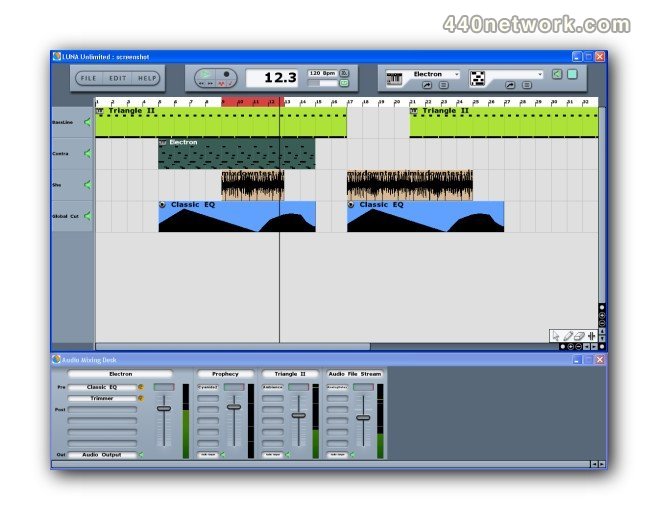

 MacOS X Intel
 Windows


You must sign-in to post your comment:
You can signin with your 440Software account (MacMusic, PcMusic, 440TV, 440Forums, 440Software, ...) or via FaceBook, Twitter or Google.