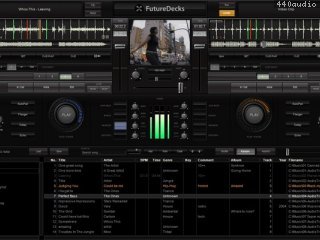
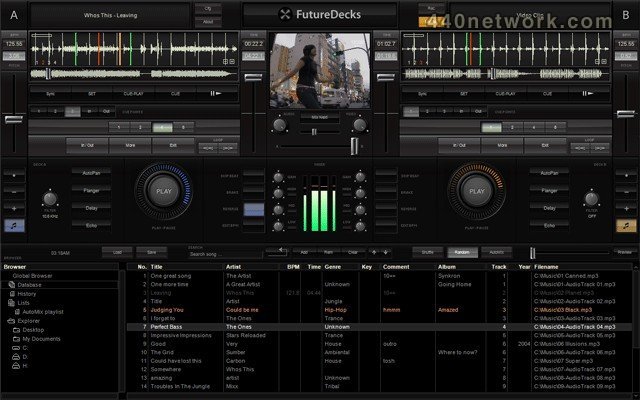
DJ mixing
With FutureDecks DJ you can mix your songs like a pro DJ. Beat-matching is just a click away and also are seamless beat-aware loops and many other things. All these thanks to the precise automatic BPM counter.
Features :
- a classic DJ setup with 2 decks, mixer and playlist.
- automatic mixing
- one-click beat-matching
- seamless looping
- automatic BPM counter
- lots of effects, eqs, filters
- vinyl simulation including scratch, pitch, reverse play
- separate headphones output and song pre-listening
- record your mixes
 |
Version 2.5 |
MacOS X Intel |
(App) |
Oct 15, 2011 |
- changed name from FutureDecks to FutureDecks DJ
- much better iTunes integration
- Favorite folders
- instant loops -- right click and hold on the loop 1, 2, 4, 8 buttons for instant looping while you're pressing
- scan/import files/folders in the background
- hot cue points
- processor utilization meter
- auto-cueing (auto mix in/out points detection)
- waveform markers for cue points, loop, mix in/out
- much better video including smoother playback
- karaoke CDG+MP3 zip files playback
- video high-quality settings on by default (can't be disabled)
- removed video settings (not needed anymore)
- clicking on time toggles elapsed/remain
- a lot of bugs fixed
 |
Version 1.5.1 |
MacOS X UB |
(App) |
Aug 19, 2009 |
- load files from the current list (using the next-song cursor) when Automix list is empty
- minor fixes
 |
Version 1.1.0 |
MacOS X UB |
(App) |
Feb 10, 2006 |
- Universal Binary release for Macs (runs on both Intel and PowerPC Macs)
- many bugs fixed (including stability issues, iTunes integration)
- new warm 'analog' equalizers and VU-meters
- performance optimizations (SSE and Altivec acceleration)
 |
Version 1.0.1 |
MacOS X PPC |
(App) |
Aug 10, 2005 |
- added support for iTunes (you can import the complete library using the ADD button)
- full drag&drop support (from Finder to the Playlist and from the Playlist to each Deck's display)
- added additional labels on the interface
- several small bugs fixed (including sound and stability issues)
10.7.x (Lion) or 10.6.6 and up (Snow Leopard) at least a 1.5GHz system, 1Gb RAM.