read and edit midi files
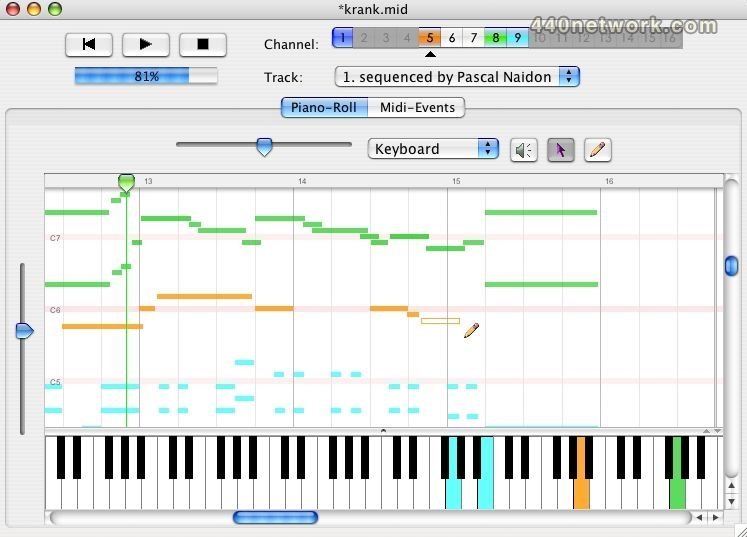
MidiSwing shows the content of a midi file as a piano roll which you can edit. You can edit any existing midi file, or compose your own music from scratch. MidiSwing has been written in Java and is supposed to run on any Java 2 platform (Linux, Windows, Mac...). MidiSwing has been specially developed with the Mac OS X user in mind. Source code will be available in the final versions.
 |
Version 0.3.4b |
MacOS X PPC |
(App) |
Oct 2, 2007 |
Improved visualisation and control of tempo.
Fixed bug: small shift of the piano roll when edited.
Localisation in Polish (Adam Kozdron) and Dutch (Jeroen Goudswaard).
 |
Version 0.3.1b |
MacOS X PPC |
(App) |
Dec 9, 2005 |
Scrubbing (notes are played when one drags the scrub on the piano roll)
Core Audio/Sound Font is now used to play sounds when notes are clicked (and not only when the music is played)
The instrument menu shows the actual names of the instruments for every Sound Font .SF2
The java sound bank of your Java installation is used by default (if no sound bank is found, then the built-in sound bank is used)
Quantization : notes can be automatically readjusted to the right times of the music
Improvement in the editing interface (use of arrows, permutation of tools)
Bug fix : the first notes of the file are not shortened any more when the file is re-opened.
The programme has been translated in French
 |
Version 0.3b |
MacOS X PPC |
(App) |
Nov 23, 2005 |
- Better copy-cut-paste functions with the possibility of multi-track and/or multi-document pasting
- Improvements of the undo command
- Better management of SMF0 and SMF1 formats (with the possibility of showing/greying out tracks in SMF1)
- Possibility to associate data (such as hold pedal, volume, panpot, pitchbend and reverb) to notes
 |
Version 0.2b |
MacOS X PPC |
(App) |
Mar 8, 2005 |
Better management of time signatures
Copy-Paste between different tracks/channels
Shortcut to switch from a track/channel to another
Possibility of adjusting the end of each track
Possibility of displaying a video (still buggy!)
This app is almost perfect- almost... my only request is that it send midi data to a specified midi port- I've been trying to find a suitable midi sequencer to be used as a looping pattern sequencer (with swing, of course, as no others seem to allow this) for a few months now and this is the closest.