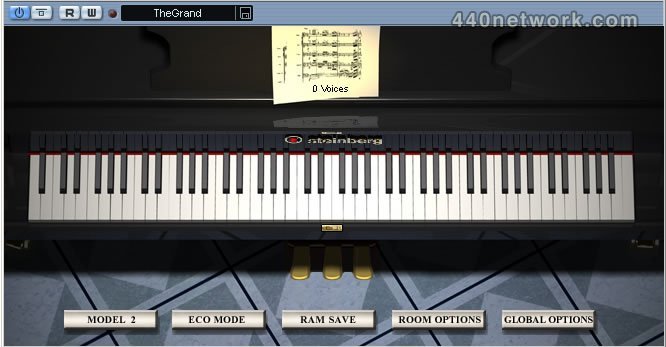
Virtual Piano
Virtual concert piano
Product Highlights:
- Absolutely realistic, authentic sound
- Playable with any MIDI keyboard
- Authentic functionality of sustain and sostenuto pedals
- Velocity individually adaptable to suit personal playing style
- Complex variation of different sound characteristics
- Free variation of acoustic ambience
- Performance optimization features
 |
Version 3.1.0 |
MacOS X Intel |
(App, AU, VST) |
Jan 25, 2011 |
New features and improvements
- 64-bit support for Mac OS X platforms
- Significantly increased loading speed due to improved disk streaming.
- It is now possible to work in the host application during the loading process.
- The loading process can be canceled.
Fixes
- With two TG3 user interfaces open, opening the progress bar brings the background plug-in to the front.
- No Cubase entry in task windows switcher while TG3 has an open modal dialog.
- The EQ curve does not clip correctly.
- Make the loading dialog non-modal in order to benefit from the new threaded loading mechanism.
- Recalling of an instrument preset will not always restore the convolution reverb setting.
- TG3 Equalizer graphical value false.
- TG3 ambience and 4-channel problem.
- Opening TG3.1 in Live with plugged can cause a crash.
output no E-licenser
 |
Version 3.0.1 |
MacOS X UB |
(App, AU, VST) |
Mar 10, 2010 |
The Grand 3.0.1 maintenance update for Windows and Mac OS X includes several minor feature enhancements and ensures that The Grand 3 is fully compatible with Snow Leopard.
 |
Version 2.1 |
MacOS X PPC |
(App, AU, VST) |
Feb 1, 2006 |
New Features
- The Grand 2 now supports editing the Tuning for well-tempered
and concert-grand scale. The tuning scale is stored individually
for Model 1 and Model 2.
You can edit the tuning scale by:
o Select the Model you want to edit
o Go to Global Options page
o ALT-click the checkbox for well-tempered or concertgrand
scale to bring up the tuning editor
o The tuning scale editor allows you to edit the tuning by
entering cent offsets for all Keys.
o Hit ok to store the edited tuning scale
To reset the tuning to factory default: click the "Reset button" in
the tuning scale editor and hit "ok".
- New "buffer size" option in Global option page:
With this option you can set the size of each voice buffer in
kilobytes. The bigger the buffer size, the less disk streaming is
required. By default, this is set to 96KB, but you may want to
experiment with this setting to find the optimum value for your
system.
Fixes
- Corrected an issue which led to inaccurate tuning of welltempered
tuning scale.
- Fixed 2 Samples
- Options: better memory handling when changing Grand Model
- OSX: sometimes the AU plugin could loose disk-streaming
ability. Fixed.
 |
Version 2.0 |
MacOS X PPC |
(App, AU, VST) |
Jul 18, 2005 |
- Additional all new concert grand model
- New Eco Mode available for improved performance, ideal while composing
- RAMSave support, resulting in low RAM usage and faster project load and save times
- New noises for more realistic sound - key clicks, pedal sound, Hammer Samples and so on
- Surround Reverb (2x2 channels) with ability to position the Grand inside a virtual room
- Improved disk-streaming performance
- Powered by award winning HALion3 32-Bit Audio Engine
- Supports AU format
- Rewire Support for easy Pro Tools Integration
- Standalone version
I cant download this, so i dont know weither it's good or not