 Nuendo v 6.0.7
Feb 4, 2014
MacOS X Intel
Nuendo v 6.0.7
Feb 4, 2014
MacOS X Intel
Nuendo v 6.0.6
Sep 22, 2013
MacOS X Intel
Nuendo v 5.5.6
Jul 25, 2013
MacOS X Intel
Nuendo v 6.0.5
Jun 27, 2013
MacOS X Intel
Nuendo v 6.0.4
May 30, 2013
MacOS X Intel
Nuendo v 6.0
Mar 7, 2013
MacOS X Intel
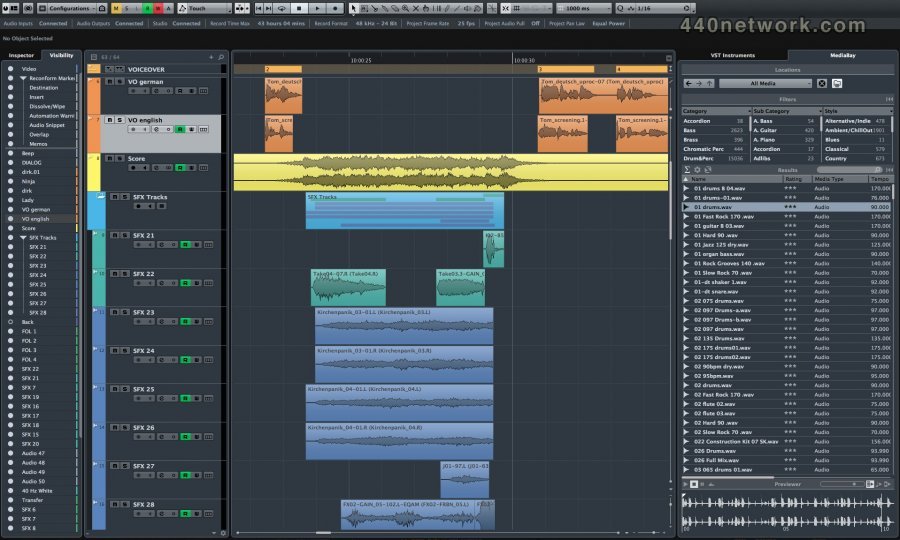
Nuendo 6 provides new mixing facilities featuring full-screen mode and scalability, Insert View for displaying activated insert slots, plug-in and channel search and integrated Control Room. The brand-new channel strip comprises high-pass and low-pass filters, a noise gate with sidechain support, various compressors and a brickwall limiter while the overhauled Channel Settings window provides immediate access to channel parameters.
Further highlights of Nuendo 6 are the EBU R128 standard compliant loudness metering with RMS metering scales, the Loudness Lane for tracking and editing loudness efficiently and the new ADR taker system including on-screen dialog for dialog recording and language dubbing.
Prominent plug-ins are MixConvert v6 for individual downmixing, Voxengo’s 64-band CurveEQ and IOSONO’s Anymix Pro 1.3 for automatic EQ and loudness adjustments to surround sound signal panning and upmixing up to 8.1 surround sound.
MemZap stores and recalls zoom settings and positions within the project, VST Connect SE plug-in allows for online collaboration and the Remote Control Editor is utilized for easy mapping of effect and instrument parameters to external controllers.
Other newly implemented features include a redesigned user interface, VariAudio 2.0, ASIO-Guard with drop-out prevention algorithms, a 1.5 GB library by Pro Sound Effects and 90 minutes of free online video tutorials.
The optional Nuendo 6 Expansion Kit (NEK) comprises features that turn Nuendo into a fully fledged composing application. Included are the new Chord Track, which detects and modifies the harmony structure of MIDI and audio tracks edited in VariAudio, and Chord Assistant, newly introduced to bridge chords and generate harmonic chord progressions. The feature set is complemented by Hermode tuning for dynamic retuning in real time, 300 new instrument sounds for HALion Sonic SE as well as the Retrologue virtual-analog and Padshop granular synthesizers.
Nuendo v 5.5.5
Sep 11, 2012
MacOS X Intel
Nuendo v 5.5.4
Aug 2, 2012
MacOS X Intel
Nuendo v 5.5.3
Apr 18, 2012
MacOS X Intel
Nuendo v 5.5.2
Jan 25, 2012
MacOS X Intel
Version 5.5.2 addresses several issues, including the video engine performance and the MediaBay usability.
Nuendo v 5.5.1
Sep 20, 2011
MacOS X Intel
Issues resolved in 5.5.1
When using the "Gridlines in front of parts/events" function, the performance of the User Interface does not diminish anymore.
When using audio samples as metronome click, toggling the metronome on/off doesn't lead to interruption of audio recordings.
When Control Room with more than one Studio bus is active, the metronome click doesn't drop out.
Steinberg CI series audio hardware and Yamaha MOX synthesizer specific VST Connection port naming issues under Mac OS X Lion (10.7) systems is resolved.
Using the Altiverb plug-in or Yamaha MOTIF Editors in a Project together with video material does not render the application unreliable anymore.
Nuendo v 5.5
Aug 1, 2011
MacOS X Intel
MacOS 64-bit Support
Video Engine Update
o Video playout card support for Nuendo 5.5. 64- bit.
o Performance improvements especially for HD video material.
Editing Features added:
o Folder Track Edit Groups for Multitrack Editing
o New Comping / Lane Editing
o Controller Lane and Automation Scaling function
o Additional Folder Track functions
o Audio Warp with élastique Pro algorithm
o Offline Processing edit-handles
o Export Note Pad Data as text
o Overhauled Recording Modes
o Changed orientation of Pop-up Toolbox on right-click
o Direct recall for Workspaces using key commands
Compatibility
o New file suffixes for split file operations
o AAF improvements
o Export: event levels above +12dB will be set to a maximum of +12dB
o Export (embedded format): multichannel tracks will be split automatically
Mixing Features added
o Automation – Unveil Parameter on Write
o Quick Controls
o VST Amp Rack plug-in
Music Features added
o Automatic Tempo Detection and Alignment
o Updated Hit point Detection
o VST Expression – Dynamics*
o NoteExpression*
o Extended Vari Audio-to-MIDI Conversion
o VST Expression – Extended Output Mapping*
o Key Editor Inspector
o Quantize Improvements
o HALionSonicSE*
o GrooveAgentOne1.2*
o LoopMash2*
o MIDIFileImport–OutputPreference *) exclusive feature of Nuendo Expansion Kit 5.5
*) exclusive feature of Nuendo Expansion Kit 5.5
Bug fixes (please refer to the document provided separately)
 Nuendo v 5.1.1
Feb 7, 2011
MacOS X UB
Nuendo v 5.1.1
Feb 7, 2011
MacOS X UB
Nuendo v 5.1.0
Oct 13, 2010
MacOS X UB
The Nuendo 5.1 update adds MXF Audio support, as well as several stability and performance improvements, focusing on the AAF import/export, the editing functions, the video engine and the MediaBay.
Nuendo v 5.0.1
Jul 6, 2010
MacOS X UB
The following issues have been fixed in version 5.0.1:
Area Title :
AAF OMF and AAF: Wrong media is referenced
VST / Plugins / Audio Engine :
Bypassed UAD PlugIn creates crackling if "Suspend VST PlugIn processing" is activated
Control Room has no audio after loading a CR preset
Batch export creates wrong time stamp for BWF
Pitch Driver default detune setting should be "0"
Pitch Driver can't automate 'Spatial' parameter
Export Audio:
Export cycle marker naming scheme sometimes not working
Exported files incompatibility with certain Mac applications
Video:
Matrox driver crashes when the video engine is initialized
Certain DV PAL video file(s) creates error when imported into N5
No video display when function audio warp to picture is used
Nuendo v 5.0
Jun 1, 2010
MacOS X UB
New features include an integrated ADR toolset for spotting and organizing recording takes as well as the brand-new video engine with overall improvements in performance and usability. The practical Clip Packages feature allows for organizing clusters of audio clips as one clip package file, and Wave Meters enables the user to view waveforms of audio events directly from within the mixer window. Nuendo 5 also holds a new generation of VST3 plug-ins and has seen major refinements to many of its well-touted tools, such as the mixer, MediaBay, VST Bridge, and Crossfade Editor to name but a few.
Nuendo v 4.3
Jul 31, 2009
MacOS X UB
The following issues have been fixed in version 4.3.0:
24306 Improved / changed behaviour of soloed or muted tracks in folder
24305 Improved / changed behaviour of various solo or mute status of tracks regarding automation
24304 Improved / changed behaviour of various copy / paste functions for soloed or muted tracks
23891 Improved stability of Network collaboration.
23720 Improved stability for malformed iXML data.
24044 Fixed: Offline Process History does not work after copying project to another computer
14439 Fixed: "Save to new project" fails if a Video track is in the project.
20390 Fixed: QuickTime videos at 29.97df are truncated.
23325 Fixed: QuickTime fullscreen mode on multi-display setups results in bad picture quality.
20545 Fixed: Crash when Nuendo is set to timecode 60 FPS but recieves 25 FPS.
21186 Fixed: Day wrap in 29.97df showed a gap.
23305 Fixed: After importing some OMF files the required audio files are missing.
22782 Fixed: Crash when importing BWAV files created with Cantar.
23338 Fixed: Crashes with certain Macros and the audio editor.
24302 Fixed: Occasionally Nuendo became unresponsive (freeze) when switching between projects or changing the routing if Direct-Monitoring was active.
21734 Fixed: Occasional crashes during frequent punch in/punch out operations
23261 Fixed: Occasional crashes when Auto Save option was enabled with certain projects
19393 Fixed: Importing via X-Send is missing
22475 Fixed: Automation read was inaccurate when using Virgin Territory.
22237 Fixed: Delete overlaps function does not delete all overlapping regions
22846 Fixed: Project window will scroll to the top after adding a marker in split track mode
21242 Fixed: Suspend Autoscroll and preference "locate when clicking in empty space" resulted in unexpected behaviour
23326 Fixed: Logical Editor functions "Linear Change in Loop" and "Relative Change in Loop" do not work with tracks in "Linear Time" mode.
21090 Fixed: Occassionally changing the control name for the Generic Remote did not work.
23445 Fixed: Some VST2 plug ins crash in surround formats 7.0 or higher.
Nuendo v 4.2.2
Sep 11, 2008
MacOS X UB
Nuendo 4.2 extends the support for external hardware (MR816 CSX and MR816 X, CC121 Advanced Integration Controller, Yamaha MOTIF XS series and the KX USB Music Studio).
Nuendo 4.2.2 includes a range of improvements to enhance stability, as well as several workflow enhancements. These include new key commands for the MediaBay sound management system, new synchronization options and a range of additional minor enhancements. Nuendo 4.2 also includes support for VST Sound, a new and improved universal media management format.
Nuendo v 4.1.2
Feb 6, 2008
MacOS X UB
Officially compatible with Mac OS X Leopard (version 10.5)
bugs fixes
Nuendo v 4.0
Oct 14, 2007
MacOS X UB
New Post Pro Editing Features
38 all-New VST 3 Audio Effect Plug-ins
Advanced Routing and Recording from Summing Objects
Side Chaining and Drag & Drop for FX plug-ins
Track Quick Controls
Track Presets
New state-of-the-art Channel EQ
Ready for Intel-based Macintosh computers, Windows Vista 64
Redesigned Sample Editor
Project Logical Editor
Instrument Tracks
MPEX 3 – High-quality audio time-stretching and pitch-shifting
New Nuendo EuCon Adapter (Optional)
Additional New Features:
VST Plug-in Bridge
Updated WK-Audio ID Support
Use Mouse Wheel for Event Volume and Fades
Fade Handles always-on-top option
Advanced QuickTime 7 Support
Separate Goto Timecode command window
Apple Remote support
Direct X ASIO 64 Bit
MP3 Surround
New Trim Tool
Load Projects inactive
Arranger Track: new performance funtions
Global Track Transpose
New File Type: MIDI Loop
Important Product Improvements:
Improvement for Output Configuration of VSTi's
Improved Channel Strip
Improved Waveform Resolution
Improved Audio Warp Real-time Transpose
Track Control Context Functions Improvements
Improvements on the Track Inspector
Improved Audio & MIDI Hardware Setup
Track Sheet Printing Improvements
Time Displays Windows Improvements
Improved Remote Controller Support
Improved XML scripts for EuCon mapping of VST plug-in parameters
ADM (ASIO Direct Monitoring) Improvements
 Nuendo v 3.2.1
Apr 20, 2006
MacOS X PPC
Nuendo v 3.2.1
Apr 20, 2006
MacOS X PPC
A new option "process all" in the Detect Silence dialog allows processing of all selected events in a project in one go with the detect silence functionality.
- On the Yamaha 02R96, the User Defined Functions (UDF) are now
implemented:
o UDF1 - Project To Front
o UDF2 - Bank Left
o UDF3 - Bank Right
o UDF4 - User 4
o UDF5 - User 5
o UDF6 - User 6
o UDF7 - User 7
o UDF8 - User 8
o UDF9 - Mixer Window
o UDF10 - Channel Left
o UDF11 - Channel Right
o UDF12 - Toggle Automation Button (read/write)
o UDF13 - Read All
o UDF14 - Write All
o UDF15 - User 15 / Undo
o UDF16 - User 16 / Save
Nuendo v 3.2
Nov 19, 2005
MacOS X PPC
Control Room
- Separate output busses for Main Mix, Control Room and Headphone
- Up to four user specific Monitor Setups
- Fold down functionality
- Speaker Solo functionality
- Up to six External Return Inputs
- Up to four separate Studios
- Studio sends in mixer
- Talkback functionality
- A separate "Click Bus"
- Quick assign of level/pan from main mix to studio sends
- Automatic and manual Dim
Hardware support
- Support for new EuCon adapter with dual automated joysticks integration
- Support for Control Room section on WK Audio ID
- Nuendo under OSX: Support for WK Audio ID
Various
- Metering Fallback Time calculation changed to dB relative mode
- User definable metering fall back time
- Better quality of Sample Rate Conversion
- Switchable Normalization mode for MixConverter
- Always on Top options for VST Connections and VST Plugin Info windows
- Preference for video import: Extracting audio
- Preference for video import: Thumbnail Cache
- Preference for linking Send Routing panners to Channel panner
Nuendo v 3.1
Sep 6, 2005
MacOS X PPC
Video
- Audio Pull up / Pull Down
- Support for HDTV frame-rates
- Thumbnail Pre-Cache option
Network Collaboration
- Support for markers
- Online Merge functionality
Mixing
- Mixing and Monitoring of External Instruments in VST Mixer
- Copy/Paste channel settings for multiple selected channels in one go
- New Panner Mode: Equal Power
- Panner Bypass Function
- New Key Command Set for Mixer functions
- Command Target filters for Mixer functions
- Inspector sub-section for MIDI Tracks routed to a VST Insert Plug-in
Files and Formats (Import and Export)
- Exclude Media when exporting Tracks as Track Archive
- Select individual Tracks when importing a Track Archive
Recording and playback
- Smart controller reset after recording
- Recovery of audio recordings after system failure
- New precount options, sensitive to tempo and time signature changes
- Optional Sample-Rate Conversion when importing Tracks
Editing
- Freeze Function for External Instruments and FX
- Glue multiple parts with single mouse-click
- Glue all following parts on selected track
- New Crosshair-Cursor option
- Process Bars in Tempo Track
- Duplicate Track option
- Freeze MIDI Track Play Parameters
- Optimize Display when dissolving Parts
- Apply Legato to selected notes only
- Select equal Pitch > all Octaves/same Octave for all Positions
- Transpose for single or multiple Audio Events via Info Line
Project/General
- New "External Instruments" options in VST Connections
- External Instruments added to VST Instrument Rack
- Associated External Instruments Track Inspector added to MIDI Track
Inspector
- Associated Audio Track Inspector added to MIDI track inspector routed to
VST Insert Plug-in
- External FX/Instruments Favorites
- Advanced CPU-saving scrubbing mode
- New Appearance options: Brightness, Contrast and Saturation
- Sophisticated user-definable level meter coloring
- Automatic Track Coloring
- Incremental Auto-Save
- Track Folding: Toggle Selected Track
- Track Folding: Fold/Unfold Tracks
- Track Folding: Flip Fold States
- Resize Tracks without selecting
- OSX Performance Optimization: integrated support for MacOSX Quartz 2D
graphics system
- Additional Processor Optimization: support for DualCore and Multi-Processor
PC systems (systems with more than two processors)
- Safe Recovery of corrupt projects after system failure
MIDI & Music
- MIDI Output Delay Compensation for External Instruments
- Associate MIDI Device to External FX
- Associate MIDI Device to External Instruments
- Option to convert MIDI Controller Lane volume data to Track Automation
volume data
Studio Connections
- Studio Connections Audio Integration
Remote
- Access Mixer Device Panels (user Panels) from Hardware Remote
Controllers
Various
- Preferences: Redesigned Appearance settings panel
- New preference: Use Up/Down Navigation Commands for selecting Tracks
only
- New Preference: Default Track Time Type (Audio and MIDI)
- New Preference: Auto Track Color Mode
- New Preference: Sync Project and Mixer Selection
- New Preference: Deep Track Folding
- New Preference: Enlarge Selected Track
- New Preference: Select Channel/Track on Solo
- New Preference: Select Channel/Track on Edit Setting
- New Preference: Maximum Backup Files
- New Preference: Insert Reset Events after Record
- New Preference: Chase Events – Chase not limited to Part Boundaries
- New Preference: Option to export warnings as text file
- New Preference: Warn on Processing Overloads
- New Preference: global Tail value for External Instruments and FX
- New Preference: Map Input Bus Metering to Audio Track (in Direct
Monitoring)
- Single Key command to open and close Pool Window
- New Key Command to open Device for selected Track
- Appearance: User-definable intensity for active drum lane
- New Key Command to toggle status of "Select Channel/Track on Edit
Settings"
Nuendo v 3.0.2
Mar 25, 2005
MacOS X PPC
Bugs fixed :
dB law flaw: When trimming multiple event volumes, automation points or linked mixer faders the dB relation is not retained.
Project Start time is wrong after OpenTL file is import.
Relative automation level of multiple points is presently not correct. They retain not their logarithmic relationship.
When using a remote control device for enabling record on tracks and starting/stopping recording on the transport at the same time the program might lock.
AES31 doesn't wrap around midnight. 006 OMF import problem from Avid 4.1.1 on MacOS 9.0.4 - Embedded audio of an OMF2 file is not imported.
When changing the audition channel from one configuration to another (say, from 5.1 to stereo) the mixer isn't updated until you load another project. The Audition Channel is missing.
Link Editor preference does not work with MIDI List Editor.
UNDO Cross fades in "Fixed Lane" recording mode can cause errors.
Importing an OMF from Nuendo to Pro Tools results in only one created track and only one clip is placed.
If a surround panner is open and "CTRL-W" is being used for closing the program, the program will crash.
If fade in or fade out touches a crossfade, OMF export may fail.
Function "Delete Time" may crash.
"Rename" function does not work if "Date Format 1" is used.
Using the window close button ("x") can crash the program.
Splitting a MIDI part resets the Transpose and Velocity information in the Info Line.
Nuendo3 will crash when matrix encoder/decoder are being inserted on a 5.1 bus.
An OMF2 file from a Paris system cannot be opened in version 3 but works well in version 2.
Drag & Drop from Pool can create wrong channel type.
"REX Shared Library.dll" - wrong version used.
Track Record arming irregularities.
In extended Mixer view, the MIDI meters don't work on narrowed MIDI channels.
Smaller AES31 Import errors.
Levels for Event volume and level automation can get stuck when set to –oo (minus infinity).
Opening the Drum Editor after enabling Score drum notation leads to crash.
Nuendo v 2.2b35
May 29, 2004
MacOS X PPC
New features:
Numerical processing of Tempo Events (Tempo track): The Process Tempo dialog, located on the popup Edit menu, is the equivalent of a fit time calculator. It is used to numerically change a set of tempi by a specific amount or to fit a certain cue.
Logical Editor presets can be now assigned as key commands
MIDI feedback for velocity editing in controller lane of the key editor
Fixes:
Audio export on multi processor machines should work now without drop outs and occasional lockups
MIDI quantize: Fix for groove quantize multiple parts several times
OMF: Fix for potential OMF import problem on OSX (not finding the files)
Score: Fix for a crash when opening score editor while another one is already opened
Score: Fix for problems when moving events between different contexts
Nuendo v 2.2
Jan 23, 2004
MacOS X PPC
Support for Mackie Control Extender
Improved Generic Remote implementation
New option "Use System Timestamp" in DirectMusic Setup improves MIDI timing for DirectMusic devices
New virtual instrument: Monologue - monophonic analog modelling synthesizer
New virtual instrument: Embracer - surround-capable polyphonic pad synthesizer
New VST effects plugin: Tonic - analog modelling multimode filter
Various minor product enhancements
 Nuendo v 1.6.1
Aug 28, 2002
MacOS 9
Nuendo v 1.6.1
Aug 28, 2002
MacOS 9
supports Mackie control (Main Unit)
OMF import/export bug fixed
less...

 Windows


You must sign-in to post your comment:
You can signin with your 440Software account (MacMusic, PcMusic, 440TV, 440Forums, 440Software, ...) or via FaceBook, Twitter or Google.