Live
|
|
||||||||||||||||||||||||||||
|
Download Demo
|
Download Update
|
Sequencer Directed Live
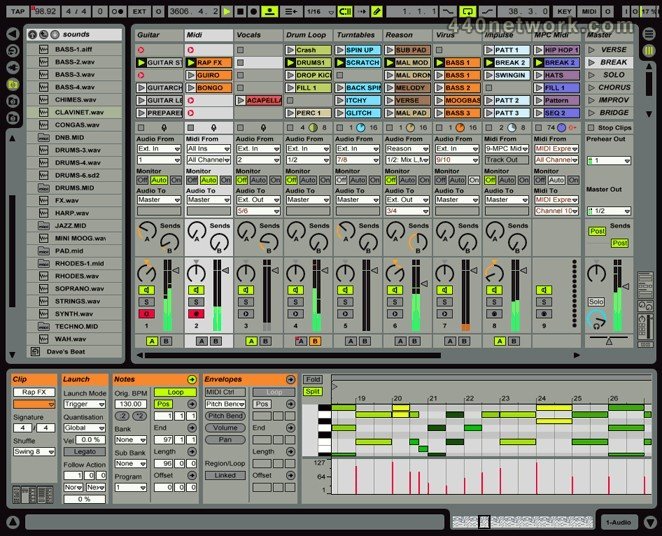
Live is an audio sequencer which you can play like an instrument. It allows you to bring together audio material from various sources. All the samples used are adjusted to the tempo of the song in real time without changing the pitch...
| Version 8.1.1 | MacOS X UB | (App) | Dec 30, 2009 |
Bugfixes:
A very short MIDI note at the beginning of a clip would not be audible. [6130]
Recording via 'Resampling' would not properly compensate latency. [6124]
Under certain conditions, it would be possible to get 2 Arranger tracks highlighted. [6144]
Using the Launchpad as control surface and additionally for manual mappings would not always work properly.
When installing Live Packs which have dependencies to other content, Live would show the corresponding message twice. [6153]
Using a Rex file could crash Live. [6157]
'lock control surface' function would not properly work in user remote scripts. [6064]
A particular Live set could not be loaded and would lead to a 'Invalid Product ID Error' message. [6165]
In the Arranger, punch In/Out would delay notes by the 'punch in time' in beats. [6167]
Using the pads of the Akai MPD18 would not work properly.
Having a Live set with particular Drum Racks could increase the CPU usage of the main thread, which would result in very slow graphical updates. [6181]
Installing a new Library from within a second running instance of Live could crash Live. [6171]
Certain operations like sample crop/reverse/replace would remove the tempo envelope. [6179]
Using Novation's Launchpad, when switching between Automap and Live control would not work properly.
Under certain conditions, editing or creating parameter automation would not work properly. [6188]
Playing a 32-bit audio file immediately after a 16-bit audio file could cause a click in the audio. [6152]
Moving the last track out of a track group onto a closed group track in the Arranger could crash Live. [6193]
In the Auto Pan device, switching shape to random would not show the 'Width' knob. [6192]
Loading a Max device would crash if Pluggo was already active.
It would not be possible to create a new Project in the File Browser if the root is set to 'Workspace'.
Fine tuning of macro knobs would not work via key modifier. [6180]
Starting clips via the Launchpad while changing parameters via mouse could crash Live. [6143]
Moving the mouse over a certain Sampler preset could crash Live. [6207]
Loading a Live set containing not yet authorized add-ons could crash Live. [6203]
Under certain conditions, fade creation would not work properly. [6195]
An Ableton preset of a third party plug-in would not change the On/Off mapping range. [5652]
Receiving an invalid parameter index from Max could crash Live.
Inverting a macro mapping range would not work properly. [6238]
Under certain conditions, extracting an existing groove from a clip would crash Live. [6235]
Having a Max device sending many blob changes during saving could crash Live.
A malformed database file would interrupt user interactions like renaming files, saving presets, recording, etc. [6230]
Having a particular Live set loaded and searching for media files could crash Live. [6241]
On Mac OS X, under certain conditions, making Live the foreground window could lead to a crash.
The context menu of a frozen clip would have enabled audio fades commands. [6253]
In the Arranger, changing the mixer properties like volume, pan etc. would not show the changed value in the status bar. [3238]
Having a multi selection of Arranger track and use the 'Show Automation' command would destroy the selection. [6243]
Choosing a custom VST directory within the preferences would not keep this new directory until the next start of Live if the required rescan leads to a crash. [6190]
On Mac OS X, duplicating a track with Fab Filter Twin 1+2 could crash Live. [6063]
The Looper display would use the wrong colour in 'play' mode. [6234]
Holding SHIFT + Space Bar would make the transport play button flicker. [6227]
The area to click on an Arranger clip would be too small by a few pixels. [6261]
Particular Live sets, especially with a lot of transient data, could not be loaded. [6263]
Pasting 3 unstretched and crossfaded Arranger clips could crash Live [6289]
A very short MIDI note at the beginning of a clip would not be audible. [6130]
Recording via 'Resampling' would not properly compensate latency. [6124]
Under certain conditions, it would be possible to get 2 Arranger tracks highlighted. [6144]
Using the Launchpad as control surface and additionally for manual mappings would not always work properly.
When installing Live Packs which have dependencies to other content, Live would show the corresponding message twice. [6153]
Using a Rex file could crash Live. [6157]
'lock control surface' function would not properly work in user remote scripts. [6064]
A particular Live set could not be loaded and would lead to a 'Invalid Product ID Error' message. [6165]
In the Arranger, punch In/Out would delay notes by the 'punch in time' in beats. [6167]
Using the pads of the Akai MPD18 would not work properly.
Having a Live set with particular Drum Racks could increase the CPU usage of the main thread, which would result in very slow graphical updates. [6181]
Installing a new Library from within a second running instance of Live could crash Live. [6171]
Certain operations like sample crop/reverse/replace would remove the tempo envelope. [6179]
Using Novation's Launchpad, when switching between Automap and Live control would not work properly.
Under certain conditions, editing or creating parameter automation would not work properly. [6188]
Playing a 32-bit audio file immediately after a 16-bit audio file could cause a click in the audio. [6152]
Moving the last track out of a track group onto a closed group track in the Arranger could crash Live. [6193]
In the Auto Pan device, switching shape to random would not show the 'Width' knob. [6192]
Loading a Max device would crash if Pluggo was already active.
It would not be possible to create a new Project in the File Browser if the root is set to 'Workspace'.
Fine tuning of macro knobs would not work via key modifier. [6180]
Starting clips via the Launchpad while changing parameters via mouse could crash Live. [6143]
Moving the mouse over a certain Sampler preset could crash Live. [6207]
Loading a Live set containing not yet authorized add-ons could crash Live. [6203]
Under certain conditions, fade creation would not work properly. [6195]
An Ableton preset of a third party plug-in would not change the On/Off mapping range. [5652]
Receiving an invalid parameter index from Max could crash Live.
Inverting a macro mapping range would not work properly. [6238]
Under certain conditions, extracting an existing groove from a clip would crash Live. [6235]
Having a Max device sending many blob changes during saving could crash Live.
A malformed database file would interrupt user interactions like renaming files, saving presets, recording, etc. [6230]
Having a particular Live set loaded and searching for media files could crash Live. [6241]
On Mac OS X, under certain conditions, making Live the foreground window could lead to a crash.
The context menu of a frozen clip would have enabled audio fades commands. [6253]
In the Arranger, changing the mixer properties like volume, pan etc. would not show the changed value in the status bar. [3238]
Having a multi selection of Arranger track and use the 'Show Automation' command would destroy the selection. [6243]
Choosing a custom VST directory within the preferences would not keep this new directory until the next start of Live if the required rescan leads to a crash. [6190]
On Mac OS X, duplicating a track with Fab Filter Twin 1+2 could crash Live. [6063]
The Looper display would use the wrong colour in 'play' mode. [6234]
Holding SHIFT + Space Bar would make the transport play button flicker. [6227]
The area to click on an Arranger clip would be too small by a few pixels. [6261]
Particular Live sets, especially with a lot of transient data, could not be loaded. [6263]
Pasting 3 unstretched and crossfaded Arranger clips could crash Live [6289]
| Version 8.1 | MacOS X UB | (App) | Nov 23, 2009 |
Changes from Live 8.0.9 to Live 8.1
- Improvements:
Updated manuals
Updated Help Pages
MaxForLive support
Filter Delay offers 3 options for smoothing time transitions now.
Closed group tracks material (Session view slots or Arrangement "overview") is now used for clipboard operations, such as copy/paste, duplicate or delete.
New Midi-Notes created by clicking always have the length of the current grid even if the grid is off.
Consolidate respects empty clip names. Formerly, the consolidated clip would take its name from the first clip in the selected region, or the track's name if the clip name would be empty. Now, the consolidated clip takes the first clip's name, regardless whether it is empty.
'Crop Clip' is now available in the context menu of the MIDI clip detail view.
Double clicking on the Clip Panel header, in the detail view, shows that clip in Session, or Arranger.
- Bugfixes:
The highest MIDI notes can now be played with the computer keyboard. Previously, the higher half octave was not accessible.
Compressor: Monitoring the compressor sidechain would only work when there was a signal at the compressor's main input. [3977]
Canceling a content package installation could crash Live. [5151]
Deleting all warp markers would not always work properly. [5519]
Doing a time selection via computer keyboard in the clip envelope editor would not show the right info in the status bar.
Dropping a file on a missing file references in the file manager would not work properly.
An envelope for Transpose of a playing clip could affecting another unwarped successively triggered clip.
In some case, the Fade context menu commands would be missing. [5702]
In the file browser, renaming a file would not always work properly. [5798]
The slot selection would not be updated properly when dragging a clip in the Session.
Live could truncates notes in certain MIDI clips when only the velocity would be changed. [5754]
In a particular Live set, audio fades would not work properly with certain clips having envelopes. [5833]
Dragging an arranger clip within the arranger could delete its envelopes. [5825]
Under certain conditions Live would crash when moving clips and having no groove in the groove pool.
Under certain conditions, copy and paste of automations for multiple lanes would not work. [5644]
Under certain conditions, a folded group track would not display the overview for contained clips.
Unsupported multi channel audio files would crash Live. [5995]
When exporting a video file, the resulting video file would grow on each export instead to be replaced. [5996]
On Mac OS X, alias folders in the in the Open/Save dialog would be greyed out. [5998]
Under certain conditions, it was possible to hear 2 session clips from one track at the same time. [6000]
Under certain conditions, copy and paste of Arranger clips would not work properly. [6001]
Operator: LFO knobs would not indicate an existing clip envelope. [6062]
Editing clips could lead to crackles in the audio.
Files on a SMB based network volume could not be renamed within the browser. [6033]
The Spectrum device would not show a spectrum for very short signals. [5940]
Under certain conditions, pasting in the arranger could crash Live.
Freeze would not work properly on tracks with removed 'stop' buttons. [6070]
Undo the creating of a breakpoint for Sampler's filter On/Off switch could crash Live. [6083]
Using a particular audio file with the Complex Pro warp mode would crash Live. [6032]
Splitting clips in arranger could lead to wrong playing.
When double-clicking a session clip while the clip is not visible, it was possible to accidentally move the clip to a different slot. [5974]
Editing pseudo-warp markers on long audio files could let the waveform display disappear.
Start playing a particular arranger clip from certain position would not actually play the clip. [6129]
Dropping a clip onto playing clip would not send the required feedback for control surfaces. [5859]
Clicking on a track or a scene could result in heavy MIDI feedback traffic for controller surfaces. [5975]
- Improvements:
Updated manuals
Updated Help Pages
MaxForLive support
Filter Delay offers 3 options for smoothing time transitions now.
Closed group tracks material (Session view slots or Arrangement "overview") is now used for clipboard operations, such as copy/paste, duplicate or delete.
New Midi-Notes created by clicking always have the length of the current grid even if the grid is off.
Consolidate respects empty clip names. Formerly, the consolidated clip would take its name from the first clip in the selected region, or the track's name if the clip name would be empty. Now, the consolidated clip takes the first clip's name, regardless whether it is empty.
'Crop Clip' is now available in the context menu of the MIDI clip detail view.
Double clicking on the Clip Panel header, in the detail view, shows that clip in Session, or Arranger.
- Bugfixes:
The highest MIDI notes can now be played with the computer keyboard. Previously, the higher half octave was not accessible.
Compressor: Monitoring the compressor sidechain would only work when there was a signal at the compressor's main input. [3977]
Canceling a content package installation could crash Live. [5151]
Deleting all warp markers would not always work properly. [5519]
Doing a time selection via computer keyboard in the clip envelope editor would not show the right info in the status bar.
Dropping a file on a missing file references in the file manager would not work properly.
An envelope for Transpose of a playing clip could affecting another unwarped successively triggered clip.
In some case, the Fade context menu commands would be missing. [5702]
In the file browser, renaming a file would not always work properly. [5798]
The slot selection would not be updated properly when dragging a clip in the Session.
Live could truncates notes in certain MIDI clips when only the velocity would be changed. [5754]
In a particular Live set, audio fades would not work properly with certain clips having envelopes. [5833]
Dragging an arranger clip within the arranger could delete its envelopes. [5825]
Under certain conditions Live would crash when moving clips and having no groove in the groove pool.
Under certain conditions, copy and paste of automations for multiple lanes would not work. [5644]
Under certain conditions, a folded group track would not display the overview for contained clips.
Unsupported multi channel audio files would crash Live. [5995]
When exporting a video file, the resulting video file would grow on each export instead to be replaced. [5996]
On Mac OS X, alias folders in the in the Open/Save dialog would be greyed out. [5998]
Under certain conditions, it was possible to hear 2 session clips from one track at the same time. [6000]
Under certain conditions, copy and paste of Arranger clips would not work properly. [6001]
Operator: LFO knobs would not indicate an existing clip envelope. [6062]
Editing clips could lead to crackles in the audio.
Files on a SMB based network volume could not be renamed within the browser. [6033]
The Spectrum device would not show a spectrum for very short signals. [5940]
Under certain conditions, pasting in the arranger could crash Live.
Freeze would not work properly on tracks with removed 'stop' buttons. [6070]
Undo the creating of a breakpoint for Sampler's filter On/Off switch could crash Live. [6083]
Using a particular audio file with the Complex Pro warp mode would crash Live. [6032]
Splitting clips in arranger could lead to wrong playing.
When double-clicking a session clip while the clip is not visible, it was possible to accidentally move the clip to a different slot. [5974]
Editing pseudo-warp markers on long audio files could let the waveform display disappear.
Start playing a particular arranger clip from certain position would not actually play the clip. [6129]
Dropping a clip onto playing clip would not send the required feedback for control surfaces. [5859]
Clicking on a track or a scene could result in heavy MIDI feedback traffic for controller surfaces. [5975]
| Version 7.0.18 | MacOS X UB | (App) | Nov 10, 2009 |
Changes from Live 7.0.16 to Live 7.0.18
Improvements:
Controller surface support for the Novation LaunchPad controller
Controller surface support for the AKAI MPD-18, MPK-25, MPK-61 and MPK-88 controllers
Controller surface support for OpenLabs devices
Several improvements for the AKAI APC
Bugfixes:
Putting third party plug-in with MIDI out ports on the master track and route the MIDI output of the master track into a MIDI track would crash Live [5411]
Opening a particular set would crash as soon as the clip detail view of a particular clip would be opened [5454]
Deleting temp folder would not always work properly [4195]
Ctrl + Z on modal dialog on a modal dialog could crash Live. [5561]
The display representation of the Axiom Pro's endless encoders would not update when the knobs itself are turned. [5627]
The state of the tempo nudge up/down would be saved within a Live set by mistake. [5421]
Select on launch would not working when using the APC. [5648]
Locked user remote script would not be locked after re-loading the Live set [5723]
On Mac OS X, switching on the APC 40 or the Remote SL after Live is already started could still not allow to use the controller until its MIDI port was closed and reopened. [1795]
On Mac OS X 10.6.0, using the Complex warper could crash Live.
Playing MIDI could crash Live when multi-core support is enabled. [5608]
Switching on track-solo would not work properly in exclusive mode when switching via the APC. [5838]
On Mac OS X 10.6.x, starting Live with a template set that contains audio clips, and with another CoreAudio client running at the same time (e.g. iTunes), would freeze Live. Also, changing sample rates in Live would not work properly.
Improvements:
Controller surface support for the Novation LaunchPad controller
Controller surface support for the AKAI MPD-18, MPK-25, MPK-61 and MPK-88 controllers
Controller surface support for OpenLabs devices
Several improvements for the AKAI APC
Bugfixes:
Putting third party plug-in with MIDI out ports on the master track and route the MIDI output of the master track into a MIDI track would crash Live [5411]
Opening a particular set would crash as soon as the clip detail view of a particular clip would be opened [5454]
Deleting temp folder would not always work properly [4195]
Ctrl + Z on modal dialog on a modal dialog could crash Live. [5561]
The display representation of the Axiom Pro's endless encoders would not update when the knobs itself are turned. [5627]
The state of the tempo nudge up/down would be saved within a Live set by mistake. [5421]
Select on launch would not working when using the APC. [5648]
Locked user remote script would not be locked after re-loading the Live set [5723]
On Mac OS X, switching on the APC 40 or the Remote SL after Live is already started could still not allow to use the controller until its MIDI port was closed and reopened. [1795]
On Mac OS X 10.6.0, using the Complex warper could crash Live.
Playing MIDI could crash Live when multi-core support is enabled. [5608]
Switching on track-solo would not work properly in exclusive mode when switching via the APC. [5838]
On Mac OS X 10.6.x, starting Live with a template set that contains audio clips, and with another CoreAudio client running at the same time (e.g. iTunes), would freeze Live. Also, changing sample rates in Live would not work properly.
| Version 8.0.9 | MacOS X UB | (App) | Nov 4, 2009 |
Improvements:
- Updated manuals
- Updated Help Pages
Bugfixes:
- Surface controller support for the Oxygen 3rd generation
- Using the Axiom Pro as controller surface would not work properly with certain effects and instruments
- Under certain conditions, a volume automation would not work properly [6005]
- The mouse handling of certain Sampler parameters would not work properly [5961]
- Updated manuals
- Updated Help Pages
Bugfixes:
- Surface controller support for the Oxygen 3rd generation
- Using the Axiom Pro as controller surface would not work properly with certain effects and instruments
- Under certain conditions, a volume automation would not work properly [6005]
- The mouse handling of certain Sampler parameters would not work properly [5961]
| Version 8.0.8 | MacOS X UB | (App) | Oct 24, 2009 |
Improvements:
- Updated manuals
- Updated Help Pages
- Control Surface support for Novation Launchpad
- Several improvements for the AxiomPro Controllers
Bugfixes:
- Using the double/halve tempo buttons of the Looper could introduce an audible offset [5857]
- Playing MIDI could crash Live when multi-core support is enabled [5608]
- If the slot button below a disabled Session clip has been removed, the disabled clip would not respect this and act as stop button [5872]
- In the Arranger, auto scrolling would not work properly when dragging tracks [5865]
- On Mac OS X, open the application menu would not close an open context menu [5768]
- On Mac OS X, using a Remote SL and loading a particular Live set with a Fab Filter Twin 2 would crash Live
- On Mac OS X, the Key stroke handling for AudioUnits using Cocoa views would not work properly
- On Mac OS X 10.6.x, starting Live with a template set that contains audio clips, and with another CoreAudio client running at the same time (e.g. iTunes), would freeze Live. Also, changing sample rates in Live would not work properly
- Replacing a Macro mapping with a Key mapping could crash Live [5913]
- Return track header selection would not work properly [5677]
- On Mac OS X, Audio Units, wrapped by Novation Automap, would not appear in the right folders [5752]
- Setting an MTC start offset to a negative value would not show the value properly [5456]
- Grabbing and moving the left edge of an Arranger loop while the loop start is out of the view would not behave properly [5216]
- In the Arranger, scrolling would not work properly when dragging or moving tracks [5139]
- Under certain conditions, the LFO of the Sampler would not work properly
- Switching banks via remote script would not be indicated in the status bar [5969]
- Switching on track-solo would not work properly in exclusive mode when switching via the APC controller [5838]
- Unsupported multi channel audio files would crash Live [5995]
- When exporting an video file, the resulting video file would grow on each export instead to be replaced [5996]
- On Mac OS X, when typing the name of an existing file, but without the extension, Live would overwrite the existing file without asking for confirmation
- Updated manuals
- Updated Help Pages
- Control Surface support for Novation Launchpad
- Several improvements for the AxiomPro Controllers
Bugfixes:
- Using the double/halve tempo buttons of the Looper could introduce an audible offset [5857]
- Playing MIDI could crash Live when multi-core support is enabled [5608]
- If the slot button below a disabled Session clip has been removed, the disabled clip would not respect this and act as stop button [5872]
- In the Arranger, auto scrolling would not work properly when dragging tracks [5865]
- On Mac OS X, open the application menu would not close an open context menu [5768]
- On Mac OS X, using a Remote SL and loading a particular Live set with a Fab Filter Twin 2 would crash Live
- On Mac OS X, the Key stroke handling for AudioUnits using Cocoa views would not work properly
- On Mac OS X 10.6.x, starting Live with a template set that contains audio clips, and with another CoreAudio client running at the same time (e.g. iTunes), would freeze Live. Also, changing sample rates in Live would not work properly
- Replacing a Macro mapping with a Key mapping could crash Live [5913]
- Return track header selection would not work properly [5677]
- On Mac OS X, Audio Units, wrapped by Novation Automap, would not appear in the right folders [5752]
- Setting an MTC start offset to a negative value would not show the value properly [5456]
- Grabbing and moving the left edge of an Arranger loop while the loop start is out of the view would not behave properly [5216]
- In the Arranger, scrolling would not work properly when dragging or moving tracks [5139]
- Under certain conditions, the LFO of the Sampler would not work properly
- Switching banks via remote script would not be indicated in the status bar [5969]
- Switching on track-solo would not work properly in exclusive mode when switching via the APC controller [5838]
- Unsupported multi channel audio files would crash Live [5995]
- When exporting an video file, the resulting video file would grow on each export instead to be replaced [5996]
- On Mac OS X, when typing the name of an existing file, but without the extension, Live would overwrite the existing file without asking for confirmation
| Version 8.0.5 | MacOS X UB | (App) | Sep 14, 2009 |
Improvements:
- Updated manuals
- Updated Help Pages
- When using the APC40 Controller surface script, we check if the selection MIDI ports are the one from the APC40
- Improved graphic performance when using Live on Windows 7 RC 1
- On Mac OS X, Cocoa support for Audio Units
- Having an unfolded Live set file in the browser, now the tracks from that Live set can be inserted into the current set by double clicking too. In earlier versions it was only possible via drag'n drop.
- Controller surface support for the AKAI MPD-18, MPK-25, MPK-61 and MPK-88 controllers.
- Controller surface support for OpenLabs devices
Bugfixes:
- When record quantization is on, MIDI loop recording in the arranger would not behave properly [5603]
- The state of the tempo nudge up/down would be saved within a Live set by mistake [5421]
- Under certain conditions and depending on its settings, the Beat Repeat device would not work properly [5612]
- The display representation of the Axiom Pro's endless encoders would not update when the knobs itself are turned[5627]
- When having collapsed group tracks in the arranger, the 'Select All' command would not work properly and moving/copying the selection could even crash Live [5597]
- Using Live as ReWire master with several ReWire slaves at the same time could not behave properly when sending/receiving MIDI to/from these ReWire slaves [5517]
- Under certain conditions, drag and hover would 'unfold' the wrong track [5544]
- The Auto/Range parameter of the Spectrum device could not be saved within a preset [5637]
- A Live set from a Windows machine, saved on OS X 10.4.x would show a wrong icon [5579]
- After grouping tracks, the APC40 would not always show the respective track states [5620]
- The Looper could produce audio clicks when changing from play to overdub mode [5473]
- Moving grouped tracks in the arranger could crash Live [5639]
- When installing content packages, the progress dialog could show a too high number of processed items [5629]
- Using MIDI remote mappings in Live running as ReWire slave could crash the Live and the ReWire master [5642]
- Select on launch would not work when using the APC 40, when recording clips [5648]
- With low update rates, the Spectrum display would "wobble" even for constant signals [5643]
- Mapping a foot switch to step forward/backward would not work properly [5451]
- Under certain conditions, using the warper's transient beats mode could cause drop outs [5625]
- Under certain conditions, renaming a browser entry could crash Live [5641]
- Dragging a Live set into Live would not always updated the corresponding macro names [5500]
- Uploading a Live set without freezing necessary tracks would crash Live [5049]
- Using the APC40 would not properly display follow actions [5610]
- On Windows 7 RC 1, 'Show in Explorer' would not work properly
- Committing a groove would not respect a change of the 'Base' parameter [5662]
- using the absolute mouse mode, several edit boxes of the Sampler would not work properly [5654]
- In the Sampler, setting loop start or end would not work via Mouse click + Modifier [5653]
- Having a selection of a group track contain an audio and a MIDI track, arming the MIDI track could crash Live [5693]
- On Mac OS X, closing a particular Live set containing a FabFilter One plug-in would crash Live [5609]
- Having a device chain with an effect or instrument before a Spectrum device could crash when deleting the effect or instrument [5695]
- Under certain conditions, the extension of a track selection would not work properly [5639]
- Having a Live set containing many transient data could require a huge amount of memory during the opening of that Live set [5679]
- Using +/- keys to control the zoom factor while highlighting a selection area would not work properly [5536]
- When dragging devices from the browser into Session view, Live would not auto scroll to "out of sight" tracks [5710]
- In a clip view, moving the loop brace would be constrained by the left border of the view [5719]
- A Live set with devices locked to a particular controller surface would not work with that controller surface after reopening [5723]
- On Windows, when allowing several instances of Live, processing a share link or the unlocking of Live would still start a second instance [5523]
- Uninstalling a content package would fail when a sample contained in the package is currently active, like browser preview [5557]
- 'Gray' level meters would not become red on overload [2695]
- Copy/Duplicate a track with input routing 'Resampling' would create a track with default input routing [5726]
- On OS X, clicking into Live's video window could let the main window lose the focus
- In a drum rack, changing the content of a pad would not update the arrow color [5709]
- Reopening a set could show default name for a macro automation [5567]
- Setting the scale factor via arrow up/down would not work for certain values [5160]
- In some cases the Fade commands would be missing from context menus [5702]
- A deactivated clip would still appear in the Arranger overview [5746]
- Duplicate time or duplicate envelopes command would erase Live's global clipboard [5745]
- Flatten a frozen MIDI track could crash Live depending on the currently selected envelope [5773]
- Converting Simpler to Sampler while receiving parameter changes via MIDI controller would crash Live [5303]
- If activated, a second running instance of Live would always show the Bug Reporting dialog on startup [4588]
- Instant mappings for Multiband Dynamics and Vocoder would not work properly
- Turning a knob on the APC 40 while toggling the Macro map mode could crash Live [5810]
- Instant mappings for Collision would not work properly [5814]
- Under certain conditions, the Utility effect would not take a gain automation into account [5721]
- 'Fold' would not work properly in a Drum Rack with 128 chains [5784]
- Delay compensation would not work properly for devices before an External Audio Effect instance [5813]
- Rendering tracks containing an Overdrive could lead to different results depending on the Overdrive parameter settings [5822]
- Loading a Live set with a particular third party plug-in could crash Live when the plug-in instance could not be created [5795]
- The AKAI MPD XX REW/FF buttons would not work when properly [5737]
- Changing a track routing could make third party plugin window visible when it was hidden via Cmd/Ctrl+Alt+P [5799]
- On Mac OS X, switching on the APC 40 or the Remote SL after Live is already started could still not allow to use the controller until its MIDI port was closed and reopened [1795]
- On Mac OS X, exporting audio files could lead to Live hanging [5697]
- Updated manuals
- Updated Help Pages
- When using the APC40 Controller surface script, we check if the selection MIDI ports are the one from the APC40
- Improved graphic performance when using Live on Windows 7 RC 1
- On Mac OS X, Cocoa support for Audio Units
- Having an unfolded Live set file in the browser, now the tracks from that Live set can be inserted into the current set by double clicking too. In earlier versions it was only possible via drag'n drop.
- Controller surface support for the AKAI MPD-18, MPK-25, MPK-61 and MPK-88 controllers.
- Controller surface support for OpenLabs devices
Bugfixes:
- When record quantization is on, MIDI loop recording in the arranger would not behave properly [5603]
- The state of the tempo nudge up/down would be saved within a Live set by mistake [5421]
- Under certain conditions and depending on its settings, the Beat Repeat device would not work properly [5612]
- The display representation of the Axiom Pro's endless encoders would not update when the knobs itself are turned[5627]
- When having collapsed group tracks in the arranger, the 'Select All' command would not work properly and moving/copying the selection could even crash Live [5597]
- Using Live as ReWire master with several ReWire slaves at the same time could not behave properly when sending/receiving MIDI to/from these ReWire slaves [5517]
- Under certain conditions, drag and hover would 'unfold' the wrong track [5544]
- The Auto/Range parameter of the Spectrum device could not be saved within a preset [5637]
- A Live set from a Windows machine, saved on OS X 10.4.x would show a wrong icon [5579]
- After grouping tracks, the APC40 would not always show the respective track states [5620]
- The Looper could produce audio clicks when changing from play to overdub mode [5473]
- Moving grouped tracks in the arranger could crash Live [5639]
- When installing content packages, the progress dialog could show a too high number of processed items [5629]
- Using MIDI remote mappings in Live running as ReWire slave could crash the Live and the ReWire master [5642]
- Select on launch would not work when using the APC 40, when recording clips [5648]
- With low update rates, the Spectrum display would "wobble" even for constant signals [5643]
- Mapping a foot switch to step forward/backward would not work properly [5451]
- Under certain conditions, using the warper's transient beats mode could cause drop outs [5625]
- Under certain conditions, renaming a browser entry could crash Live [5641]
- Dragging a Live set into Live would not always updated the corresponding macro names [5500]
- Uploading a Live set without freezing necessary tracks would crash Live [5049]
- Using the APC40 would not properly display follow actions [5610]
- On Windows 7 RC 1, 'Show in Explorer' would not work properly
- Committing a groove would not respect a change of the 'Base' parameter [5662]
- using the absolute mouse mode, several edit boxes of the Sampler would not work properly [5654]
- In the Sampler, setting loop start or end would not work via Mouse click + Modifier [5653]
- Having a selection of a group track contain an audio and a MIDI track, arming the MIDI track could crash Live [5693]
- On Mac OS X, closing a particular Live set containing a FabFilter One plug-in would crash Live [5609]
- Having a device chain with an effect or instrument before a Spectrum device could crash when deleting the effect or instrument [5695]
- Under certain conditions, the extension of a track selection would not work properly [5639]
- Having a Live set containing many transient data could require a huge amount of memory during the opening of that Live set [5679]
- Using +/- keys to control the zoom factor while highlighting a selection area would not work properly [5536]
- When dragging devices from the browser into Session view, Live would not auto scroll to "out of sight" tracks [5710]
- In a clip view, moving the loop brace would be constrained by the left border of the view [5719]
- A Live set with devices locked to a particular controller surface would not work with that controller surface after reopening [5723]
- On Windows, when allowing several instances of Live, processing a share link or the unlocking of Live would still start a second instance [5523]
- Uninstalling a content package would fail when a sample contained in the package is currently active, like browser preview [5557]
- 'Gray' level meters would not become red on overload [2695]
- Copy/Duplicate a track with input routing 'Resampling' would create a track with default input routing [5726]
- On OS X, clicking into Live's video window could let the main window lose the focus
- In a drum rack, changing the content of a pad would not update the arrow color [5709]
- Reopening a set could show default name for a macro automation [5567]
- Setting the scale factor via arrow up/down would not work for certain values [5160]
- In some cases the Fade commands would be missing from context menus [5702]
- A deactivated clip would still appear in the Arranger overview [5746]
- Duplicate time or duplicate envelopes command would erase Live's global clipboard [5745]
- Flatten a frozen MIDI track could crash Live depending on the currently selected envelope [5773]
- Converting Simpler to Sampler while receiving parameter changes via MIDI controller would crash Live [5303]
- If activated, a second running instance of Live would always show the Bug Reporting dialog on startup [4588]
- Instant mappings for Multiband Dynamics and Vocoder would not work properly
- Turning a knob on the APC 40 while toggling the Macro map mode could crash Live [5810]
- Instant mappings for Collision would not work properly [5814]
- Under certain conditions, the Utility effect would not take a gain automation into account [5721]
- 'Fold' would not work properly in a Drum Rack with 128 chains [5784]
- Delay compensation would not work properly for devices before an External Audio Effect instance [5813]
- Rendering tracks containing an Overdrive could lead to different results depending on the Overdrive parameter settings [5822]
- Loading a Live set with a particular third party plug-in could crash Live when the plug-in instance could not be created [5795]
- The AKAI MPD XX REW/FF buttons would not work when properly [5737]
- Changing a track routing could make third party plugin window visible when it was hidden via Cmd/Ctrl+Alt+P [5799]
- On Mac OS X, switching on the APC 40 or the Remote SL after Live is already started could still not allow to use the controller until its MIDI port was closed and reopened [1795]
- On Mac OS X, exporting audio files could lead to Live hanging [5697]
| Version 8.0.4 | MacOS X UB | (App) | Jun 17, 2009 |
Improvements:
- Updated manual
- Improved handling of the library database
- Better GUI performance when recording many automation parameters
- The APC40 script remembers the last set bank for each device and restores that setting when the corresponding device is selecting again.
- On Mac OS X, if the custom dialog of a plug-in would not process incoming keys Live will handle them. Depending on the plug-in, this should provide a similar work flow as in Live 7
- Several improvements for the Share functionality
- On Windows, support for up to 256 audio channels when using ASIO
Bugfixes:
- Unquantized scrubbing would not work properly in MIDI clips
- On Mac OS X, the DUY Tape AU plug-in would crash on instantiation [5429]
- When the Looper is set to a fixed length recording and the song is running, the recording length of the Looper might be miscalculated
- Under certain conditions, moving a MIDI clip in arrangement could crash Live [5543]
- Protocol recording of audio clips in ReWire slave mode would lead to silent arranger clips [5541]
- Dragging a multi selection of audio files into Live would not work properly, when the multi selection would contain .asd files too [5485]
- The 'Select All' context menu command would be available by accident for an entry in the device browser [5496]
- On Windows, moving Library could transform .AbletonPresetInfo files into _AbletonPresetInfo files [5506]
- Quantized scrubbing would not work properly in the Arranger [5490]
- Setting a tempo via scene launch would not work properly if there's a loop in the Arranger [5535]
- Exporting or consolidating audio would create a fade in in the resulting audio file [5540]
- After Grouping, ungrouping or re-grouping of tracks, the APC40 would not work properly anymore
- Doing undo via keyboard shortcut while a modal dialog is opened could crash Live [5561]
- With the APC40, stopping clips via the clip-stop buttons would not work properly
- Switching device banks would not work properly when using the 'microKontrol' as Control Surface [5568]
- On Mac OS X, having a plug-in opening a modal dialog and switching then to another application would crash Live [5583]
- MIDI loop recording in Arranger would not work properly after the first loop iteration [5203]
- Using follow actions on clips in Legato mode could crash Live [5580]
- On Windows, editing the info text for an arrangement locator would not work properly [5574]
- On Mac OS X, slow mouse wheel changes would not work properly [5552]
- On Mac OS X, drag'n drop operation with certain key modifiers could lead to an 'unstoppable' drag'n drop operation [5564]
- Restoring from the undo history after a crash could lead to another crash
- In several surface controller scripts, the arm buttons would not select tracks anymore [5594]
- Updated manual
- Improved handling of the library database
- Better GUI performance when recording many automation parameters
- The APC40 script remembers the last set bank for each device and restores that setting when the corresponding device is selecting again.
- On Mac OS X, if the custom dialog of a plug-in would not process incoming keys Live will handle them. Depending on the plug-in, this should provide a similar work flow as in Live 7
- Several improvements for the Share functionality
- On Windows, support for up to 256 audio channels when using ASIO
Bugfixes:
- Unquantized scrubbing would not work properly in MIDI clips
- On Mac OS X, the DUY Tape AU plug-in would crash on instantiation [5429]
- When the Looper is set to a fixed length recording and the song is running, the recording length of the Looper might be miscalculated
- Under certain conditions, moving a MIDI clip in arrangement could crash Live [5543]
- Protocol recording of audio clips in ReWire slave mode would lead to silent arranger clips [5541]
- Dragging a multi selection of audio files into Live would not work properly, when the multi selection would contain .asd files too [5485]
- The 'Select All' context menu command would be available by accident for an entry in the device browser [5496]
- On Windows, moving Library could transform .AbletonPresetInfo files into _AbletonPresetInfo files [5506]
- Quantized scrubbing would not work properly in the Arranger [5490]
- Setting a tempo via scene launch would not work properly if there's a loop in the Arranger [5535]
- Exporting or consolidating audio would create a fade in in the resulting audio file [5540]
- After Grouping, ungrouping or re-grouping of tracks, the APC40 would not work properly anymore
- Doing undo via keyboard shortcut while a modal dialog is opened could crash Live [5561]
- With the APC40, stopping clips via the clip-stop buttons would not work properly
- Switching device banks would not work properly when using the 'microKontrol' as Control Surface [5568]
- On Mac OS X, having a plug-in opening a modal dialog and switching then to another application would crash Live [5583]
- MIDI loop recording in Arranger would not work properly after the first loop iteration [5203]
- Using follow actions on clips in Legato mode could crash Live [5580]
- On Windows, editing the info text for an arrangement locator would not work properly [5574]
- On Mac OS X, slow mouse wheel changes would not work properly [5552]
- On Mac OS X, drag'n drop operation with certain key modifiers could lead to an 'unstoppable' drag'n drop operation [5564]
- Restoring from the undo history after a crash could lead to another crash
- In several surface controller scripts, the arm buttons would not select tracks anymore [5594]
| Version 8.0.3 | MacOS X UB | (App) | May 21, 2009 |
Improvements :
• Slightly improved graphic performance on Mac OS X.
• Setting up a cache folder is restricted to an empty folder or previous cache folder. Root directories are not longer allowed.
Bugfixes :
• On Mac OS X, "Move to trash" and "Show in finder" command would not work when particular toll are installed. (e.g. PathFinder).
• The unfrozen-state of a track would not be saved properly within a Live set.
• Opening a particular set would crash as soon as the clip detail view of a particular clip would be opened.
• When committing grooves for audio clips, the created volume clip envelope could produce audio clicks.
• The "Auto" switch of racks would not always work properly.
• When moving the mouse over Macros, the the name of the corresponding macro would not always displayed in the status bar.
• In the Operator, the Notch filter display would not be displayed properly.
• MIDI note preview would not always play all notes when moving the insert marker with arrow left/right.
• Arranger recording of an unwarped clip could result in different playing offsets.
• In the file manager, the project and library link would not work.
• Installing a Live pack fails when one of the installed samples is already in use.
• MIDI step input would sometimes happen when it should not; for example when just playing a note while there's a time selection, or when pressing keys other than arrow left and arrow right. MIDI step input would also generate undo steps even if nothing happened.
• When scrubbing in the Arranger, sample pre-loading would not always work properly.
• Transport controls of certain controller surfaces would not work properly.
• Playing back a particular audio clip in Beats warp mode would lead to disk overloads on loop back jump.
• Under certain conditions, Collect and Save would copies no longer used audio files of frozen tracks.
• Slice to MIDI track on audio clip might crash Live.
• The voice stealing mechanism of the Impulse would not always work properly.
• In the Vocoder, several parameter would appear with different names in the automation chooser compared to the names from the info text.
• In the Multiband Dynamics, several parameter would appear with different names in the automation chooser compared to the names from the info text.
• Creating a MIDI track via double click on an instrument preset in the Browser would not work when a Return or the master track is selected.
• The Session view scrolling with the APC40 would not always work properly.
• Third party plug-in offering more inputs that outputs could crash Live.
• Pasting a Live set from the browser into the current Live set would select and scroll to a slot in the last scene.
• Not quantized arranger scrubbing would not work properly.
• Slicing audio file using a slicing preset containing two levels of nested racks with cascading macro mappings would crash Live.
• Dragging a clip from a Live set in the browser to the empty arranger area would not work sometimes or even crash Live.
• Having an unwarped clip which spans more than the whole range of its next clip. Copying both of them are could crash Live.
• In the browser, collapsing a folder while renaming contained file after exporting a clip or track into that folder could crash Live.
• Play through optimization would not work properly for audio monitoring and recording, resulting in high latencies.
• Slightly improved graphic performance on Mac OS X.
• Setting up a cache folder is restricted to an empty folder or previous cache folder. Root directories are not longer allowed.
Bugfixes :
• On Mac OS X, "Move to trash" and "Show in finder" command would not work when particular toll are installed. (e.g. PathFinder).
• The unfrozen-state of a track would not be saved properly within a Live set.
• Opening a particular set would crash as soon as the clip detail view of a particular clip would be opened.
• When committing grooves for audio clips, the created volume clip envelope could produce audio clicks.
• The "Auto" switch of racks would not always work properly.
• When moving the mouse over Macros, the the name of the corresponding macro would not always displayed in the status bar.
• In the Operator, the Notch filter display would not be displayed properly.
• MIDI note preview would not always play all notes when moving the insert marker with arrow left/right.
• Arranger recording of an unwarped clip could result in different playing offsets.
• In the file manager, the project and library link would not work.
• Installing a Live pack fails when one of the installed samples is already in use.
• MIDI step input would sometimes happen when it should not; for example when just playing a note while there's a time selection, or when pressing keys other than arrow left and arrow right. MIDI step input would also generate undo steps even if nothing happened.
• When scrubbing in the Arranger, sample pre-loading would not always work properly.
• Transport controls of certain controller surfaces would not work properly.
• Playing back a particular audio clip in Beats warp mode would lead to disk overloads on loop back jump.
• Under certain conditions, Collect and Save would copies no longer used audio files of frozen tracks.
• Slice to MIDI track on audio clip might crash Live.
• The voice stealing mechanism of the Impulse would not always work properly.
• In the Vocoder, several parameter would appear with different names in the automation chooser compared to the names from the info text.
• In the Multiband Dynamics, several parameter would appear with different names in the automation chooser compared to the names from the info text.
• Creating a MIDI track via double click on an instrument preset in the Browser would not work when a Return or the master track is selected.
• The Session view scrolling with the APC40 would not always work properly.
• Third party plug-in offering more inputs that outputs could crash Live.
• Pasting a Live set from the browser into the current Live set would select and scroll to a slot in the last scene.
• Not quantized arranger scrubbing would not work properly.
• Slicing audio file using a slicing preset containing two levels of nested racks with cascading macro mappings would crash Live.
• Dragging a clip from a Live set in the browser to the empty arranger area would not work sometimes or even crash Live.
• Having an unwarped clip which spans more than the whole range of its next clip. Copying both of them are could crash Live.
• In the browser, collapsing a folder while renaming contained file after exporting a clip or track into that folder could crash Live.
• Play through optimization would not work properly for audio monitoring and recording, resulting in high latencies.
| Version 8.0.2 | MacOS X UB | (App) | May 8, 2009 |
Improvements :
• Updated manuals.
• Updated help pages.
• Dragging a file from the OS into Live's file browser copies the file by default instead of moving it. When pressing the copy modifier the file will be moved.
• Improvements for offline authorization.
• Resizing tracks with ALT now only resizes tracks within the same level of the group track hierarchy.
• Unfold all (ALT-click the arrow) now works only in the same level of hierarchy - "resize all" and "unfold all" works now either on "player and group tracks", or on "return and master tracks".
• In Session View, group tracks provide a "track launch" button in map mode.
• The fold/unfold triangle of a group track is painted blue when a track inside is soloed.
• In the file browser, the "create folder" command is available in the "parent folder" context menu.
• Added an option for the Options.txt file to support Wacom Tablets. Adding the line "-AbsoluteMouseMode" into Options.txt file switches Live into absolute mouse position mode.
Bugfixes :
• Prelistening of encoded audio files could lead to hard disk overloads.
• Under certain conditions, replacing files via the File Manager would not work.
• Repairing the Library would not update/repair meta data of Groove files.
• On Mac OS X, having the Library on an external drive and attach/detaching it while Live is running would not work properly.
• Loading a third party plug-in which has fewer parameters than a previous version could crash Live.
• Drag & drop of a preset within the Live's browser would not keep the destination folder open.
• In a particular Live set, a certain audio clip would not play properly because of misaligned transients.
• Some parameters for Faderfox controllers would not be correctly named.
• Macro names would not always be automatically updated in nested Racks.
• Saving a preset would fail if the corresponding preset folder does not exist.
• The "Collect and Save" button of the file manager would not be named properly in some cases.
• Under certain conditions, the file icon for an audio file would not be updated after an .asd file is created.
• Under certain conditions, Arranger crossfades would produces clicks in the audio.
• Looping an audio file in 'Tones' warp mode could have audio artifacts while fading.
• Horizontal lines in pitch-like envelope editors would disappear with Zoom > 100%.
• As soon as a progress bar for a Live pack installation was shown for the first time, there were no 'marching ants' anymore when loading a document, for the rest of the Live run.
• Under certain conditions, the loop brace vertical lines in the Arranger would not cover the whole height of the Arranger.
• If no Library is selected, the Repair button would be enabled and clicking it would crash Live.
• The "Show Preferences" command would check if default packages need to be installed.
• Copying, deleting and then pasting a file in the file browser would freeze Live.
• Pasting files into Live's browser could make the mouse cursor jump.
• Under certain conditions, clip fades and device automation would be visible at the same time.
• In the Arpeggiator, receiving a note-off for the current step could skip a note.
• Slicing presets would be shown even if they can't be used because the required additional products are not unlocked.
• The 'Configure' mode would not work for certain VST plug-ins.
• Copying an Instrument over an existing instrument from one track to another would not work.
• The latency when playing instruments via external input might be too high in some cases.
• Recording MIDI controller events into a MIDI clip could crash Live when the clip would be deleted during the recording.
• On Windows and depending on the computer hardware setup, unlocking Live would not be persistent and had to be done on each new Live start.
• Playing back certain REX loops would not work properly for each the second iteration.
• Playing back a sample in 'Tones' warp mode would not work properly during the waveform analyzing.
• Looper pedal would be macro mappable by mistake.
• The overview for a group track would not be updated when undoing a recording.
• In the clip detail view, changing clip loop start time via edit boxes would not work properly when loop start time is negative.
• Under certain conditions, authorize Live on Mac OS X could freeze Live.
• For particular parameters, the automation view would not properly updated.
• Using any XY control would let the mouse pointer jump on mouse-up and could even crash Live.
• On Mac OS X, the Configure mode for Audio Units would not work.
• Adding the audio file of a frozen track into the arrangement would result in an extremely long clip.
• Trigger any clip in Complex or Complex Pro warp mode via MIDI Key range mapping would not pitch the clip.
• Under certain conditions, opening a set would not be possible as long as the file manger is open.
• Under certain conditions, when loading a new Live set it would not be possible to delete the temp directory of the current project. For example after unfreezing a track.
• MIDI Mapping a parameter with identical min and max value would crash Live.
• Loading a particular Live set would fail with an "Invalid Product ID" message box.
• Browsing within the Japanese help pages could freeze Live.
• Updated manuals.
• Updated help pages.
• Dragging a file from the OS into Live's file browser copies the file by default instead of moving it. When pressing the copy modifier the file will be moved.
• Improvements for offline authorization.
• Resizing tracks with ALT now only resizes tracks within the same level of the group track hierarchy.
• Unfold all (ALT-click the arrow) now works only in the same level of hierarchy - "resize all" and "unfold all" works now either on "player and group tracks", or on "return and master tracks".
• In Session View, group tracks provide a "track launch" button in map mode.
• The fold/unfold triangle of a group track is painted blue when a track inside is soloed.
• In the file browser, the "create folder" command is available in the "parent folder" context menu.
• Added an option for the Options.txt file to support Wacom Tablets. Adding the line "-AbsoluteMouseMode" into Options.txt file switches Live into absolute mouse position mode.
Bugfixes :
• Prelistening of encoded audio files could lead to hard disk overloads.
• Under certain conditions, replacing files via the File Manager would not work.
• Repairing the Library would not update/repair meta data of Groove files.
• On Mac OS X, having the Library on an external drive and attach/detaching it while Live is running would not work properly.
• Loading a third party plug-in which has fewer parameters than a previous version could crash Live.
• Drag & drop of a preset within the Live's browser would not keep the destination folder open.
• In a particular Live set, a certain audio clip would not play properly because of misaligned transients.
• Some parameters for Faderfox controllers would not be correctly named.
• Macro names would not always be automatically updated in nested Racks.
• Saving a preset would fail if the corresponding preset folder does not exist.
• The "Collect and Save" button of the file manager would not be named properly in some cases.
• Under certain conditions, the file icon for an audio file would not be updated after an .asd file is created.
• Under certain conditions, Arranger crossfades would produces clicks in the audio.
• Looping an audio file in 'Tones' warp mode could have audio artifacts while fading.
• Horizontal lines in pitch-like envelope editors would disappear with Zoom > 100%.
• As soon as a progress bar for a Live pack installation was shown for the first time, there were no 'marching ants' anymore when loading a document, for the rest of the Live run.
• Under certain conditions, the loop brace vertical lines in the Arranger would not cover the whole height of the Arranger.
• If no Library is selected, the Repair button would be enabled and clicking it would crash Live.
• The "Show Preferences" command would check if default packages need to be installed.
• Copying, deleting and then pasting a file in the file browser would freeze Live.
• Pasting files into Live's browser could make the mouse cursor jump.
• Under certain conditions, clip fades and device automation would be visible at the same time.
• In the Arpeggiator, receiving a note-off for the current step could skip a note.
• Slicing presets would be shown even if they can't be used because the required additional products are not unlocked.
• The 'Configure' mode would not work for certain VST plug-ins.
• Copying an Instrument over an existing instrument from one track to another would not work.
• The latency when playing instruments via external input might be too high in some cases.
• Recording MIDI controller events into a MIDI clip could crash Live when the clip would be deleted during the recording.
• On Windows and depending on the computer hardware setup, unlocking Live would not be persistent and had to be done on each new Live start.
• Playing back certain REX loops would not work properly for each the second iteration.
• Playing back a sample in 'Tones' warp mode would not work properly during the waveform analyzing.
• Looper pedal would be macro mappable by mistake.
• The overview for a group track would not be updated when undoing a recording.
• In the clip detail view, changing clip loop start time via edit boxes would not work properly when loop start time is negative.
• Under certain conditions, authorize Live on Mac OS X could freeze Live.
• For particular parameters, the automation view would not properly updated.
• Using any XY control would let the mouse pointer jump on mouse-up and could even crash Live.
• On Mac OS X, the Configure mode for Audio Units would not work.
• Adding the audio file of a frozen track into the arrangement would result in an extremely long clip.
• Trigger any clip in Complex or Complex Pro warp mode via MIDI Key range mapping would not pitch the clip.
• Under certain conditions, opening a set would not be possible as long as the file manger is open.
• Under certain conditions, when loading a new Live set it would not be possible to delete the temp directory of the current project. For example after unfreezing a track.
• MIDI Mapping a parameter with identical min and max value would crash Live.
• Loading a particular Live set would fail with an "Invalid Product ID" message box.
• Browsing within the Japanese help pages could freeze Live.
| Version 7.0.16 | MacOS X UB | (App) | May 2, 2009 |
Improvements:
- Several improvements for the APC40
- Support for Live Lite 7 Zoom Edition
- Several improvements for the APC40
- Support for Live Lite 7 Zoom Edition
| Version 8.0.1 | MacOS X UB | (App) | Apr 2, 2009 |
- New groove engine
Groove patterns dynamically influence the timing and velocity/volume of audio and MIDI material. This can add life and swing to straight patterns, give a track more drive, or lend a piece an easy, laid-back feeling.
- New warping engine
Live 8 is the next logical step in warping evolution with a new, more intuitive warping paradigm and some important Warp Mode enhancements.
- Looper
Looper brings the creative power of classic sound-on-sound looping to Live, without the limitations of a hardware device. Inspired by some of our favorite sample/delay devices plus a good deal of Ableton wizardry, Looper provides plenty of scope in a super-simple interface.
- New effects
Live 8 includes five powerful new effects, each with a strong personality and serious "classic" potential. These effects add a special Ableton shine to the well-known aspects of these devices, giving you effects that are not only practical and easy to use but also inspiring.
- Workflow enhancements
Version 8 makes Live easier with a number of most-wanted enhancements and some deceptively simple detail work.
Groove patterns dynamically influence the timing and velocity/volume of audio and MIDI material. This can add life and swing to straight patterns, give a track more drive, or lend a piece an easy, laid-back feeling.
- New warping engine
Live 8 is the next logical step in warping evolution with a new, more intuitive warping paradigm and some important Warp Mode enhancements.
- Looper
Looper brings the creative power of classic sound-on-sound looping to Live, without the limitations of a hardware device. Inspired by some of our favorite sample/delay devices plus a good deal of Ableton wizardry, Looper provides plenty of scope in a super-simple interface.
- New effects
Live 8 includes five powerful new effects, each with a strong personality and serious "classic" potential. These effects add a special Ableton shine to the well-known aspects of these devices, giving you effects that are not only practical and easy to use but also inspiring.
- Workflow enhancements
Version 8 makes Live easier with a number of most-wanted enhancements and some deceptively simple detail work.
| Version 7.0.15 | MacOS X UB | (App) | Mar 24, 2009 |
Improvements:
- MIDI surface controller support for AKAI APC40 & M-Audio Axiom Pro
Bug fixes:
- Under certain conditions, MIDI notes would disappear when recording with record quantization on
- On OS X, same named MIDI ports might cause problems
- Under certain conditions, pick-up mode would not work properly on re-assign
- MIDI surface controller support for AKAI APC40 & M-Audio Axiom Pro
Bug fixes:
- Under certain conditions, MIDI notes would disappear when recording with record quantization on
- On OS X, same named MIDI ports might cause problems
- Under certain conditions, pick-up mode would not work properly on re-assign
| Version 7.0.14 | MacOS X UB | (App) | Dec 20, 2008 |
Improvements:
- Updated Manual
- On Mac OS X, changing the audio buffer size requires you to click on an 'Apply' button to commit the new buffer size. This should avoid that Audio Uinit plug-in are re-created more than once when changing the buffer size.
Bug fixes:
- Deleting or moving a Rack chain while there are clip envelopes for one of the chain mixer's parameters (volume, pan, or sends) could crash Live.
- MIDI overdub during Arranger recording could delete or cut notes.
- Selecting a scene would display "Insert Scene" for the "Select All" menu entry.
- Under very rare conditions and only with a Live set having at least 48 tracks, certain routings could switch to 'None' after previewing aLive clip or MIDI file.
- Replacing an instrument inside a Rack with a track having additional automation lanes controlling parameters of the previous instrument would crash Live.
- Dragging a clip from within Live or from the Browser would not use the Default preset.
- When running Live as ReWire master with Propellerheads Reason as ReWire slave, under certain conditions Live would crash when switching presets in Reason in a way that would modify or change its MIDI targets.
- Updated Manual
- On Mac OS X, changing the audio buffer size requires you to click on an 'Apply' button to commit the new buffer size. This should avoid that Audio Uinit plug-in are re-created more than once when changing the buffer size.
Bug fixes:
- Deleting or moving a Rack chain while there are clip envelopes for one of the chain mixer's parameters (volume, pan, or sends) could crash Live.
- MIDI overdub during Arranger recording could delete or cut notes.
- Selecting a scene would display "Insert Scene" for the "Select All" menu entry.
- Under very rare conditions and only with a Live set having at least 48 tracks, certain routings could switch to 'None' after previewing aLive clip or MIDI file.
- Replacing an instrument inside a Rack with a track having additional automation lanes controlling parameters of the previous instrument would crash Live.
- Dragging a clip from within Live or from the Browser would not use the Default preset.
- When running Live as ReWire master with Propellerheads Reason as ReWire slave, under certain conditions Live would crash when switching presets in Reason in a way that would modify or change its MIDI targets.
| Version 7.0.12 | MacOS X UB | (App) | Nov 23, 2008 |
Improvements:
- MIDI surface controller support for the Alesis Master Control
- MIDI controller support for Vestax VCM 600
Bug fixes:
- Operator's voice stealing would not work properly.
- Under certain conditions an empty MIDI effect Rack could lead to audio drop-outs.
- The 'Rename' command for an Impulse slot would not be available via the context menu.
- A copied or moved Reverb would not properly show the correct curve with Diffusion Network enabled.
- After installing content packages, a dialog could show a message about a failed installation although the installation was successful.
- A copied or moved Tension instrument would not show the correct filter curve.
- Dragging a particular chain from a Drum Rack into 'empty' Arranger space could crash Live.
- On Windows Vista, resizing the main window would heavily flicker if AERO was enabled.
- On Windows Vista, locking the computer or coming back from a screen saver would temporarily disable AERO.
- Moving a clip in a track with an External Instrument and routed to a multitimbral plug-in could crash Live.
- Moving zones in the the Sampler could lead to hard disk dropouts.
- Live's search index would not properly handle version 2.3 ID3 tags.
- Dragging in a clip containing an Audio Unit plug-in could cause a message box to appear, canceling the drag.
- Some memory leaks could appear under Vista when resizing windows.
- Tighter MIDI timing when looping in the Arranger.
- Files would incorrectly be dated as "Yesterday" during a few hours around midnight.
- The macro settings of a rack containing certain third party plug-ins would not properly restored when loading the rack.
- Having multiple automation lanes on an audio track and removing one lane would not properly display the audio waveform on the remaining lanes.
- Doing the the Capture and Insert Scene command could create a memory leak.
- When running as MIDI clock slave, Live would only display a rounded to the nearest integer tempo.
- On Mac OS X, the functionality to ask the AU plug-in for its supported formats would not work properly.
- If Live would run as ReWire slave but would not get called from the ReWire master for some time, a message box would appear to inform about that problem. This message box again could lead to a crash of Live and the ReWire master. Now, the the message about the inactive ReWire master is displayed on the status bar.
- Sending a MIDI program change message from an external MIDI source into Live would lead to a crash.
- Depending on the structure of the current Live set, arming a track could be extremely slow.
- Unlock offline would not work properly.
- MIDI surface controller support for the Alesis Master Control
- MIDI controller support for Vestax VCM 600
Bug fixes:
- Operator's voice stealing would not work properly.
- Under certain conditions an empty MIDI effect Rack could lead to audio drop-outs.
- The 'Rename' command for an Impulse slot would not be available via the context menu.
- A copied or moved Reverb would not properly show the correct curve with Diffusion Network enabled.
- After installing content packages, a dialog could show a message about a failed installation although the installation was successful.
- A copied or moved Tension instrument would not show the correct filter curve.
- Dragging a particular chain from a Drum Rack into 'empty' Arranger space could crash Live.
- On Windows Vista, resizing the main window would heavily flicker if AERO was enabled.
- On Windows Vista, locking the computer or coming back from a screen saver would temporarily disable AERO.
- Moving a clip in a track with an External Instrument and routed to a multitimbral plug-in could crash Live.
- Moving zones in the the Sampler could lead to hard disk dropouts.
- Live's search index would not properly handle version 2.3 ID3 tags.
- Dragging in a clip containing an Audio Unit plug-in could cause a message box to appear, canceling the drag.
- Some memory leaks could appear under Vista when resizing windows.
- Tighter MIDI timing when looping in the Arranger.
- Files would incorrectly be dated as "Yesterday" during a few hours around midnight.
- The macro settings of a rack containing certain third party plug-ins would not properly restored when loading the rack.
- Having multiple automation lanes on an audio track and removing one lane would not properly display the audio waveform on the remaining lanes.
- Doing the the Capture and Insert Scene command could create a memory leak.
- When running as MIDI clock slave, Live would only display a rounded to the nearest integer tempo.
- On Mac OS X, the functionality to ask the AU plug-in for its supported formats would not work properly.
- If Live would run as ReWire slave but would not get called from the ReWire master for some time, a message box would appear to inform about that problem. This message box again could lead to a crash of Live and the ReWire master. Now, the the message about the inactive ReWire master is displayed on the status bar.
- Sending a MIDI program change message from an external MIDI source into Live would lead to a crash.
- Depending on the structure of the current Live set, arming a track could be extremely slow.
- Unlock offline would not work properly.
| Version 7.0.10 | MacOS X UB | (App) | Aug 18, 2008 |
Bug fixes:
- Executing the'Sort Chains' command in a Rack could crash Live.
- Sidechain routings were not properly saved in a Live Clip.
- Setting the 'Count In' to 4 bars would result in a 3 bar count in.
- Under certain conditions, the unlocking of additional instruments could fail.
- Sending MIDI SysEx data into Live could lead to crashes.
- Executing the'Sort Chains' command in a Rack could crash Live.
- Sidechain routings were not properly saved in a Live Clip.
- Setting the 'Count In' to 4 bars would result in a 3 bar count in.
- Under certain conditions, the unlocking of additional instruments could fail.
- Sending MIDI SysEx data into Live could lead to crashes.
| Version 7.0.9 | MacOS X UB | (App) | Aug 4, 2008 |
Improvements:
Updated manuals
Updated texts
Updated lesson package
Bug fixes:
- Consolidating frozen tracks could result in a silent consolidate clip.
- The infotexts for the MIDI/KEY learn frame over the cross fade section were corrupted.
- On Mac OS X, sending out MIDI clock would not work properly for a song loop back jump.
- If the File Manager was opened, and the cursor was over it, the title of the infoview would say 'Lessons View' instead of 'File Manager'.
- Previewing Live clips and MIDI files would show a cut text in the status bar.
- Hotswap buttons for devices would not 'glow' when the mouse hovered over them.
- Under certain conditions, hotswap for nested Drum Racks would open the wrong preset folder in the Browser.
- If the fine song tempo was learned to a MIDI controller, moving that controller immediately after adding a Live clip would lead to a crash.
- In Live's Browser, plugins were not sorted according to sort order when the folder was expanded.
- In Live's file Browser, renaming a folder containing a recorded sample would silently fail and could set clips, used in the current Live set, offline.
- Having an audio track set to external input, armed and muted; the level meter color was still green instead of grey.
- Recording MIDI could lead to a crash when the first note was recorded immediately after starting a MIDI clip by clicking on a slot button of an armed track.
- 'Collect Samples on Export' would not work even if the corresponding Preferences option was enabled.
- In Live's Browser, when sorting preset by path, the current project entry would be placed randomly within the presets.
- Analog, Tension and Electric would show 16 MIDI channels although they receive MIDI only on channel 1.
- If a window was opened from within the Live process that Live does not know about (for example from NI Kore), Live would crash when opening a context menu or a popup chooser.
- Under certain conditions, the pads of a Drum Rack could stay permanently hidden.
- Changing the name of an effect or instrument device would not be reflected in the context menu of an assigned Macro knob.
- Renaming a send track would not immediately effect the parameter chooser display for that track.
- In the 'External Instrument' device, changing the 'MIDI To' chooser always reset the 'Audio From' chooser.
- A few OIC presets would require an unlocked EIC product.
- Opening a list view from within nested Drum Racks could lead to a crash.
- Depending of the current language, texts in the Trial section of the Preferences would not be displayed completely.
- On Windows Vista and independent of buffer size and CPU usage, using some FW based audio interfaces would always result in clicks & pops in the audio as soon as multi-core support was enabled
- In a Drum Rack, extracting a chain with a certain routing to its parent return chain would lead to a crash.
- In several message boxes for Library installations, file sizes would be displayed in GB and MB.
- Freezing an armed track with audio coming from 'Resampling' would crash Live.
- Unfolding the Browser by dragging over its open/close button would not work.
- On Mac OS X, using several Analog instances could lead to dropouts.
Updated manuals
Updated texts
Updated lesson package
Bug fixes:
- Consolidating frozen tracks could result in a silent consolidate clip.
- The infotexts for the MIDI/KEY learn frame over the cross fade section were corrupted.
- On Mac OS X, sending out MIDI clock would not work properly for a song loop back jump.
- If the File Manager was opened, and the cursor was over it, the title of the infoview would say 'Lessons View' instead of 'File Manager'.
- Previewing Live clips and MIDI files would show a cut text in the status bar.
- Hotswap buttons for devices would not 'glow' when the mouse hovered over them.
- Under certain conditions, hotswap for nested Drum Racks would open the wrong preset folder in the Browser.
- If the fine song tempo was learned to a MIDI controller, moving that controller immediately after adding a Live clip would lead to a crash.
- In Live's Browser, plugins were not sorted according to sort order when the folder was expanded.
- In Live's file Browser, renaming a folder containing a recorded sample would silently fail and could set clips, used in the current Live set, offline.
- Having an audio track set to external input, armed and muted; the level meter color was still green instead of grey.
- Recording MIDI could lead to a crash when the first note was recorded immediately after starting a MIDI clip by clicking on a slot button of an armed track.
- 'Collect Samples on Export' would not work even if the corresponding Preferences option was enabled.
- In Live's Browser, when sorting preset by path, the current project entry would be placed randomly within the presets.
- Analog, Tension and Electric would show 16 MIDI channels although they receive MIDI only on channel 1.
- If a window was opened from within the Live process that Live does not know about (for example from NI Kore), Live would crash when opening a context menu or a popup chooser.
- Under certain conditions, the pads of a Drum Rack could stay permanently hidden.
- Changing the name of an effect or instrument device would not be reflected in the context menu of an assigned Macro knob.
- Renaming a send track would not immediately effect the parameter chooser display for that track.
- In the 'External Instrument' device, changing the 'MIDI To' chooser always reset the 'Audio From' chooser.
- A few OIC presets would require an unlocked EIC product.
- Opening a list view from within nested Drum Racks could lead to a crash.
- Depending of the current language, texts in the Trial section of the Preferences would not be displayed completely.
- On Windows Vista and independent of buffer size and CPU usage, using some FW based audio interfaces would always result in clicks & pops in the audio as soon as multi-core support was enabled
- In a Drum Rack, extracting a chain with a certain routing to its parent return chain would lead to a crash.
- In several message boxes for Library installations, file sizes would be displayed in GB and MB.
- Freezing an armed track with audio coming from 'Resampling' would crash Live.
- Unfolding the Browser by dragging over its open/close button would not work.
- On Mac OS X, using several Analog instances could lead to dropouts.
| Version 7.0.7 | MacOS X UB | (App) | May 14, 2008 |
Improvements:
- Updated manuals
- Updated texts
- Updated lesson package
- Suppressing unnecessary question about "stop audio" on document close.
Bug fixes:
- Running the "Analyze audio" command from the context menu of the File Browser would only create .asd files if the respective Preferences option was set to "On". Now "Analyze audio" is independent of the preferences option.
- On Mac OS X, the date in Live's File Browser would not reflect daylight savings time.
- Under certain conditions, the pad of a Drum Rack would have a "sticky" hotswap button until mousing over that pad again.
- The progress bar for consolidating could sometimes show values greater than 100%.
- When switching the MIDI input sources of a track, pitchbend values would not be reset.
- MIDI mapping the transpose parameter of an audio clip could lead to not quantized values.
- Sending of MIDI Song Position Pointer message beyond bar 1025 would lead to incorrect behavior and different behavior on Mac OS X and Windows.
- Under certain conditions, the Operator and Sampler envelopes could go out of sync. We provide a Options.txt entry called "_AdsrRepeatQuantizeTo16th" to restore the previous behavior.
http://www.ableton.com/forum/viewtopic.php?t=89422
- Certain Live sets originally created on Mac OS X and containing Audio Units within the chain of a Rack would crash when opening on Windows.
- The display of a Mackie Control-based surface controller would not be updated when several sections of the Simpler or Sampler instrument were switched off or on.
http://www.ableton.com/forum/viewtopic.php?t=74388
- The display of a Mackie Control-based surface controller would not be updated after renaming a particular device.
http://www.ableton.com/forum/viewtopic.php?t=77676
- The LFO sync rate parameter of the Sampler would not be available as a clip envelope.
- The time range display of the render dialog would not reflect an Arranger selection with a time signature change.
- Even if all external device tracks were frozen, rendering would still happen in real-time.
- Deleting an audio file within Live's Browser which was currently being previewed was not possible.
- Updated manuals
- Updated texts
- Updated lesson package
- Suppressing unnecessary question about "stop audio" on document close.
Bug fixes:
- Running the "Analyze audio" command from the context menu of the File Browser would only create .asd files if the respective Preferences option was set to "On". Now "Analyze audio" is independent of the preferences option.
- On Mac OS X, the date in Live's File Browser would not reflect daylight savings time.
- Under certain conditions, the pad of a Drum Rack would have a "sticky" hotswap button until mousing over that pad again.
- The progress bar for consolidating could sometimes show values greater than 100%.
- When switching the MIDI input sources of a track, pitchbend values would not be reset.
- MIDI mapping the transpose parameter of an audio clip could lead to not quantized values.
- Sending of MIDI Song Position Pointer message beyond bar 1025 would lead to incorrect behavior and different behavior on Mac OS X and Windows.
- Under certain conditions, the Operator and Sampler envelopes could go out of sync. We provide a Options.txt entry called "_AdsrRepeatQuantizeTo16th" to restore the previous behavior.
http://www.ableton.com/forum/viewtopic.php?t=89422
- Certain Live sets originally created on Mac OS X and containing Audio Units within the chain of a Rack would crash when opening on Windows.
- The display of a Mackie Control-based surface controller would not be updated when several sections of the Simpler or Sampler instrument were switched off or on.
http://www.ableton.com/forum/viewtopic.php?t=74388
- The display of a Mackie Control-based surface controller would not be updated after renaming a particular device.
http://www.ableton.com/forum/viewtopic.php?t=77676
- The LFO sync rate parameter of the Sampler would not be available as a clip envelope.
- The time range display of the render dialog would not reflect an Arranger selection with a time signature change.
- Even if all external device tracks were frozen, rendering would still happen in real-time.
- Deleting an audio file within Live's Browser which was currently being previewed was not possible.
| Version 7.0.5 | MacOS X UB | (App) | Apr 26, 2008 |
Improvements:
- Updated manuals.
- Updated texts.
- When switching the Library to a folder on a different hard drive, a message box appears asking if the current library should copied to the new location too.
Bug fixes:
- Playing the "Clavibell.adg" preset from Puremagnetic Wavebase package could lead to a crash.
- Live could crash if the root dir of a file browser is set to a non-existing directory.
- Folders below the current selected Library folder or the current project could not be bookmarked.
- The message box with the information about the installed packages would miss a scrollbar if many packages would be installed.
- In Sampler, pan would not working properly.
http://www.ableton.com/forum/viewtopic.php?t=88744
- Duplicate an audio track containing a clip with certain envelopes could lead crash Live.
http://www.ableton.com/forum/viewtopic.php?t=88971
- Grouping a top level effect device that has any of its parameters macro-mapped would crash Live.
- Updated manuals.
- Updated texts.
- When switching the Library to a folder on a different hard drive, a message box appears asking if the current library should copied to the new location too.
Bug fixes:
- Playing the "Clavibell.adg" preset from Puremagnetic Wavebase package could lead to a crash.
- Live could crash if the root dir of a file browser is set to a non-existing directory.
- Folders below the current selected Library folder or the current project could not be bookmarked.
- The message box with the information about the installed packages would miss a scrollbar if many packages would be installed.
- In Sampler, pan would not working properly.
http://www.ableton.com/forum/viewtopic.php?t=88744
- Duplicate an audio track containing a clip with certain envelopes could lead crash Live.
http://www.ableton.com/forum/viewtopic.php?t=88971
- Grouping a top level effect device that has any of its parameters macro-mapped would crash Live.
| Version 4.0 | MacOS 9 | (App) | Mar 21, 2004 |
- MIDI sequencing, pattern recording, virtual instruments and MIDI hardware support
- Flexible Routing : New monitoring, track routing, and view navigation avail non-disruptive track setup and recording. Any track can feed and tap other tracks for submixes or layering as well as be routed to twelve auxiliary sends per Live Set.
- Swing and Groove: Audio and MIDI clips support variable real-time swing and individual groove parameters.
- Automatic Jamming. Audio and MIDI clips can be set to produce customized or even random sequences of loops or samples in Live's Session View. Great for generating new ideas, beat making, or advance preparation of a DJ performance.
- Sample Reverse: single button can reverse any audio clip in real-time.
- Session View scenes can change the project tempo.
- Session View scenes can be set to advance automatically.
- Audio performance has been optimized for Macintosh computers.
- Flexible Routing : New monitoring, track routing, and view navigation avail non-disruptive track setup and recording. Any track can feed and tap other tracks for submixes or layering as well as be routed to twelve auxiliary sends per Live Set.
- Swing and Groove: Audio and MIDI clips support variable real-time swing and individual groove parameters.
- Automatic Jamming. Audio and MIDI clips can be set to produce customized or even random sequences of loops or samples in Live's Session View. Great for generating new ideas, beat making, or advance preparation of a DJ performance.
- Sample Reverse: single button can reverse any audio clip in real-time.
- Session View scenes can change the project tempo.
- Session View scenes can be set to advance automatically.
- Audio performance has been optimized for Macintosh computers.
Buy Ableton Live
online at: |
near (US) at: |
Loading...


The latest update of "Live 7".
Support for AKAI APC40. Thanx..
Almost perfect..
absolutely, it's the best!
Very Good: Live 3.0 is truly the best looping sequencer for live-acts and for rapid results. Impressive it's effect section: therewith one can get brilliant results in real time. A most useful feature: You can run Live 3.0 in slave mode with nearly all other sequencers. Bad: you only get two registration-numbers from ableton (in case of changing your computer that's pretty not much). MIDI editing is not the a strong point of Live 3.0.
Truly the best Looping Sequencer for Mac or Windows. Live 1.0 was great, but 3.0 is amazing. Well worth the money!!!!